
تعارف
This manual provides instructions for the proper installation, operation, and maintenance of your ABUS Bordo SH 5700/80 Shackle Lock Holder. This holder is designed to securely transport your compatible ABUS Bordo shackle lock on your bicycle frame, offering convenient access and storage.
سیٹ اپ اور انسٹالیشن
Follow these steps to correctly install the shackle lock holder on your bicycle frame:
- بڑھتے ہوئے مقام کی شناخت کریں: Choose a suitable location on your bicycle frame. The holder can be attached vertically or horizontally to the frame tube. Ensure there is sufficient clearance for the lock and for pedaling.
- ہولڈر کو محفوظ کریں: Use the provided straps or mounting hardware to firmly attach the holder to the bicycle frame. Ensure the holder is stable and does not rotate or slide during use.
- ٹیسٹ استحکام: After attachment, gently tug on the holder to confirm it is securely fastened and will not interfere with bicycle operation.
آپریٹنگ ہدایات
The ABUS Bordo SH 5700/80 holder is designed for quick and easy use:
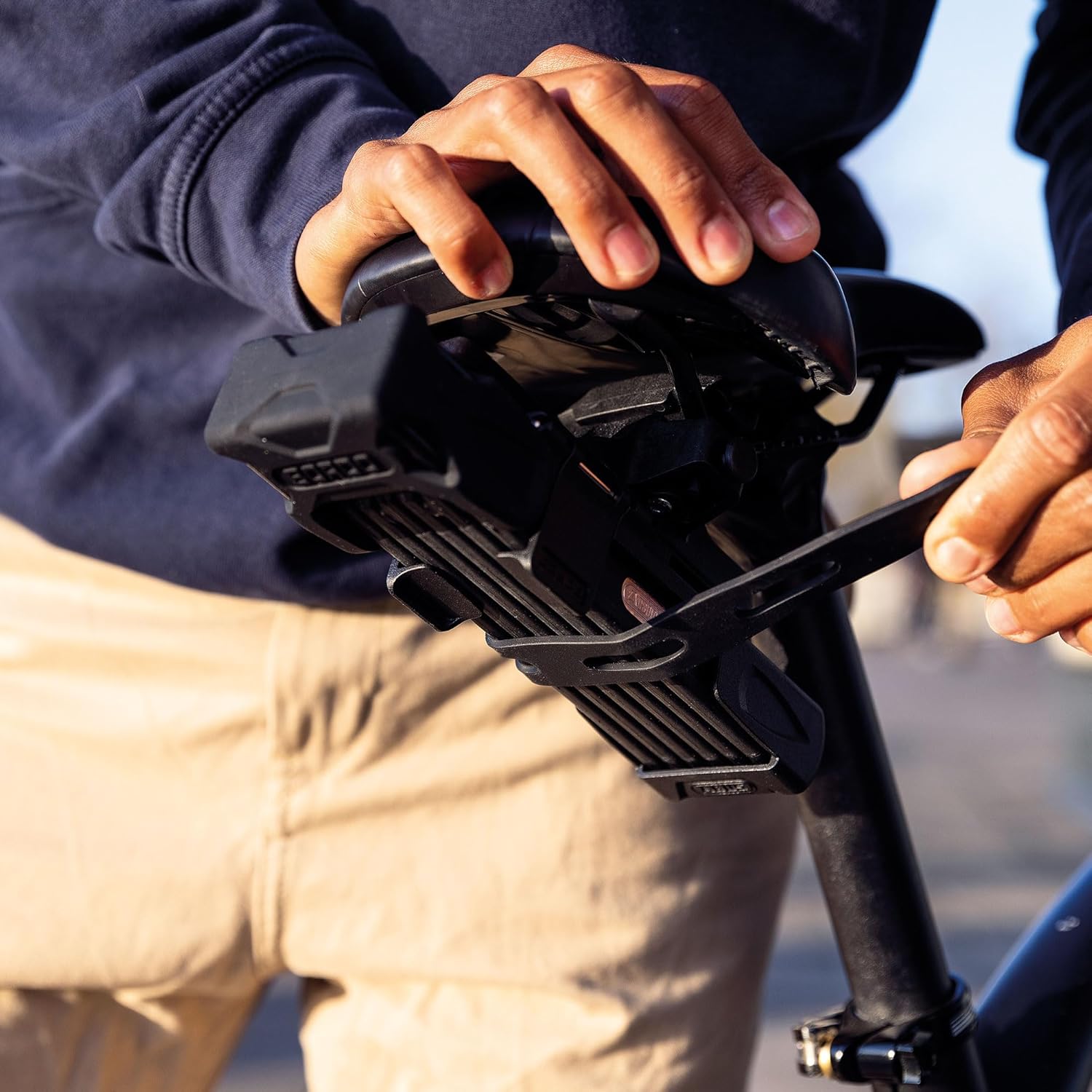
- Inserting the Lock: Align your ABUS Bordo shackle lock with the holder. Gently push the lock into the holder until it clicks into place. Ensure it is fully seated and secure.
- تالے کو ہٹانا: To remove the lock, firmly pull it out of the holder. The design allows for straightforward removal when you need to secure your bicycle.
دیکھ بھال
To ensure the longevity and proper function of your lock holder, follow these simple maintenance guidelines:
- صفائی: Wipe the holder periodically with a damp cloth to remove dirt and grime. Avoid using harsh chemicals or abrasive cleaners, as these may damage the plastic material.
- معائنہ: Regularly inspect the holder and its mounting points for any signs of wear, damage, or loosening. Ensure all components are intact and secure.
- مواد کی دیکھ بھال: The holder is made of Kunststoff (plastic). Protect it from extreme temperatures and prolonged direct sunlight to prevent material degradation.
خرابی کا سراغ لگانا
If you encounter issues with your lock holder, consider the following:
- Lock Rattles in Holder: Ensure the lock is fully inserted and seated correctly. If rattling persists, check if the holder is compatible with your specific lock model. Minor rattling may occur depending on the lock's dimensions and frame vibrations.
- ہولڈر ڈھیلا محسوس کرتا ہے: Re-tighten the mounting straps or hardware securing the holder to the bicycle frame. If the holder continues to loosen, inspect the mounting area for damage or wear.
- Damage to Holder: Avoid snagging clothing or other objects on the holder, as this can cause components to break. If the holder is damaged, it may need to be replaced to ensure secure transport of your lock.
وضاحتیں
- برانڈ: ABUS
- ماڈل نمبر: 61566 (SH 5700/80)
- مواد: کنسٹسٹوف (پلاسٹک)
- رنگ: سیاہ
- آئٹم کے طول و عرض (L x W x H): 2.36 x 7.48 x 14.57 انچ (6 x 19 x 37 سینٹی میٹر)
- آئٹم کا وزن: 0.14 کلوگرام
- چڑھنے کی قسم: فریم ماؤنٹ
وارنٹی کی معلومات
Specific warranty details for the ABUS Bordo SH 5700/80 Shackle Lock Holder are typically provided at the point of purchase or on the official ABUS website. Please retain your proof of purchase. For detailed warranty terms and conditions, refer to the documentation included with your product or visit the ABUS official webسائٹ.
حمایت
For further assistance, technical support, or inquiries regarding your ABUS Bordo SH 5700/80 Shackle Lock Holder, please contact ABUS customer service. Contact information can usually be found on the ABUS webسائٹ یا اپنے خوردہ فروش کے ذریعے۔