
1. تعارف
The AVMATRIX SE1217 is a compact and versatile SDI Streaming Encoder designed for professional video and audio streaming applications. It supports H.265/H.264 stream encoding up to 1080p60hz and offers a wide range of streaming protocols including RTSP, RTP, RTMPS, RTMP, HTTP, UDP, and SRT. This device facilitates live streaming without requiring a computer, making it suitable for various broadcasting and recording scenarios.
اہم خصوصیات میں شامل ہیں:
- 1x HDMI input and 1x HDMI loop out for monitoring.
- 1x Analog audio input for external audio sources.
- Support for both video and audio streaming, or single audio streaming.
- Advanced features like image and text overlay, mirror image, and upside-down image functionality.

شکل 1: سامنے والا اوپر view of the AVMATRIX SE1217 SDI Streaming Encoder, showcasing its compact design and primary branding.
2. سیٹ اپ
2.1 پیکیج کے مشمولات
براہ کرم تصدیق کریں کہ تمام اشیاء پیکیج میں موجود ہیں:
- AVMATRIX SE1217 SDI Streaming Encoder Unit
- پاور اڈاپٹر
- بڑھتے ہوئے بریکٹ (اگر شامل ہو)
- صارف دستی (یہ دستاویز)
2.2 جسمانی رابطے
Follow these steps to connect your SE1217 encoder:
- ویڈیو کا ماخذ مربوط کریں: Plug your HDMI video source (e.g., camera, gaming console) into the HDMI-IN port on the encoder.
- Connect Display (Optional): If you need to monitor the video signal, connect an HDMI cable from the HDMI لوپ آؤٹ port on the encoder to an HDMI display (e.g., monitor, television).
- Connect Audio Source (Optional): For external audio, connect your analog audio device to the آڈیو میں بندرگاہ
- نیٹ ورک سے جڑیں: سے ایتھرنیٹ کیبل کو مربوط کریں LAN port on the encoder to your network router or switch. This is essential for streaming.
- پاور سے رابطہ کریں: فراہم کردہ پاور اڈاپٹر کو اس میں لگائیں۔ پاور input on the encoder, then connect it to a power outlet. The device will power on automatically.
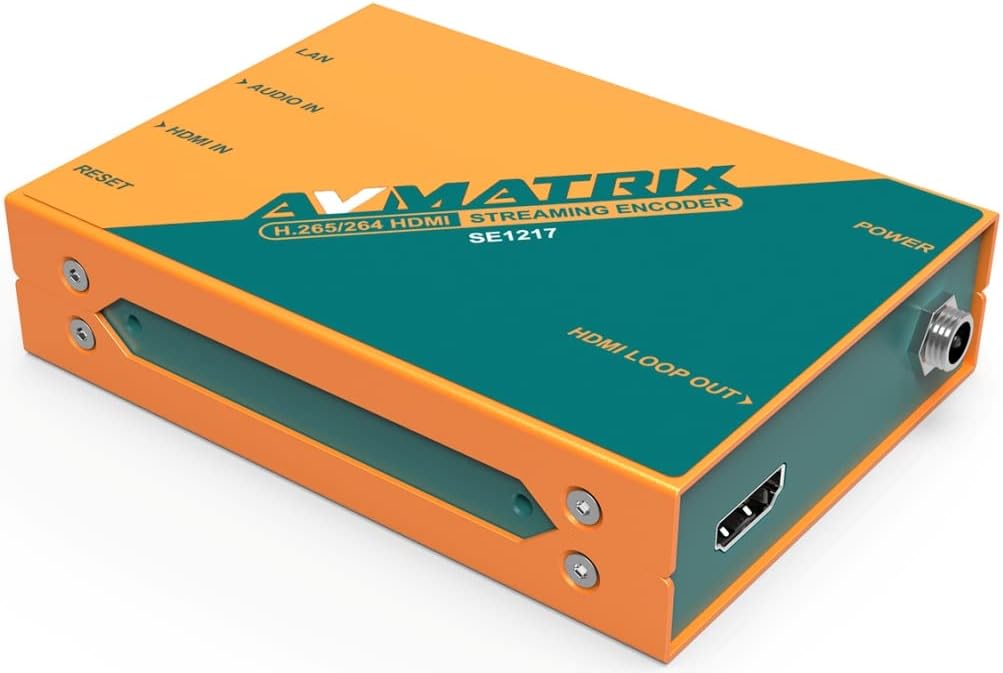
شکل 2: بائیں طرف view of the encoder, highlighting the HDMI IN, Audio IN, LAN, and Reset ports.
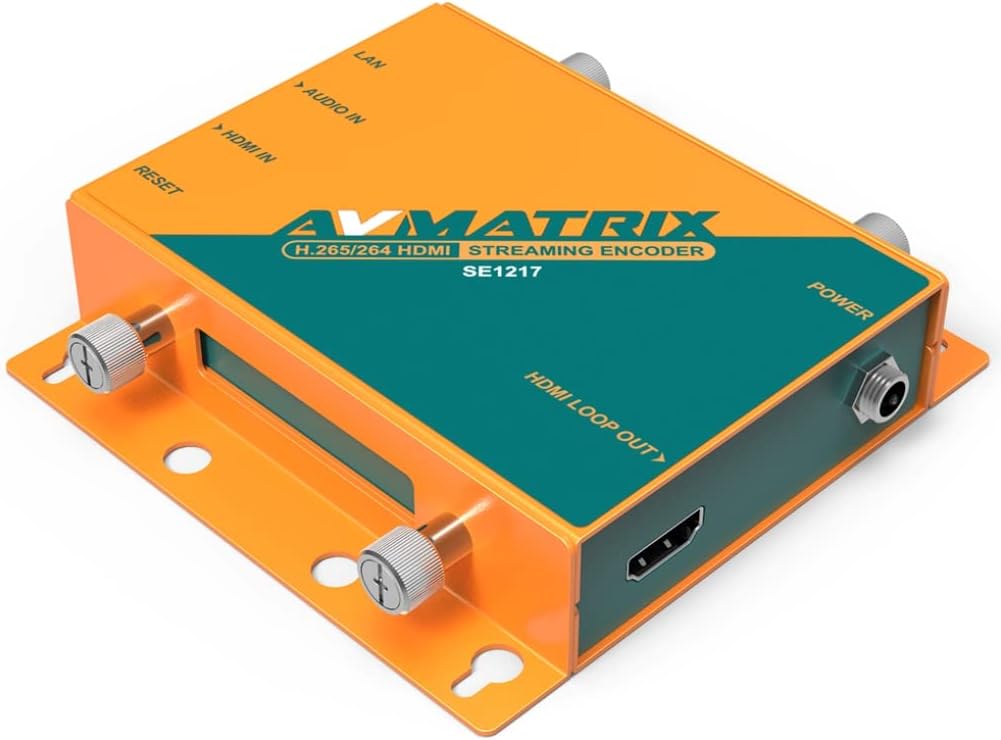
شکل 3: دائیں طرف view of the encoder, highlighting the HDMI LOOP OUT and Power ports.
3. آپریٹنگ ہدایات
3.1 ابتدائی کنفیگریشن
After connecting the device and powering it on, you will need to access its web-based interface for detailed configuration. Refer to the network settings provided with your device or use a network scanner to find the encoder's IP address. Enter this IP address into a web ایک ہی نیٹ ورک سے منسلک کمپیوٹر پر براؤزر۔
3.2 Streaming Protocols
The SE1217 supports various streaming protocols. You can configure these settings within the web انٹرفیس:
- RTMP/RTMPS: Commonly used for live streaming to platforms like YouTube, Twitch, and Facebook Live.
- RTSP/RTP: Standard protocols for streaming media over IP networks.
- HTTP/UDP: Basic protocols for various network applications.
- SRT (Secure Reliable Transport): Provides high-quality, low-latency video transport over unreliable networks.
3.3 ویڈیو اور آڈیو کی ترتیبات
کے اندر اندر web interface, you can adjust:
- انکوڈنگ فارمیٹ: Select between H.265 or H.264.
- Resolution and Frame Rate: Up to 1080p60hz.
- بٹریٹ: Adjust for desired quality and bandwidth.
- آڈیو انکوڈنگ: Configure audio codecs and bitrates.
- سٹریمنگ موڈ: Choose between video and audio streaming, or audio-only streaming.
3.4 اعلی درجے کی خصوصیات
The encoder includes advanced image processing capabilities:
- Image and Text Overlay: Add custom graphics or text to your video stream.
- عکس کی تصویر: Flip the video horizontally.
- Upside-Down Image: Rotate the video 180 degrees.
These settings are accessible and configurable through the device's web انٹرفیس
4 دیکھ بھال
4.1 صفائی
To maintain optimal performance, keep the device clean. Use a soft, dry cloth to wipe the exterior. Avoid using liquid cleaners or solvents, as these can damage the unit.
4.2 فرم ویئر اپڈیٹس
Periodically check the AVMATRIX official website for firmware updates. Firmware updates can provide new features, performance improvements, and bug fixes. Follow the instructions provided with the firmware update package carefully to avoid damaging the device.
4.3 اسٹوریج
When not in use for extended periods, store the encoder in a cool, dry place away from direct sunlight and extreme temperatures. Ensure it is disconnected from power and all cables.
5 خرابیوں کا سراغ لگانا
This section addresses common issues you might encounter with the AVMATRIX SE1217 encoder.
- کوئی طاقت نہیں:
- Ensure the power adapter is securely connected to both the encoder and a working power outlet.
- تصدیق کریں کہ پاور آؤٹ لیٹ فعال ہے۔
- کوئی ویڈیو سگنل نہیں:
- Check that the HDMI input cable is securely connected to both the source and the encoder's HDMI-IN بندرگاہ
- Confirm the video source is powered on and outputting a signal.
- If using the HDMI loop out, ensure the display is correctly connected and set to the correct input.
- کوئی نیٹ ورک کنکشن نہیں:
- Verify the Ethernet cable is properly connected to the LAN port and your network router/switch.
- Check your network router/switch for proper operation.
- Ensure the encoder's IP address settings are correct (DHCP or static IP).
- No Stream Output:
- Confirm network connectivity.
- Check streaming protocol settings (RTMP URL, stream key, etc.) in the web انٹرفیس
- Ensure the streaming platform is active and ready to receive the stream.
- کوئی آڈیو نہیں:
- If using the analog audio input, ensure the cable is connected correctly and the audio source is active.
- میں آڈیو کی ترتیبات چیک کریں۔ web interface to ensure audio encoding is enabled and levels are appropriate.
- آلہ غیر جوابدہ:
- دبائیں ری سیٹ کریں۔ button briefly to restart the device.
- If a soft reset does not work, disconnect and reconnect the power adapter.
6. وضاحتیں
The following table details the technical specifications of the AVMATRIX SE1217 SDI Streaming Encoder:
| فیچر | تفصیل |
|---|---|
| ماڈل | SE1217 |
| ویڈیو ان پٹ | 1x HDMI |
| ویڈیو آؤٹ پٹ | 1x HDMI Loop Out |
| آڈیو ان پٹ | 1x Analog Audio |
| نیٹ ورک انٹرفیس | 1x LAN (Ethernet) |
| ویڈیو انکوڈنگ | H.265 / H.264۔ |
| زیادہ سے زیادہ قرارداد | 1080p60hz |
| اسٹریمنگ پروٹوکول | RTSP, RTP, RTMPS, RTMP, HTTP, UDP, SRT |
| خصوصی خصوصیات | Image & Text Overlay, Mirror Image, Upside-Down Image |
| رنگ | کینو |
| ہم آہنگ آلات | Gaming Console, Monitor, Television |
7. وارنٹی اور سپورٹ
For detailed warranty information and technical support, please refer to the official AVMATRIX webسائٹ یا اپنے مجاز ڈیلر سے رابطہ کریں۔ وارنٹی دعووں کے لیے خریداری کے ثبوت کے طور پر اپنی خریداری کی رسید رکھیں۔