
Goshyda KX-T6001CID
Goshyda KX-T6001CID Big Button Corded Telephone User Manual
Model: KX-T6001CID | Brand: Goshyda
تعارف
Thank you for choosing the Goshyda KX-T6001CID Big Button Corded Telephone. This manual provides detailed instructions to help you set up, operate, and maintain your new telephone. Please read this manual thoroughly before use to ensure proper functionality and to take full advantagاس کی خصوصیات میں سے e.
حفاظتی معلومات
- Do not expose the telephone to water or moisture.
- Avoid placing the telephone in direct sunlight or near heat sources.
- Use only the provided telephone line cord.
- ٹیلی فون کو خود کھولنے یا ٹھیک کرنے کی کوشش نہ کریں۔ تمام خدمات کو اہل اہلکاروں سے رجوع کریں۔
- بچوں کی پہنچ سے دور رکھیں۔
پیکیج کے مشمولات
تصدیق کریں کہ تمام اشیاء پیکیج میں موجود ہیں:
- 1 ایکس ہینڈسیٹ
- 1 x Telephone Base Unit
- 1 x Handset Cord
- 1 ایکس ٹیلی فون لائن کی ہڈی
- 1 ایکس صارف دستی

Image: The Goshyda KX-T6001CID telephone, showing the base unit, handset, and coiled cord.
پروڈکٹ ختمview
Familiarize yourself with the main components and controls of your telephone.

تصویر: سامنے view of the telephone, highlighting the LCD display, large numeric keypad, and function buttons.
Keypad and Display:
- عددی کی پیڈ (0-9, *, #): فون نمبرز ڈائل کرنے کے لیے۔
- LCD ڈسپلے: کالر ID، وقت، تاریخ، اور مینو کے اختیارات دکھاتا ہے۔
- M1/M2 بٹن: One-touch memory dialing keys.
- SET/STORE Button: Used for entering settings menu and saving entries.
- اوپر/نیچے بٹن: Navigate through menu options or adjust volume.
- RING Button: Adjust ringer volume.
- VOL بٹن: Adjust earpiece/speaker volume.
- FL/BRT (Flash/Brightness) Button: Flash function for call waiting, also adjusts LCD brightness.
- REDIAL Button: آخری ڈائل کردہ نمبر کو دوبارہ ڈائل کرتا ہے۔
- H.F (Hands-Free) Button: Activates speakerphone mode.

تصویر: ایک قریبی اپ view of the large, easy-to-read buttons on the telephone's keypad.
سیٹ اپ
1. Connecting the Telephone:
- کوائلڈ ہینڈ سیٹ کی ہڈی کے ایک سرے کو ہینڈ سیٹ سے اور دوسرے سرے کو ٹیلی فون بیس یونٹ کے بائیں جانب ہینڈ سیٹ جیک سے جوڑیں۔
- Connect one end of the telephone line cord to the LINE jack on the back of the telephone base unit.
- Connect the other end of the telephone line cord to your wall telephone jack.
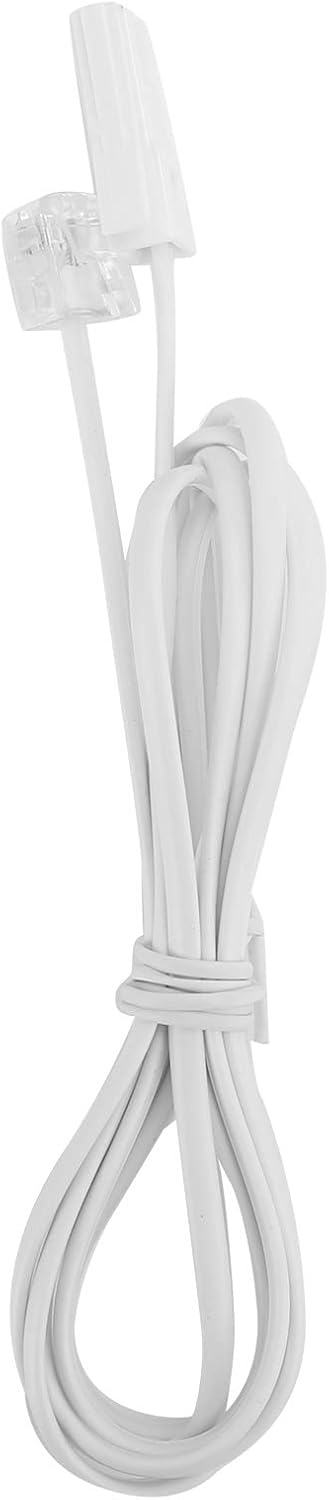
Image: The telephone line cord, used to connect the phone to the wall jack.
2. Initial Settings:
Upon initial connection, the LCD display may prompt you to set the date and time. Follow the on-screen instructions using the UP اور نیچے buttons to adjust values and the سیٹ/اسٹور تصدیق کے لیے بٹن۔
آپریٹنگ ہدایات
کال کرنا:
- ہینڈ سیٹ اٹھائیں یا دبائیں HF button for speakerphone.
- عددی کی پیڈ کا استعمال کرتے ہوئے مطلوبہ فون نمبر ڈائل کریں۔
- کال کے منسلک ہونے کا انتظار کریں۔
- کال ختم کرنے کے لیے، ہینڈ سیٹ کو تبدیل کریں یا دبائیں۔ HF دوبارہ بٹن.
کال کا جواب دینا:
جب فون کی گھنٹی بجتی ہے تو ہینڈ سیٹ اٹھائیں یا دبائیں HF جواب دینے کے لیے بٹن۔
دوبارہ ڈائل کرنا:
ہینڈسیٹ اٹھا یا دبائیں HF، پھر دبائیں ازالہ آخری ڈائل کردہ نمبر پر کال کرنے کے لیے بٹن۔
Using Memory Keys (M1/M2):
نمبر ذخیرہ کرنا:
- ہینڈسیٹ اٹھا یا دبائیں HF.
- دبائیں سیٹ/اسٹور.
- وہ فون نمبر ڈائل کریں جسے آپ اسٹور کرنا چاہتے ہیں۔
- دبائیں سیٹ/اسٹور دوبارہ
- یا تو دبائیں۔ M1 or M2 to save the number to that memory key.
میموری سے ڈائل کرنا:
ہینڈسیٹ اٹھا یا دبائیں HF, then press either M1 or M2 to dial the stored number.
خصوصیات
- DTMF/FSK Dual System Caller ID: Supports both DTMF and FSK caller ID systems for displaying incoming call information.

Image: The telephone's display, showing its capability for DTMF/FSK dual system caller ID function.
- FLASH Time Adjustment: Adjustable FLASH time (90/95/100/120/180/300/600/1000ms) for compatibility with various PBX systems or call waiting services.
- 16 Ringtone Options: Choose from 16 different ringtones.

Image: The telephone with graphic elements suggesting a choice of 16 ringtones.
- Adjustable LCD Brightness: Five levels of LCD screen brightness adjustment for optimal viewing
- 3 Alarm Clock Functions: Set up to 3 different alarm clocks, each with unique alarm sounds.
- 10 Groups of Dual Key Memory: Store up to 10 frequently called numbers using dual-key memory functions.
- 1-99 Hours Do Not Disturb Function: Set a "Do Not Disturb" period from 1 to 99 hours.
دیکھ بھال
- Clean the telephone with a soft, damp کپڑا کھرچنے والے کلینر یا سالوینٹس کا استعمال نہ کریں۔
- Keep the telephone away from dust and extreme temperatures.
- Ensure cords are not tangled or pinched to prevent damage.
خرابی کا سراغ لگانا
| مسئلہ | ممکنہ وجہ | حل |
|---|---|---|
| کوئی ڈائل ٹون نہیں۔ | ٹیلی فون لائن کی ہڈی منقطع ہے یا خراب ہے۔ | Check all cable connections. Try a different telephone line cord. Test the wall jack with another phone. |
| کالز نہیں کر سکتے یا وصول نہیں کر سکتے | Line issue, or phone is in "Do Not Disturb" mode. | Verify phone line service. Check if "Do Not Disturb" is active and disable it. |
| کالر ID ظاہر نہیں کی گئی ہے۔ | Caller ID service not subscribed or incompatible system. | Contact your telephone service provider to ensure Caller ID service is active. |
| ڈسپلے مدھم یا خالی ہے۔ | LCD brightness setting is too low. | Adjust the LCD brightness using the FL/BRT button or menu settings. |
وضاحتیں
| فیچر | تفصیل |
|---|---|
| ماڈل | KX-T6001CID |
| برانڈ | گوشیدہ |
| مواد | Acrylonitrile Butadiene Styrene (ABS) |
| رنگ | سفید |
| قسم | تار تار ٹیلیفون |
| ڈائلر کی قسم | سنگل کیپیڈ |
| کالر ID | Yes (DTMF/FSK Dual System) |
| فلیش کا وقت | 90/95/100/120/180/300/600/1000ms |
| رنگ ٹونز | 16 اختیارات |
| LCD چمک | 5 سطحیں سایڈست |
| الارم کے افعال | 3 گروپس |
| میموری فنکشن | 10 groups of dual key memory |
| ڈسٹرب نہ کریں۔ | 1-99 گھنٹے |
| شے کا وزن | 481 گرام |
| طول و عرض (L x W x H) | 10 x 10 x 10 millimeters (approximate) |
| طاقت کا منبع | Battery Powered (likely referring to LCD/memory backup, as corded phones are line-powered for basic functions) |
وارنٹی اور سپورٹ
This Goshyda product is covered by a standard manufacturer's warranty. For specific warranty details, please refer to the documentation included with your purchase or contact Goshyda customer support.
For technical assistance or further inquiries, please contact Goshyda customer service through their official webسائٹ یا آپ کے پروڈکٹ کے ساتھ فراہم کردہ رابطے کی معلومات۔
Ask a question about this manual
Ask about setup, troubleshooting, compatibility, parts, safety, or missing instructions. Manuals+ will review the question and use this page’s manual context to help answer it.