
1. تعارف
The M5Stack Core2 is a versatile IoT development kit designed for rapid prototyping and deployment of various applications. It features an ESP32-D0WDQ6-V3 microcontroller, a 2-inch TFT LCD touch screen, and integrated Wi-Fi and Bluetooth connectivity. This manual provides essential information for setting up, operating, and maintaining your Core2 device.

Figure 1.1: M5Stack Core2 IoT Development Kit, showcasing اس کا کمپیکٹ ڈیزائن اور ڈسپلے۔
2. باکس میں کیا ہے۔
تصدیق کریں کہ نیچے دی گئی تمام اشیاء آپ کے پیکیج میں شامل ہیں:
- 1 x M5Stack Core2 Unit
- 1 x USB Type-C Cable (20cm)
- 1 ایکس ہیکس رنچ

Figure 2.1: Contents of the M5Stack Core2 package, including the Core2 unit, USB-C cable, and hex wrench.

Figure 2.2: Visual representation of the shipping list for the M5Stack Core2.
3. پروڈکٹ ختمview
The M5Stack Core2 is built around the ESP32-D0WDQ6-V3 chip, offering robust performance for various applications. Key features include:
- طاقتور کارکردگی: Equipped with an ESP32-D0WDQ6-V3 microcontroller for high computing performance.
- ٹچ اسکرین ڈسپلے: Features a 2-inch TFT LCD touch screen (320x240 resolution) for intuitive user interaction.
- وائرلیس رابطہ: Integrated Wi-Fi and Bluetooth capabilities for seamless communication.
- Expandable Functionality: Multiple expansion ports (GPIO, I2C, SPI, UART) for connecting additional modules and sensors.
- بلٹ ان اسپیکر: آڈیو آؤٹ پٹ کے لیے۔
- کمپن موٹر: ہیپٹک فیڈ بیک فراہم کرتا ہے۔
- مائیکروفون: آڈیو ان پٹ کے لیے۔
- SD کارڈ سلاٹ: قابل توسیع اسٹوریج کے لیے۔
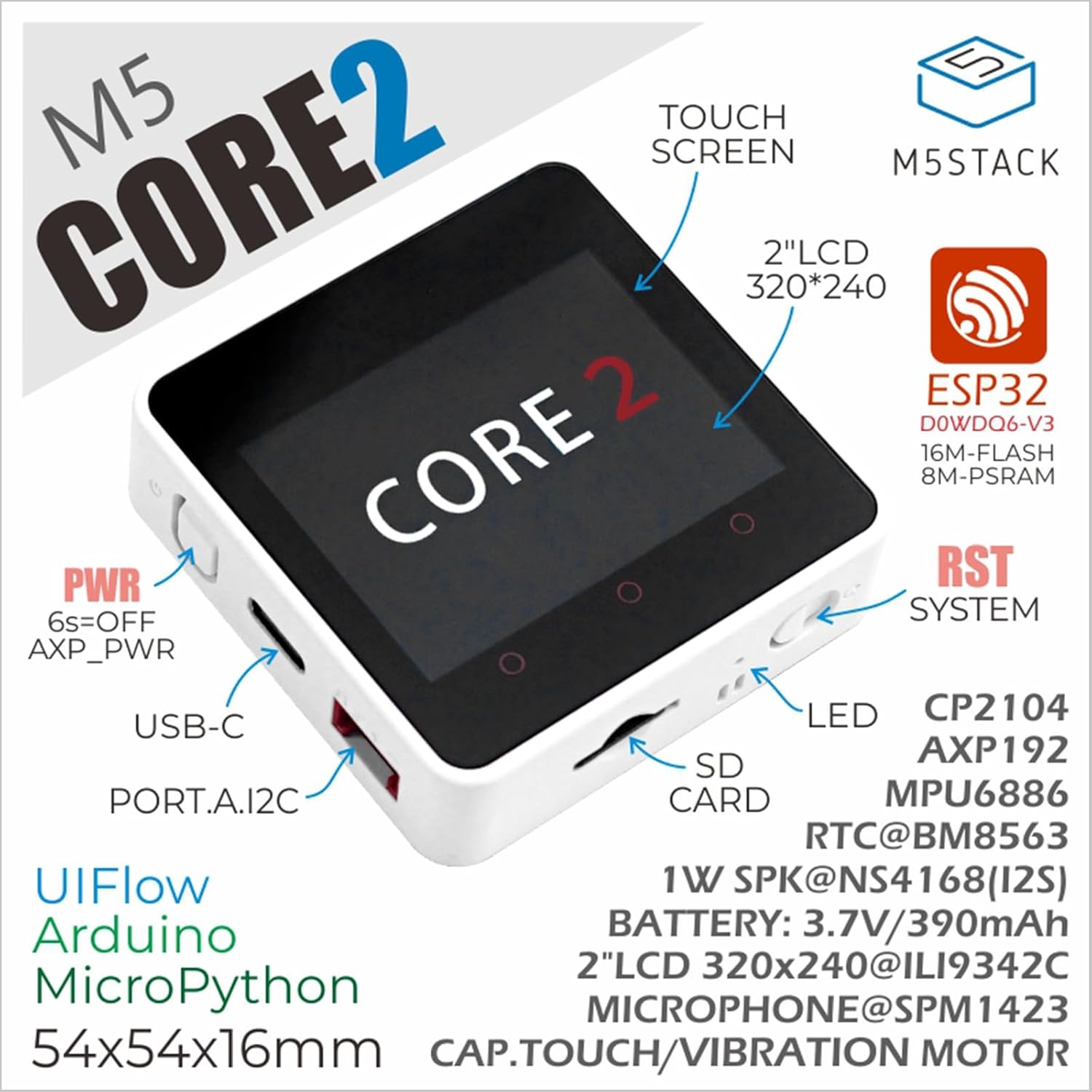
Figure 3.1: Annotated diagram of the M5Stack Core2, highlighting its main components and interfaces.

Figure 3.2: Key features of the M5Stack Core2, including memory and display type.
4. وضاحتیں
The following table details the technical specifications of the M5Stack Core2:
| تفصیلات | پیرامیٹر |
|---|---|
| SoC | ESP32-D0WDQ6-V3, 240MHz dual core, 600 DMIPS, 520KB SRAM, Wi-Fi |
| فلیش | 16MB |
| PSRAM | 8MB |
| ان پٹ جلدtage | 5V @ 500mA |
| میزبان انٹرفیس | Type-C x 1، GROVE(I2C+I/O+UART) x 1 |
| ایل ای ڈی | سبز طاقت اشارے روشنی |
| بٹن | Power button, RST button, screen virtual buttons x 3 |
| کمپن الرٹ | وائبریشن موٹر |
| شے کا وزن | 2.82 اونس (تقریباً 80 گرام) |
| پیکیج کے طول و عرض | 3.19 x 2.28 x 0.87 انچ |
| بیٹریاں | 1 لتیم آئن بیٹری (شامل) |

Figure 4.1: M5Stack Core2 weight measurement.

Figure 4.2: M5Stack Core2 dimensions.
5. سیٹ اپ
To begin using your M5Stack Core2, follow these initial setup steps:
- چارج کرنا: Connect the M5Stack Core2 to a 5V USB power source using the provided USB Type-C cable. The device will begin charging.
- پاور آن: Press and hold the power button (usually located on the side) for approximately 6 seconds to turn on the device.
- سافٹ ویئر ماحولیات: The Core2 supports various development environments, including UIFlow, Arduino, and MicroPython. Choose your preferred environment and set up the necessary drivers and IDE on your computer.
- First Program: Refer to the official M5Stack documentation for guides on uploading your first program or firmware to the Core2.
6. آپریٹنگ ہدایات
The M5Stack Core2 is designed for flexible operation depending on your application. Here are general guidelines:
- Touch Screen Interaction: Navigate menus and interact with applications using the 2-inch capacitive touch screen.
- ورچوئل بٹن: The three virtual buttons below the screen can be programmed for various functions within your applications.
- جسمانی بٹن: The physical RST (Reset) button can be used to restart the device. The power button can be used for power cycling.
- بیرونی ماڈیولز: Connect compatible M5Stack modules and sensors to the GROVE port to expand functionality. Ensure proper connection and power supply for external modules.
- SD کارڈ کا استعمال: Insert a microSD card into the designated slot for additional storage. Ensure the card is formatted correctly (e.g., FAT32).
7 دیکھ بھال
Proper maintenance ensures the longevity and optimal performance of your M5Stack Core2:
- صفائی: آلے کو صاف کرنے کے لیے نرم، خشک کپڑا استعمال کریں۔ مائع کلینر یا کھرچنے والے مواد کے استعمال سے پرہیز کریں۔
- ذخیرہ: آلے کو براہ راست سورج کی روشنی اور انتہائی درجہ حرارت سے دور ٹھنڈی، خشک جگہ پر اسٹور کریں۔
- بیٹری کی دیکھ بھال: Avoid fully discharging the battery frequently. If storing for extended periods, charge the battery to about 50-70% to preserve its lifespan.
- فرم ویئر اپ ڈیٹس: Regularly check the official M5Stack webیہ یقینی بنانے کے لیے کہ آپ کے آلے میں تازہ ترین خصوصیات اور بگ فکسز موجود ہیں فرم ویئر اپ ڈیٹس کے لیے سائٹ۔
- جسمانی تحفظ: While durable, avoid dropping the device or exposing it to excessive force or moisture.
8 خرابیوں کا سراغ لگانا
This section addresses common issues you might encounter with your M5Stack Core2.
- Q1: What is the maximum supported capacity of the SD card, and why is there no response when the SD card is inserted?
- Theoretically, devices based on ESP32 support up to 16GB. We recommend using a SD card model SDSQUNC-016G-ZN6MA. Ensure the SD card is properly inserted and formatted.
- Q2: Using the battery in either of the battery ports on the USB unit or the Core2 forces the unit to stay powered on continuously. Any attempt to shut down using the side button causes the device to restart after.
- We have found that the reason is that the filter capacitor capacity of the USB 1.2 module is too large. If you still need to use batteries to power the Core2 + USB 1.2 solution, to avoid frequent restarts, the following two solutions can be adopted:
- Remove the filter capacitor.
- Replace it with a smaller capacity filter capacitor (10uF is recommended).
- Q3: How to extend the Core2 with an extension module?
- You must remove the original bottom and battery of the Core2, then you can stack another module extension.

Figure 8.1: Common questions and solutions for the M5Stack Core2.
9. درخواست کا دائرہ
The M5Stack Core2 is suitable for a wide range of applications, including but not limited to:
- اسمارٹ ہوم ڈیوائسز: Control and monitor home automation systems.
- STEM تعلیم: An excellent tool for learning about IoT, programming, and electronics.
- آئی او ٹی کنٹرولر: Serve as a central controller for various Internet of Things projects.
- DIY پروجیکٹس: Ideal for custom electronic projects and rapid prototyping.
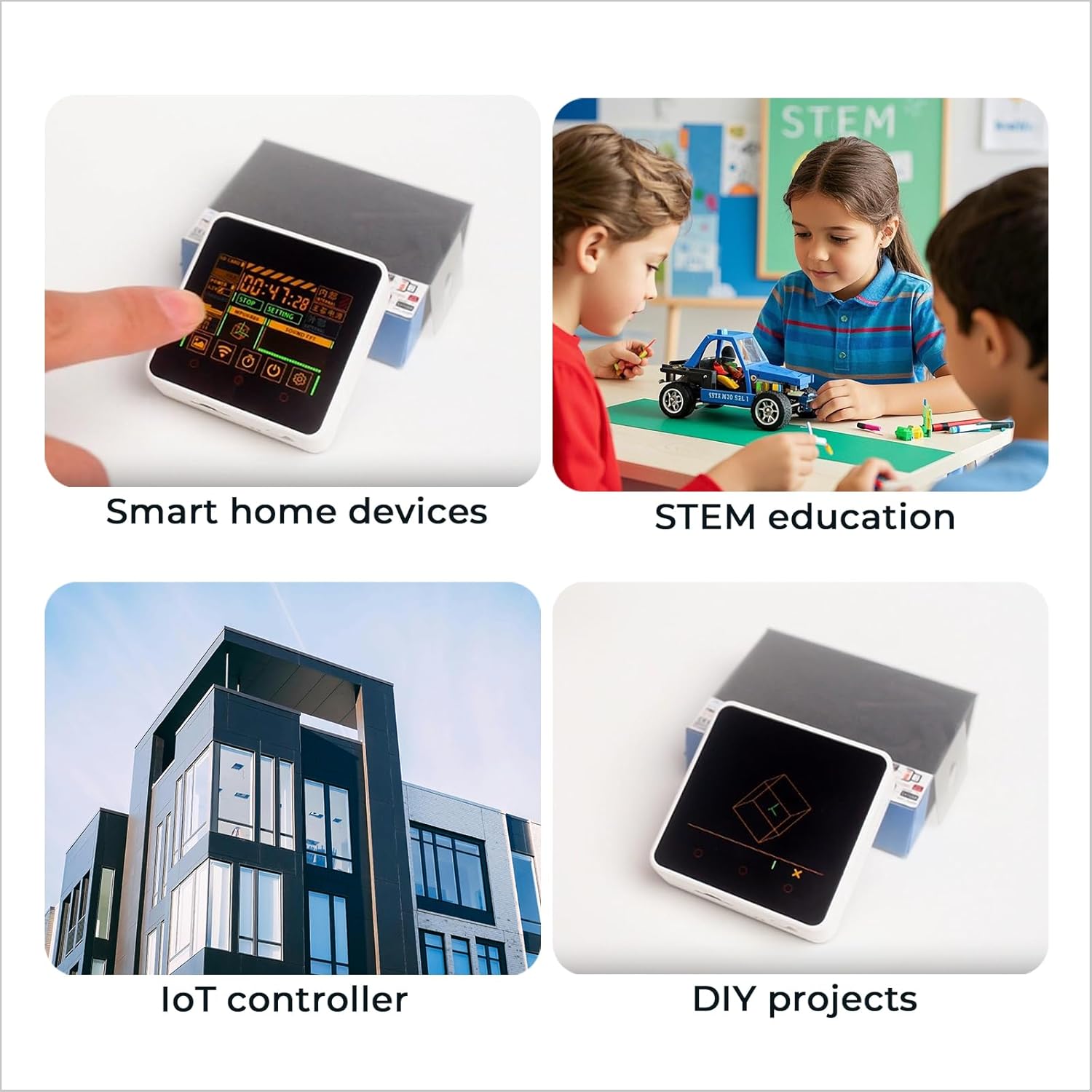
شکل 9.1: سابقamples of M5Stack Core2 applications.

Figure 9.2: Further illustration of the M5Stack Core2's versatile applications.
10 سپورٹ اور وسائل
For more detailed tutorials, documentation, and community support, please visit the official M5Stack webسائٹ:

Figure 10.1: Guide to accessing online tutorials and documentation.

Figure 10.2: Official M5Stack webسپورٹ کے لیے سائٹ۔