
ZIPRO 6299209
ZIPRO Flame VM Magnetic Fitness Bike
صارف دستی

ختمview of the ZIPRO Flame VM Magnetic Fitness Bike.
1. تعارف
Thank you for choosing the ZIPRO Flame VM Magnetic Fitness Bike. This manual provides essential information for the safe assembly, operation, and maintenance of your new fitness equipment. Please read this manual thoroughly before first use and keep it for future reference.
The ZIPRO Flame VM is designed to provide an effective and enjoyable indoor cycling experience, helping you achieve your fitness goals from the comfort of your home. Its magnetic resistance system ensures smooth and quiet operation, while the integrated computer and app compatibility offer advanced tracking and training options.
2. حفاظتی رہنما خطوط
انتباہ: ورزش کا کوئی بھی پروگرام شروع کرنے سے پہلے اپنے معالج سے مشورہ کریں۔ یہ خاص طور پر 35 سال سے زیادہ عمر کے افراد یا پہلے سے موجود صحت کے مسائل سے دوچار افراد کے لیے اہم ہے۔
- Always place the fitness bike on a flat, stable surface. Ensure adequate space around the bike for safe operation.
- استعمال کے دوران بچوں اور پالتو جانوروں کو آلات سے دور رکھیں۔
- Inspect the bike before each use for any loose parts, wear, or damage. Do not use if damaged.
- مناسب ورزشی لباس اور جوتے پہنیں۔ ڈھیلے لباس سے پرہیز کریں جو حرکت پذیر حصوں میں پھنس سکتے ہیں۔
- صارف کے وزن کی زیادہ سے زیادہ گنجائش 150 کلوگرام (330 پونڈ) سے زیادہ نہ ہو۔
- اپنی ورزش شروع کرنے سے پہلے سیٹ اور ہینڈل بار کو آرام دہ اور محفوظ پوزیشن میں ایڈجسٹ کریں۔
- اگر آپ کو درد، چکر آنا، یا سانس کی قلت کا سامنا ہو تو فوری طور پر ورزش بند کریں اور ڈاکٹر سے رجوع کریں۔
- Ensure the power adapter is correctly connected to the bike and a suitable power outlet.
3. اسمبلی کی ہدایات
The assembly of the ZIPRO Flame VM fitness bike is designed to be straightforward. Please follow these steps carefully. It is recommended to have two people for certain assembly steps.
3.1 پیک کھولنا اور حصوں کی شناخت
Carefully remove all components from the packaging. Lay them out and compare them with the parts list provided in the separate assembly diagram. Ensure all parts are present and undamaged.

The user manual and power adapter included with your fitness bike.
3.2 Main Frame Assembly
Attach the front and rear stabilizers to the main frame using the provided bolts and washers. Ensure they are securely tightened to provide a stable base for the bike.
3.3 پیڈل کی تنصیب
Identify the left (L) and right (R) pedals. The left pedal screws counter-clockwise, and the right pedal screws clockwise. Ensure they are threaded correctly and tightened firmly to prevent loosening during use.

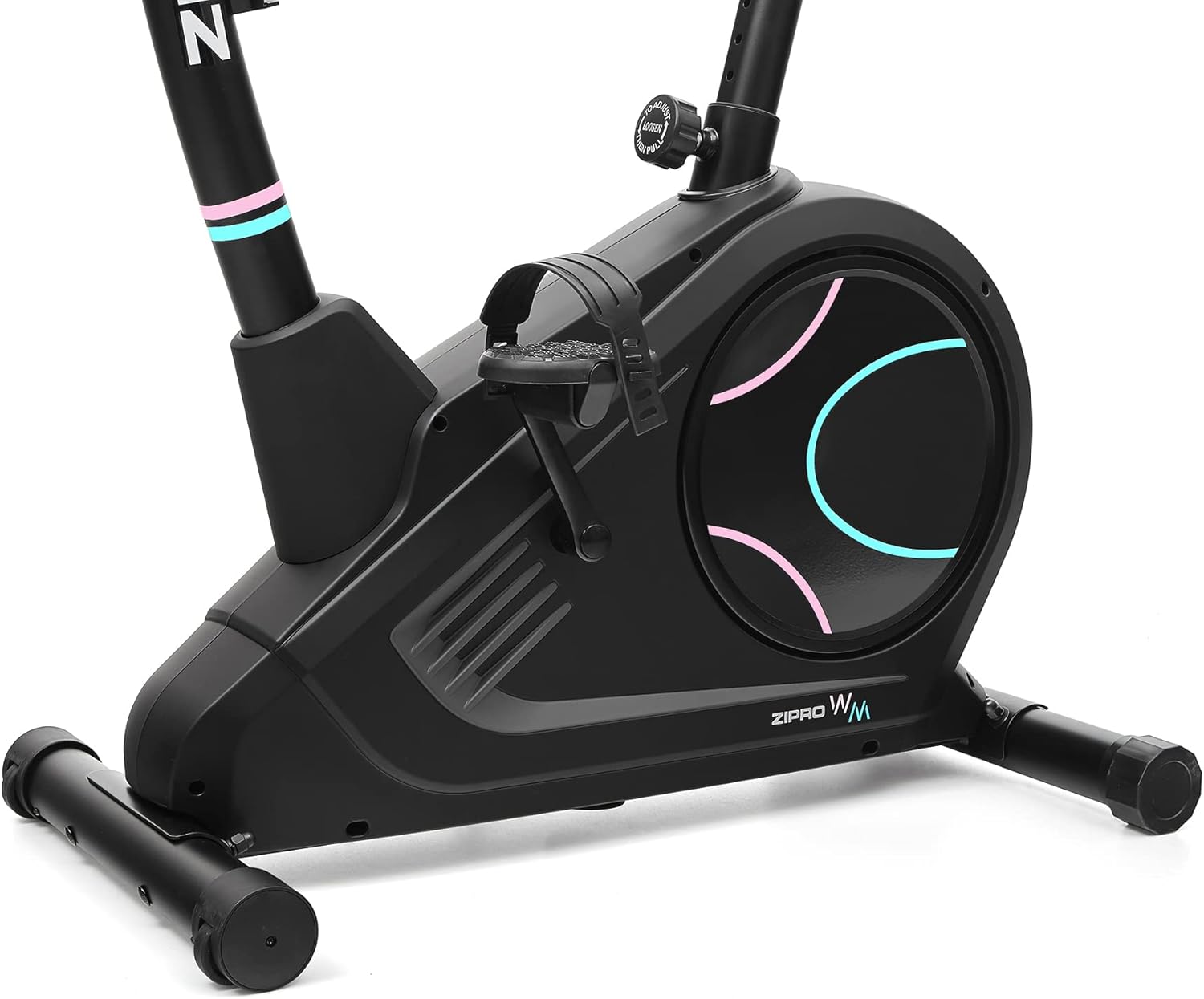
Detail of the non-slip pedals with adjustable straps for secure foot placement.
3.4 Seat and Handlebar Post Installation
Insert the seat post into the main frame and secure it with the adjustment knob. Similarly, insert the handlebar post and attach the handlebars. Ensure all connections are firm.
3.5 Console and Wiring Connection
Connect the console wires to the corresponding cables from the handlebar post. Carefully mount the console onto the handlebar post. Ensure all wires are properly routed and not pinched.
The power connection port, located at the bottom rear of the bike, for connecting the electrical cable.
4. اجزاء کی شناخت
Familiarize yourself with the main components of your ZIPRO Flame VM fitness bike:
- کنسول: Displays workout data, allows program selection, and connects to apps.
- ہینڈلبرس: Provide grip and include pulse sensors.
- نشست: Adjustable for height and horizontal position.
- پیڈل: Non-slip with adjustable straps for secure foot placement.
- مزاحمتی نوب: Adjusts the magnetic resistance level.
- سٹیبلائزرز: Front and rear bases for stability, with transport wheels on the front.
- پانی کی بوتل رکھنے والا: Conveniently located for hydration during workouts.

طرف view illustrating the main components of the fitness bike.

سامنے کی طرف view highlighting the console, handlebars, and main body.
5. آپریٹنگ ہدایات
5.1 Powering On and Console Functions
Connect the power adapter to the bike and a wall outlet. The console will power on automatically. The easy-to-use computer with its clear screen allows you to select programs and monitor your workout progress.

The advanced computer display showing various workout metrics like time, calories, speed, and pulse.

A hand pressing a button on the console, demonstrating user interaction.

A user making adjustments on the fitness bike's console, highlighting its user-friendly interface.
5.2 مزاحمت کو ایڈجسٹ کرنا
The Flame VM features 32 levels of electric-magnetic resistance. Use the UP/DOWN buttons on the console to increase or decrease the resistance level according to your workout intensity needs.
5.3 نبض کی پیمائش
Grasp the pulse sensors on the handlebars with both hands. Your pulse will be displayed on the console. Maintaining the correct pulse rate can make your workout more effective.
5.4 Using iConsole+ Training and Kinomap Apps
The Bluetooth connectivity allows you to use popular fitness applications like iConsole+ Training and Kinomap. Place your mobile device on the integrated stand and connect via Bluetooth to enhance your training experience with virtual routes and additional programs.

The integrated stand for mobile devices, allowing you to enjoy digital content during your workout.

A smartphone securely placed on the console's media tray, ready for app integration.

A tablet positioned on the console's stand, demonstrating compatibility with larger mobile devices for an immersive workout.

A user actively exercising on the bike, with a virtual route from the Kinomap app displayed, enhancing the training experience.
5.5 Seat and Handlebar Adjustments
The adjustable seat and handlebar inclination allow you to find the safest and most comfortable position during your ride. Adjust the seat height and horizontal position using the knobs below the seat. The handlebar angle can also be adjusted for optimal comfort.

A user on the fitness bike, illustrating proper foot placement on pedals and interaction with the console.
5.6 Hydration
Stay hydrated during your workout. The included water bottle and holder allow you to quench your thirst without interrupting your exercise session.
6. دیکھ بھال اور دیکھ بھال
Regular maintenance will ensure the longevity and optimal performance of your ZIPRO Flame VM fitness bike.
- صفائی: اشتہار کے ساتھ موٹر سائیکل کو صاف کریں۔amp پسینے اور دھول کو دور کرنے کے لیے ہر استعمال کے بعد کپڑا۔ کھرچنے والے کلینر یا سالوینٹس کا استعمال نہ کریں۔
- چکنا: The magnetic resistance system is generally maintenance-free. However, occasionally check for any squeaks or unusual noises from moving parts and apply a silicone-based lubricant if necessary.
- سختی کی جانچ: Periodically check all bolts, nuts, and connections to ensure they are secure. Tighten any loose fasteners.
- ذخیرہ: موٹر سائیکل کو براہ راست سورج کی روشنی اور انتہائی درجہ حرارت سے دور خشک، ٹھنڈی جگہ پر رکھیں۔
7 خرابیوں کا سراغ لگانا
If you encounter any issues with your fitness bike, refer to the following common problems and solutions:
| مسئلہ | ممکنہ وجہ | حل |
|---|---|---|
| Console not turning on | Power adapter not connected; loose wiring; power outlet issue. | Ensure power adapter is securely plugged into bike and outlet. Check outlet with another device. Verify console wiring connections. |
| No resistance change | Console not communicating with resistance mechanism; mechanical issue. | Check console wiring. If problem persists, contact customer support. |
| پلس کی غلط پڑھائی | ہاتھ مضبوطی سے سینسر پر نہیں ہیں؛ خشک ہاتھ؛ مداخلت | Ensure firm, consistent contact with both sensors. Lightly moisten hands if too dry. |
| چیخنے یا پیسنے کی آواز | Loose parts; lack of lubrication (rare for magnetic systems); internal component issue. | Check and tighten all visible bolts. If noise persists, contact customer support. |
8. تکنیکی تفصیلات
| فیچر | تفصیلات |
|---|---|
| ماڈل کا نام | Flame WM |
| ماڈل نمبر | 6299209 |
| برانڈ | ZIPRO |
| مزاحمت کا طریقہ کار | مقناطیسی |
| مزاحمت کی سطح | 32-step Electric-Magnetic |
| زیادہ سے زیادہ صارف کا وزن | 150 کلوگرام (تقریباً 330 پونڈ) |
| طول و عرض (L x W x H) | 118 x 49 x 140 سینٹی میٹر (تقریباً 46.5 x 19.3 x 55.1 انچ) |
| پروڈکٹ کا وزن | 27.3 کلوگرام (تقریباً 60.2 پونڈ) |
| طاقت کا منبع | برقی کیبل |
| مواد | Plastic (main material) |
| خصوصی خصوصیات | Modern computer with clear screen, pulse sensors, non-slip pedals, adjustable seat/handlebar, mobile device tray, iConsole+ and Kinomap compatibility, transport wheels. |

Detailed dimensions of the ZIPRO Flame VM fitness bike: 118 cm length, 49 cm width, 140 cm height.
9. وارنٹی اور سپورٹ
Your ZIPRO Flame VM Magnetic Fitness Bike is covered by a manufacturer's warranty. Please refer to the warranty card included with your purchase for specific terms and conditions.
For technical support, spare parts, or any questions not covered in this manual, please contact ZIPRO customer service. When contacting support, please have your product model number (6299209) and purchase information ready.
Thank you for choosing ZIPRO. We wish you many effective and enjoyable workouts!
Ask a question about this manual
Ask about setup, troubleshooting, compatibility, parts, safety, or missing instructions. Manuals+ will review the question and use this page’s manual context to help answer it.