
1. تعارف
The COMPUTHERM T-32 room thermostat is designed for controlling most boilers and air conditioners available in the EU. It can be easily connected to any gas boiler with a two-wire thermostatic connection point, and to all air conditioning systems or electrical appliances, whether they have a 24V or 230V control circuit.
This digital thermostat allows for more precise temperature measurement and adjustment compared to traditional thermostats. It helps reduce energy costs while maintaining comfort by regulating the connected appliance (e.g., a gas boiler or pump) based on the measured and set temperatures.
اہم خصوصیات:
- درست درجہ حرارت کنٹرول: Easily set desired temperature between 5°C and 30°C in 0.5°C increments.
- Constant Indoor Temperature: Switching sensitivity of ±0.2°C or 0.1°C ensures a uniform and stable room temperature.
- ورسٹائل مطابقت: Suitable for boilers with a two-wire connection and various HVAC systems (24V or 230V).
- حرارتی اور کولنگ کے طریقے: Supports both heating and cooling functions.
- ڈیجیٹل ڈسپلے: Provides clear and accurate temperature readings.
2. سیٹ اپ اور انسٹالیشن
اہم: ڈیوائس کو کسی قابل شخص کے ذریعہ انسٹال کرنا چاہئے۔
2.1 پیکیج کے مشمولات
تصدیق کریں کہ تمام اجزاء موجود ہیں:
- 1x COMPUTHERM T-32 Digital Room Thermostat
- 2x AAA بیٹریاں
- بڑھتے ہوئے ہارڈویئر (اسکرو اور وال پلگ)

Figure 1: Package contents including the thermostat, batteries, and mounting hardware.
2.2 بیٹری کی تنصیب
- Carefully remove the back cover of the thermostat.
- Insert the two AAA batteries into the battery compartment, ensuring correct polarity (+/-).
- پچھلے سرورق کو تبدیل کریں۔
2.3 ماؤنٹنگ اور وائرنگ
The thermostat is designed for wall mounting in a room. Choose a location away from direct sunlight, drafts, or heat sources that could affect temperature readings.
- Separate the front panel from the back plate.
- دیوار پر مطلوبہ بڑھتے ہوئے مقام کو نشان زد کریں۔
- سوراخ کریں اور دیوار کے پلگ ڈالیں۔
- Secure the back plate to the wall using the provided screws.
- Connect the two-wire control circuit from your boiler or HVAC system to the terminals on the back plate. Refer to the wiring diagram on the back of the thermostat for correct connections.
- Carefully reattach the front panel to the back plate.

شکل 2: پیچھے view of the thermostat with wiring terminals and battery compartment details.
3. آپریشن
3.1 ڈسپلے ختمview
The digital display shows the current room temperature and the set desired temperature. The thermostat features three control buttons below the display.

شکل 3: سامنے view of the COMPUTHERM T-32 thermostat with its digital display and three control buttons.
3.2 Setting the Desired Temperature
Use the temperature control buttons (typically marked with up and down arrows or similar symbols) to adjust the desired temperature. Each press changes the temperature by 0.5°C within a range of 5°C to 30°C.
- دبائیں اوپر کا تیر مطلوبہ درجہ حرارت بڑھانے کے لیے بٹن۔
- دبائیں نیچے کا تیر مطلوبہ درجہ حرارت کو کم کرنے کے لئے بٹن.
The thermostat will automatically regulate the connected heating or cooling appliance to maintain the set temperature within its switching sensitivity of ±0.2°C.
3.3 Heating Mode Operation
In heating mode, if the measured room temperature falls below the set temperature minus the switching sensitivity (e.g., 22°C - 0.2°C = 21.8°C), the thermostat will activate the heating appliance. It will deactivate the heating when the room temperature rises above the set temperature plus the switching sensitivity (e.g., 22°C + 0.2°C = 22.2°C).
3.4 Cooling Mode Operation
In cooling mode, the operation is reversed. If the measured room temperature rises above the set temperature plus the switching sensitivity, the thermostat will activate the cooling appliance. It will deactivate cooling when the room temperature falls below the set temperature minus the switching sensitivity.
Note: After a temperature change using the thermostat's adjustment buttons, the switching sensitivity is temporarily not considered, allowing the thermostat to react to a difference of ±0.1°C for immediate response.
4 دیکھ بھال
- صفائی: ترموسٹیٹ کو نرم، خشک کپڑے سے صاف کریں۔ کھرچنے والے کلینر یا سالوینٹس کا استعمال نہ کریں۔
- بیٹری کی تبدیلی: Replace batteries when the low battery indicator appears on the display. Always use new AAA alkaline batteries.
- رکاوٹوں سے بچیں: Ensure no objects block the thermostat's ventilation slots or sensor, as this can affect temperature accuracy.
5 خرابیوں کا سراغ لگانا
| مسئلہ | ممکنہ وجہ | حل |
|---|---|---|
| تھرموسٹیٹ ڈسپلے خالی ہے۔ | مردہ یا غلط طریقے سے نصب بیٹریاں۔ | درست قطبیت کو یقینی بناتے ہوئے بیٹریاں تبدیل کریں۔ |
| حرارتی/کولنگ سسٹم جواب نہیں دے رہا ہے۔ | Incorrect wiring; system power off; thermostat in wrong mode. | Check wiring connections (consult a professional); ensure system power is on; verify thermostat is set to appropriate mode (heating/cooling). |
| غلط درجہ حرارت پڑھنا۔ | Thermostat located near heat source/draft; sensor obstructed. | Relocate thermostat if possible; ensure no obstructions around the sensor. |
| Temperature fluctuates too much. | High switching sensitivity setting (not applicable for T-32 as it's fixed). | The T-32 has a fixed sensitivity of ±0.2°C. Ensure proper placement and insulation of the room. |
6. وضاحتیں
- ماڈل: T32
- طاقت کا منبع: 2x AAA 1.5V Alkaline Batteries (included)
- کنٹرول والیومtage: 24V AC یا 230V AC
- لوڈ کرنے کی صلاحیت: 8 Amperes
- درجہ حرارت کی پیمائش کی حد: 5 ° C سے 30 ° C
- درجہ حرارت کی ترتیب کی حد: 5 ° C سے 30 ° C
- Temperature Setting Increment: 0.5°C
- سوئچنگ حساسیت: ±0.2°C (or ±0.1°C after manual adjustment)
- طول و عرض (L x W x H): 8.5 x 8.5 x 2.8 سینٹی میٹر
- وزن: 160 گرام
- کنیکٹوٹی: وائرڈ
- رنگ: سفید


Figure 4: Dimensions of the COMPUTHERM T-32 thermostat.
7. وارنٹی
The COMPUTHERM T-32 Digital Room Thermostat comes with a 5 سالہ صنعت کار کی وارنٹی. وارنٹی کے دعووں کے لیے براہ کرم اپنی خریداری کا ثبوت اپنے پاس رکھیں۔ وارنٹی عام استعمال کے تحت مواد اور کاریگری میں نقائص کا احاطہ کرتی ہے۔
8. سپورٹ
For further assistance or if you encounter issues not covered in this manual, please refer to the official COMPUTHERM website or contact your retailer. Always ensure that any electrical work is performed by a qualified professional.
مزید معلومات کے لیے، آپ مینوفیکچررز کے پاس جا سکتے ہیں۔ webسائٹ: www.calorsol.de
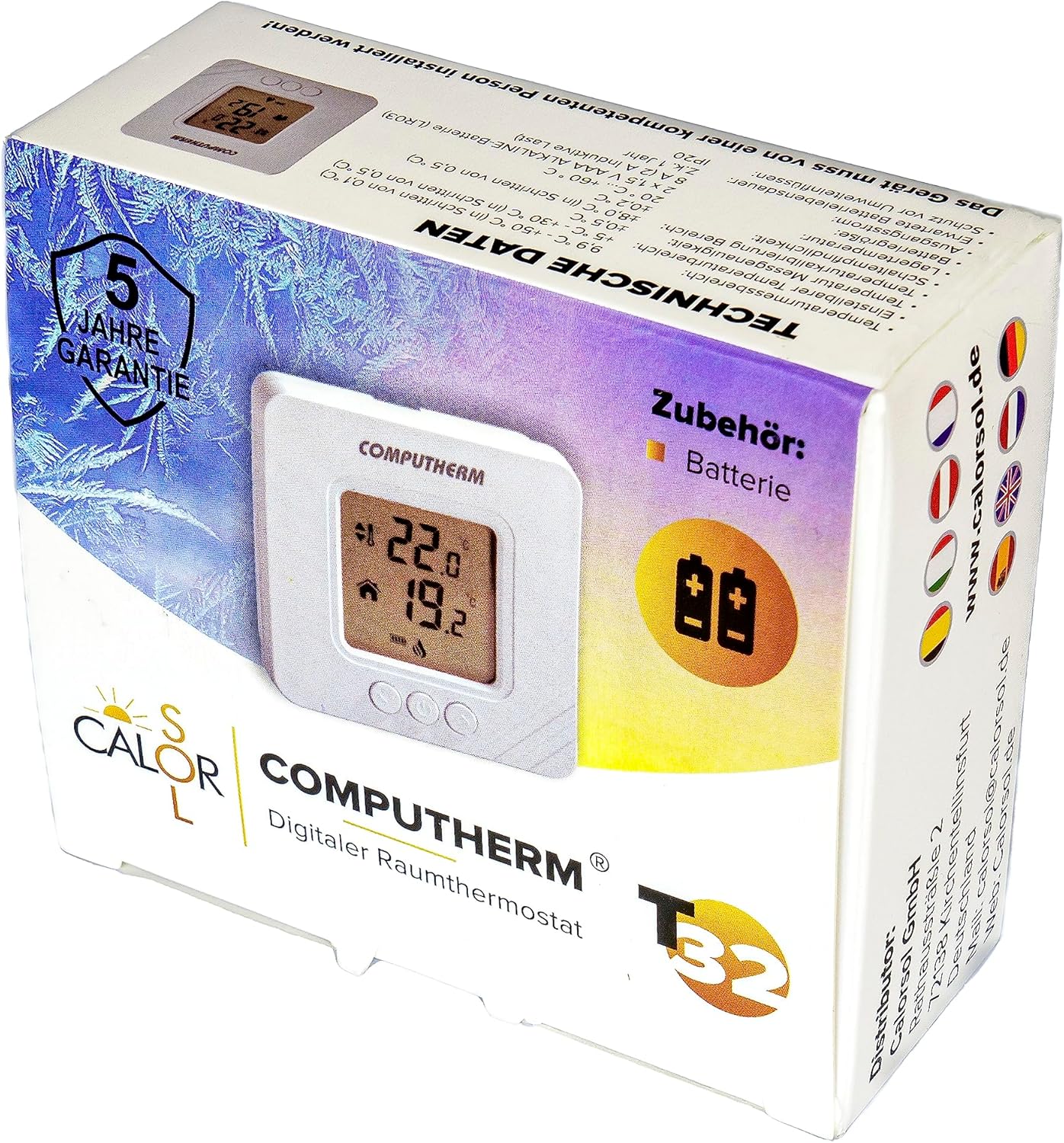
Figure 5: Product packaging displaying warranty information and technical data.