
1. تعارف
This manual provides essential information for the safe and effective use of your TCP Smart RGBW IP20 3M Light Strip Extension Kit. This smart indoor lighting solution offers color-changing capabilities and can be controlled via the TCP Smart application, Amazon Alexa, Google Home, and Siri. It is designed to enhance your indoor ambiance with customizable lighting.
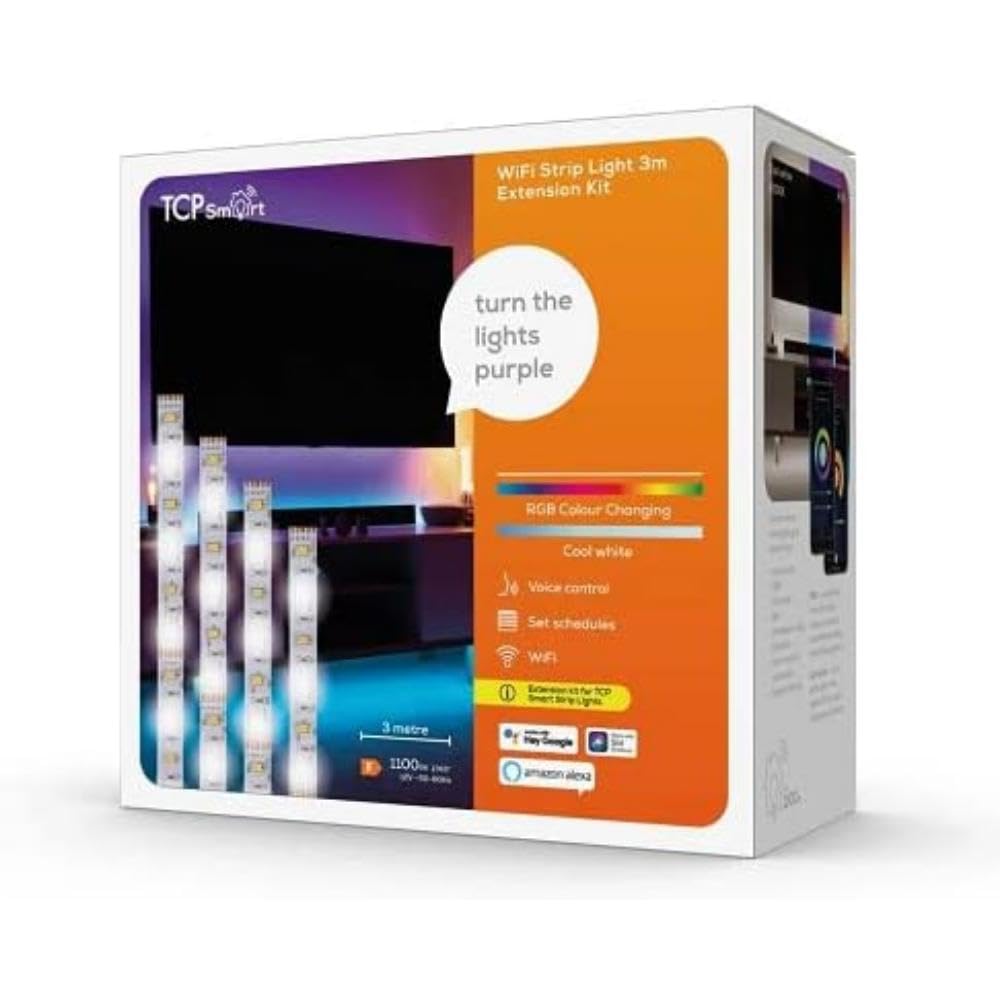
تصویر 1.1: TCP Smart RGBW IP20 3M Light Strip Extension Kit. This image displays the light strip and its associated components, illustrating the product's design and form factor.
2. حفاظتی معلومات
- صرف اندرونی استعمال: This product is rated IP20 and is intended for indoor use only. Do not expose to water or high humidity.
- طاقت کا منبع: Use only the provided power adapter. Ensure the power source matches the requirements specified on the adapter.
- تنصیب: Do not cut the light strip unless specifically instructed and equipped with appropriate connectors. Improper cutting can damage the product and void the warranty.
- حرارت: Do not cover the light strip with materials that may trap heat. Ensure adequate ventilation.
- بچے: بچوں کی پہنچ سے دور رکھیں۔
- نقصان: Do not operate if the product or power cable is damaged. Contact customer support for assistance.
3. پیکیج کے مشمولات
تصدیق کریں کہ پیکیج میں تمام اجزاء موجود ہیں:
- 1 x TCP Smart RGBW IP20 3M Light Strip Extension
- 1 x Power Plug/Adapter
4. سیٹ اپ
Follow these steps to set up your TCP Smart Light Strip:
- سطح تیار کریں: Ensure the surface where you intend to install the light strip is clean, dry, and smooth.
- Install the Light Strip: Carefully peel off the adhesive backing from the light strip and firmly press it onto the desired surface. Avoid bending the strip sharply.
- پاور سے رابطہ کریں: Connect the light strip to the provided power plug/adapter. Then, plug the adapter into a standard electrical outlet.
- Download the TCP Smart App: Download the TCP Smart application from your smartphone's app store (available for iOS and Android).
- Wi-Fi سے جڑیں: Open the TCP Smart app and follow the on-screen instructions to add your new device. Ensure your Wi-Fi network is 2.4GHz, as 5GHz networks are not supported. The app will guide you through connecting the light strip to your home Wi-Fi network.
- وائس اسسٹنٹ کے ساتھ انضمام (اختیاری): Once connected to the TCP Smart app, you can link your account to Amazon Alexa, Google Home, or Siri for voice control. Refer to the respective voice assistant's app for specific integration steps.
5. آپریٹنگ ہدایات
Control your TCP Smart Light Strip using the TCP Smart app or voice commands.
5.1. Using the TCP Smart Application
- آن/آف کنٹرول: Tap the power icon in the app to turn the light strip on or off.
- رنگ اور چمک ایڈجسٹمنٹ: Select from a wide range of RGBW colors and adjust the brightness level to suit your preference.
- ٹائمر اور نظام الاوقات: Set specific times for the light strip to automatically turn on or off. Create schedules for different days of the week.
- جیوفینسنگ: Enable location-based control. The light strip can automatically turn on when you approach your home or turn off when you leave.
- ریموٹ کنٹرول: Control your light strip from anywhere with an internet connection via the TCP Smart app.
5.2. وائس کنٹرول
After integrating with Amazon Alexa, Google Home, or Siri, use voice commands to control your light strip. Examples:
- "Alexa, turn on the living room light strip."
- "Ok Google، روشنی کی پٹی کو نیلے رنگ پر سیٹ کرو۔"
- "Siri, dim the light strip to 50%."
6 دیکھ بھال
To ensure the longevity and optimal performance of your light strip:
- صفائی: Disconnect power before cleaning. Use a soft, dry cloth to wipe the light strip. Do not use liquid cleaners or abrasive materials.
- ذخیرہ: If storing the light strip for an extended period, ensure it is clean, dry, and stored in a cool, dark place.
- آسنجن: If the adhesive begins to weaken, ensure the surface is clean. Additional adhesive solutions may be required for long-term securement.
7 خرابیوں کا سراغ لگانا
| مسئلہ | ممکنہ وجہ | حل |
|---|---|---|
| لائٹ پٹی آن نہیں ہوتی ہے۔ | بجلی نہیں، ڈھیلا کنکشن، ناقص پاور اڈاپٹر۔ | پاور آؤٹ لیٹ چیک کریں، یقینی بنائیں کہ تمام کنکشن محفوظ ہیں۔ ایک مختلف آؤٹ لیٹ آزمائیں۔ |
| Wi-Fi سے منسلک نہیں ہو سکتا۔ | Incorrect Wi-Fi password, 5GHz network, too far from router. | Ensure correct 2.4GHz Wi-Fi network and password. Move closer to the router. Restart router and light strip. |
| Some sections of the light strip are not working. | Damage to the strip, internal fault. | Inspect the strip for visible damage. If a section is permanently off, contact customer support. |
| Light strip makes a slight buzzing noise. | Minor electrical interference or component noise. | This can sometimes occur with LED drivers. If the noise is excessive or concerning, contact customer support. |
| Poor adhesion of the light strip. | Dusty or uneven surface, old adhesive. | Clean the surface thoroughly before application. For existing installations, consider using additional mounting clips or stronger adhesive tape. |
8. وضاحتیں
| فیچر | تفصیل |
|---|---|
| ماڈل نمبر | SMARTLRGBWIP203MEXT |
| لمبائی | 3 میٹر |
| رنگ | RGBW (ملٹی کلر) |
| انگریس پروٹیکشن (آئی پی) کی درجہ بندی | IP20 (Indoor Use Only, Non-waterproof) |
| روشنی کے منبع کی قسم | ایل ای ڈی |
| طاقت کا منبع | Cable Electric |
| واٹtage | 3 واٹ |
| کنیکٹیویٹی پروٹوکول | Wi-Fi (2.4GHz) |
| کنٹرول کا طریقہ | TCP Smart App, Voice Control (Alexa, Google Home, Siri) |
| خصوصی خصوصیات | Timer, Geofencing |
| مواد | پلاسٹک |
| پروڈکٹ کے طول و عرض (L x W x H) | 500 x 1 x 0.2 سینٹی میٹر |
| شے کا وزن | 250 گرام |
9. وارنٹی اور سپورٹ
For warranty information and customer support, please refer to the documentation provided with your purchase or visit the official TCP Smart webسائٹ کسی بھی وارنٹی دعووں کے لیے اپنی خریداری کا ثبوت رکھیں۔