
تعارف
The Fitbit Luxe is a sophisticated fitness and wellness tracker designed to help you monitor your health and activity. This manual provides essential information for setting up, operating, maintaining, and troubleshooting your device, ensuring you get the most out of its features.

Image: Fitbit Luxe tracker in Lunar White/Soft Gold Stainless Steel, showcasing اس کا چیکنا ڈیزائن۔
سیٹ اپ
1. اپنے آلے کو چارج کرنا
Before initial use, fully charge your Fitbit Luxe. Connect the charging cable to the device and a USB power source. A full charge typically takes approximately 2 hours.
2. Installing the Fitbit App
Download the Fitbit app from your smartphone's app store. The app is compatible with Apple iOS 15 or higher and Android OS 9 or higher. A Google account is required for full functionality.
3. اپنے اسمارٹ فون کے ساتھ جوڑا بنانا
Open the Fitbit app and follow the on-screen instructions to create an account or log in. The app will guide you through the process of pairing your Fitbit Luxe with your smartphone via Bluetooth.
Video: An unboxing and comparison video that demonstrates the initial setup and appearance of the Fitbit Luxe.
Operating Your Fitbit Luxe
The Fitbit Luxe offers a range of features to help you monitor your health and fitness. Navigate the device by swiping and tapping the screen.
اہم خصوصیات:
- 24/7 Heart Rate Tracking: Continuously monitors your heart rate to help you understand resting heart rate trends and estimate calorie burn.
- Active Zone Minutes: Receive a buzz when you reach your target heart rate zones during exercise.
- Sleep Tracking & Sleep Score: آپ کی نیند کی نگرانی کرتا ہے۔tages and provides a personalized Sleep Score in the Fitbit app to help you improve sleep quality.
- تناؤ کا انتظام: Utilize tools and insights to manage stress levels, available through the Fitbit app.
- Health Metrics Dashboard: Track important health metrics such as breathing rate, heart rate variability, and more within the app.
- منسلک GPS: Connects to your phone's GPS to see real-time pace and distance on your wrist during outdoor activities.
- اطلاعات: Receive call, text, and smartphone app notifications directly on your wrist.
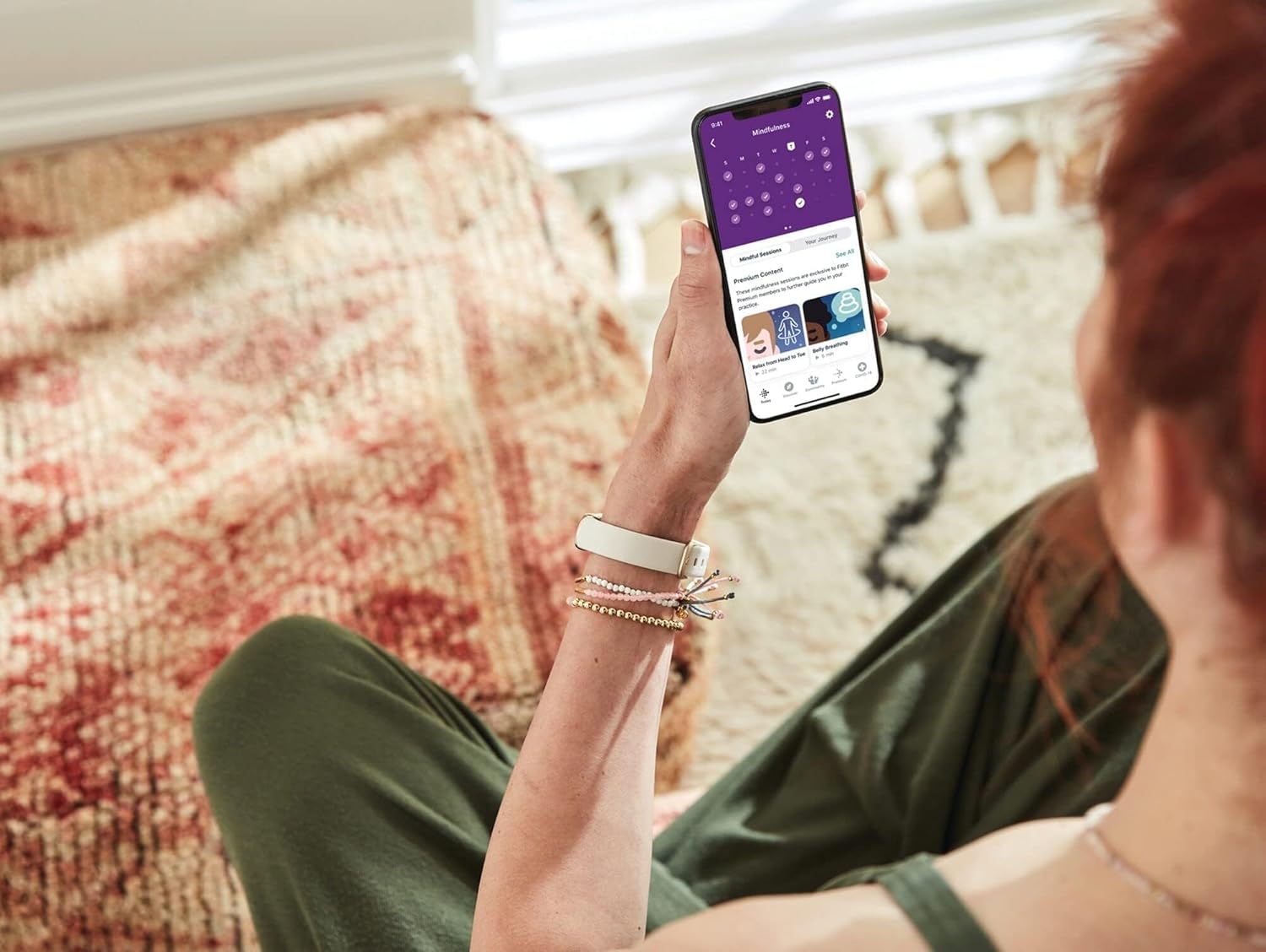
تصویر: ایک شخص viewing the Fitbit app on their smartphone, displaying wellness insights and activity data, with the Fitbit Luxe visible on their wrist.

Image: The Fitbit Luxe display showing a message in Spanish, indicating the user is in their 'Cardio Zone', with an icon of a person running up stairs.

Image: A person wearing the Fitbit Luxe, with text in Spanish overlayed on the image, translating to 'Reduce your stress level', highlighting the stress management feature.

Image: The Fitbit Luxe display showing menstrual health tracking information, accompanied by a smartphone displaying the corresponding section in the Fitbit app.
ویڈیو: ایک دوبارہview discussing the accuracy and features of the Fitbit Luxe, providing insights into its operational capabilities.
Video: A comparison video highlighting key features of the Fitbit Luxe against another device, useful for understanding its capabilities.
دیکھ بھال
اپنے آلے کی صفائی۔
Regularly clean your Fitbit Luxe, especially after workouts or exposure to water. Use a soft, lint-free cloth. For the band, a mild soap and water solution can be used, ensuring it is thoroughly rinsed and dried afterward. Avoid harsh chemicals or abrasive materials.
پانی کی مزاحمت
The Fitbit Luxe is water-resistant up to 50 meters. It is safe for swimming and showering. After exposure to water, especially chlorinated or salt water, rinse the device with fresh water and dry it thoroughly to prevent skin irritation and maintain device longevity.
اسکرین پروٹیکشن
Consider applying a screen protector to prevent scratches and dings, as the screen can be susceptible to damage from impacts.
خرابی کا سراغ لگانا
آلہ جواب نہیں دے رہا ہے۔
If your Fitbit Luxe is unresponsive, try restarting it by connecting it to the charger. If the issue persists, ensure the Fitbit app is updated to the latest version and attempt to re-pair the device.
کنیکٹیویٹی کے مسائل
Ensure Bluetooth is enabled on your smartphone and the Fitbit app is running in the background. If connection problems persist, try restarting both your phone and the Fitbit Luxe.
Inaccurate Tracking
For accurate heart rate and activity tracking, ensure the device is worn snugly but comfortably on your wrist. If you suspect inaccuracies, check the Fitbit app for calibration options or contact support.
Band Issues
Some users have reported issues with certain bands detaching. Ensure your band is securely attached to the tracker. If you experience persistent issues, consider trying a different band type or contacting Fitbit support.
وضاحتیں
| ماڈل نمبر | FB422GLWT |
| طول و عرض | 1.43 x 0.69 x 0.4 انچ |
| وزن | 0.92 اونس (26.17 گرام) |
| بیٹری کی قسم | لتیم پولیمر |
| بیٹری کی زندگی (اوسط) | 5 دن تک |
| بیٹری چارج کرنے کا وقت | 2 گھنٹے |
| آپریٹنگ سسٹم کی مطابقت | iOS 15+، Android 9+ |
| کنیکٹوٹی | Bluetooth, GPS (connected via phone) |
| پانی کی مزاحمت | Up to 50 meters (IP68) |
| اسکرین کا سائز | 0.76 انچ |
| ڈسپلے کی قسم | ڈیجیٹل |
| پیمائش شدہ میٹرکس | Heart Rate, Sleep Duration, Blood Oxygen |
| کیس کا مواد | سٹینلیس سٹیل |
| بینڈ کا مواد | سلیکون |
وارنٹی کی معلومات
The Fitbit Luxe comes with a limited warranty. For detailed information regarding warranty coverage, terms, and conditions, please refer to the official Fitbit webسائٹ یا دستاویزات آپ کے پروڈکٹ کے ساتھ شامل ہیں۔
حمایت
For further assistance, troubleshooting, or to access additional resources, please visit the official Fitbit support webسائٹ: ہیلپ فٹ ڈاٹ کام.