
ABKO K560
ABKO ہیکر K560 مکینیکل گیمنگ کی بورڈ یوزر مینوئل
ماڈل: K560
1. تعارف
خریداری کے لیے آپ کا شکریہasing the ABKO Hacker K560 Mechanical Gaming Keyboard. This keyboard is designed for an enhanced gaming and typing experience, featuring hotswappable mechanical switches, vibrant Rainbow Moving LED lighting, and durable dual injection keycaps. This manual provides detailed instructions for setup, operation, maintenance, and troubleshooting to ensure optimal performance and longevity of your device.
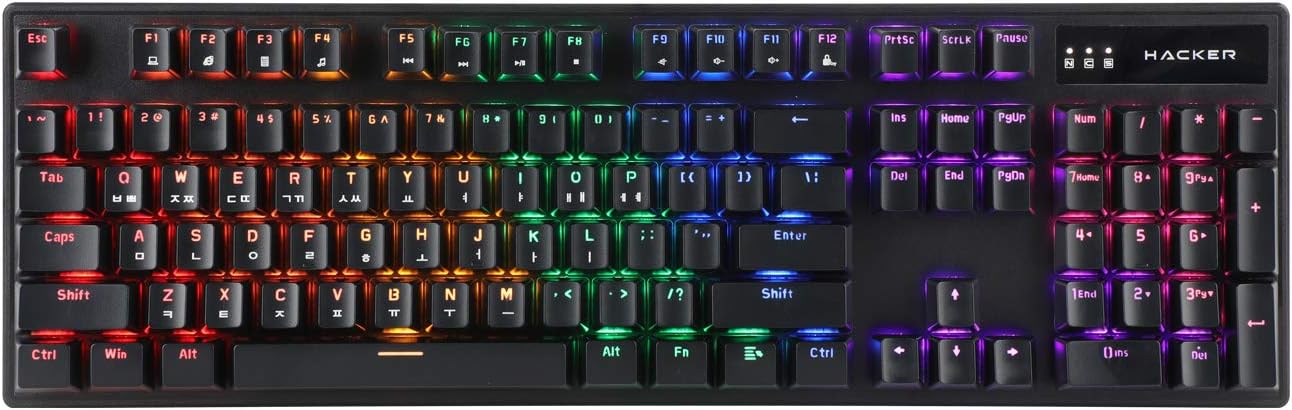
Figure 1.1: ABKO Hacker K560 Mechanical Gaming Keyboard (Top View)
This image displays the full layout of the ABKO Hacker K560 keyboard from a top-down perspective, showcasing its 104-key design and the vibrant rainbow LED backlighting illuminating each key. The Korean-English layout is visible on the keycaps.
2. کلیدی خصوصیات
- Viki Type: Unique keycap profile آرام دہ اور پرسکون ٹائپنگ کے لئے.
- Rainbow Moving LED: Dynamic and customizable RGB lighting effects.
- مکینیکل سوئچ: Equipped with durable and responsive mechanical switches (Brown Switch variant).
- Cherry Stabilizer: Enhanced stability for larger keys like Spacebar, Shift, and Enter.
- 104 کلیدی لے آؤٹ: Full-size keyboard layout for comprehensive functionality.
- Double Injection Keycaps: Legends are molded into the keycap, preventing wear and fading.
- Hotswap Capability: Allows for easy replacement of switches without soldering.
- پانی مزاحم: Designed to withstand minor spills.

Figure 2.1: ABKO Hacker K560 Keyboard (Angled View)
This image provides an angled perspective of the keyboard, showcasing the ergonomic Viki Type keycap profile and the vibrant illumination of the Rainbow Moving LED backlighting from the side.
3. سیٹ اپ گائیڈ
3.1. پیکیج کے مشمولات
آگے بڑھنے سے پہلے، یقینی بنائیں کہ تمام اشیاء پیکیج میں موجود ہیں:
- ABKO Hacker K560 Mechanical Gaming Keyboard
- صارف دستی (یہ دستاویز)
- Keycap Puller (may be included for hotswap functionality)
- Switch Puller (may be included for hotswap functionality)
3.2. کی بورڈ کو جوڑنا
- Locate an available USB port on your computer (PC, Laptop, Gaming Console).
- Plug the USB connector of the ABKO Hacker K560 keyboard into the USB port.
- آپریٹنگ سسٹم خود بخود ضروری ڈرائیوروں کا پتہ لگا کر انسٹال کر لے گا۔ اس عمل میں چند لمحے لگ سکتے ہیں۔
- Once installation is complete, the keyboard's LED lighting will illuminate, indicating it is ready for use.
4. آپریٹنگ ہدایات
4.1. بنیادی استعمال
The ABKO Hacker K560 functions as a standard 104-key keyboard. Simply begin typing or using the keys as you would with any other keyboard.
4.2. LED Lighting Control (Rainbow Moving LED)
The keyboard features various dynamic LED lighting modes. Use the following key combinations to control the lighting:
- Fn + F1-F12: (Specific functions may vary, refer to keyboard legends for media controls, volume, etc.)
- Fn + Scroll Lock: Cycle through different Rainbow Moving LED lighting effects.
- Fn + Print Screen: Adjust LED brightness (usually multiple levels).
- Fn + وقفہ وقفہ: Change LED lighting direction or speed (for moving effects).
- Fn + تیر والی کلیدیں: Some models allow fine-tuning of specific lighting zones or effects.
Experiment with these combinations to find your preferred lighting mode and brightness.
4.3. Hotswap Switch Replacement
The ABKO Hacker K560 supports hotswappable mechanical switches, allowing you to change switches without soldering. This feature is useful for customizing typing feel or replacing faulty switches.
- بجلی بند: Disconnect the keyboard from your computer before attempting any switch replacement.
- کی کیپ کو ہٹا دیں: مطلوبہ کی کیپ کو آہستہ سے ہٹانے کے لیے شامل کی کیپ پلر کا استعمال کریں۔
- سوئچ ہٹائیں: Use the included switch puller to carefully grip the top and bottom clips of the switch and pull it straight up.
- نیا سوئچ داخل کریں: Align the pins of the new switch with the holes on the PCB. Gently push the switch down until it clicks into place. Ensure the pins are not bent.
- کی کیپ کو تبدیل کریں: Press the keycap onto the new switch until it is firmly seated.
- ٹیسٹ: Reconnect the keyboard and test the new switch.
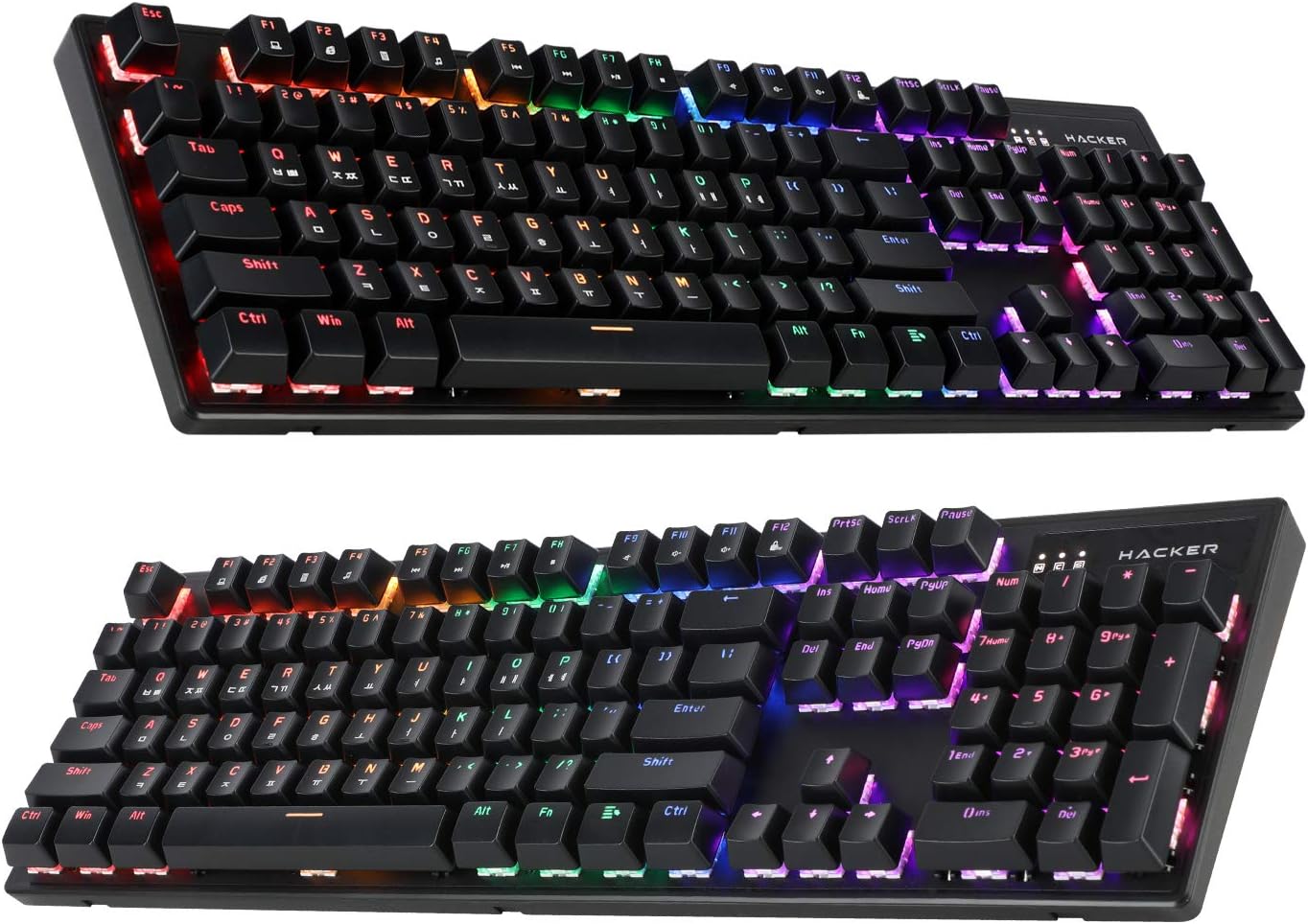
Figure 4.1: ABKO Hacker K560 Keyboard (Dual Angled View)
This image presents two different angled views of the ABKO Hacker K560 keyboard, providing a comprehensive look at its full 104-key layout and the distinct dual injection keycap design, which contributes to its durability and aesthetic.
5 دیکھ بھال
5.1. کی بورڈ کی صفائی
باقاعدگی سے صفائی کی بورڈ کی ظاہری شکل اور فعالیت کو برقرار رکھنے میں مدد کرتی ہے۔
- دھول ہٹانا: کی کیپس کے درمیان سے دھول اور ملبے کو اڑانے کے لیے کمپریسڈ ہوا کا کین استعمال کریں۔
- سطح کی صفائی: Wipe the surface of the keycaps and frame with a soft, slightly damp, lint مفت کپڑا. ضرورت سے زیادہ نمی سے بچیں۔
- گہری صفائی (اختیاری): For thorough cleaning, keycaps can be removed using a keycap puller and washed with mild soap and water. Ensure they are completely dry before reattaching.
احتیاط: Always disconnect the keyboard from your computer before cleaning. Do not immerse the keyboard in water, despite its water-resistant feature, as this is for minor spills, not submersion.
5.2. ذخیرہ
جب لمبے عرصے تک استعمال نہ ہو، کی بورڈ کو براہ راست سورج کی روشنی اور انتہائی درجہ حرارت سے دور ٹھنڈی، خشک جگہ پر محفوظ کریں۔
6 خرابیوں کا سراغ لگانا
If you encounter issues with your ABKO Hacker K560 keyboard, refer to the following common solutions:
| مسئلہ | ممکنہ وجہ | حل |
|---|---|---|
| Keyboard not responding / No input | ڈھیلا USB کنکشن، ناقص USB پورٹ، ڈرائیور کا مسئلہ۔ |
|
| LED lights are off or not working correctly | LED mode turned off, brightness set to minimum, software conflict. |
|
| Specific key not working | کی کیپ کے نیچے ملبہ، ناقص سوئچ۔ |
|
اگر ان حلوں کو آزمانے کے بعد بھی مسئلہ برقرار رہتا ہے، تو براہ کرم کسٹمر سپورٹ سے رابطہ کریں۔
7. وضاحتیں
| فیچر | تفصیل |
|---|---|
| ماڈل کا نام | Hacker K560 |
| برانڈ | ABKO |
| کی بورڈ کی قسم | مکینیکل گیمنگ کی بورڈ |
| سوئچ کی قسم | Tactile (Brown Switch) |
| لے آؤٹ | 104 Keys (Full-size, Korean-English Layout) |
| کیکیپ مواد۔ | ڈبل انجیکشن |
| بیک لائٹنگ | Rainbow Moving LED (RGB) |
| کنیکٹوٹی | وائرڈ (USB) |
| خصوصی خصوصیات | Hotswappable Switches, Cherry Stabilizer, Viki Type Keycaps, Water Resistant |
| ہم آہنگ آلات | Laptop, Gaming Console, PC, Tablet, Smartphone |
8. وارنٹی اور سپورٹ
ABKO products are manufactured to the highest quality standards. For information regarding warranty coverage, technical support, or service inquiries, please refer to the warranty card included with your product or visit the official ABKO webسائٹ
وارنٹی کے دعووں کے لیے براہ کرم اپنی خریداری کا ثبوت اپنے پاس رکھیں۔
Ask a question about this manual
Ask about setup, troubleshooting, compatibility, parts, safety, or missing instructions. Manuals+ will review the question and use this page’s manual context to help answer it.