
1. پروڈکٹ ختمview
Discover the ForceClima 12300 Connected Heating portable air conditioner, designed to adapt to your needs at any time with its portable design and five operating modes. It ventilates, cools, heats, and dehumidifies any room in your home, or allows for peaceful rest with its night mode. Featuring Wi-Fi control, a remote control, a touch panel, and an LED screen, it ensures you can enjoy the optimal environment with maximum comfort.

تصویر 1.1: سامنے view of the Cecotec ForceClima 12300 portable air conditioner.

Image 1.2: Another perspective of the Cecotec ForceClima 12300 portable air conditioner.
2. حفاظتی انتباہات
Please read all safety warnings and instructions carefully before using the appliance to prevent personal injury or damage to the product. Keep this manual for future reference.
- پیک کھولنا: Remove the product from its box and remove all packaging materials. Ensure all components are present and undamaged.
- جگہ کا تعین: Place the unit on a stable, flat surface. Ensure adequate clearance around the unit for proper airflow.
- بجلی کی فراہمی: Connect the appliance only to a grounded power outlet with the correct voltage جیسا کہ پروڈکٹ لیبل پر اشارہ کیا گیا ہے۔
- بچے اور پالتو جانور: آپریشن کے دوران بچوں اور پالتو جانوروں کو آلات سے دور رکھیں۔
- دیکھ بھال: خود آلات کی مرمت یا ترمیم کرنے کی کوشش نہ کریں۔ مرمت کے لیے اہل سروس اہلکاروں سے رابطہ کریں۔
- پانی: Do not immerse the appliance in water or other liquids. Avoid spilling liquids on the unit.
- وینٹیلیشن: Ensure the exhaust hose is properly installed and vented outdoors to prevent heat buildup.
3. مصنوعات کی خصوصیات
- High Cooling/Heating Capacity: Portable air conditioner with a powerful 12000 BTU capacity, suitable for quickly and efficiently reaching desired temperatures in areas up to approximately 25 m². Features a heat pump for effective heating during winter.
- وائی فائی کنیکٹیویٹی: Configure the appliance remotely via Wi-Fi connection, allowing full control from your smartphone from anywhere.
- متعدد رفتار: Three fan speeds (Low, Medium, High) to adapt operation according to immediate needs.
- ریموٹ کنٹرول: Includes a remote control for convenient operation from any location without needing to approach the unit.
- Intuitive Display and Control: LED screen displays all possible configurations and highlights current settings for easy control. The top touch control panel provides practical and simple operation.
- پانچ آپریٹنگ موڈز: Offers Fan mode, Cooling mode, Heating mode, Dehumidification mode, and Night mode.
- ہائی ڈیہومیڈیفیکیشن کی صلاحیت: Dehumidification mode can capture up to 26 liters per day, contributing to a healthier environment in your home.

12000 BTU Capacity

حرارتی اور کولنگ

Wi-Fi کنٹرول

ریموٹ اور ٹچ کنٹرول

ایل ای ڈی ڈسپلے

5 آپریٹنگ موڈز

3 پنکھے کی رفتار

ڈیہومیڈیفیکیشن
4. سیٹ اپ اور انسٹالیشن
Proper setup is crucial for the optimal performance of your portable air conditioner. Follow these steps for installation:
- پیک کھولیں: Carefully remove the air conditioner and all accessories from the packaging. Ensure you have the unit, exhaust hose, window kit, and remote control.
- پوزیشننگ: Place the unit on a firm, level surface near a window and a grounded electrical outlet. Ensure there is at least 20 cm (8 inches) of space around the unit for proper air circulation.
- ونڈو کٹ انسٹال کریں:
- اپنی کھڑکی کی قسم (سلائیڈنگ یا کیسمنٹ) کے مطابق ونڈو سیلنگ پلیٹ کٹ کو جمع کریں۔
- Secure the window kit in the open window, ensuring a tight seal to prevent air leakage.
- ایگزاسٹ نلی منسلک کریں:
- ایگزاسٹ ہوز کے ایک سرے کو یونٹ کے پچھلے حصے میں ایئر آؤٹ لیٹ سے جوڑیں۔
- Connect the other end of the exhaust hose to the adapter in the window kit. Extend the hose as little as possible and avoid sharp bends to maximize efficiency.
- Drainage (Dehumidification/Cooling): For continuous drainage during dehumidification or cooling in high humidity, connect a drain hose (not included) to the continuous drain port and lead it to a floor drain or suitable container. Otherwise, the internal water tank will collect condensate and require manual emptying.
- پاور کنکشن: پاور کورڈ کو گراؤنڈ 230 وولٹ کے الیکٹریکل آؤٹ لیٹ میں لگائیں۔

Image 4.1: Proper placement of the unit with the exhaust hose connected to a window.
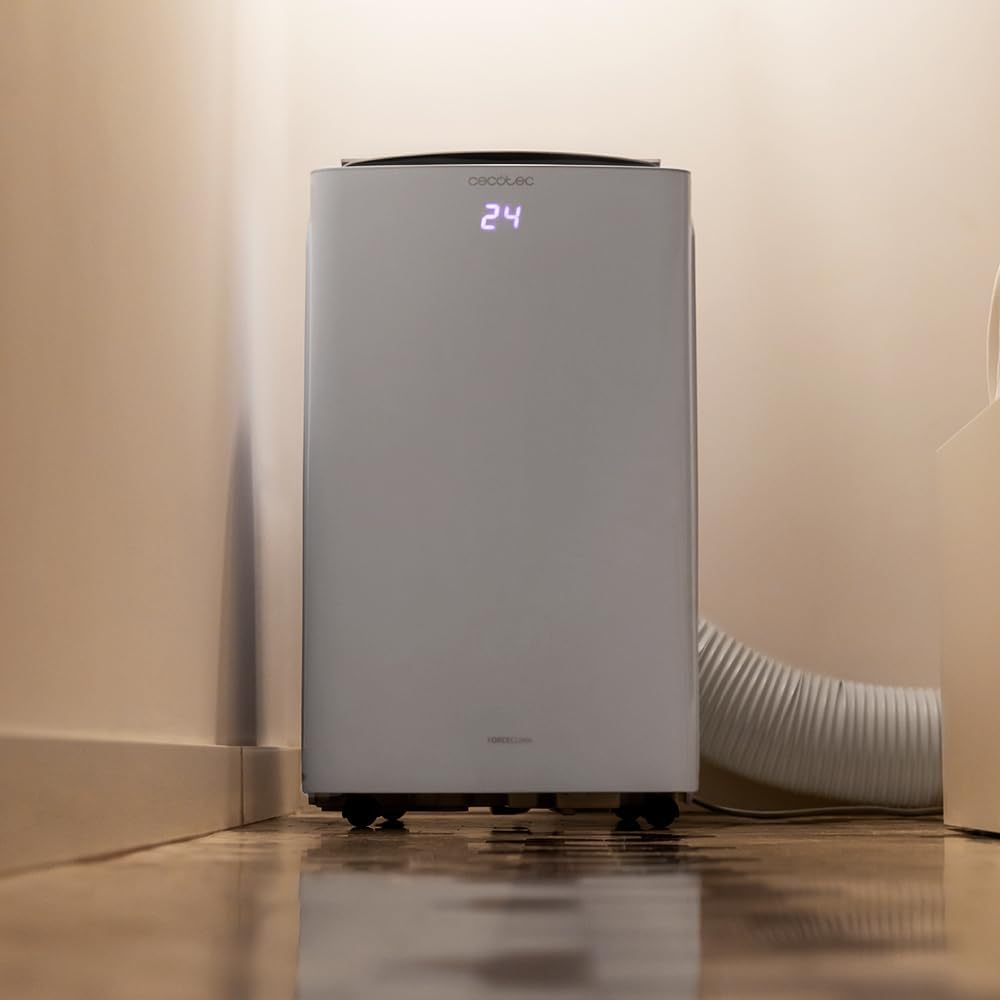
Image 4.2: Close-up of the exhaust hose connection at the base of the unit.
5. آپریٹنگ ہدایات
Your ForceClima 12300 offers various ways to control its functions:
5.1. کنٹرول پینل آپریشن
The touch control panel on top of the unit allows direct access to all functions.

Image 5.1: User interacting with the top control panel of the air conditioner.
- پاور بٹن: یونٹ کو آن یا آف کرنے کے لیے دبائیں۔
- موڈ بٹن: Cycle through the 5 operating modes: Cooling, Heating, Fan, Dehumidification, and Night.
- پنکھے کی رفتار کا بٹن: Select desired fan speed: Low, Medium, or High.
- درجہ حرارت کی ایڈجسٹمنٹ: مطلوبہ درجہ حرارت سیٹ کرنے کے لیے اوپر/نیچے تیر کا استعمال کریں۔
- ٹائمر بٹن: خودکار آن/آف آپریشن کے لیے ٹائمر سیٹ کریں۔
5.2. ریموٹ کنٹرول آپریشن
شامل ریموٹ کنٹرول فاصلے سے آسان آپریشن فراہم کرتا ہے۔

Image 5.2: Remote control for the Cecotec ForceClima 12300.
- کنٹرول پینل پر دستیاب تمام فنکشنز تک ریموٹ کنٹرول کے ذریعے رسائی حاصل کی جا سکتی ہے۔
- Ensure the remote control is pointed towards the receiver on the unit.
- Install batteries (not included) as per the markings inside the battery compartment.
5.3. وائی فائی اور ایپ کنٹرول
Control your air conditioner from anywhere using the dedicated smartphone application.

Image 5.3: Smartphone displaying the Cecotec control application.
- اپنے اسمارٹ فون کے ایپ اسٹور سے آفیشل Cecotec ایپ ڈاؤن لوڈ کریں۔
- Follow the in-app instructions to pair your ForceClima 12300 unit with your Wi-Fi network.
- Once connected, you can remotely adjust modes, temperature, fan speed, and set schedules.

Image 5.4: The air conditioner seamlessly integrated into a home environment.
6 دیکھ بھال
باقاعدگی سے دیکھ بھال آپ کے ایئر کنڈیشنر کی لمبی عمر اور موثر آپریشن کو یقینی بناتی ہے۔
- ایئر فلٹر کی صفائی:
- صاف کرنے سے پہلے یونٹ کو بند کریں اور ان پلگ کریں۔
- Remove the air filter (location typically on the back or side, refer to diagrams in the full manual if available).
- Clean the filter with a vacuum cleaner or wash it gently with lukewarm water and mild detergent. Rinse thoroughly and allow it to air dry completely before reinserting.
- Clean the air filter every two weeks or more frequently if the unit is used often or in dusty environments.
- پانی نکالنا:
- When the internal water tank is full, the unit will stop operating and an indicator light will illuminate.
- یونٹ کے نچلے حصے میں ڈرین پورٹ کے نیچے ایک اتلی پین یا ٹرے رکھیں۔
- Remove the drain plug to allow water to flow out. Replace the plug once the tank is empty.
- یونٹ کے بیرونی حصے کی صفائی: ایک نرم کے ساتھ بیرونی مسح کریں، ڈیamp کپڑا سخت کیمیکلز، رگڑنے والے یا سالوینٹس کا استعمال نہ کریں۔
- ذخیرہ: If storing the unit for an extended period, ensure the water tank is completely drained and the unit is clean and dry. Store it in a cool, dry place, preferably in its original packaging.
7 خرابیوں کا سراغ لگانا
کسٹمر سپورٹ سے رابطہ کرنے سے پہلے، براہ کرم درج ذیل عام مسائل اور حل دیکھیں:
| مسئلہ | ممکنہ وجہ | حل |
|---|---|---|
| یونٹ آن نہیں ہوتا ہے۔ | بجلی نہیں ہے، بجلی کی ہڈی ان پلگ ہوئی ہے، سرکٹ بریکر ٹرپ ہو گیا ہے۔ | بجلی کا کنکشن چیک کریں، سرکٹ بریکر کو دوبارہ ترتیب دیں۔ |
| یونٹ چل رہا ہے لیکن کولنگ/ہیٹنگ نہیں کر رہا ہے۔ | Air filter dirty, exhaust hose blocked/disconnected, room too large, doors/windows open. | Clean air filter, check hose connection, close doors/windows, ensure unit is sized for the room. |
| پانی کا رسنا. | Drain plug loose, continuous drain hose blocked or improperly connected, water tank full. | Ensure drain plug is secure, check drain hose, empty water tank. |
| یونٹ شور ہے. | یونٹ سطح کی سطح پر نہیں، پنکھے کی رکاوٹ۔ | Place on a level surface, check for obstructions in fan area. |
| ریموٹ کنٹرول کام نہیں کر رہا۔ | بیٹریاں مردہ یا غلط طریقے سے ڈالی گئیں، ریموٹ اور یونٹ کے درمیان رکاوٹ۔ | Replace batteries, ensure clear line of sight to unit's receiver. |
8. وضاحتیں
Detailed technical specifications for the Cecotec ForceClima 12300 Connected Heating Portable Air Conditioner:
| تفصیلات | قدر |
|---|---|
| برانڈ | سیکوٹیک |
| ماڈل نمبر | 05959 |
| پروڈکٹ کے طول و عرض (L x W x H) | 47.5 x 40.5 x 88 سینٹی میٹر |
| وزن | 27 کلوگرام |
| توانائی کی کارکردگی کی درجہ بندی | A |
| سالانہ توانائی کی کھپت | 1.1 کلو واٹ گھنٹے |
| کولنگ کی صلاحیت | 12000 BTU |
| طاقت | 1350 واٹ |
| والیومtage | 230 وولٹ |
| شور کی سطح | 65 ڈی بی |
| ڈیہومیڈیفیکیشن کی اہلیت | Up to 26 liters/day |
| کوریج ایریا | تقریبا 25 m² |
| تنصیب کی قسم | کھڑکی |
| قسم | پورٹیبل |
| خصوصی خصوصیات | Dehumidifier, Heating, Wi-Fi Control, Remote Control, LED Display |
| رنگ | سفید |
| مواد | پلاسٹک |
| شامل اجزاء | 1 x Air conditioner; 1 x Window kit; 1 x Remote control; 1 x User manual |

Image 8.1: EU Energy Label for the ForceClima 12300, showing A-rated energy efficiency.
9. وارنٹی اور سپورٹ
For warranty information, technical support, or spare parts availability, please refer to the warranty card included with your product or contact Cecotec customer service directly. Information regarding spare parts availability was not provided at the time of this manual's creation.
You can typically find contact details for Cecotec customer support on their official webسائٹ یا مصنوعات کی پیکیجنگ کے اندر۔