
1. تعارف
خریداری کے لیے آپ کا شکریہasing the GOWIN Colossus Mini 8-inch Bluetooth Speaker. This manual provides essential information for the safe and efficient operation of your device. Please read it thoroughly before use and retain it for future reference.
2. حفاظتی معلومات
عمومی حفاظتی احتیاطی تدابیر
- اسپیکر کو پانی، نمی، یا انتہائی درجہ حرارت کے سامنے نہ رکھیں۔
- سپیکر کو شدید اثرات سے گریز کرنے یا اس کے تابع کرنے سے گریز کریں۔
- خود اسپیکر کو الگ کرنے یا مرمت کرنے کی کوشش نہ کریں۔ اہل سروس کے اہلکاروں سے رابطہ کریں۔
- اسپیکر کو گرمی کے ذرائع اور براہ راست سورج کی روشنی سے دور رکھیں۔
- زیادہ گرمی سے بچنے کے لیے مناسب وینٹیلیشن کو یقینی بنائیں۔
بیٹری کی حفاظت
- صرف فراہم کردہ چارجنگ کیبل استعمال کریں۔
- Do not dispose of the battery in fire or expose it to high temperatures.
- If the battery leaks, avoid contact with skin and eyes. Seek medical attention if contact occurs.
- بیٹری کے ٹرمینلز کو شارٹ سرکٹ نہ کریں۔
3. پیکیج کے مشمولات
تصدیق کریں کہ تمام اشیاء پیکیج میں موجود ہیں:
- GOWIN Colossus Mini 8-inch Bluetooth Speaker
- 3.5 ملی میٹر معاون کیبل
- پاور کیبل
- ریموٹ کنٹرول
- صارف دستی (یہ دستاویز)
4. پروڈکٹ ختمview
The GOWIN Colossus Mini is a portable Bluetooth speaker designed for versatile audio playback.
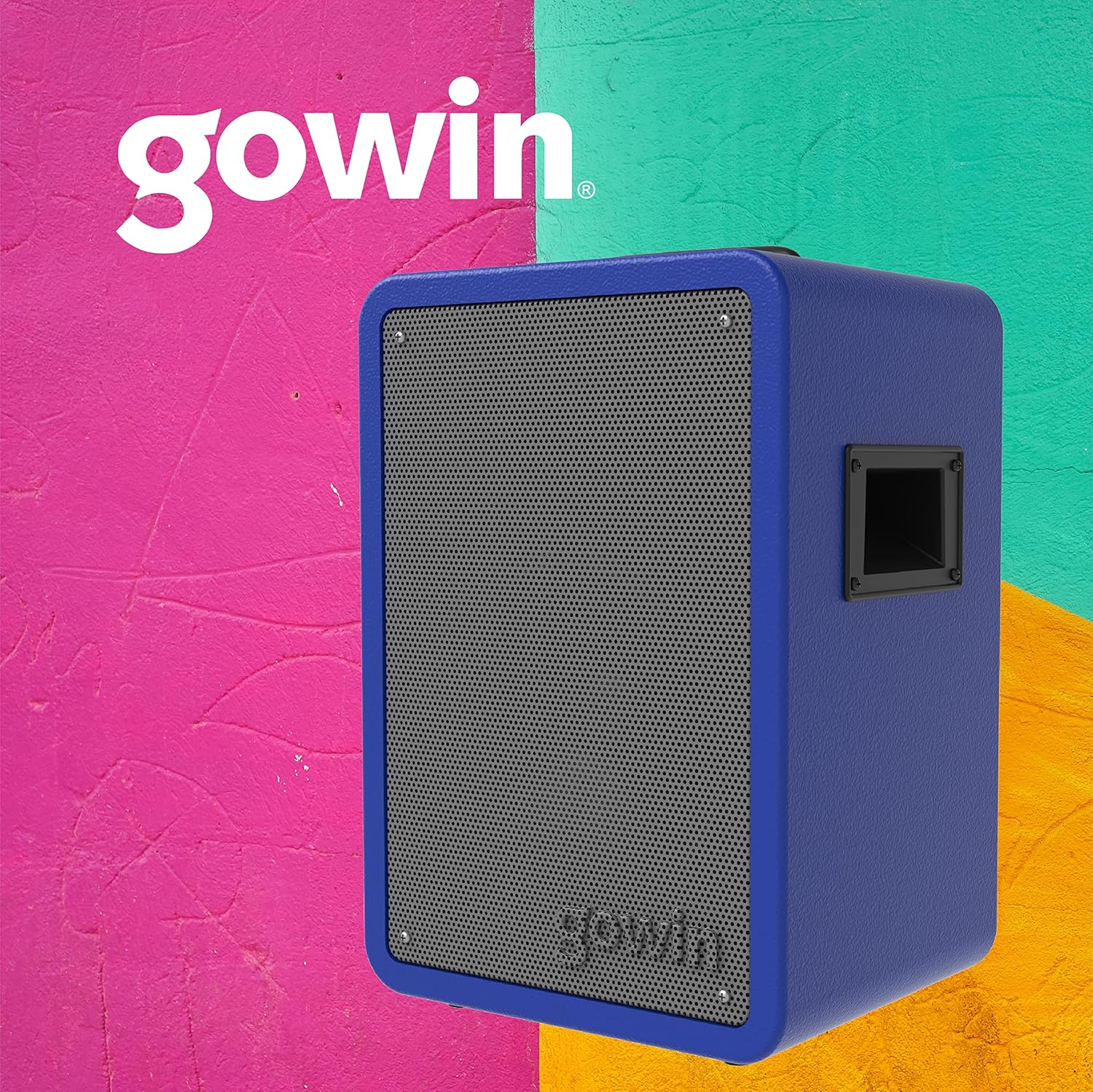
شکل 4.1: سامنے view of the GOWIN Colossus Mini Speaker.
کنٹرول پینل
The control panel is located on the rear of the speaker and provides access to various functions and inputs.

Figure 4.2: Rear control panel with USB, Micro SD, Aux, and Microphone inputs.
- بجلی کے سوئچ: اسپیکر کو آن یا آف کرتا ہے۔
- موڈ بٹن: Switches between Bluetooth, USB, Micro SD, FM Radio, and Auxiliary input modes.
- USB ان پٹ: USB فلیش ڈرائیوز سے آڈیو چلانے کے لیے۔
- Micro SD Input: مائیکرو ایس ڈی کارڈز سے آڈیو چلانے کے لیے۔
- معاون ان پٹ (3.5 ملی میٹر): Connect external audio devices using the provided 3.5mm cable.
- مائیکروفون ان پٹ: Connect a microphone for karaoke or public address functions.
- Volume/Control Knobs: Adjust master volume, microphone volume, and echo effects.
- ایل ای ڈی ڈسپلے: موجودہ موڈ، ٹریک کی معلومات، یا FM فریکوئنسی دکھاتا ہے۔
- چارجنگ پورٹ: Connect the power cable for charging.
5. سیٹ اپ
ابتدائی چارجنگ
Before first use, fully charge the speaker for approximately 10 hours. Subsequent charging time is about 2 hours for up to 4 hours of usage.
- Connect the power cable to the speaker's charging port.
- پاور کیبل کے دوسرے سرے کو کسی مناسب پاور آؤٹ لیٹ میں لگائیں۔
- ایل ای ڈی انڈیکیٹر چارجنگ سٹیٹس دکھائے گا۔ مکمل چارج ہونے کے بعد، کیبل کو منقطع کریں۔
پاورنگ آن/آف
Locate the Power Switch on the control panel. Flip the switch to the "ON" position to power on the speaker. Flip it to "OFF" to power off.
6. آپریٹنگ ہدایات
بلوٹوت جوڑی بنانا
بلوٹوتھ کے ذریعے اپنے آلے کو جوڑنے کے لیے:
- Power on the speaker. The speaker will automatically enter Bluetooth pairing mode, indicated by a flashing Bluetooth icon on the LED display.
- اپنے موبائل ڈیوائس (اسمارٹ فون، ٹیبلیٹ، وغیرہ) پر، بلوٹوتھ کو فعال کریں اور دستیاب آلات تلاش کریں۔
- Select "GOWIN Colossus Mini" from the list of devices.
- Once paired, the speaker will emit a confirmation sound, and the Bluetooth icon on the LED display will stop flashing.
- You can now play audio from your device through the speaker. The wireless range is up to 10 meters.
USB/Micro SD پلے بیک
To play audio from a USB flash drive or Micro SD card:
- Insert a USB flash drive or Micro SD card into the corresponding slot on the control panel.
- اسپیکر خود بخود USB یا مائیکرو SD موڈ میں تبدیل ہو جائے گا اور آڈیو چلانا شروع کر دے گا۔ اگر نہیں، تو صحیح ان پٹ کو منتخب کرنے کے لیے "موڈ" بٹن دبائیں۔
- Use the control panel buttons or remote control to play, pause, skip tracks, and adjust volume.
ایف ایم ریڈیو
ایف ایم ریڈیو فنکشن استعمال کرنے کے لیے:
- Press the "Mode" button until "FM" appears on the LED display.
- دستیاب FM اسٹیشنوں کو خود بخود اسکین کرنے اور محفوظ کرنے کے لیے Play/Pause بٹن کو دبائے رکھیں۔
- محفوظ کردہ اسٹیشنوں کے درمیان نیویگیٹ کرنے کے لیے پچھلا/اگلا ٹریک بٹن استعمال کریں۔
معاون ان پٹ
To connect an external audio device via the auxiliary input:
- Connect one end of the 3.5mm auxiliary cable to the speaker's "AUX IN" port.
- کیبل کے دوسرے سرے کو ہیڈ فون جیک یا اپنے بیرونی ڈیوائس کے آڈیو آؤٹ پٹ سے جوڑیں۔
- Press the "Mode" button until "AUX" appears on the LED display.
- Play audio from your external device. Adjust volume using the speaker's controls or your device's volume.
مائیکروفون ان پٹ
To use a microphone with the speaker:
- Connect a microphone (not included) to the "MIC IN" port on the control panel.
- Adjust the microphone volume and echo effect using the dedicated knobs on the control panel.
ریموٹ کنٹرول کا استعمال
The included remote control allows for convenient operation of the speaker from a distance. Functions include power, mode selection, volume control, track navigation, and play/pause.
7 دیکھ بھال
صفائی
- صاف کرنے سے پہلے ہمیشہ پاور آف کریں اور اسپیکر کو ان پلگ کریں۔
- اسپیکر کے بیرونی حصے کو صاف کرنے کے لیے نرم، خشک کپڑا استعمال کریں۔
- کھرچنے والے کلینر، موم یا سالوینٹس کا استعمال نہ کریں۔
ذخیرہ
- اسپیکر کو ٹھنڈی، خشک جگہ پر براہ راست سورج کی روشنی اور انتہائی درجہ حرارت سے دور رکھیں۔
- اگر لمبے عرصے کے لیے ذخیرہ کر رہے ہیں، تو بیٹری کو وقتاً فوقتاً چارج کریں تاکہ اس کی عمر برقرار رہے۔
8 خرابیوں کا سراغ لگانا
اگر آپ کو اپنے اسپیکر کے ساتھ مسائل کا سامنا کرنا پڑتا ہے، تو درج ذیل عام مسائل اور حل دیکھیں:
| مسئلہ | ممکنہ وجہ | حل |
|---|---|---|
| سپیکر پاور آن نہیں کرتا۔ | بیٹری ختم ہو گئی ہے۔ پاور کیبل منسلک نہیں ہے۔ | Charge the speaker. Ensure power cable is securely connected. |
| کوئی آواز نہیں۔ | Volume is too low. Incorrect mode selected. Device not paired (Bluetooth). | Increase volume. Press 'Mode' button to select correct input. Re-pair Bluetooth device. |
| بلوٹوتھ آلہ جوڑا نہیں بن سکتا۔ | اسپیکر جوڑا بنانے کے موڈ میں نہیں ہے۔ آلہ بہت دور ہے۔ مداخلت | Ensure speaker is in Bluetooth mode. Move device closer (within 10m). Avoid obstacles. |
| USB/Micro SD نہیں چل رہا ہے۔ | غلط file فارمیٹ کارڈ/ڈرائیو درست طریقے سے داخل نہیں کیا گیا ہے۔ | آڈیو کو یقینی بنائیں files are compatible (e.g., MP3). Reinsert the USB drive or Micro SD card. |
9. وضاحتیں
| ماڈل کا نام | Colossus Mini |
| ماڈل نمبر | RED-783 |
| برانڈ | گوین |
| اسپیکر کا سائز | 8 انچ |
| ڈرائیور کا سائز | 2 انچ |
| واٹtage (Max Output) | 700 واٹ |
| رکاوٹ | 3 اوہم |
| تعدد رسپانس | 100 Hz - 18 KHz |
| کنیکٹوٹی ٹیکنالوجی | بلوٹوتھ |
| وائرلیس رینج | 10 میٹر |
| بیٹری کی قسم | Rechargeable Lithium Ion (1800 mAh / 7.4 V) |
| چارج کرنے کا وقت | 2 hours (initial charge 10 hours) |
| بیٹری کی اوسط زندگی | 4 گھنٹے تک |
| ان پٹ | USB, Micro SD, 3.5mm Aux, Microphone |
| مواد | لکڑی |
| پروڈکٹ کے طول و عرض (L x W x H) | 29 x 34 x 46 سینٹی میٹر (تقریباً 11.4 x 13.4 x 18.1 انچ) |
| پروڈکٹ کا وزن | 7 کلوگرام (تقریباً 15.4 پونڈ) |
| خصوصی خصوصیات | High-resolution audio, Bass boost, FM Radio, LED Display |
10. وارنٹی اور سپورٹ
وارنٹی کی معلومات
This GOWIN product comes with a 1 سال کی وارنٹی from the date of purchase. The warranty covers manufacturing defects and malfunctions under normal use. It does not cover damage caused by misuse, accidents, unauthorized modifications, or normal wear and tear.
وارنٹی کے دعووں کے لیے براہ کرم اپنی خریداری کا ثبوت اپنے پاس رکھیں۔
کسٹمر سپورٹ
For technical assistance, warranty claims, or any questions regarding your GOWIN Colossus Mini speaker, please contact GOWIN customer support through the official GOWIN webسائٹ یا آپ کا خوردہ فروش۔
کا دورہ کریں۔ GOWIN Store on Amazon.com.mx مزید معلومات کے لیے