
1. تعارف
Thank you for choosing the Volkano VX Gaming Artemis Series 3-in-1 Combo. This set includes a high-performance gaming keyboard, a precision gaming mouse, and a non-slip mousepad, designed to enhance your gaming experience. This manual provides essential information for setting up, operating, maintaining, and troubleshooting your new gaming peripherals.
اہم خصوصیات:
- Includes a keyboard, mouse, and non-slip mouse pad for a complete gaming setup.
- Artemis keyboard features 12 Keyboard Shortcut Keys and multi-coloured lighting.
- High-definition 3200 DPI mouse with rainbow color illumination, DPI switch, scroll wheel, and 6 buttons for precision and speed.
- Multicolor Lighting and 12 multimedia keys enhance the gaming experience.
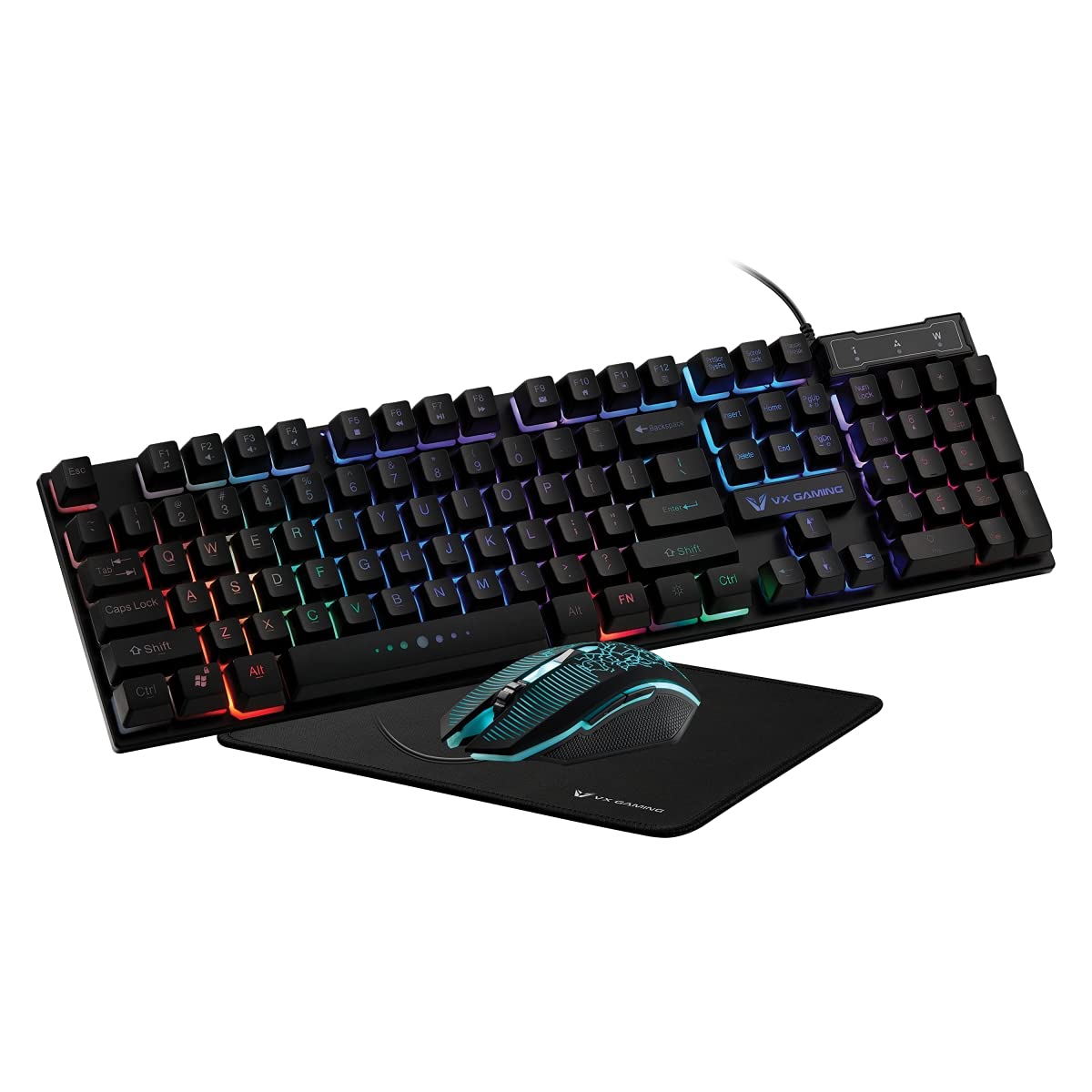
Image 1.1: Volkano VX Gaming Artemis Series 3-in-1 Combo Set packaging.
2. سیٹ اپ گائیڈ
Follow these steps to connect your Volkano VX Gaming Artemis Series 3-in-1 Combo to your computer.
2.1 سسٹم کے تقاضے
- Operating System: Windows 10 or later.
- Compatible Devices: PC (Acer, Dell, HP, Mac, Samsung).
- دستیاب USB پورٹ۔
2.2 Connecting the Keyboard and Mouse
- Unpack the keyboard, mouse, and mousepad from the packaging.
- Place the non-slip mousepad on your desired surface.
- USB کیبل کو کی بورڈ سے اپنے کمپیوٹر پر موجود USB پورٹ سے جوڑیں۔
- Connect the USB cable from the mouse to another available USB port on your computer.
- Your computer should automatically detect and install the necessary drivers. No additional software installation is typically required.

Image 2.1: The Artemis Combo set connected and ready for use.
3. آپریٹنگ ہدایات
3.1 کی بورڈ کے افعال
The Artemis keyboard features a standard QWERTY layout with additional gaming-specific functionalities.
- ملٹی میڈیا کیز: The keyboard includes 12 dedicated multimedia keys for quick access to media controls (e.g., play, pause, volume). These are typically accessed via the Fn F1-F12 کیز کے ساتھ مل کر کلید۔
- شارٹ کٹ کیز: 12 Keyboard Shortcut Keys provide quick access to various functions. Refer to the keycap legends for specific functions.
- Multi-colored Lighting: The keyboard features multi-colored rainbow illumination. The lighting mode can often be adjusted using specific key combinations (e.g., Fn + اسکرول لاک or similar, refer to keyboard markings).

Image 3.1: Artemis Keyboard with multi-colored lighting.
3.2 ماؤس کے افعال
The Artemis mouse is designed for precision and responsiveness in gaming.
- DPI سوئچ: Cycle through different DPI settings (1200, 1600, 2000, 3200) using the dedicated DPI button, usually located below the scroll wheel. This allows for on-the-fly sensitivity adjustments.
- 6 بٹن: The mouse features left-click, right-click, scroll wheel click, DPI switch, and two side buttons (typically for forward/backward navigation or custom assignments in games).
- Rainbow Color Illumination: The mouse features dynamic rainbow lighting.
- پولنگ کی شرح: The mouse operates at a 125 Hz polling rate for consistent input.

Image 3.2: Artemis Gaming Mouse.
3.3 Mousepad Usage
The non-slip mousepad provides a stable and consistent surface for optimal mouse tracking.
- Ensure the mousepad is placed on a flat, clean surface.
- The non-slip base prevents unwanted movement during intense gaming sessions.

Image 3.3: Artemis Non-Slip Mousepad.
4 دیکھ بھال
Proper care will extend the lifespan and performance of your gaming combo.
- کی بورڈ کی صفائی: Use a soft, dry cloth to wipe down the keyboard. For deeper cleaning, use compressed air to remove debris from between keys. Avoid using harsh chemicals or abrasive materials.
- ماؤس کی صفائی: Wipe the mouse surface with a soft, slightly damp cloth. Ensure the optical sensor on the bottom is clean and free of dust for accurate tracking.
- ماؤس پیڈ کی صفائی: The mousepad can be gently wiped with a damp اگر ضروری ہو تو کپڑا اور ہلکا صابن۔ استعمال کرنے سے پہلے اسے ہوا میں مکمل طور پر خشک ہونے دیں۔
- ذخیرہ: When not in use, store the peripherals in a clean, dry environment away from direct sunlight and extreme temperatures.
5 خرابیوں کا سراغ لگانا
If you encounter issues with your Volkano VX Gaming Artemis Series 3-in-1 Combo, refer to the following common solutions:
5.1 Keyboard or Mouse Not Responding
- USB کنکشن چیک کریں: Ensure both the keyboard and mouse USB cables are securely plugged into your computer's USB ports. Try different USB ports.
- کمپیوٹر کو دوبارہ شروع کریں: کبھی کبھی ایک سادہ سسٹم ری اسٹارٹ کنیکٹیویٹی کے مسائل کو حل کر سکتا ہے۔
- دوسرے کمپیوٹر پر ٹیسٹ: If possible, test the keyboard and mouse on another computer to determine if the issue is with the peripherals or your system.
5.2 Lighting Not Working
- کنکشن چیک کریں: Ensure the USB connections are firm.
- کی بورڈ لائٹنگ: Verify if any lighting control keys (e.g., Fn + اسکرول لاک) have been pressed to turn off or change the lighting mode.
- بجلی کی فراہمی: Ensure your computer's USB ports are providing sufficient power.
5.3 Mouse Tracking Issues
- صاف سینسر: یقینی بنائیں کہ ماؤس کے نیچے آپٹیکل سینسر صاف اور دھول یا ملبے سے پاک ہے۔
- Mousepad Surface: Use the provided mousepad or a clean, uniform surface. Avoid highly reflective or uneven surfaces.
- ڈی پی آئی سیٹنگ: Adjust the DPI setting using the DPI button to see if a different sensitivity resolves the issue.
6. وضاحتیں
Technical details for the Volkano VX Gaming Artemis Series 3-in-1 Combo:
| فیچر | تفصیل |
|---|---|
| برانڈ | وولکانو |
| ماڈل نمبر | VX-144-BK[V2] |
| رنگ | سیاہ |
| کنیکٹوٹی ٹیکنالوجی | USB (وائرڈ) |
| کی بورڈ کی قسم | جھلی، QWERTY لے آؤٹ |
| کی بورڈ کی خصوصیات | 12 Multimedia Keys, 12 Shortcut Keys, Multi-colored Lighting |
| ماؤس ڈی پی آئی کی ترتیبات | 1200، 1600، 2000، 3200 |
| ماؤس کے بٹن | 6 Buttons (Left, Right, Scroll Wheel, DPI, 2 Side Buttons) |
| ماؤس پولنگ کی شرح | 125 Hz |
| تحریک کا پتہ لگانا | آپٹیکل |
| طاقت کا منبع | کورڈڈ الیکٹرک (USB) |
| بیٹریاں درکار ہیں۔ | نہیں |
| ہم آہنگ آپریٹنگ سسٹم | ونڈوز 10 اور اس سے اوپر |
| کارخانہ دار | SMD Technologies LLC |
| اصل ملک | چین |
7. وارنٹی اور سپورٹ
7.1 وارنٹی کی معلومات
This Volkano VX Gaming Artemis Series 3-in-1 Combo is covered by a 1 سال کی محدود وارنٹی خریداری کی تاریخ سے. یہ وارنٹی عام استعمال کے تحت مینوفیکچرنگ نقائص اور کاریگری کا احاطہ کرتی ہے۔ یہ غلط استعمال، حادثات، غیر مجاز ترمیم، یا عام ٹوٹ پھوٹ سے ہونے والے نقصان کو پورا نہیں کرتا ہے۔
وارنٹی کے دعووں کے لیے براہ کرم اپنی خریداری کا ثبوت اپنے پاس رکھیں۔
7.2 کسٹمر سپورٹ
For technical assistance, warranty claims, or further inquiries, please contact Volkano customer support. You can find contact information on the official Volkano webسائٹ یا اپنے خوردہ فروش کے ذریعے۔
Visit the official Volkano Store for more information: Volkano Store on Amazon