
Simply45 DO-D003
SimplyAV The Dongler ProAV 4K USB Type-C Pigtail Dongle Adapter with Harness
Model: DO-D003
پروڈکٹ ختمview
The SimplyAV The Dongler ProAV 4K USB Type-C Pigtail Dongle Adapter with Harness (Model DO-D003) is designed to provide high-performance video and audio connectivity. This adapter facilitates the connection of USB Type-C enabled devices to HDMI displays, supporting ultra-high-definition 4K video with HDR and an 18 Gbps bandwidth for seamless data transfer.

Figure 1: The SimplyAV The Dongler ProAV 4K USB Type-C Pigtail Dongle Adapter, showcasing its compact design and integrated harness.
اہم خصوصیات:
- اعلی کارکردگی: Delivers ultra-high-definition 4K video with HDR for vibrant colors, deep contrast, and smooth playback in professional AV setups.
- Fast 18 Gbps Bandwidth: Ensures high-speed data transfer for seamless video and audio output, eliminating lag and enhancing performance for gaming, streaming, and presentations.
- Pigtail Dongle with Secure Harness: Designed for a secure and reliable connection, reducing strain on ports and preventing accidental disconnection during use.
- USB Type-C Compatibility: Works with USB-C-enabled laptops, tablets, and smartphones, connecting seamlessly to HDMI displays, projectors, and monitors.
- Durable & Reliable Build: Engineered for longevity with high-quality materials, making it a trusted choice for Pro AV professionals, content creators, and IT setups.

شکل 2: ختمview of the SimplyAV The Dongler's key features, including 4K HDR support, 18Gbps bandwidth, and USB-C to HDMI conversion.
سیٹ اپ اور کنکشن
This section provides instructions for setting up and connecting your SimplyAV The Dongler adapter.
اڈاپٹر کو جوڑنا:
- Identify the USB Type-C (Male) input on the dongle. This is the connector that plugs into your source device (laptop, tablet, smartphone).
- Locate the HDMI (Female) output on the dongle. This is where you will connect your HDMI cable leading to your display device (HDTV, monitor, projector).
- Ensure your source device supports ڈسپلے پورٹ آلٹ موڈ over its USB Type-C port for video output. This is essential for the adapter to function correctly.
- Connect the USB Type-C (Male) end of the dongle to the USB Type-C port on your source device.
- Connect a standard HDMI cable (not included) from the HDMI (Female) port on the dongle to the HDMI input on your display device.
- If using the secure harness, attach it to your existing HDMI cable or other secure point to prevent accidental disconnection or theft. The harness features a wide spacer for adding new dongles and an extra secure mechanism that can be adjusted with a hex tool.

Figure 3: Diagram illustrating the USB Type-C input, HDMI output, wide spacer, and secure harness features of The Dongler adapter.
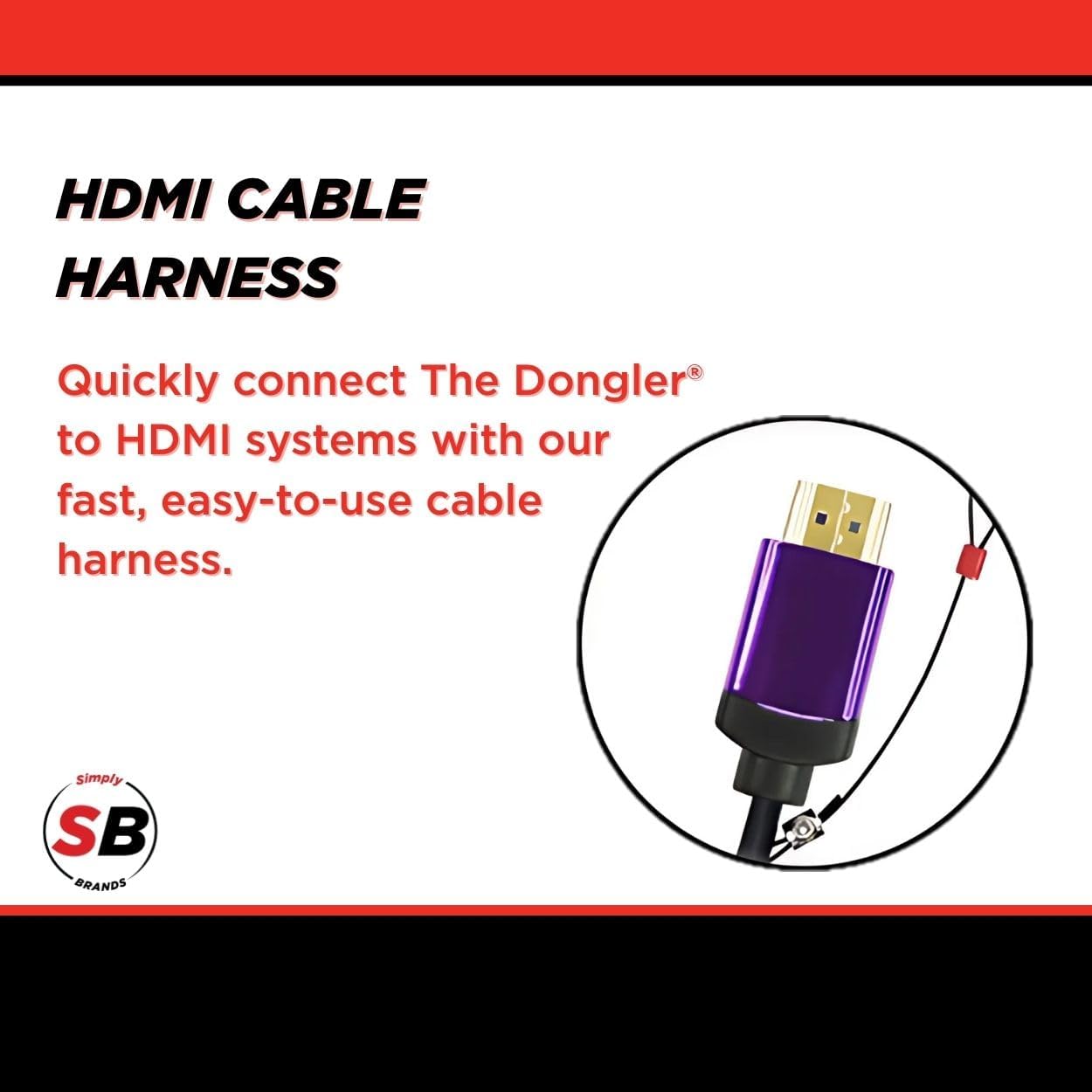
تصویر 4: کلوز اپ view of the HDMI cable harness, designed for quick and easy connection to HDMI systems.
آپریٹنگ ہدایات
Once connected, the SimplyAV The Dongler adapter operates automatically. No additional drivers or software are typically required for most operating systems.
ڈسپلے مواد:
- After connecting the adapter and display, your source device should automatically detect the external display.
- Adjust your display settings on your source device (e.g., laptop, smartphone) to extend, duplicate, or project your screen as desired.
- The adapter supports 4K resolution at 60Hz with HDR, ensuring high-quality video output for compatible content and displays.
- For optimal performance, ensure your HDMI cable and display device also support 4K resolution and HDR.
دیکھ بھال اور دیکھ بھال
To ensure the longevity and optimal performance of your SimplyAV The Dongler adapter, follow these maintenance guidelines:
- صفائی: اڈاپٹر کو صاف کرنے کے لیے نرم، خشک کپڑا استعمال کریں۔ مائع کلینر یا کھرچنے والے مواد کے استعمال سے پرہیز کریں۔
- ذخیرہ: Store the adapter in a cool, dry place when not in use. Avoid extreme temperatures and direct sunlight.
- ہینڈلنگ: Handle the adapter by its body, not by the cables, to prevent strain on the connectors.
- Secure Harness: Regularly inspect the secure harness and its connection points for any signs of wear or damage.

Figure 5: The theft-resistant design of The Dongler, featuring a cut-resistant steel ring and combo lock for secure anchoring.
خرابی کا سراغ لگانا
If you encounter issues with your SimplyAV The Dongler adapter, refer to the following common troubleshooting steps:
| مسئلہ | ممکنہ وجہ | حل |
|---|---|---|
| کوئی ویڈیو یا آڈیو آؤٹ پٹ نہیں۔ |
|
|
| Low resolution or flickering display. |
|
|
| وقفے وقفے سے رابطہ۔ |
|
|
وضاحتیں
| وصف | تفصیل |
|---|---|
| برانڈ کا نام | بس 45 |
| ماڈل نمبر | DO-D003 |
| شے کا وزن | 1.44 اونس |
| پروڈکٹ کے طول و عرض (L x W x H) | 8.6 x 5.7 x 0.2 انچ |
| رنگ | سیاہ |
| ہم آہنگ آلات | Projector, Television (any HDMI display) |
| مصنوعات کے لیے مخصوص استعمال | Streaming, Gaming, Presentations |
| کنیکٹر کی قسم | USB Type C (Input), HDMI (Output) |
| بینڈوڈتھ | 18 جی بی پی ایس |
| ویڈیو سپورٹ | 4K HDMI, HDR |
| ایچ ڈی سی پی سپورٹ | HDCP 2.2 |
وارنٹی اور سپورٹ
Information regarding the specific warranty period and direct customer support contacts for the SimplyAV The Dongler ProAV 4K USB Type-C Pigtail Dongle Adapter (Model DO-D003) is not available in the provided product data. Please refer to the manufacturer's official website or your point of purchase for detailed warranty terms and support options.
عام پوچھ گچھ یا تکنیکی مدد کے لیے، آپ ملاحظہ کر سکتے ہیں۔ Simply45 Store on Amazon or search for "Simply45" online to find their official support channels.
Ask a question about this manual
Ask about setup, troubleshooting, compatibility, parts, safety, or missing instructions. Manuals+ will review the question and use this page’s manual context to help answer it.