
تعارف
The Samsung Galaxy S21 FE 5G is a factory unlocked Android smartphone designed to enhance your daily mobile experience. It features a 120Hz display, a powerful processor, a pro-grade camera system, and an all-day intelligent battery. This manual provides essential information for setting up, operating, maintaining, and troubleshooting your device.

شکل 1: سامنے view of the Samsung Galaxy S21 FE 5G smartphone.
سیٹ اپ
ابتدائی سیٹ اپ
Upon first powering on your device, follow the on-screen prompts to select your language, connect to a Wi-Fi network, and sign in with your Google account. This process will guide you through essential configurations to get your phone ready for use.
سم کارڈ کی تنصیب
The Galaxy S21 FE 5G supports Dual SIM functionality using Nano SIM cards. To install your SIM card(s):
- آلہ کے سائیڈ پر سم کارڈ ٹرے کا پتہ لگائیں۔
- Insert the SIM ejection tool into the small hole next to the tray and push gently until the tray ejects.
- Place your Nano SIM card(s) into the tray with the gold contacts facing down. Ensure they are correctly seated.
- ٹرے کو احتیاط سے آلے میں دوبارہ داخل کریں۔
پاورنگ آن/آف
- پاور آن کرنے کے لیے: پاور/سائیڈ کلید کو دبائیں اور پکڑے رکھیں جب تک کہ Samsung لوگو ظاہر نہ ہو۔
- پاور آف کرنا: Press and hold the Power/Side key and the Volume Down button simultaneously, then tap 'Power off' on the screen. Alternatively, swipe down from the top of the screen to open the Quick Panel, tap the Power icon, and select 'Power off'.
ڈیوائس کو آپریٹ کرنا
ڈسپلے اور نیویگیشن
Experience smooth scrolling and vibrant visuals on the 6.4-inch Dynamic AMOLED 2X display with a 120Hz refresh rate and 2560 x 1440 resolution. The display offers a fast touch response for seamless interaction, even in bright sunlight.

Figure 2: The Dynamic AMOLED 2X display of the Galaxy S21 FE 5G.
کیمرے کی خصوصیات
The Galaxy S21 FE 5G is equipped with a powerful pro-grade camera system:
- پیچھے والا کیمرہ: 12MP Ultra Wide, 12MP Wide-angle, and 8MP Telephoto.
- فرنٹ کیمرہ: 32MP سیلفی کیمرہ۔
- 30x اسپیس زوم: Combines 3x Hybrid Optic Zoom and 30x digital zoom for high-resolution close-ups, with EngageZoom Lock to reduce shakiness.
- نائٹ موڈ: Capture crisp images in vivid color, even in low-light conditions.

Figure 3: Portrait mode capabilities of the Galaxy S21 FE 5G camera.

Figure 4: Night mode feature for enhanced low-light photography.
بیٹری مینجمنٹ
The device features a 4500mAh intelligent battery designed to last all day, even with 5G usage. Super Fast Charging can charge 50% of the battery in approximately 30 minutes. Average battery life for talk time is 37 hours.

Figure 5: All-day intelligent battery of the Galaxy S21 FE 5G.
کارکردگی
Powered by an efficient Snapdragon processor with 6GB RAM, the Galaxy S21 FE 5G delivers reliable performance for graphic-heavy gaming and multitasking.
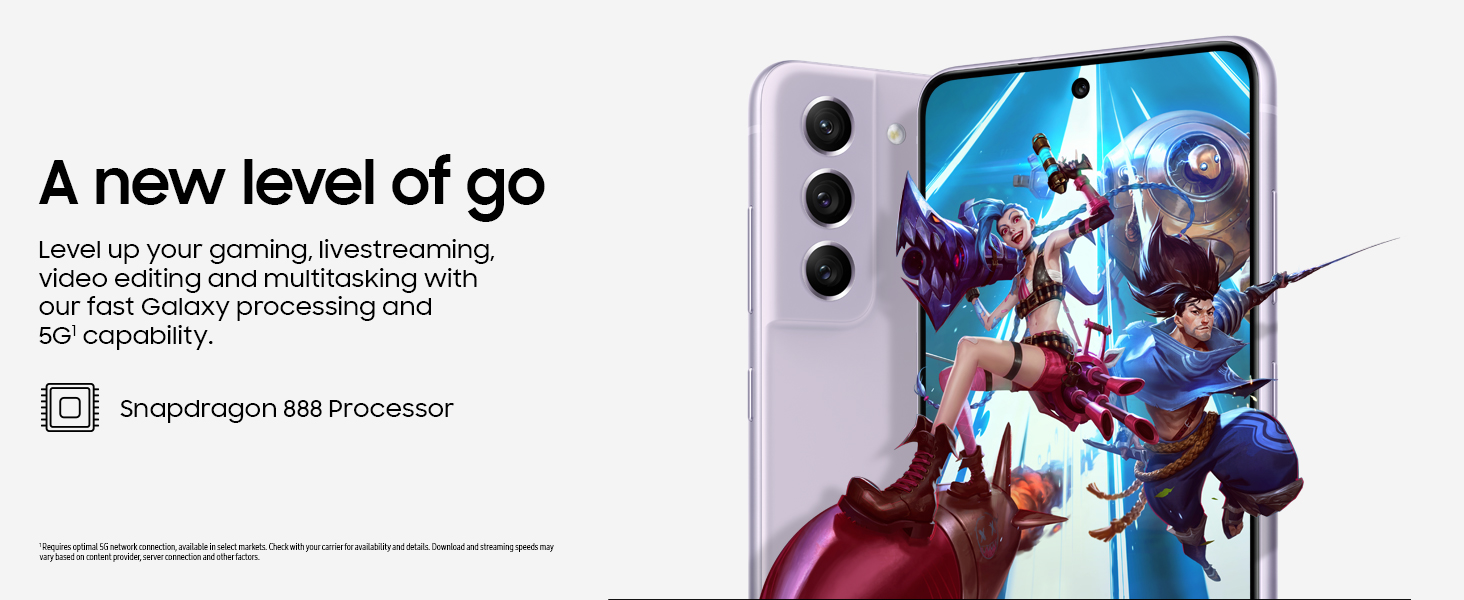
Figure 6: High-performance processor for gaming and multitasking.
کنیکٹوٹی
The device supports 5G cellular technology, Wi-Fi, Bluetooth, and NFC for versatile connectivity options. It is an unlocked device, allowing flexibility with wireless carriers.
دیکھ بھال
صفائی
To clean your device, gently wipe the screen and body with a soft, lint-free cloth. Avoid using harsh chemicals or abrasive materials that could damage the screen or finish.
سافٹ ویئر اپڈیٹس
Regularly check for and install software updates to ensure your device has the latest features, security patches, and performance improvements. You can usually find this option in the device's Settings menu under 'Software update'.
فیکٹری ری سیٹ
A factory reset will erase all data from your phone and restore it to its original factory settings. This can be useful for troubleshooting persistent issues or preparing the device for transfer to a new owner. Before performing a factory reset, ensure all important data is backed up to an external storage device or cloud service.
Video 1: Instructions on how to perform a factory reset on an Android phone. This process will erase all data and restore the device to its default settings.
خرابی کا سراغ لگانا
اگر آپ کو اپنے آلے کے ساتھ مسائل کا سامنا کرنا پڑتا ہے، تو درج ذیل بنیادی ٹربل شوٹنگ کے اقدامات کو آزمائیں۔
- ڈیوائس کو دوبارہ شروع کریں: ایک سادہ ری اسٹارٹ اکثر سافٹ ویئر کی معمولی خرابیوں کو حل کر سکتا ہے۔
- سافٹ ویئر اپ ڈیٹس کے لیے چیک کریں: یقینی بنائیں کہ آپ کا آلہ جدید ترین سافٹ ویئر ورژن چلا رہا ہے۔
- ایپ کیشے/ڈیٹا صاف کریں: اگر کوئی مخصوص ایپ مسائل کا باعث بن رہی ہے، تو ترتیبات > ایپس میں اس کا کیش یا ڈیٹا صاف کرنے کی کوشش کریں۔
- Check network connection: For connectivity issues, verify Wi-Fi or cellular data is enabled and working correctly.
- صارف دستی سے مشورہ کریں: For more detailed solutions, refer to the comprehensive user manual available through the device settings.
وضاحتیں
| فیچر | تفصیلات |
|---|---|
| برانڈ | سام سنگ |
| ماڈل کا نام | Galaxy S21 FE 5G |
| آپریٹنگ سسٹم | اینڈرائیڈ 12.0 |
| سی پی یو ماڈل | سنیپ ڈریگن |
| RAM میموری انسٹال شدہ سائز | 6 جی بی |
| میموری ذخیرہ کرنے کی صلاحیت | 256 جی بی |
| اسکرین کا سائز | 6.4 انچ |
| قرارداد | 2560 x 1440 |
| ریفریش ریٹ | 120 Hz |
| سیلولر ٹیکنالوجی | 5G |
| وائرلیس نیٹ ورک ٹیکنالوجی | وائی فائی |
| کنیکٹوٹی ٹیکنالوجی | بلوٹوتھ، NFC، USB، Wi-Fi |
| Rear Facing Camera Photo Sensor Resolution | 12 MP |
| Front Photo Sensor Resolution | 32 MP |
| بیٹری کی صلاحیت | 4500 ملی۔amp گھنٹے |
| پانی کی مزاحمت کی سطح | واٹر پروف |
| شے کا وزن | 190 گرام |
وارنٹی اور سپورٹ
The Samsung Galaxy S21 FE 5G comes with a 1-Year Manufacturer Warranty. For warranty claims or technical support, please contact Samsung customer service or visit their official support website. You can also find additional support resources and user manuals in the device's settings under 'User manual'.