
1. حفاظتی ہدایات
Please read these safety instructions carefully before using the product. Keep this manual for future reference.
- یہ پروڈکٹ صرف اندرونی استعمال کے لیے ڈیزائن کیا گیا ہے۔ نمی یا انتہائی درجہ حرارت کا سامنا نہ کریں۔
- ڈیوائس کو کھولنے یا اس میں ترمیم کرنے کی کوشش نہ کریں۔ اس سے وارنٹی ختم ہو سکتی ہے اور حفاظتی خطرہ لاحق ہو سکتا ہے۔
- ڈیوائس کو بچوں سے دور رکھیں۔
- Use only the provided micro-USB cable for charging.
- براہ راست ایل ای ڈی لائٹ سورس میں مت دیکھیں۔
2. پیکیج کے مشمولات
یقینی بنائیں کہ تمام اشیاء پیکیج میں موجود ہیں:
- ANSMANN Under-Cabinet Light M
- مائیکرو USB چارجنگ کیبل
- ہدایت نامہ
3. پروڈکٹ ختمview
The ANSMANN Under-Cabinet Light M is a versatile, rechargeable LED lamp designed for various indoor applications. It features a motion sensor, adjustable color temperatures, and a slim design for discreet placement.

Image 1: The ANSMANN Under-Cabinet Light M, showcasing its sleek, white design and integrated motion sensor.
اہم خصوصیات:
- پیر موشن سینسر: Automatically activates the light when motion is detected in low-light conditions.
- Twilight Sensor: Ensures the light only activates in dark environments, conserving battery life.
- سایڈست رنگ درجہ حرارت: Choose between 3 color temperatures (cool white, neutral white, warm white) or activate all LEDs for maximum brightness.
- سٹیپلیس ڈمنگ: Adjust brightness by holding down the control button.
- ریچارج ایبل بیٹری: Integrated battery for cordless operation, charged via micro-USB.
- مقناطیسی ماؤنٹنگ: Easy installation and removal with a magnetic strip.

Image 2: Diagram illustrating the Micro-USB Port, On/Off button, and PIR motion sensor on the device.
4. سیٹ اپ اور انسٹالیشن
The Under-Cabinet Light M offers flexible installation options using its integrated magnetic strip.
مقناطیسی ماؤنٹنگ:
- Identify a suitable, clean, and dry surface for installation (e.g., inside a cabinet, under a shelf).
- The light comes with a fixed magnetic strip on its back. For non-metallic surfaces, use the included adhesive strip.
- Peel off the protective film from the adhesive strip and firmly press it onto the desired surface.
- Attach the Under-Cabinet Light M to the adhesive strip. The magnetic connection will hold it in place.
تصویر 3: کلوز اپ view of the magnetic strip and the removable adhesive strip, demonstrating the mounting mechanism.

تصویر 4: مثال کے طور پرample of the under-cabinet light installed in a modern kitchen setting, providing illumination over a countertop.
5. آپریشن
The Under-Cabinet Light M offers intuitive control for its lighting functions.
پاور آن/آف:
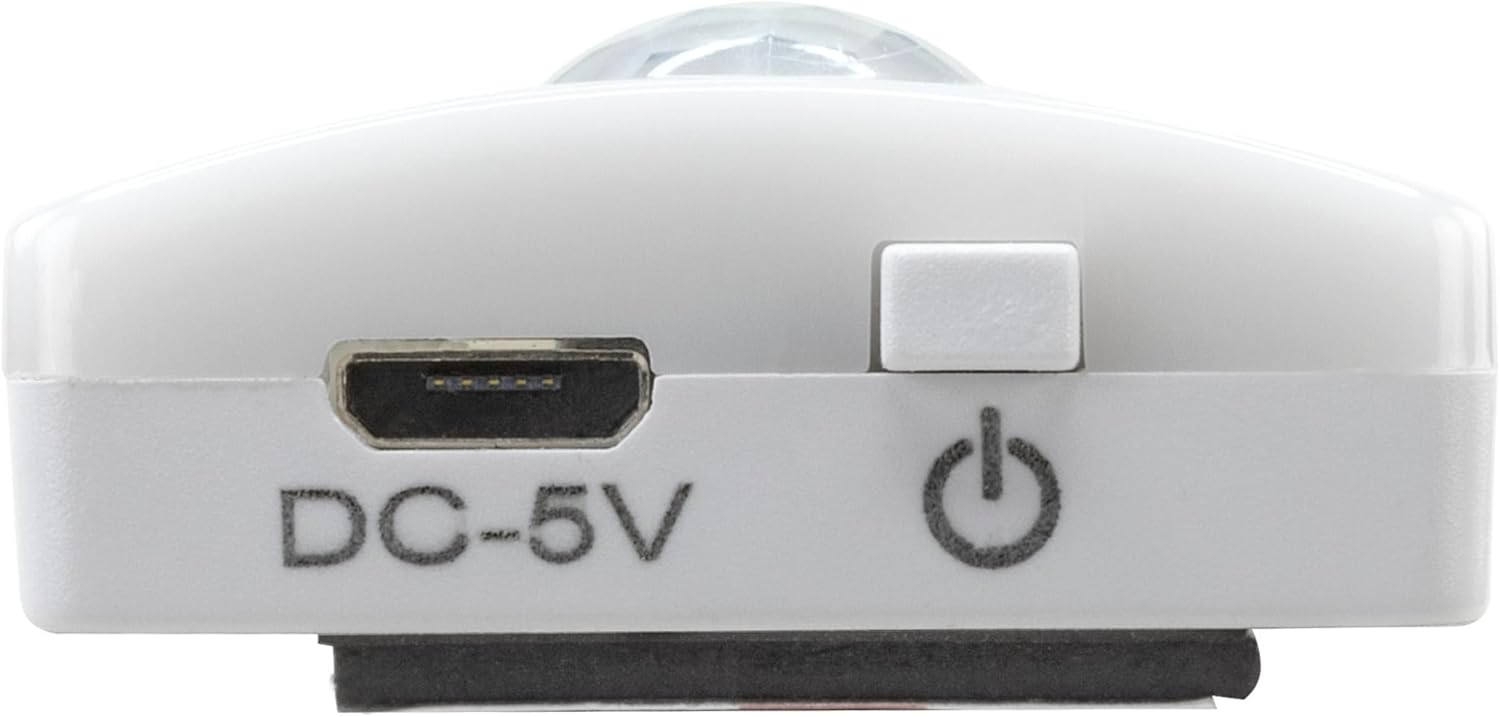
- Locate the On/Off button (refer to Image 2).
- Press the button once to turn the light on or off.
رنگ درجہ حرارت کو ایڈجسٹ کرنا:
- With the light on, short press the control button repeatedly to cycle through the 3 available color temperatures: cool white, neutral white, and warm white.
- A fourth press will activate all LEDs for maximum brightness.
Dimming تقریب:
- To adjust the brightness, press and hold the control button. The light will gradually dim or brighten. Release the button when the desired brightness level is reached.
Motion and Twilight Sensor:
- When the light is in motion sensor mode, it will automatically turn on when movement is detected within its range.
- The integrated twilight sensor ensures that the motion sensor only activates the light in dark environments, preventing unnecessary illumination during daylight hours.
6. چارج کرنا
The Under-Cabinet Light M is equipped with a rechargeable battery for convenient cordless use.
- When the battery is low, the light output may decrease or the light may not turn on.
- Gently detach the light from its magnetic mounting surface.
- Connect the provided micro-USB cable to the micro-USB port on the light (refer to Image 2).
- Connect the other end of the micro-USB cable to a suitable USB power source (e.g., USB wall adapter, computer USB port).
- An indicator light will show the charging status (e.g., red for charging, green for fully charged).
- Once fully charged, disconnect the cable and reattach the light to its mounting surface.

تصویر 5: تفصیلی view of the Micro-USB charging port and the On/Off button, essential for charging and operation.
7 دیکھ بھال
To ensure the longevity and optimal performance of your Under-Cabinet Light M, follow these simple maintenance guidelines:
- Clean the light regularly with a soft, dry cloth. Do not use abrasive cleaners or solvents.
- Ensure the motion sensor lens is kept clean and free from obstructions for proper function.
- Store the light in a cool, dry place if not in use for extended periods.
8 خرابیوں کا سراغ لگانا
If you encounter issues with your Under-Cabinet Light M, refer to the following common problems and solutions:
| مسئلہ | ممکنہ وجہ | حل |
|---|---|---|
| لائٹ آن نہیں ہوتی۔ | بیٹری ختم ہو گئی ہے۔ | Charge the light using the micro-USB cable. |
| موشن سینسر حرکت کا پتہ نہیں لگا رہا ہے۔ | Ensure the sensor is clean and unobstructed. Check if the environment is dark enough for the twilight sensor to activate. | |
| لائٹ چارج نہیں ہوتی۔ | ناقص کیبل یا پاور سورس۔ | Try a different micro-USB cable or USB power adapter. |
| چارجنگ پورٹ گندا ہے۔ | Gently clean the micro-USB port with a dry, soft brush. | |
| ہلکی چمکتی ہے یا مدھم ہے۔ | کم بیٹری۔ | ڈیوائس کو ری چارج کریں۔ |
اگر ان حلوں کو آزمانے کے بعد بھی مسئلہ برقرار رہتا ہے، تو براہ کرم کسٹمر سپورٹ سے رابطہ کریں۔
9. وضاحتیں
| فیچر | تفصیل |
|---|---|
| ماڈل نمبر | 1600-0438 |
| مصنوعات کے طول و عرض | 25L x 3.5W x 1.3H cm (9.84L x 1.38W x 0.51H انچ) |
| شے کا وزن | 112 گرام (0.25 پونڈ) |
| طاقت کا منبع | بیٹری سے چلنے والا |
| چارجنگ پورٹ | Micro-USB (DC-5V) |
| مواد | پلاسٹک |
| رنگ | سفید |
| تنصیب کی قسم | وال ماؤنٹ (مقناطیسی) |
| کمرے کی قسم | Dining Room, Kitchen, Wardrobe, Hallway, etc. |
10. وارنٹی اور سپورٹ
ANSMANN products are manufactured with high-quality standards. For information regarding warranty terms and conditions, please refer to the documentation provided with your purchase or visit the official ANSMANN webسائٹ
For technical support or inquiries, please contact ANSMANN customer service through their official channels.