
1. تعارف
Thank you for choosing Kinganda Q71 Bluetooth Earbuds. This manual provides detailed instructions for setting up, operating, and maintaining your new wireless earbuds. Please read this manual carefully before use to ensure proper functionality and to maximize your listening experience.
2. حفاظتی معلومات
- ایئر بڈز یا چارجنگ کیس کو انتہائی درجہ حرارت، نمی، یا سنکنرن ماحول میں بے نقاب نہ کریں۔
- سماعت کو پہنچنے والے نقصان کو روکنے کے لیے لمبے عرصے تک زیادہ مقدار میں سننے سے گریز کریں۔
- آلے کو بچوں اور پالتو جانوروں سے دور رکھیں۔
- مصنوعات کو جدا کرنے یا اس میں ترمیم کرنے کی کوشش نہ کریں۔ اس سے وارنٹی ختم ہو جائے گی۔
- ایئر بڈز اور چارجنگ کیس کو صرف نرم، خشک کپڑے سے صاف کریں۔
3. پیکیج کے مشمولات
براہ کرم چیک کریں کہ تمام اشیاء آپ کے پیکیج میں موجود ہیں:
- Kinganda Q71 Bluetooth Earbuds (Left and Right)
- چارجنگ کیس
- USB چارجنگ کیبل
- کان کے اشارے کے متعدد سائز
- صارف دستی
4. پروڈکٹ ختمview
Familiarize yourself with the components of your Kinganda Q71 Bluetooth Earbuds.
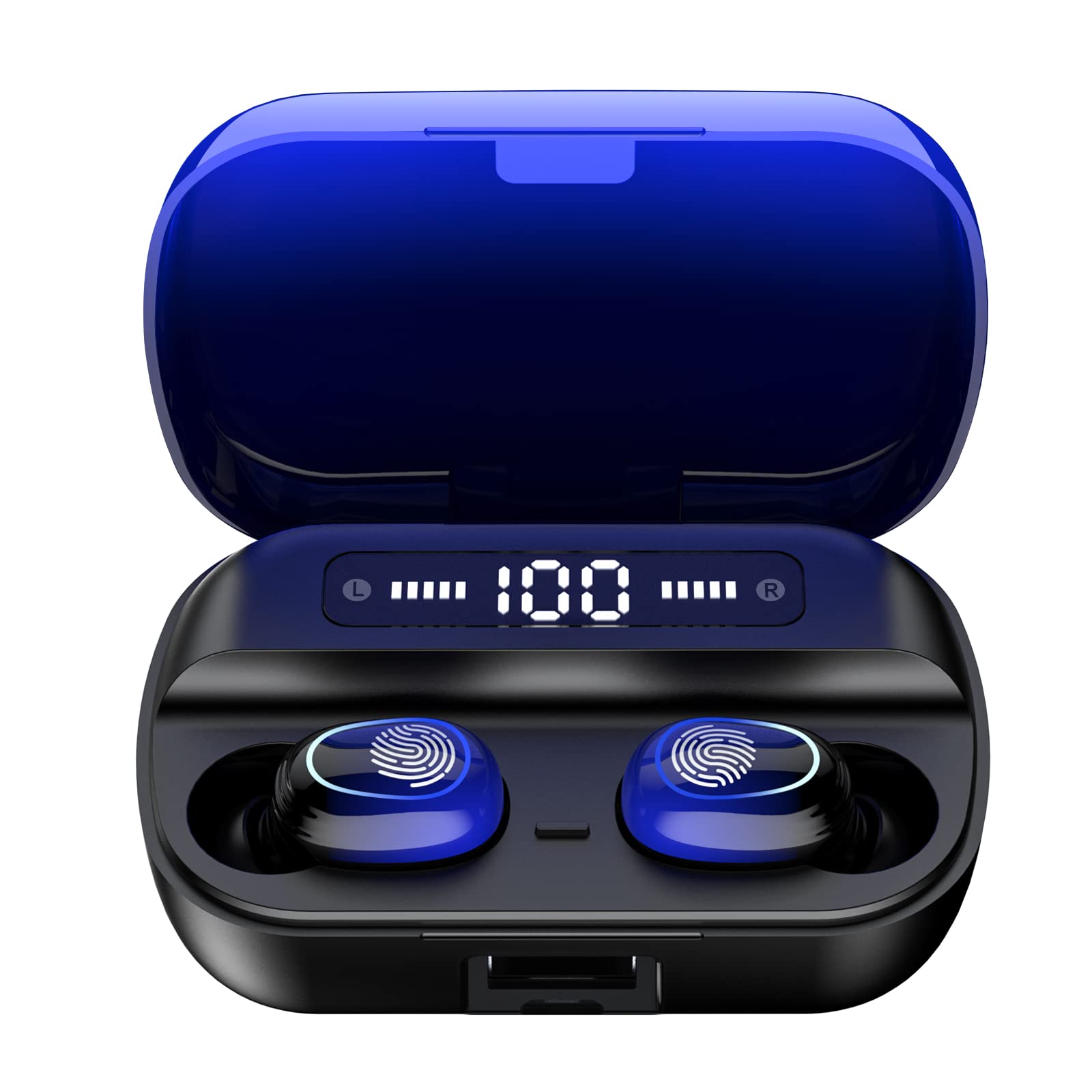
تصویر 4.1: ختمview of Kinganda Q71 Bluetooth Earbuds and key features including Bluetooth 5.1, low latency, low power consumption, touch control, clear calls, 10mm speakers, compatibility with iOS and Android, and a 33-foot signal range.
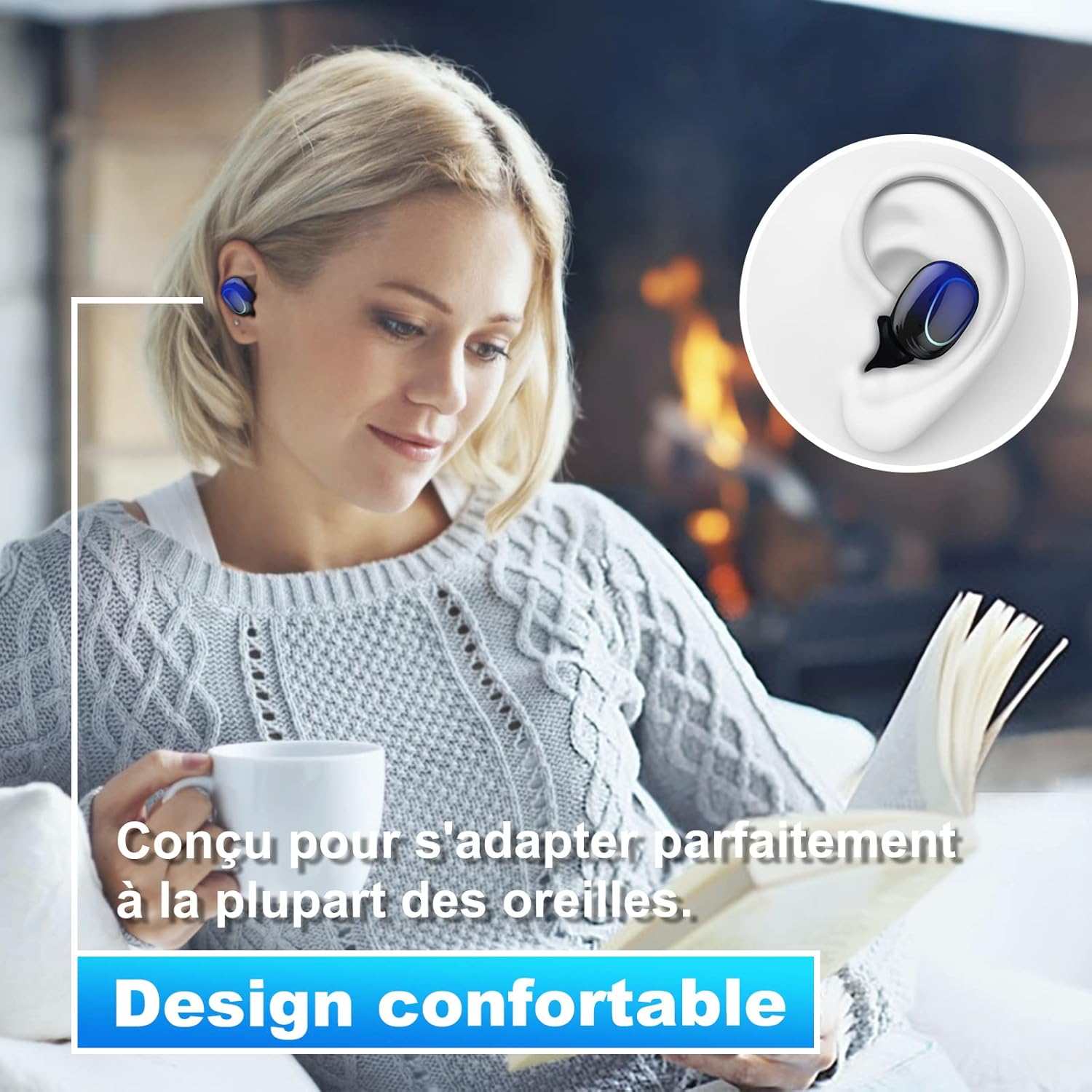
Image 4.2: The Kinganda Q71 earbuds are designed for a comfortable and secure fit in most ears.
5. سیٹ اپ
5.1 ایئربڈز اور کیس کو چارج کرنا
پہلے استعمال سے پہلے، چارجنگ کیس اور ایئربڈس کو پوری طرح سے چارج کریں۔
- ایئربڈز کو چارجنگ کیس میں رکھیں۔ یقینی بنائیں کہ وہ صحیح طریقے سے بیٹھے ہیں۔
- USB چارجنگ کیبل کو کیس پر چارجنگ پورٹ سے اور پاور سورس (جیسے USB وال اڈاپٹر، کمپیوٹر USB پورٹ) سے جوڑیں۔
- کیس پر انڈیکیٹر لائٹس چارجنگ کی حیثیت دکھائے گی۔ مکمل طور پر چارج ہونے کے بعد، لائٹس تکمیل یا بند ہونے کی نشاندہی کریں گی۔

Image 5.1: The charging case has a 3500mAh battery. Earbuds provide approximately 5 hours of playback, and the case extends total usage to about 150 hours. A full recharge takes approximately 1.5 hours.
5.2 بلوٹوتھ ڈیوائس کے ساتھ جوڑا بنانا
The earbuds use Bluetooth 5.1 for a stable connection.
- چارجنگ کیس کھولیں۔ ایئربڈز خود بخود آن ہو جائیں گے اور پیئرنگ موڈ میں داخل ہو جائیں گے۔
- اپنے آلے پر (اسمارٹ فون، ٹیبلیٹ وغیرہ)، بلوٹوتھ کو فعال کریں۔
- تلاش کریں۔ available Bluetooth devices and select "Kinganda Q71" (or similar name) from the list.
- Once connected, you will hear a confirmation tone, and the indicator lights on the earbuds will change.
5.3 ایئربڈز پہننا
For optimal sound quality and comfort, choose the correct ear tip size and ensure a snug fit.
- Select the ear tips that best fit your ear canals.
- ہر ایک ایئربڈ کو اپنے کان میں آہستہ سے داخل کریں، اس وقت تک تھوڑا سا گھماتے جائیں جب تک کہ یہ محفوظ اور آرام دہ محسوس نہ کرے۔
6. آپریٹنگ ہدایات
The Kinganda Q71 earbuds feature touch controls for easy operation.

Image 6.1: Touch controls for various functions including power, music playback, call management, and voice assistant activation.
6.1 بنیادی افعال
- پاور آن/آف: Earbuds power on automatically when removed from the case and power off when placed back in the case. Alternatively, long-press the touch area for manual power on/off.
- چلائیں/روکیں: دونوں ایئربڈ پر ایک بار تھپتھپائیں۔
- اگلا ٹریک: دائیں ایئربڈ پر دو بار تھپتھپائیں۔
- پچھلا ٹریک: بائیں ایئربڈ پر دو بار تھپتھپائیں۔
- جواب / کال ختم کریں: آنے والی کال کے دوران دونوں ایئربڈ پر ایک بار تھپتھپائیں۔
- کال مسترد کریں: Long-press on either earbud during an incoming call.
- وائس اسسٹنٹ کو فعال کریں (Siri): دونوں ایئربڈ پر تین بار تھپتھپائیں۔
6.2 استعمال کے طریقے
The Kinganda Q71 earbuds support various listening modes.

Image 6.2: The earbuds can be used in mono mode (single earbud) to stay aware of surroundings, TWS stereo mode for immersive sound, or twin mode to share music with another person.
- مونو موڈ: Use a single earbud (left or right) to listen to audio while keeping the other ear open to your surroundings. Simply remove one earbud from the case.
- TWS Stereo Mode: Use both earbuds for a full stereo audio experience. Both earbuds will automatically connect to each other and your device when removed from the case.
- جڑواں موڈ: Share your music with a friend by giving them one earbud. Both earbuds will play the same audio.
7 دیکھ بھال
7.1 صفائی
باقاعدگی سے صفائی سے آواز کے معیار اور حفظان صحت کو برقرار رکھنے میں مدد ملتی ہے۔
- ایئر بڈز اور چارجنگ کیس کو صاف کرنے کے لیے نرم، خشک، لنٹ فری کپڑا استعمال کریں۔
- Remove ear tips and clean them with mild soap and water if necessary, then dry thoroughly before reattaching.
- سخت کیمیکل یا کھرچنے والے مواد کا استعمال نہ کریں۔
7.2 اسٹوریج
استعمال میں نہ ہونے پر، ایئربڈز کو ان کے چارجنگ کیس میں محفوظ کریں تاکہ ان کی حفاظت ہو اور انہیں چارج کیا جا سکے۔
8 خرابیوں کا سراغ لگانا
اگر آپ کو مسائل درپیش ہیں تو درج ذیل حل آزمائیں:
- ایئربڈس جوڑا نہیں بن رہے ہیں: Ensure both earbuds are charged. Place them back in the case, close it, then open it again to re-initiate pairing mode. Check your device's Bluetooth settings and try reconnecting.
- صرف ایک ایئربڈ کام کر رہا ہے: Place both earbuds back in the charging case, close the lid, wait a few seconds, then open the lid and remove them simultaneously. This should force them to re-sync.
- کوئی آواز نہیں: اپنے آلے پر والیوم لیول چیک کریں اور یقینی بنائیں کہ ایئربڈز صحیح طریقے سے جڑے ہوئے ہیں۔
- چارجنگ کے مسائل: Ensure the charging cable is securely connected to both the case and the power source. Try a different charging cable or power adapter.
- خراب آواز کا معیار: Ensure the earbuds are clean and properly seated in your ears. Try different ear tip sizes for a better seal.
9. وضاحتیں
| ماڈل کا نام | س71 |
| برانڈ | کنگنڈا |
| کنیکٹوٹی ٹیکنالوجی | وائرلیس (بلوٹوتھ 5.1) |
| وائرلیس رینج | 33 فٹ (10 میٹر) تک |
| آڈیو ڈرائیور کی قسم | متحرک ڈرائیور (10 ملی میٹر) |
| کنٹرول کا طریقہ | ٹچ کنٹرول |
| مواد | پلاسٹک، سلیکون |
| پانی کی مزاحمت کی سطح | واٹر پروف (IPX7) |
| ایئربڈ بیٹری لائف | تقریبا 5 گھنٹے |
| چارجنگ کیس بیٹری لائف۔ | Approx. 150 hours (with case) |
| چارجنگ کیس کی صلاحیت | 3500mAh |
| ریچارج کا وقت | تقریبا 1.5 گھنٹے |
| ہم آہنگ آلات | Bluetooth-enabled devices (iOS, Android) |
| خصوصی خصوصیت | ہلکا پھلکا |

Image 9.1: The 10mm immersive drivers deliver enhanced sound quality with deeper bass.

Image 9.2: With an IPX7 waterproof rating, the earbuds are protected against sweat and water splashes, making them suitable for sports.
10. وارنٹی اور سپورٹ
Kinganda products are designed for reliability and performance. This product comes with a standard manufacturer's warranty. For specific warranty details, please refer to the warranty card included in your package or contact Kinganda customer support.
If you have any questions, require technical assistance, or need to claim warranty service, please contact our customer support team through the contact information provided on the Kinganda official webسائٹ یا آپ کی خریداری کا پلیٹ فارم۔