
TERIOS TERIOS 5S
TERIOS Wireless Controller User Manual
Model: TERIOS 5S (ASIN: B09KLR5DCZ)
تعارف
This user manual provides comprehensive instructions for the TERIOS Wireless Controller, designed for an enhanced gaming experience. This controller is compatible with PlayStation 4, PS4 Pro, and PS4 Slim consoles.

تصویر: سامنے view of the green TERIOS Wireless Controller, showcasing اس کا ایرگونومک ڈیزائن اور بٹن لے آؤٹ۔
باکس میں کیا ہے۔
پیکج کھولنے پر، براہ کرم یقینی بنائیں کہ درج ذیل تمام اشیاء موجود ہیں:
- 1 x TERIOS Wireless Controller
- 1 ایکس USB چارجنگ کیبل
- 1 x Controller User Manual (this document)

Image: The TERIOS Wireless Controller, USB charging cable, and user manual laid out, representing the package contents.
مصنوعات کی خصوصیات
The TERIOS Wireless Controller is equipped with several features designed to enhance your gaming experience:
- وائرلیس رابطہ: Connects wirelessly to your PS4 console via Bluetooth 4.2 for a stable connection up to 8 meters.
- Built-in Speaker & Headset Jack: Features an integrated speaker and a 3.5mm stereo headset jack for immersive audio.
- Multitouch Pad: A central multitouch pad expands gaming possibilities and interaction.
- شیئر بٹن: Allows for live-streaming and sharing gameplay moments without interrupting your session.
- دوہری اینالاگ اسٹکس: Provides pinpoint accuracy and enhanced sensitivity for precise control.
- Double Shock Vibration: Integrated motors provide haptic feedback for an immersive gaming experience.
- Turbo Feature: Enables rapid-fire functionality for certain in-game actions.
- ریچارج ایبل بیٹری: Equipped with a 1000mAh lithium battery, offering 10-12 hours of continuous use on a single charge.
- ایرگونومک ڈیزائن: Conforms to the palm structure for comfortable extended gaming sessions.

تصویر: کلوز اپ views highlighting the built-in speaker, share button, and multitouch pad functionalities of the controller.

Image: Visuals illustrating the Bluetooth 4.2 connection, ergonomic design for comfortable grip, and the placement of advanced gaming buttons.

Image: The controller with a visual emphasis on its dual analog sticks, indicating their role in providing a better gaming experience.
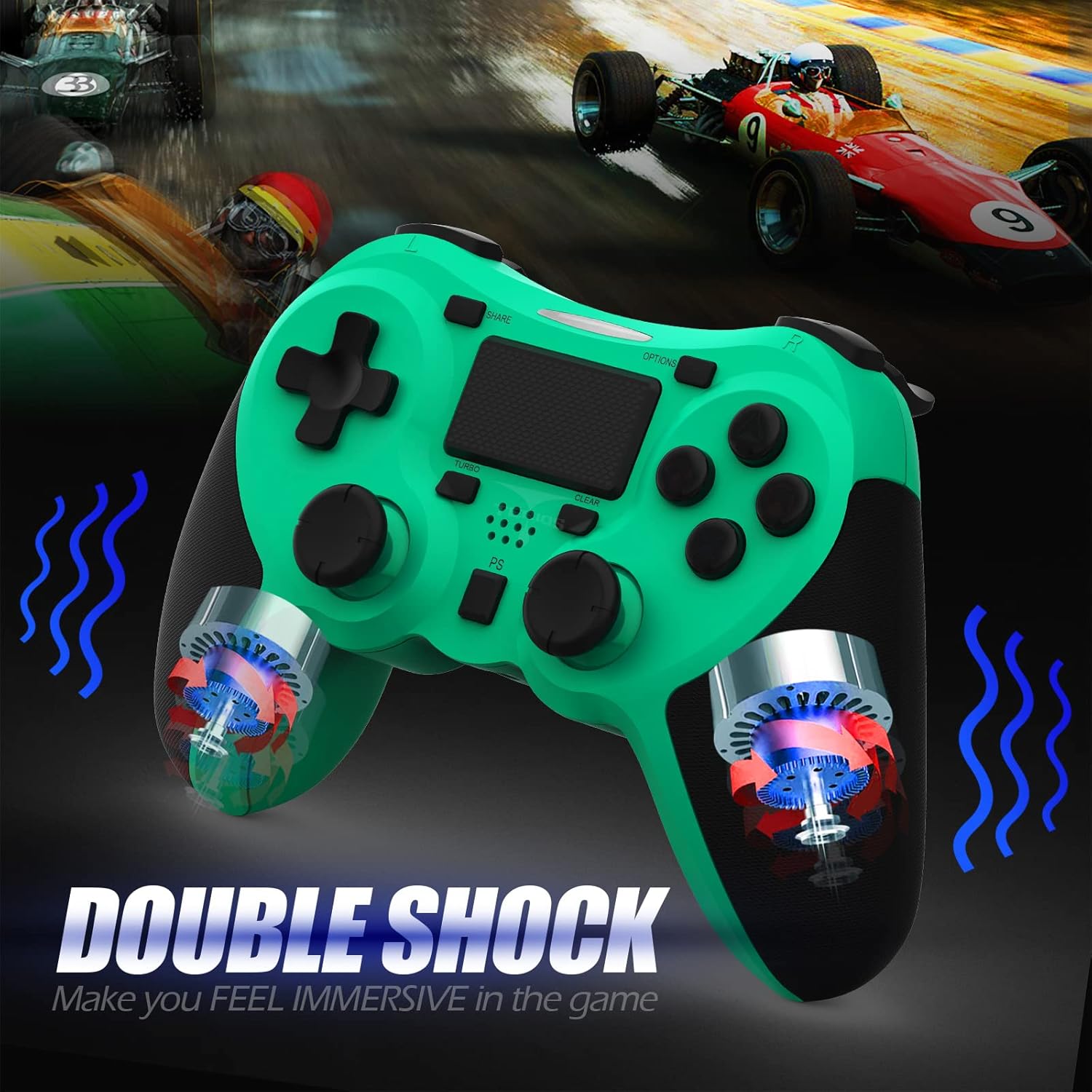
تصویر: ایک اندرونی view of the controller highlighting the double shock vibration motors, designed to provide immersive haptic feedback.
سیٹ اپ گائیڈ
1. ابتدائی چارجنگ
Before first use, fully charge the controller. Connect the supplied USB charging cable to the controller's micro USB port and the other end to a USB port on your PlayStation 4 console or a compatible USB wall adapter.
- چارج کرنے کا وقت: مکمل چارج کے لیے تقریباً 2-3 گھنٹے۔
- Battery Life: Up to 10-12 hours of continuous gameplay.
- اسٹینڈ بائی ٹائم: 30 دن تک۔
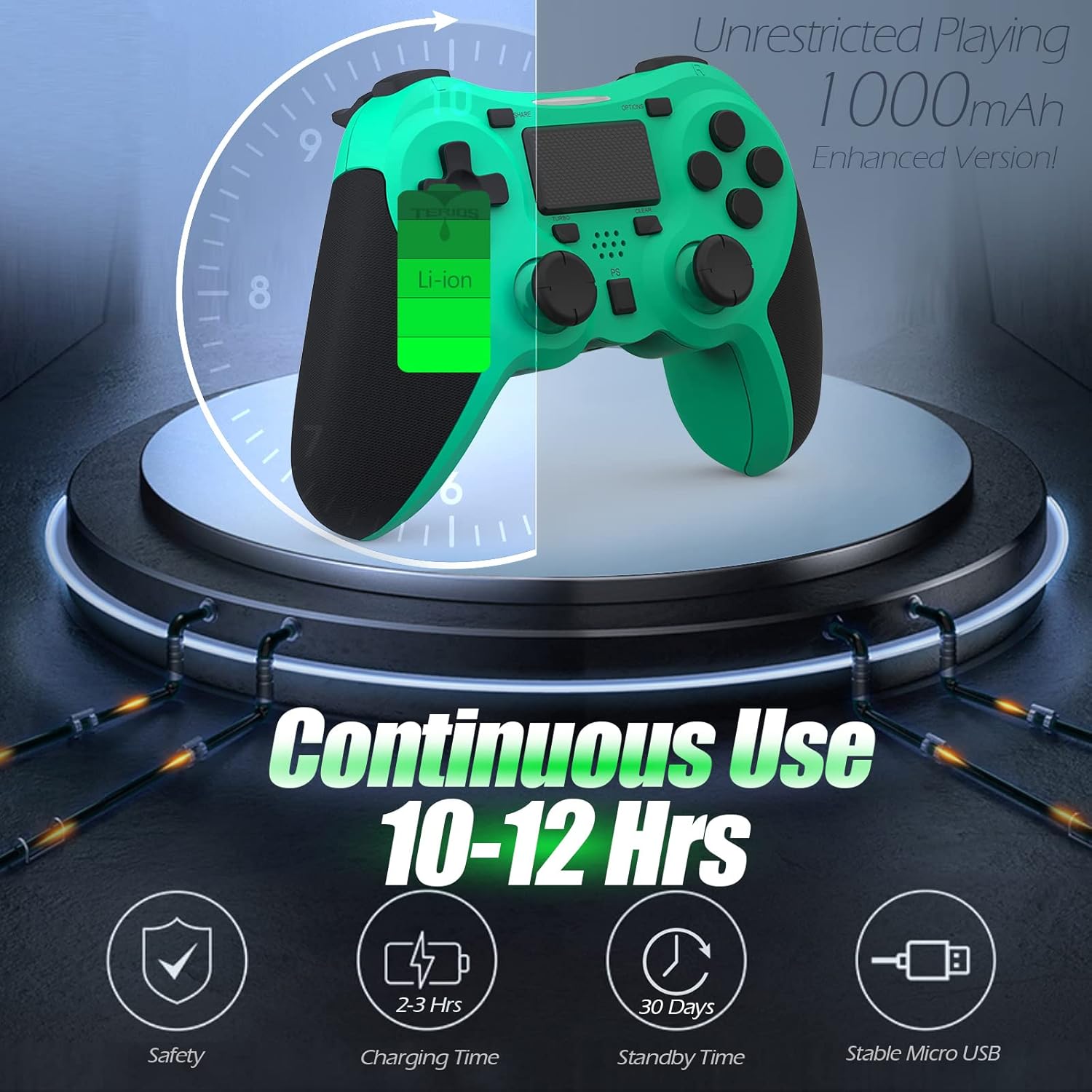
Image: A visual representation of the controller's 1000mAh battery, indicating 10-12 hours of continuous use, 2-3 hours charging time, and 30 days standby time.
2. Pairing with PlayStation 4
کنٹرولر کو اپنے PS4 کنسول کے ساتھ جوڑنے کے لیے:
- یقینی بنائیں کہ آپ کا PS4 کنسول آن ہے۔
- Connect the controller to the PS4 console using the USB charging cable.
- دبائیں PS بٹن (located in the center of the controller). The light bar on the controller will flash, then glow a solid color, indicating successful pairing.
- جوڑا بننے کے بعد، آپ USB کیبل کو وائرلیس پلے کے لیے منقطع کر سکتے ہیں۔
نوٹ: If the controller does not pair, ensure it is charged and try connecting it to a different USB port on the console. For persistent issues, refer to the Troubleshooting section.
آپریٹنگ ہدایات
بنیادی کنٹرولز
| جزو | فنکشن |
|---|---|
| PS بٹن | Powers on the controller, accesses the PS4 home screen, switches users, or turns off the console (long press). |
| شیئر بٹن۔ | Accesses the Share menu to capture screenshots, record video clips, or broadcast gameplay. |
| اختیارات کا بٹن۔ | Pauses games, accesses in-game menus, or confirms selections. |
| Directional Buttons (D-Pad) | Navigates menus and provides directional input in games. |
| Action Buttons (Triangle, Circle, Cross, Square) | Performs in-game actions, confirms, or cancels selections. |
| Left/Right Sticks (L3/R3) | Controls character movement, camera, or other analog inputs. Pressing down on the sticks activates L3/R3 buttons. |
| L1/R1 Buttons | Trigger various in-game actions, often for aiming or secondary functions. |
| L2/R2 محرکات | Analog triggers for actions like accelerating, braking, or firing weapons. |
| Multitouch Pad | Provides touch input for specific game interactions or navigation. |
| 3.5mm ہیڈسیٹ جیک۔ | Connects compatible headsets for game audio and voice chat. |
خصوصی افعال
ٹربو فیچر
The Turbo feature allows for rapid, continuous input of a button press, useful for actions like rapid firing in games.
- دبائیں اور تھامیں۔ ٹربو بٹن (located below the touchpad).
- While holding TURBO, press the action button you wish to apply the rapid-fire function to (e.g., Square, Cross, Circle, Triangle, L1, R1, L2, R2).
- Release both buttons. The selected action button will now continuously register presses as long as it is held down.
- To disable Turbo for a specific button, repeat the process: hold TURBO and press the button again.
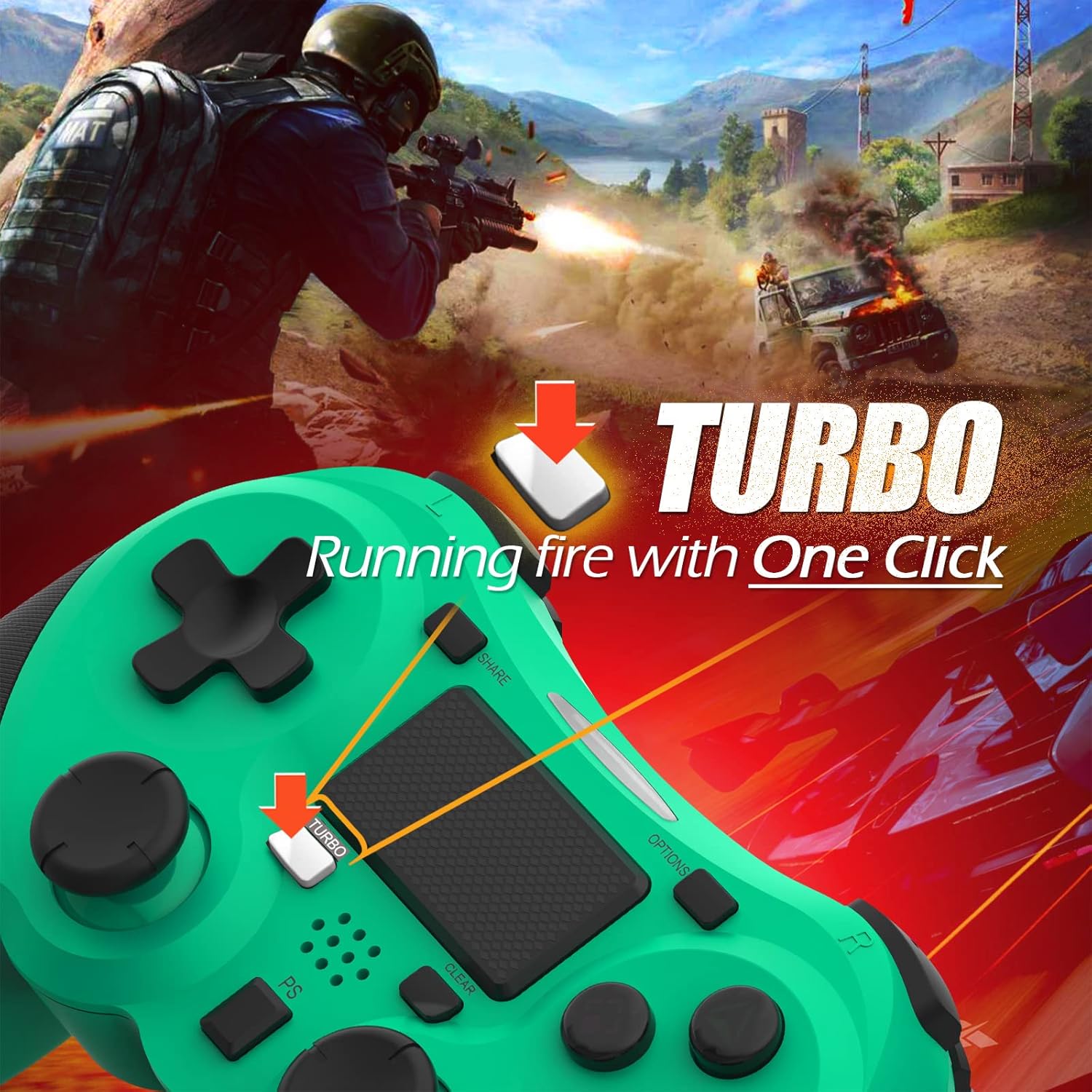
Image: A visual guide demonstrating how to activate the Turbo feature on the controller for rapid-fire actions.
Share Button Functionality
The SHARE button provides quick access to PS4's sharing features:
- سنگل پریس: Opens the Share menu, allowing you to save a screenshot, save a video clip, or start a broadcast.
- لانگ پریس: Takes a screenshot directly.
- ڈبل پریس: ویڈیو ریکارڈنگ شروع / روکتا ہے۔
دیکھ بھال
Proper maintenance ensures the longevity and optimal performance of your TERIOS Wireless Controller.
صفائی
- کنٹرولر کی سطح کو صاف کرنے کے لیے نرم، خشک کپڑا استعمال کریں۔
- ضدی گندگی کے لیے، قدرے ڈیampur کپڑا جس میں پانی یا ہلکا، غیر کھرچنے والا کلینر۔ ضرورت سے زیادہ نمی سے بچیں۔
- سخت کیمیکلز، سالوینٹس یا کھرچنے والے مواد کا استعمال نہ کریں، کیونکہ یہ کنٹرولر کی تکمیل اور اندرونی اجزاء کو نقصان پہنچا سکتے ہیں۔
ذخیرہ
- Store the controller in a cool, dry place away from direct sunlight, extreme temperatures, and high humidity.
- Avoid placing heavy objects on the controller to prevent damage to buttons or analog sticks.
بیٹری کی دیکھ بھال
- To preserve battery life, avoid fully discharging the controller frequently.
- اگر ایک طویل مدت کے لیے ذخیرہ کر رہے ہیں تو، سٹوریج سے پہلے تقریباً 50% تک بیٹری چارج کریں۔
- Recharge the controller at least once every three months if not in use to prevent deep discharge.
خرابی کا سراغ لگانا
If you encounter issues with your TERIOS Wireless Controller, please refer to the following common solutions:
Controller Not Connecting/Pairing
- بیٹری چیک کریں: Ensure the controller is sufficiently charged. Connect it to the PS4 via USB cable to charge.
- دوبارہ جوڑا: Connect the controller to the PS4 with the USB cable and press the PS button to re-establish the connection.
- کنٹرولر کو دوبارہ ترتیب دیں: Locate the small reset button hole on the underside of the controller (near the L2 button). Use a straightened paperclip or a similar thin object to press and hold the button for 3-5 seconds. This will reset the controller. After resetting, attempt to re-pair it with the PS4.
- مداخلت: Move closer to the PS4 console to rule out wireless interference.
Buttons or Sticks Unresponsive/Lagging
- کنٹرولر کو دوبارہ ترتیب دیں: Perform a hard reset as described above.
- صاف: Ensure no debris is lodged around the buttons or sticks. Clean the controller as per the Maintenance section.
- فرم ویئر: Ensure your PS4 system software is up to date.
ضرورت سے زیادہ کمپن
- کنٹرولر کو دوبارہ ترتیب دیں: A reset can often resolve unexpected vibration issues.
- گیم کی ترتیبات: Check in-game settings for vibration intensity.
وضاحتیں
| وصف | تفصیل |
|---|---|
| ماڈل | TERIOS 5S |
| ASIN | B09KLR5DCZ |
| مطابقت | PlayStation 4, PS4 Pro, PS4 Slim |
| کنیکٹوٹی | Wireless (Bluetooth 4.2), USB |
| بیٹری کی قسم | لتیم پولیمر (1 شامل) |
| بیٹری کی صلاحیت | 1000mAh |
| مستقل استعمال کا وقت | 10-12 گھنٹے |
| چارج کرنے کا وقت | 2-3 گھنٹے |
| اسٹینڈ بائی ٹائم | 30 دن تک |
| شے کا وزن | 10.8 اونس (تقریباً 306 گرام) |
| پیکیج کے طول و عرض | 6.69 x 5.24 x 2.72 انچ |
| کارخانہ دار | ٹیریوس |
| پہلی تاریخ دستیاب ہے۔ | 28 اکتوبر 2021 |
وارنٹی اور سپورٹ
TERIOS stands behind the quality of its products. This controller comes with a 1 سال کی وارنٹی خریداری کی تاریخ سے، مینوفیکچرنگ نقائص کا احاطہ.
For customer support, technical assistance, or warranty claims, please contact TERIOS customer service through the platform where you purchased the product or visit the official TERIOS store page for contact information.
We are committed to providing premium customer support and ensuring your satisfaction with our products.
Ask a question about this manual
Ask about setup, troubleshooting, compatibility, parts, safety, or missing instructions. Manuals+ will review the question and use this page’s manual context to help answer it.