
پروڈکٹ ختمview
The iBUYPOWER Pro Gaming PC TraceMR 231i is a high-performance desktop computer designed for gaming and multimedia use. It features an Intel i5-11400F processor, an NVIDIA GeForce RTX 2060 graphics card, 16GB of DDR4 RAM, and a 480GB SSD. The system comes pre-installed with Windows 11 Home 64-bit.
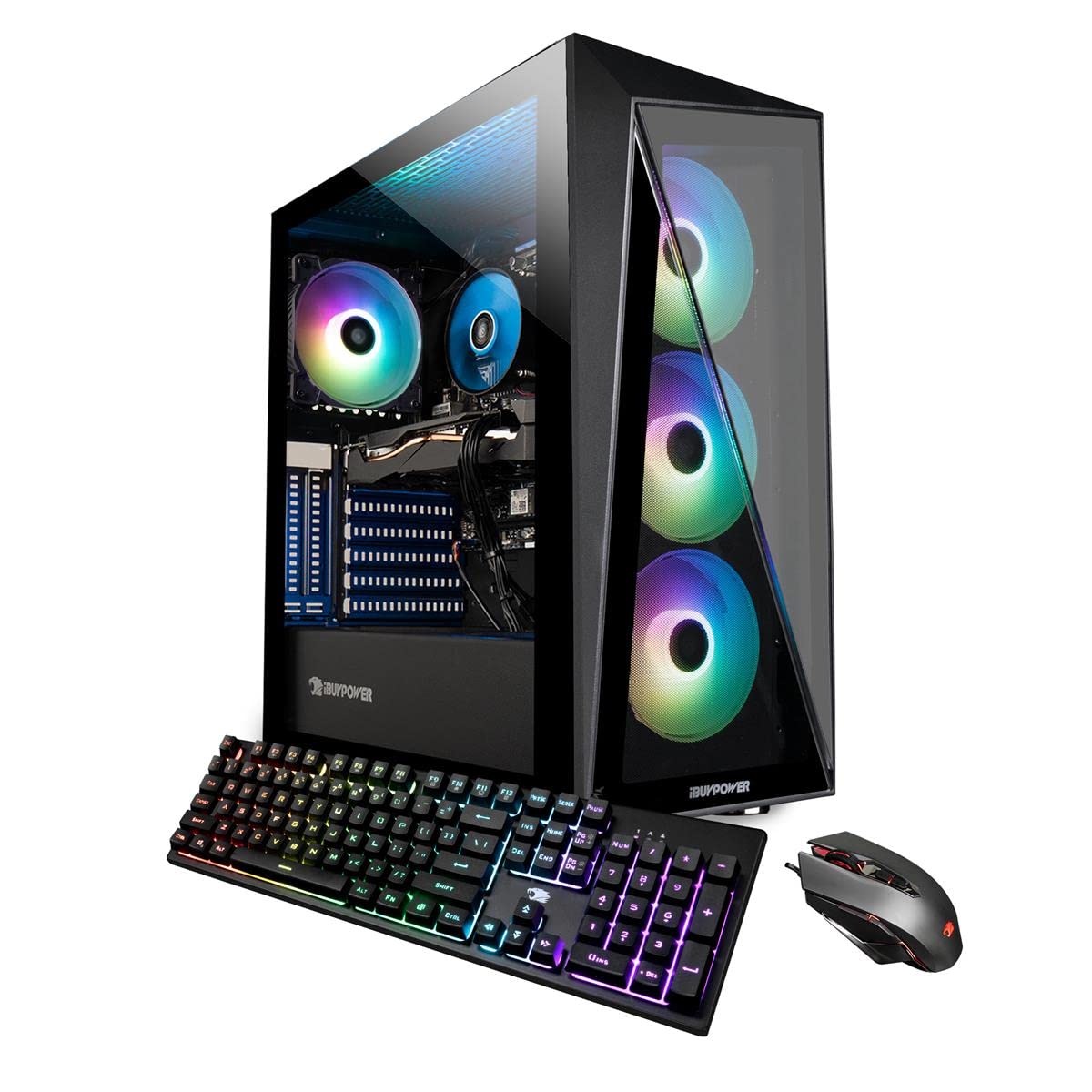
Image: The iBUYPOWER TraceMR 231i gaming PC tower displayed alongside a monitor, keyboard, and mouse, showcasing a complete desktop setup.
اہم خصوصیات:
- پروسیسر: Intel i5-11400F 2.6GHz (4.4Hz Max Turbo)
- گرافکس کارڈ: NVIDIA GeForce RTX 2060 6GB
- یادداشت: 16 جی بی ڈی ڈی آر 4 ریم
- ذخیرہ: 480 جی بی ایس ایس ڈی
- آپریٹنگ سسٹم: Genuine Windows 11 Home 64-bit
- کنیکٹوٹی: 4 x USB 3.1, 1x RJ-45 Network Ethernet 10/100/1000, 7.1 Channel Audio, 802.11AC Wi-Fi
- کیس: Tempered Glass RGB Gaming Case with 16 Color RGB Lighting
- Included Peripherals: iBuyPower Gaming Keyboard and RGB Gaming Mouse
سیٹ اپ کی ہدایات
1. ان باکسنگ اور ابتدائی معائنہ
Carefully remove the PC and all accessories from the packaging. Inspect for any visible damage. Retain all packaging materials for future transportation or warranty claims.
Video: An official iBUYPOWER guide demonstrating the unboxing process and initial setup steps for a gaming PC, including removal of internal foam packing.
اہم: Before powering on, open the side panel of the PC case and carefully remove any internal foam packing material. This material is placed inside the case to protect components during shipping and must be removed to ensure proper airflow and prevent damage.

تصویر: ایک اندرونی view of the iBUYPOWER TraceMR 231i PC, highlighting the motherboard, CPU cooler, graphics card, and RAM modules.
2. پیری فیرلز کو جوڑنا
- مانیٹر: Connect your monitor to the graphics card's HDMI or DisplayPort output. Ensure the cable is securely fastened.
- کی بورڈ اور ماؤس: Connect the included gaming keyboard and mouse to any available USB ports on the rear of the PC.
- طاقت: Connect the power cord to the PC's power supply unit (PSU) and then to a wall outlet or surge protector.
- نیٹ ورک: For wired internet, connect an Ethernet cable to the RJ-45 port. For wireless internet, the PC is 802.11AC Wi-Fi ready.
- آڈیو: اسپیکر یا ہیڈ فون کو مناسب آڈیو جیکس سے جوڑیں۔

تصویر: ایک پیچھے view of the iBUYPOWER TraceMR 231i PC, illustrating the available connectivity ports including USB, Ethernet, and video outputs.
3. پہلا پاور آن
Press the power button located on the top or front of the PC case. The system will boot up and guide you through the initial Windows 11 setup process. Follow the on-screen instructions to configure your operating system, create a user account, and connect to your network.
آپریٹنگ ہدایات
ونڈوز 11 ہوم
Your iBUYPOWER PC comes with Windows 11 Home pre-installed. Familiarize yourself with the Windows interface, Start Menu, and taskbar. For detailed information on Windows 11, refer to Microsoft's official documentation.
Using the Included Peripherals
- کی بورڈ: The included gaming keyboard features RGB lighting. Refer to the keyboard's specific manual (if provided) for instructions on customizing lighting effects and programming macros.
- ماؤس: The RGB gaming mouse offers adjustable DPI settings and customizable lighting. Consult the mouse's manual for advanced configuration options.

Image: The iBUYPOWER TraceMR 231i PC tower showcasing its illuminated RGB fans through the tempered glass side panel.
دیکھ بھال
Cleaning Your PC
- بیرونی: Use a soft, dry, anti-static cloth to wipe down the exterior of the case. Avoid abrasive cleaners or solvents.
- اندرونی: Periodically, with the PC powered off and unplugged, use compressed air to clear dust from fans, heatsinks, and vents. This helps maintain optimal cooling performance.
سافٹ ویئر اپڈیٹس
Regularly update your operating system, graphics drivers, and other software to ensure system stability, security, and optimal performance. Windows Update can be accessed through the Settings menu. Graphics drivers can be updated via the NVIDIA GeForce Experience application or NVIDIA's official webسائٹ
خرابی کا سراغ لگانا
This section provides general guidance for common issues. For specific or persistent problems, contact iBUYPOWER technical support.
- کوئی ڈسپلے نہیں:
- Ensure the monitor is powered on and connected to the graphics card (not the motherboard's integrated graphics ports).
- Check that all power cables are securely connected.
- سسٹم آن نہیں ہو رہا ہے:
- Verify the power cable is firmly connected to both the PC and the wall outlet.
- Ensure the power switch on the PSU (located at the back of the PC) is in the 'ON' position.
- Blue Screen Errors (BSOD):
- Blue Screen of Death errors can indicate hardware or software issues. Note any error codes displayed.
- Try restarting the system. If the issue persists, ensure all drivers are updated and consider running Windows diagnostic tools.
- If frequent, contact technical support.
- پیری فیرلز جواب نہیں دے رہے:
- کی بورڈ یا ماؤس کو کسی دوسرے USB پورٹ سے جوڑنے کی کوشش کریں۔
- Ensure drivers for the peripherals are installed and up to date.
وضاحتیں
| جزو | تفصیل |
|---|---|
| برانڈ | iBUYPOWER |
| ماڈل نمبر | 231i |
| آپریٹنگ سسٹم | ونڈوز 11 ہوم |
| سی پی یو ماڈل | انٹیل کور i5-11400F |
| سی پی یو کی رفتار | 2.6 GHz (زیادہ سے زیادہ ٹربو 4.4 GHz) |
| گرافکس کا پروسیسر | NVIDIA GeForce RTX 2060 6GB GDDR6 |
| RAM میموری انسٹال | 16 GB DDR4 (3000 MHz) |
| میموری ذخیرہ کرنے کی صلاحیت | 480 جی بی ایس ایس ڈی |
| کنیکٹوٹی ٹیکنالوجی | Ethernet, USB, Wi-Fi (802.11ac) |
| USB پورٹس | 4 x USB 3.1 |
| ویڈیو آؤٹ پٹ انٹرفیس | HDMI |
| آڈیو آؤٹ پٹ | 7.1 چینل |
| کولنگ کا طریقہ | ہوا |
| بجلی کی کھپت | 250 واٹ |
| طول و عرض (L x W x H) | 438mm (17.3") x 210mm (8.3") x 455mm (17.9") |
| جی ٹی آئی این | 848604042626 |

Image: The iBUYPOWER TraceMR 231i PC tower with its physical dimensions (depth, width, height) clearly labeled in millimeters and inches.
وارنٹی اور سپورٹ
Your iBUYPOWER TraceMR 231i PC comes with a 1 سال کے حصے اور لیبر وارنٹی. Additionally, Free Lifetime US Technical Support فراہم کیا جاتا ہے.
For technical assistance, warranty claims, or further inquiries, please contact iBUYPOWER customer support. Refer to the documentation included with your PC for specific contact information or visit the official iBUYPOWER webسائٹ
آپ بھی ملاحظہ کر سکتے ہیں۔ iBUYPOWER Store on Amazon مزید مصنوعات کی معلومات اور معاون وسائل کے لیے۔