
Cuifati Cuifatip0izksa79g3281
Cuifati Wireless Smart Remote Control User Manual
Model: Cuifatip0izksa79g3281
تعارف
This manual provides comprehensive instructions for the Cuifati Wireless Smart Remote Control. It covers setup, operation, maintenance, and troubleshooting to ensure optimal performance and longevity of your device. This remote control features 2.4G and Bluetooth 5.0 connectivity, voice control, and IR learning capabilities, making it compatible with a wide range of devices such as Nvidia Shield, PCs, Projectors, Smart TVs, and Android TV Boxes.
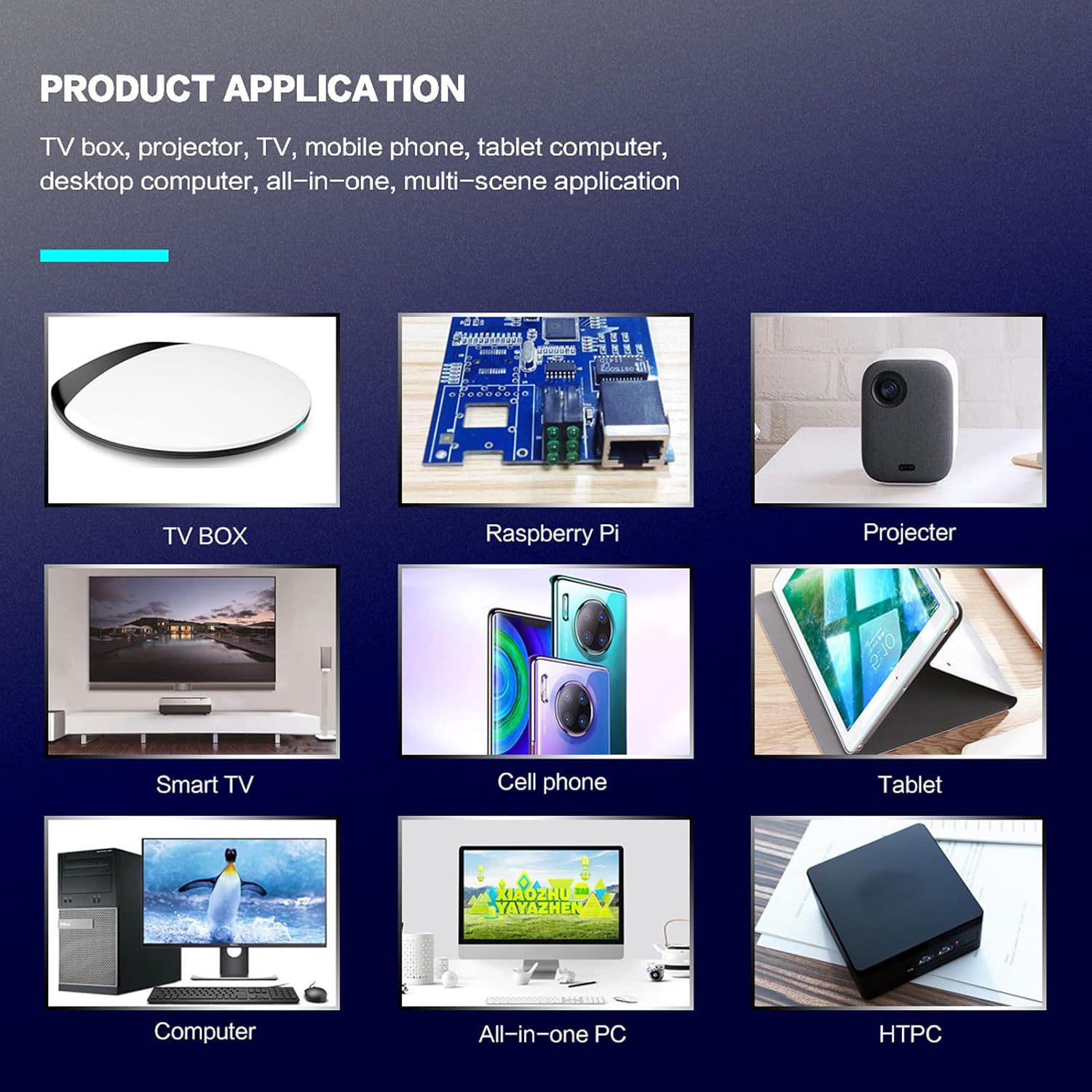
تصویر 1: مصنوعات کی درخواست سابقamples
پیکیج کے مشمولات
براہ کرم تصدیق کریں کہ تمام اشیاء آپ کے پیکیج میں موجود ہیں:
- 1 x Cuifati Wireless Smart Remote Control
- 1 x 2.4G USB وصول کنندہ
- 1 ایکس صارف دستی
وضاحتیں
| فیچر | تفصیل |
|---|---|
| برانڈ | کیوفاٹی |
| ماڈل نمبر | Cuifatip0izksa79g3281 |
| مواد | ABS |
| والیومtage | 3.0 وی |
| کنیکٹیویٹی موڈز | 2.4G, Bluetooth 5.0 |
| آپریٹنگ کرنٹ | <15 ایم اے |
| اسٹینڈ بائی کرنٹ | <20 uA |
| آپریٹنگ فاصلہ | >10 meters (32.8 feet) |
| بیٹری کی قسم | 2 x AAA بیٹریاں (شامل نہیں) |
| بٹنوں کی تعداد | 5 (Control buttons, total buttons are more) |
| ہم آہنگ آلات | Streaming devices, Televisions, PCs, Projectors, Smart TVs, Android TV Boxes |
| خصوصی خصوصیت | Universal, Voice Control, IR Learning, Backlit |
سیٹ اپ گائیڈ
1. بیٹری کی تنصیب
ریموٹ کنٹرول کو دو AAA بیٹریاں درکار ہیں (شامل نہیں)۔
- ریموٹ کنٹرول کے پچھلے حصے پر بیٹری کے ٹوکری کا احاطہ کھولیں۔
- درست قطبیت (+ اور -) کو یقینی بناتے ہوئے دو AAA بیٹریاں داخل کریں۔
- بیٹری کے کمپارٹمنٹ کور کو محفوظ طریقے سے بند کریں۔

تصویر 2: Battery compartment with AAA batteries.
2. ریموٹ کنٹرول کو جوڑنا
The remote control supports both 2.4G wireless and Bluetooth 5.0 connectivity.
2.1. 2.4G Wireless Connection (via USB Receiver)
- Insert the 2.4G USB receiver into an available USB port on your device (e.g., Smart TV, Android TV Box, PC).
- The device should automatically detect and install the necessary drivers.
- ریموٹ کنٹرول اب استعمال کے لیے تیار ہے۔
2.2. بلوٹوتھ 5.0 کنکشن
For Bluetooth connection, ensure your device supports Bluetooth 5.0 or higher.
- ریموٹ کنٹرول پر، دبائیں اور تھامیں OK بٹن اور واپسی button simultaneously for 3 seconds. The indicator light on the remote will flash rapidly, indicating it is in pairing mode.
- On your device, navigate to the Bluetooth settings and search for available devices.
- Select "G20s Pro" (or similar device name) from the list of found devices to pair.
- ایک بار جوڑا بننے کے بعد، ریموٹ پر اشارے کی روشنی چمکنا بند کر دے گی۔

تصویر 3: بلوٹوتھ جوڑا بنانے کی ہدایات۔
آپریٹنگ ہدایات
1. بٹن کے افعال ختمview
Familiarize yourself with the layout and functions of the remote control buttons.

تصویر 4: Remote control button layout and functions.
- Power (IR Learning Key): Turns the device on/off. Can be programmed via IR learning.
- مائیک: Activates voice input.
- اشارے کی روشنی: Shows status (pairing, IR learning).
- Mute (IR Learning Key): Mutes/unmutes audio. Can be programmed via IR learning.
- Pg+ / Pg-: Page Up / Page Down.
- Navigation Keys (Up/Down/Left/Right): مینو نیویگیشن کے لیے۔
- OK / Enter / Mouse Left: Confirms selection or acts as left mouse click.
- Return / Mouse Right: Goes back or acts as right mouse click.
- گھر: Returns to the home screen.
- Open Google Voice Assistant: Dedicated button for voice assistant.
- Volume - / Volume +: Adjusts volume.
- چلائیں/روکیں۔: میڈیا پلے بیک کو کنٹرول کرتا ہے۔
- پچھلا اگلا: Skips to previous or next media track.
- بیک اسپیس: حروف کو حذف کرتا ہے۔
- مینو: Press and hold to turn on/off the backlight.
2. وائس کنٹرول
The remote control supports voice commands for compatible devices. Press the مائیک button and speak clearly into the remote to issue commands or search content.
3. آئی آر لرننگ فنکشن
The Power and Mute buttons can learn infrared signals from your existing TV remote control, allowing you to control basic TV functions with this remote.

تصویر 5: IR Learning process for the Power button.
- دبائیں اور تھامیں۔ طاقت بٹن (یا خاموش button) on the Cuifati remote for 3 seconds. The red indicator light will flash slowly, entering IR learning mode.
- Point the infrared emitter of your original TV remote control directly at the infrared receiver of the Cuifati remote (approximately 2-3 cm apart).
- Press the desired button on your original TV remote (e.g., Power button). The Cuifati remote's red indicator light will flash rapidly and then turn off, indicating successful learning.
- Repeat the process for other buttons if desired.
4. Motion Sensing (Air Mouse)
The remote control features a gyroscope core compensation algorithm for motion sensing, allowing it to function as an air mouse. Move the remote in the air to control the cursor on your screen.

تصویر 6: Motion sensing in action.
دیکھ بھال
- ریموٹ کنٹرول کو خشک رکھیں۔ نمی یا مائعات کی نمائش سے گریز کریں۔
- ریموٹ کنٹرول کو نرم، خشک کپڑے سے صاف کریں۔ کھرچنے والے کلینر یا سالوینٹس کا استعمال نہ کریں۔
- اگر ریموٹ کنٹرول طویل عرصے تک استعمال نہیں کیا جائے گا، تو بیٹریوں کو ہٹا دیں تاکہ رساو کو روکا جا سکے۔
- ریموٹ کنٹرول کو گرانے سے گریز کریں یا اسے سخت اثرات کا نشانہ بنائیں۔
خرابی کا سراغ لگانا
- ریموٹ کنٹرول جواب نہیں دے رہا ہے:
- یقینی بنائیں کہ بیٹریاں صحیح طریقے سے انسٹال ہیں اور ختم نہیں ہوئی ہیں۔ اگر ضروری ہو تو تبدیل کریں۔
- Check if the 2.4G USB receiver is properly inserted into the device's USB port.
- For Bluetooth connection, ensure the remote is paired correctly. Re-pair if connection is lost.
- Ensure there are no obstructions between the remote and the device (for 2.4G) or within Bluetooth range.
- Voice control is not working:
- Ensure the remote is properly connected via 2.4G or Bluetooth.
- Verify that your device supports voice input and that the microphone is enabled.
- Speak clearly and close to the remote's microphone.
- IR learning failed:
- Ensure the original remote's IR emitter is pointed directly at the Cuifati remote's IR receiver, within 2-3 cm.
- یقینی بنائیں کہ اصل ریموٹ میں کافی بیٹری پاور ہے۔
- Repeat the learning steps carefully.
وارنٹی اور سپورٹ
Specific warranty information is not provided in this manual. For warranty details, technical support, or service inquiries, please refer to the product packaging or contact the manufacturer directly through their official webسائٹ یا کسٹمر سروس چینلز۔
Ask a question about this manual
Ask about setup, troubleshooting, compatibility, parts, safety, or missing instructions. Manuals+ will review the question and use this page’s manual context to help answer it.