
1. پروڈکٹ ختمview
The Loolinn Z3 Drone is designed for beginners, offering stable flight and ease of use. It features optical flow positioning technology for intelligent hovering and includes a 720p camera for capturing aerial photos and videos. With three included batteries, users can enjoy extended flight times.

Image 1.1: The Loolinn Z3 Drone, its remote control, and three rechargeable batteries.
2. پیکیج کے مشمولات
براہ کرم تصدیق کریں کہ نیچے دی گئی تمام اشیاء آپ کے پیکیج میں موجود ہیں:
- 1 x Loolinn Z3 Drone
- 1 ایکس ریموٹ کنٹرول
- 1 ایکس صارف دستی
- 1 ایکس اسمارٹ فون ہولڈر
- 3 x Drone Batteries
- 2 ایکس USB چارجنگ کیبلز
- 4 x Rotor Blade Protectors
- 4 x Extra Propellers
- 1 ایکس سکریو ڈرایور

Image 2.1: Contents of the Loolinn Z3 Drone package, including the drone, remote, batteries, and accessories.
3. حفاظتی رہنما خطوط
Before operating the Loolinn Z3 Drone, please read and adhere to the following safety guidelines to ensure a safe and enjoyable experience:
- Always fly in open areas, away from people, animals, buildings, and obstacles.
- تیز ہواؤں یا خراب موسمی حالات میں پرواز کرنے سے گریز کریں۔
- Maintain a visual line of sight with the drone at all times.
- Ensure the drone batteries and remote control batteries are fully charged before each flight.
- انگلیوں اور ڈھیلے کپڑوں کو گھومنے والے پروپیلرز سے دور رکھیں۔
- Do not operate the drone near airports or restricted airspace.
- This product is suitable for ages 14 and up. Adult supervision is recommended for younger users.
4. سیٹ اپ
4.1 بیٹری چارجنگ اور انسٹالیشن
The drone comes with three 1500mAh Lithium Ion batteries. Each battery provides approximately 20 minutes of flight time. Use the provided USB charging cables to charge the drone batteries. A full charge typically takes about 35 minutes per battery.
- Connect the USB charging cable to a power source (e.g., computer USB port, USB wall adapter).
- Connect the battery to the charging cable. The indicator light on the cable will show charging status.
- مکمل چارج ہونے کے بعد، بیٹری کو منقطع کریں۔
- Insert a charged battery into the drone's battery compartment.
The remote control requires 4 AA batteries (not included). Open the battery compartment on the back of the remote and insert the batteries, observing correct polarity.

Image 4.1: The three 1500mAh Lithium Ion batteries included with the Loolinn Z3 Drone.
4.2 Propeller and Guard Installation
Attach the propeller guards to the drone's arms by snapping them into place. Ensure they are securely fastened. If replacing propellers, match the propellers marked 'A' with motor 'A' and 'B' with motor 'B'.
4.3 Smartphone Holder Attachment
Attach the smartphone holder to the top of the remote control. This allows you to mount your smartphone to view the drone's camera feed.
4.4 Pairing the Drone and Remote
- ڈرون کو فلیٹ ، سطح کی سطح پر رکھیں۔
- Turn on the drone by pressing the power button. The drone's indicator lights will flash.
- ریموٹ کنٹرول آن کریں۔
- Push the left joystick (throttle) all the way up, then all the way down. The drone's lights will stop flashing and remain solid, indicating successful pairing.
4.5 جائروسکوپ کیلیبریشن
After pairing, calibrate the gyroscope for stable flight:
- Ensure the drone is on a flat, level surface.
- Push both joysticks on the remote control down and to the right simultaneously.
- The drone's lights will flash rapidly and then become solid, indicating successful calibration.
5. آپریٹنگ ہدایات
5.1 بنیادی فلائٹ کنٹرولز
- ایک کلیدی ٹیک آف/لینڈنگ: Press the one-key take-off/landing button (usually marked with an arrow) to automatically take off or land.
- Throttle (Left Joystick): چڑھنے کے لیے اوپر کی طرف دھکیلیں، نیچے اترنے کے لیے نیچے کی طرف کھینچیں۔
- Directional Control (Right Joystick): Push forward to fly forward, pull back to fly backward, push left to fly left, push right to fly right.
- Yaw (Left Joystick Left/Right): بائیں گھمانے کے لیے بائیں دھکیلیں، دائیں گھمانے کے لیے دائیں دھکیلیں۔
5.2 آپٹیکل فلو پوزیشننگ
The Loolinn Z3 Drone is equipped with an optical flow positioning sensor on its underside. This technology helps the drone maintain its position and hover stably, especially in indoor environments or areas with minimal wind. This feature contributes to easier control and clearer image capture.

Image 5.1: The Loolinn Z3 Drone utilizing its optical flow positioning technology for stable flight.
5.3 کیمرہ آپریشن
The drone features a 720p camera for capturing photos and videos. To access the camera feed and control, download the dedicated Loolinn drone app on your smartphone and connect via Wi-Fi.
- Download the Loolinn drone app from your smartphone's app store.
- ڈرون آن کریں۔
- Connect your smartphone to the drone's Wi-Fi network (usually named 'Loolinn_XXXX').
- کے لیے ایپ کھولیں۔ view لائیو کیمرہ فیڈ۔
- Use the app interface to take photos or start/stop video recording.

Image 5.2: A smartphone displaying the 720p live video feed from the drone's camera.
5.4 Special Features: 3D Flip
The Loolinn Z3 Drone can perform 3D flips. To execute a flip:
- Fly the drone to a height of at least 2 meters (6.5 feet).
- Press the 3D flip button on the remote control (refer to your remote diagram for exact location).
- پلٹنے کے لیے فوری طور پر دائیں جوائس اسٹک کو مطلوبہ سمت (آگے، پیچھے، بائیں یا دائیں) میں دھکیلیں۔

Image 5.3: The Loolinn Z3 Drone executing a 3D flip, demonstrating its acrobatic capabilities.
5.5 پرواز کے ماحول کے تحفظات
The Loolinn Z3 Drone is lightweight (approximately 4.65 ounces) and can be sensitive to wind. For optimal performance and control, fly in calm conditions. The maximum control range is approximately 262 feet (80 meters).
6 دیکھ بھال
6.1 بیٹری کی دیکھ بھال
- Always use the provided charging cables.
- بیٹریاں زیادہ چارج یا زیادہ ڈسچارج نہ کریں۔
- بیٹریوں کو براہ راست سورج کی روشنی اور انتہائی درجہ حرارت سے دور ٹھنڈی، خشک جگہ پر اسٹور کریں۔
- If not used for an extended period, charge batteries to about 50% capacity.
6.2 پروپیلر کی تبدیلی
In case of propeller damage, use the included extra propellers and screwdriver for replacement. Ensure the correct 'A' and 'B' propellers are installed on their respective motors.
6.3 صفائی
Use a soft, dry cloth to clean the drone and remote control. Avoid using water or chemical cleaners, which can damage electronic components.
7 خرابیوں کا سراغ لگانا
- ڈرون پاور آن نہیں ہے: یقینی بنائیں کہ بیٹری پوری طرح سے چارج ہے اور صحیح طریقے سے ڈالی گئی ہے۔
- جوڑا بنانے میں دشواری: Make sure the drone and remote are turned on and within range. Repeat the pairing steps (Section 4.4).
- غیر مستحکم پرواز: Perform gyroscope calibration (Section 4.5). Avoid flying in windy conditions. Check for damaged propellers.
- Poor camera quality: The camera records at 720p resolution. Ensure good lighting conditions for best results.
- مختصر پرواز کا وقت: یقینی بنائیں کہ بیٹریاں پوری طرح سے چارج ہیں۔ پرواز کا وقت جارحانہ پرواز یا تیز ہواؤں سے متاثر ہو سکتا ہے۔
- Propeller damage: Replace damaged propellers immediately using the spare parts provided.
- کنکشن کا نقصان: If the drone loses connection with the remote, it will typically descend and land automatically. Ensure you are within the maximum range of 262 feet.
8. وضاحتیں
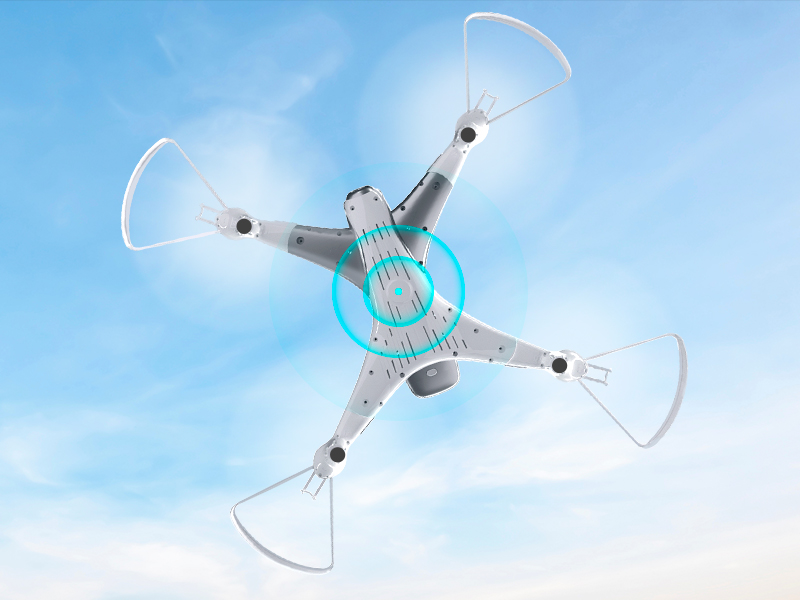
Image 8.1: The Loolinn Z3 Drone's weight measured on an electronic scale.
| فیچر | تفصیلات |
|---|---|
| برانڈ | لولن |
| ماڈل کا نام | Z3 Drone |
| خصوصی خصوصیات | 3 Batteries, 3D Flip, 60 Minutes Long Flight Time (total), Optical Flow Positioning Technology, Stable Flight |
| عمر کی حد (تفصیل) | Kids, Teenagers |
| رنگ | سفید |
| ویڈیو کیپچر ریزولوشن | 720ص |
| کنیکٹوٹی ٹیکنالوجی | وائی فائی |
| مہارت کی سطح | مبتدی |
| شے کا وزن | 4.65 اونس (تقریباً 131.7 گرام) |
| بیٹری کی صلاحیت | 1500 ملی۔amp گھنٹے (فی بیٹری) |
| ویڈیو کیپچر فارمیٹ | MP4 |
| ریموٹ کنٹرول ٹیکنالوجی | وائی فائی |
| زیادہ سے زیادہ رینج | 262 فٹ (تقریباً 80 میٹر) |
| مواد | دھات، پلاسٹک |
| بیٹری سیل کمپوزیشن | لیتھیم آئن |
| تائید شدہ شکل کی شکل | جے پی ای جی |
| مصنوعات کے طول و عرض | 12.6"L x 12.6"W x 1.97"H |
| یو پی سی | 768492333128 |
9. وارنٹی اور سپورٹ
Loolinn is committed to providing quality products and customer satisfaction. For any inquiries or support needs, please refer to the following:
- واپسی کی پالیسی: A full refund is available within 30 days of purchase.
- کسٹمر سروس: Loolinn offers responsive customer service, typically providing replies within 12 hours.
- متبادل حصے: For replacement parts such as propellers, please contact Loolinn customer support or visit their official webسائٹ
مزید مدد کے لیے، براہ کرم ملاحظہ کریں۔ Loolinn Store on Amazon.