
تعارف
The Naxa NSH-3001 Wi-Fi Smart Camera provides reliable home security monitoring with 24/7 HD recording capabilities. This camera allows you to check in on your home remotely from anywhere using your smartphone. It features motion detection, two-way audio communication, night vision, and customizable activity alerts.
This manual provides detailed instructions for setting up, operating, and maintaining your Naxa NSH-3001 Wi-Fi Smart Camera to ensure optimal performance and security.
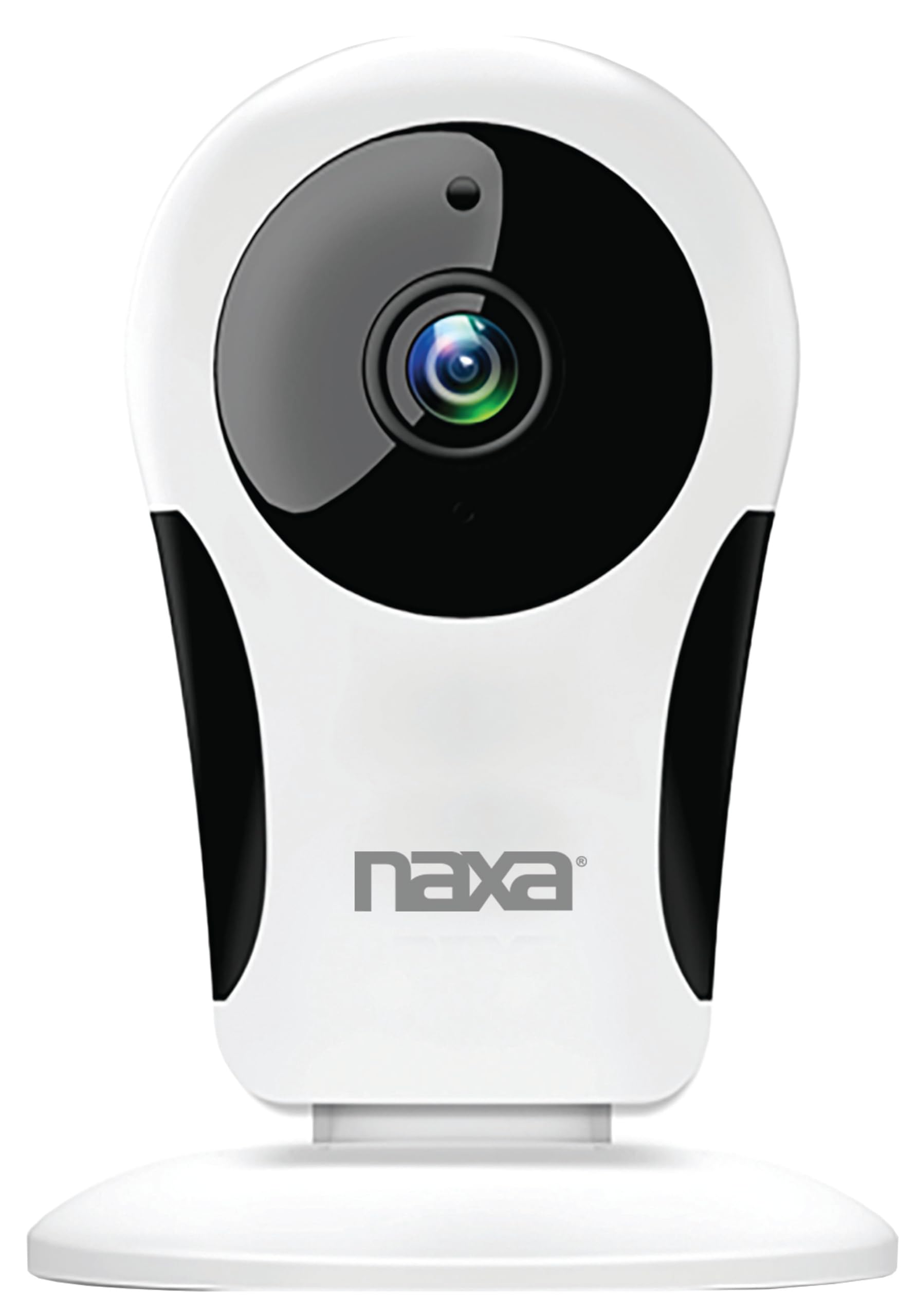
تصویر: سامنے view of the Naxa NSH-3001 Wi-Fi Smart Camera, showing the lens and Naxa logo.
باکس میں کیا ہے۔
Upon unpacking your Naxa NSH-3001 Wi-Fi Smart Camera, please ensure all the following components are present:
- وائی فائی سمارٹ کیمرہ
- AC پاور اڈاپٹر
- USB کیبل
- صارف دستی (یہ دستاویز)
پروڈکٹ ختمview
Familiarize yourself with the main components of your Naxa NSH-3001 Wi-Fi Smart Camera.

Image: The Naxa NSH-3001 Wi-Fi Smart Camera displayed alongside icons representing its key features: HD Resolution, Encrypted ID, 2-Way Audio, Cloud Service, Motion Detection, IR Night Vision, Time Scheduling, and Hotspot capability.
- کیمرے کا لینس: ویڈیو foo کیپچر کرتا ہے۔tage.
- انفراریڈ (IR) ایل ای ڈی: نائٹ ویژن کی صلاحیتیں فراہم کریں۔
- مائیکروفون: آڈیو ان پٹ اور دو طرفہ مواصلات کے لیے۔
- اسپیکر: آڈیو آؤٹ پٹ اور دو طرفہ مواصلات کے لیے۔
- مائیکرو USB پورٹ: بجلی کے کنکشن کے لیے۔
- ری سیٹ بٹن: کیمرے کو فیکٹری سیٹنگز پر ری سیٹ کرنے کے لیے استعمال کیا جاتا ہے۔
- مائیکرو ایسڈی کارڈ سلاٹ: For local storage of recorded footage (Micro SD card not included).
سیٹ اپ گائیڈ
1. کیمرہ آن کرنا
- Connect the provided USB cable to the camera's Micro USB port.
- USB کیبل کے دوسرے سرے کو AC پاور اڈاپٹر سے جوڑیں۔
- AC پاور اڈاپٹر کو معیاری الیکٹریکل آؤٹ لیٹ میں لگائیں۔
- The camera will power on, and an indicator light will show its status (refer to the camera's LED indicator guide for specific light patterns).
2. Downloading the Smart Life App
The Naxa NSH-3001 camera is controlled via the Smart Life app. Download it to your smartphone:
- For iOS devices, search for "Smart Life" in the Apple App Store.
- For Android devices, search for "Smart Life" in the Google Play Store.
- Install the app and create an account if you don't already have one.

Image: The Naxa NSH-3001 Wi-Fi Smart Camera shown with the Smart Life app logo and icons for the Apple App Store and Google Play, indicating app compatibility.
3. وائی فائی سے جڑنا
Ensure your smartphone is connected to a 2.4 GHz Wi-Fi network. The NSH-3001 camera only supports 2.4 GHz Wi-Fi.
- Open the Smart Life app and tap "Add Device" or the "+" icon.
- Select "Security & Video Surveillance" and then "Smart Camera".
- Follow the on-screen instructions in the app to connect your camera to your Wi-Fi network. This typically involves scanning a QR code generated by the app with the camera's lens.
- Once connected, the camera's indicator light will change (refer to the LED indicator guide), and you will see the camera added to your app.
4. کیمرہ لگانا
The NSH-3001 camera is designed for wall mount installation, but can also be placed on a flat surface. Choose a location that provides the desired viewing angle (105 degrees) and is within range of your Wi-Fi signal.

Image: The Naxa NSH-3001 Wi-Fi Smart Camera positioned on a nightstand in a bedroom, demonstrating a typical indoor placement.
- For wall mounting, use appropriate screws and anchors (not included) to secure the camera's base to the wall.
- مطلوبہ علاقے کا احاطہ کرنے کے لیے کیمرے کے زاویے کو ایڈجسٹ کریں۔
آپریٹنگ ہدایات
جیو View اور ریموٹ رسائی
Once connected, you can access your camera's live feed from anywhere using the Smart Life app on your smartphone.
- Open the Smart Life app and select your NSH-3001 camera from the device list.
- The live video stream will appear.
دو طرفہ آڈیو کمیونیکیشن
The camera supports two-way audio, allowing you to hear and speak through the camera.
- لائیو میں view interface of the app, tap the microphone icon to speak.
- کیمرے کے مقام سے آڈیو سننے کے لیے اسپیکر کے آئیکن کو تھپتھپائیں۔
حرکت کا پتہ لگانے اور انتباہات
The camera can detect motion and send real-time push notifications to your phone.
- Navigate to the camera settings within the Smart Life app.
- "حرکت کا پتہ لگانے" کو فعال کریں اور ضرورت کے مطابق حساسیت کی سطح کو ایڈجسٹ کریں۔
- Configure alert schedules and notification preferences.
نائٹ ویژن
The NSH-3001 features an IR-cut filter for clear night vision, automatically switching between day and night modes based on ambient light.
- Night mode activates automatically in low-light conditions.
- The IR-cut filter ensures optimal clarity in both day and night recordings.
ویڈیو ریکارڈنگ اور اسٹوریج
The camera supports 24/7 HD recording. Footage can be stored locally or via cloud service (subscription may be required).
- مائیکرو ایس ڈی کارڈ اسٹوریج: Insert a compatible Micro SD card (up to 128GB, not included) into the camera's SD card slot for continuous or event-based recording.
- کلاؤڈ اسٹوریج: Check the Smart Life app for available cloud storage options and subscription details.
- Review ریکارڈ شدہ footage directly through the Smart Life app.
Video Tuning
Adjust video parameters directly from your smartphone for optimal image quality.
- Within the Smart Life app, access video settings to adjust contrast, brightness, saturation, and sharpness.
ٹائم شیڈولنگ
Set schedules for camera operation, recording, or alerts.
- Use the Smart Life app's scheduling feature to define specific times for motion detection, recording, or other functions.
دیکھ بھال
Proper maintenance ensures the longevity and optimal performance of your Naxa NSH-3001 Wi-Fi Smart Camera.
- صفائی: نرم، خشک کپڑے سے کیمرے کے لینس اور جسم کو آہستہ سے صاف کریں۔ سخت کیمیکلز یا کھرچنے والے کلینر کے استعمال سے پرہیز کریں۔
- سافٹ ویئر اپ ڈیٹس: Regularly check the Smart Life app for firmware updates for your camera. Keeping the firmware updated ensures you have the latest features and security enhancements.
- جگہ کا تعین: Ensure the camera is placed in a stable location and protected from extreme temperatures, direct sunlight, and moisture.
خرابی کا سراغ لگانا
If you encounter issues with your Naxa NSH-3001 Wi-Fi Smart Camera, refer to the following common solutions:
| مسئلہ | ممکنہ حل |
|---|---|
| کیمرہ Wi-Fi سے منسلک نہیں ہے۔ |
|
| No video feed in the app |
|
| موشن الرٹس موصول نہیں ہوئے۔ |
|
| دو طرفہ آڈیو کام نہیں کر رہا ہے۔ |
|
If problems persist, please contact Naxa customer support.
وضاحتیں
| فیچر | تفصیل |
|---|---|
| ماڈل کا نام | NSH-3001 |
| برانڈ | نکسا |
| کنیکٹوٹی ٹیکنالوجی | Wi-Fi (2.4 GHz) |
| ویڈیو کیپچر ریزولوشن | 720ص |
| Viewآئی اینگل | 105 ڈگری |
| خصوصی خصوصیت | Motion Sensor, Night Vision, Two-Way Audio |
| انڈور / آؤٹ ڈور استعمال | Indoor, Outdoor (Note: IP54 rating suggests splash resistance, not full outdoor weatherproofing) |
| طاقت کا منبع | کورڈڈ الیکٹرک |
| ہم آہنگ آلات | اسمارٹ فون (اسمارٹ لائف ایپ کے ذریعے) |
| چڑھنے کی قسم | وال ماؤنٹ |
| ذخیرہ | مائیکرو ایس ڈی کارڈ (128 جی بی تک، شامل نہیں)، کلاؤڈ اسٹوریج (اختیاری) |
| طول و عرض (L x W x H) | 3.2 x 3.2 x 4.3 انچ |
| شے کا وزن | 3.2 اونس |
| مواد | پلاسٹک |
| بین الاقوامی تحفظ کی درجہ بندی | آئی پی 54 |
وارنٹی اور سپورٹ
Naxa Electronics, Inc. manufactures the NSH-3001 Wi-Fi Smart Camera. For specific warranty information, please refer to the warranty card included with your product or visit the official Naxa webسائٹ
For technical support, troubleshooting assistance beyond this manual, or inquiries about your product, please contact Naxa customer service. Contact details can typically be found on the Naxa webسائٹ یا مصنوعات کی پیکیجنگ پر۔
Naxa Official Webسائٹ: www.naxa.com۔