
Star Micronics BSH-HR2081BT BLK
Star Micronics BSH-HR2081BT وائرلیس بلوٹوتھ 1D/2D بارکوڈ سکینر یوزر مینوئل
Model: BSH-HR2081BT BLK
1. تعارف
This manual provides comprehensive instructions for the setup, operation, maintenance, and troubleshooting of your Star Micronics BSH-HR2081BT Wireless Bluetooth 1D/2D Barcode Scanner. Designed for efficiency and durability, this scanner is a reliable solution for various point-of-sale and inventory management applications.
The BSH-HR2081BT scanner is equipped with a high-power CPU, enabling it to effortlessly capture high-density, high-volume, and even distorted barcodes from both printed materials and digital screens. Its robust design, coupled with advanced wireless capabilities, ensures seamless integration into your workflow.
2. کلیدی خصوصیات
- اعلی کارکردگی کی سکیننگ: Powerful CPU captures high-density, high-volume, and distorted 1D/2D barcodes on paper or screen.
- توسیعی بیٹری کی زندگی: Offers up to 12 hours of continuous operation (one scan every six seconds) with its 2200mAh battery.
- ورسٹائل کنیکٹیویٹی: Connects directly to the host device via Bluetooth Low Energy (BLE) or wirelessly to a Star printer using the included USB dongle.
- Reliable Wireless Range: Maintains a stable wireless connection to transmit data, with communication distances up to 50 meters (approximately 164 feet).
- پائیدار تعمیر: Features an IP42-rated design and a drop-resistant housing, capable of withstanding drops from up to 1.2 meters (approximately 4 feet).
3. سیٹ اپ گائیڈ
3.1. ان باکسنگ اور ابتدائی معائنہ
پیکیجنگ سے تمام اجزاء کو احتیاط سے ہٹا دیں۔ تصدیق کریں کہ درج ذیل اشیاء موجود ہیں:
- Star Micronics BSH-HR2081BT Barcode Scanner
- USB چارجنگ کیبل
- USB Dongle (for wireless connection to Star printers)
- سکینر اسٹینڈ

Figure 3.1: Barcode scanner and its USB dongle.
3.2 سکینر کو چارج کرنا
Before first use, fully charge the scanner. Connect the USB charging cable to the scanner's charging port (located at the bottom of the handle) and plug the other end into a USB power adapter (not included) or a computer's USB port. The charging indicator light will show the charging status.

Figure 3.2: USB charging port at the base of the scanner handle.
3.3. سکینر کو جوڑنا
The BSH-HR2081BT scanner offers two primary connection methods:
3.3.1. Bluetooth Connection (Direct to Host Device)
- یقینی بنائیں کہ اسکینر آن ہے۔
- On your host device (smartphone, tablet, or computer), enable Bluetooth.
- تلاش کریں۔ available Bluetooth devices. The scanner should appear as "Star Micronics BSH-HR2081BT" or similar.
- Select the scanner to pair. Follow any on-screen prompts to complete the pairing process.
3.3.2. Wireless Connection (via USB Dongle to Star Printer)
- Insert the provided USB dongle into an available USB port on your compatible Star printer (e.g., mC-Print, mPOP).
- Power on the scanner. The scanner and dongle should automatically establish a connection.
- Refer to your Star printer's manual for specific instructions on connecting external devices.

Figure 3.3: Barcode scanner placed in its included stand.
4. آپریٹنگ ہدایات
4.1 بنیادی سکیننگ آپریشن
To scan a barcode, point the scanner's window at the barcode and press the trigger button. A successful scan will typically be indicated by an audible beep and/or a visual confirmation light.
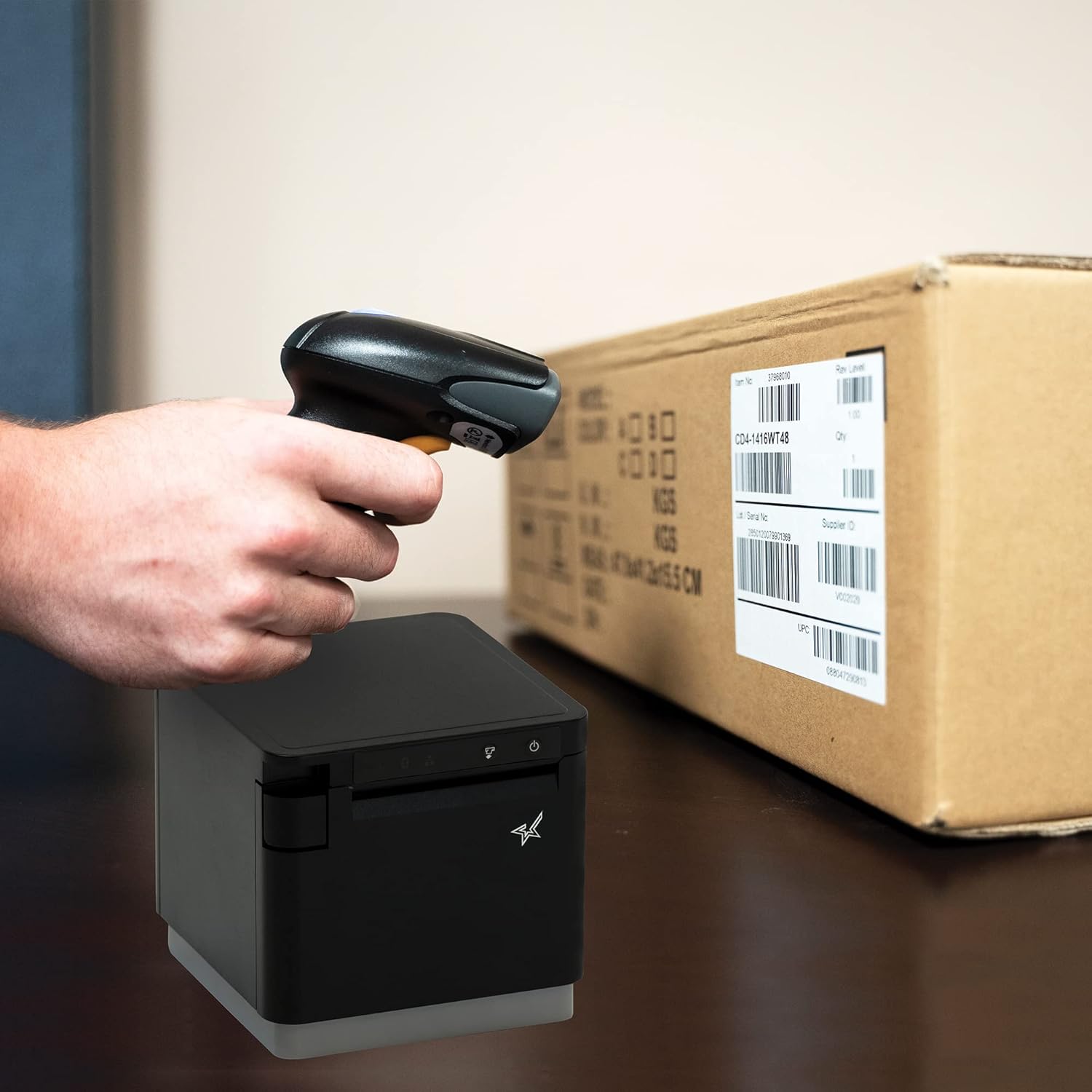
شکل 4.1: سابقample of scanning a barcode on a package.
4.2. سکیننگ موڈز
The BSH-HR2081BT scanner supports six different scanning modes to accommodate various operational needs:
- لیول موڈ: The scanner's trigger will activate the decode session.
- ٹرگر موڈ: A trigger pull activates a decode session.
- سینس موڈ: The scanner activates a decode session every time it detects a barcode.
- مسلسل موڈ: The scanner automatically starts one decode session after another.
- پلس موڈ: When the trigger is pulled and released, scanning is activated until a barcode is decoded or the decode session timeout expires.
- بیچ موڈ: When the trigger is pulled and released, scanning is activated until the trigger is released.
Refer to the full user guide (link in Section 7) for detailed instructions on how to switch between these modes and configure specific settings.
5 دیکھ بھال
5.1. سکینر کی صفائی
To maintain optimal performance, keep the scanner's window clean. Use a soft, lint-free cloth lightly dampened with water or a mild, non-abrasive cleaner. Do not use harsh chemicals or abrasive materials, as they may damage the scanner's surface or optical components.
5.2. بیٹری کی دیکھ بھال
The scanner is equipped with a Lithium Ion battery. To prolong battery life:
- بیٹری کو بار بار مکمل طور پر خارج کرنے سے گریز کریں۔
- اسکینر کو ٹھنڈی، خشک جگہ پر ذخیرہ کریں جب طویل مدت تک استعمال نہ ہو۔
- Charge the battery regularly, even if the scanner is not in frequent use.
6 خرابیوں کا سراغ لگانا
6.1. Scanner Not Connecting
- پاور چیک کریں: یقینی بنائیں کہ سکینر مکمل طور پر چارج اور آن ہے۔
- بلوٹوت جوڑی بنانا: For Bluetooth connections, ensure Bluetooth is enabled on your host device and the scanner is in pairing mode. Try unpairing and re-pairing the device.
- USB ڈونگل: If using the USB dongle, ensure it is securely plugged into the Star printer and the printer is powered on.
- حد: Ensure the scanner is within the effective communication range (up to 50m) of the host device or dongle.
6.2. Scanner Not Reading Barcodes
- Barcode Condition: Ensure the barcode is clear, not smudged, torn, or excessively reflective.
- فاصلہ اور زاویہ: Adjust the distance and angle of the scanner to the barcode. Try different scanning modes if applicable.
- لائٹنگ: Ensure adequate lighting. Avoid direct glare on the barcode.
- سکینر ونڈو: Clean the scanner's reading window as described in the Maintenance section.
6.3 مختصر بیٹری کی زندگی
- مکمل چارج: Ensure the scanner is charged until the indicator shows a full charge.
- Usage Pattern: Continuous heavy usage will deplete the battery faster.
- بیٹری کی عمر: وقت کے ساتھ، ریچارج ایبل بیٹریاں قدرتی طور پر صلاحیت کھو دیتی ہیں۔
7. تکنیکی تفصیلات
| تفصیلات | تفصیل |
|---|---|
| مصنوعات کے طول و عرض | 5.7 x 4 x 2.7 انچ |
| شے کا وزن | 1.06 پاؤنڈ |
| ماڈل نمبر | BSH-HR2081BT BLK |
| بیٹریاں | 1 لیتھیم آئن بیٹری درکار ہے (شامل) |
| کارخانہ دار | سٹار مائیکرونکس |
| ہم آہنگ آلات | اسمارٹ فون، ٹیبلٹ |
| طاقت کا منبع | بیٹری سے چلنے والا |
| کنیکٹوٹی ٹیکنالوجی | بلوٹوتھ، USB کیبل |
| آئی پی کی درجہ بندی | آئی پی 42 |
| ڈراپ مزاحمت | 1.2 میٹر تک |
8. وارنٹی اور سپورٹ
For warranty information and technical support, please contact Star Micronics directly or visit their official webسائٹ وارنٹی دعووں کے لیے خریداری کے ثبوت کے طور پر اپنی خریداری کی رسید رکھیں۔
A detailed User Guide in PDF format is available for download:
Ask a question about this manual
Ask about setup, troubleshooting, compatibility, parts, safety, or missing instructions. Manuals+ will review the question and use this page’s manual context to help answer it.