
تعارف
This manual provides instructions for the proper use and care of your CHUNGHOP Protective Silicone Remote Case. This case is designed to protect compatible Sony 4K 8K HD TV remote controls from damage due to drops and to enhance grip.
مطابقت
This protective silicone case is compatible with the following Sony 4K 8K HD TV remote control models:
- RMF-TX810U
- RMF-TX910U
- RMF-TX800U
- RMF-TX900U
- RMF-TX800P۔
- RMF-TX800C
- RMF-TX900C
- RMF-TX900P۔
Please verify your remote control model before installation.
کلیدی خصوصیات
- ڈراپ پروٹیکشن: Strong bumper guards offer shock protection from accidental drops.
- Glow in Dark: Made of fluorescent material, the case emits light in the dark after exposure to light, aiding in finding the remote.
- Skin-Friendly Silicone: Flexible, durable, and comfortable material, harmless to pets, children, and families.
- قطعی کٹ آؤٹ: Accurate hole wide open offers full access to all ports, buttons, and functions.
- اینٹی پرچی ڈیزائن: Textured surface and material help prevent the remote from slipping.
- دھونے کے قابل: Silicone material can be washed for easy cleaning.
- Lanyard شامل: For portability and anti-loss functionality.

Image: CHUNGHOP silicone remote case on a couch, illustrating drop protection from accidental falls.

Image: A baby holding a Sony remote control protected by the CHUNGHOP silicone case, emphasizing child safety and secure battery cover.

تصویر: کلوز اپ view of the CHUNGHOP silicone remote case, highlighting its anti-slip texture and precise cutouts for buttons and sensors.
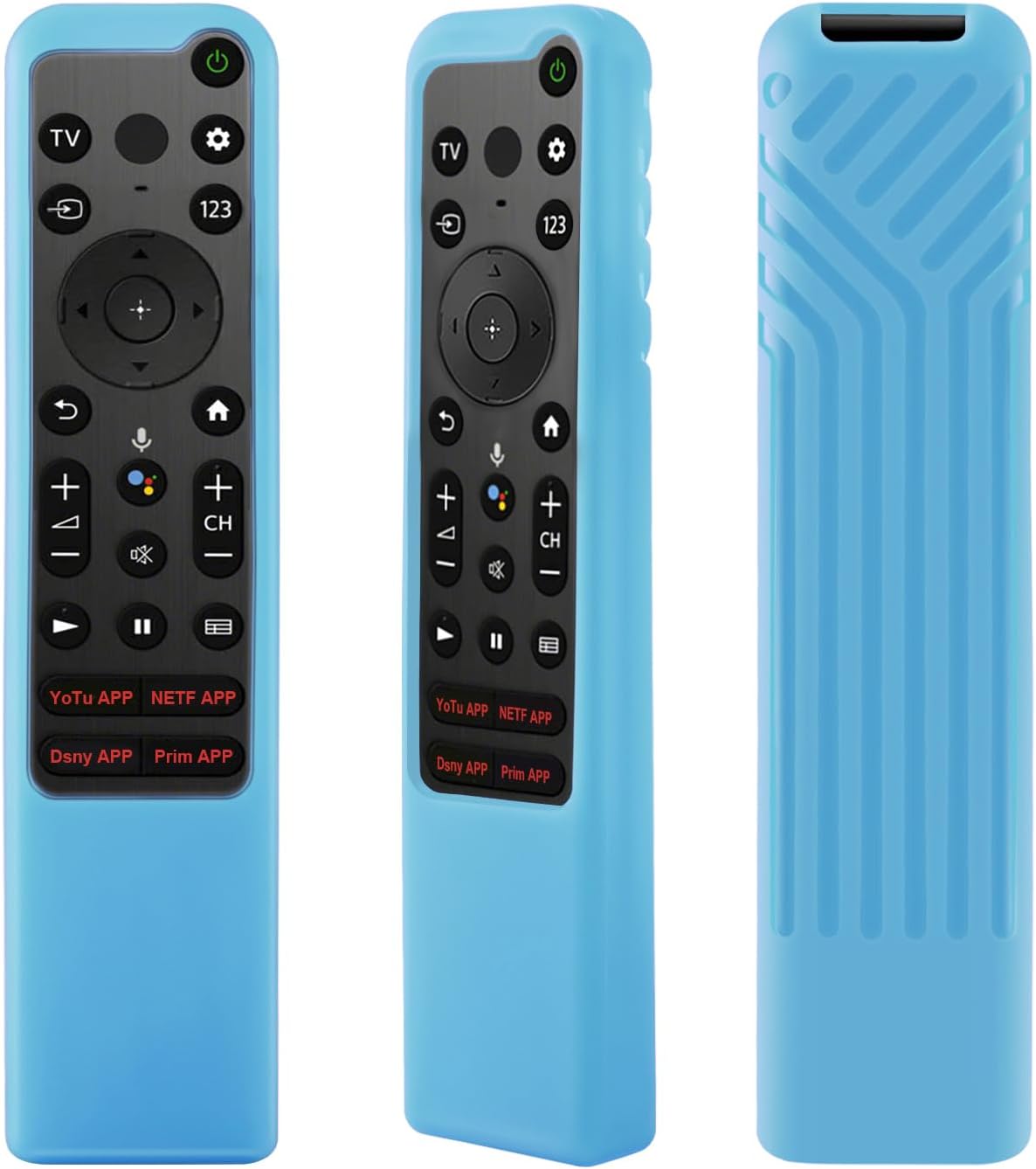
Image: The remote case glowing in the dark, illustrating its visibility in low-light conditions after light exposure.
Video: This video provides a visual guide to the CHUNGHOP Protective Silicone Remote Case, showcasing its flexible material, anti-slip design, and how to easily install it onto a compatible Sony remote control.
سیٹ اپ کی ہدایات
- ریموٹ تیار کریں: Ensure your Sony remote control is clean and free of debris.
- Insert the Remote: Gently slide your compatible Sony remote control into the silicone case, starting from the top (button end).
- فٹ کے لیے ایڈجسٹ کریں: Ensure the remote is fully seated within the case and all buttons align with the case's cutouts.
- لانیارڈ منسلک کریں (اختیاری): If desired, attach the included lanyard through the designated hole at the bottom of the case.

Image: Diagram illustrating the dimensions of the case to ensure proper fit for your remote.

Image: The silicone remote case with an anti-lost lanyard, demonstrating how it can be hung for easy access and to prevent loss.
آپریٹنگ ہدایات
Once the case is installed, operate your Sony remote control as usual. The case does not interfere with the remote's functionality.
- بٹن تک رسائی: All buttons remain fully accessible and responsive through the precise cutouts.
- سگنل ٹرانسمیشن: The case is designed to allow for unobstructed infrared signal transmission.
- Glow Feature: To activate the glow-in-the-dark feature, expose the case to strong light for a period. The case will then emit light in dark environments.
Image: The remote case glowing in the dark, illustrating its visibility in low-light conditions after light exposure.
دیکھ بھال اور دیکھ بھال
- صفائی: The silicone case can be washed with mild soap and water. Rinse thoroughly and allow it to air dry completely before re-installing the remote.
- ذخیرہ: کیس کو کسی ٹھنڈی، خشک جگہ پر براہ راست سورج کی روشنی سے دور رکھیں جب طویل مدت تک استعمال نہ ہو۔
- سخت کیمیکلز سے بچیں: Do not use abrasive cleaners or harsh chemicals, as these may damage the silicone material.

Image: The silicone remote case being washed in water, demonstrating its easy-to-clean and washable design.
خرابی کا سراغ لگانا
- Remote buttons are stiff or unresponsive:
- Ensure the remote is correctly seated within the case and that the cutouts align perfectly with the buttons. Remove and re-install the remote if necessary.
- Glow-in-the-dark feature is not working:
- The case needs to be exposed to a light source to charge its fluorescent material. Place the case under bright light for a few minutes, then observe in a dark room.
- Case feels loose over time:
- Silicone can stretch slightly with prolonged use. If the fit becomes too loose, consider replacing the case to maintain optimal protection.
- Lanyard attachment difficulty:
- Some users may find it slightly difficult to attach the lanyard. Use a thin tool or a paperclip to guide the lanyard through the hole if needed.
وضاحتیں
| فیچر | تفصیل |
|---|---|
| مواد | Environmental Silicone |
| رنگ | Glow in Dark Blue (other colors may be available) |
| خصوصی خصوصیات | Anti-Slip, Flexible, Lanyard, Shockproof, Glow in Dark |
| Compatible Remote Models | Sony RMF-TX810U, RMF-TX910U, RMF-TX800U, RMF-TX900U, RMF-TX800P, RMF-TX800C, RMF-TX900C, RMF-TX900P |
| وزن | تقریباً 0.05 کلو گرام |
Image: Detailed dimensions of the silicone case for reference.
وارنٹی کی معلومات
CHUNGHOP products are designed for durability and performance. For specific warranty details, please refer to the product packaging or contact CHUNGHOP customer support directly.
کسٹمر سپورٹ
For further assistance, questions, or concerns regarding your CHUNGHOP Protective Silicone Remote Case, please visit the CHUNGHOP Store on Amazon یا ہماری کسٹمر سروس ٹیم سے رابطہ کریں۔