
فٹ بٹ سینس 2
Fitbit Sense 2 Smartwatch صارف دستی
Advanced Health and Fitness Smartwatch
1. پروڈکٹ ختمview
The Fitbit Sense 2 is an advanced health and fitness smartwatch designed to help you manage stress, sleep better, and live healthier. It integrates various sensors and smart features to provide a holistic view آپ کی خیریت کا۔
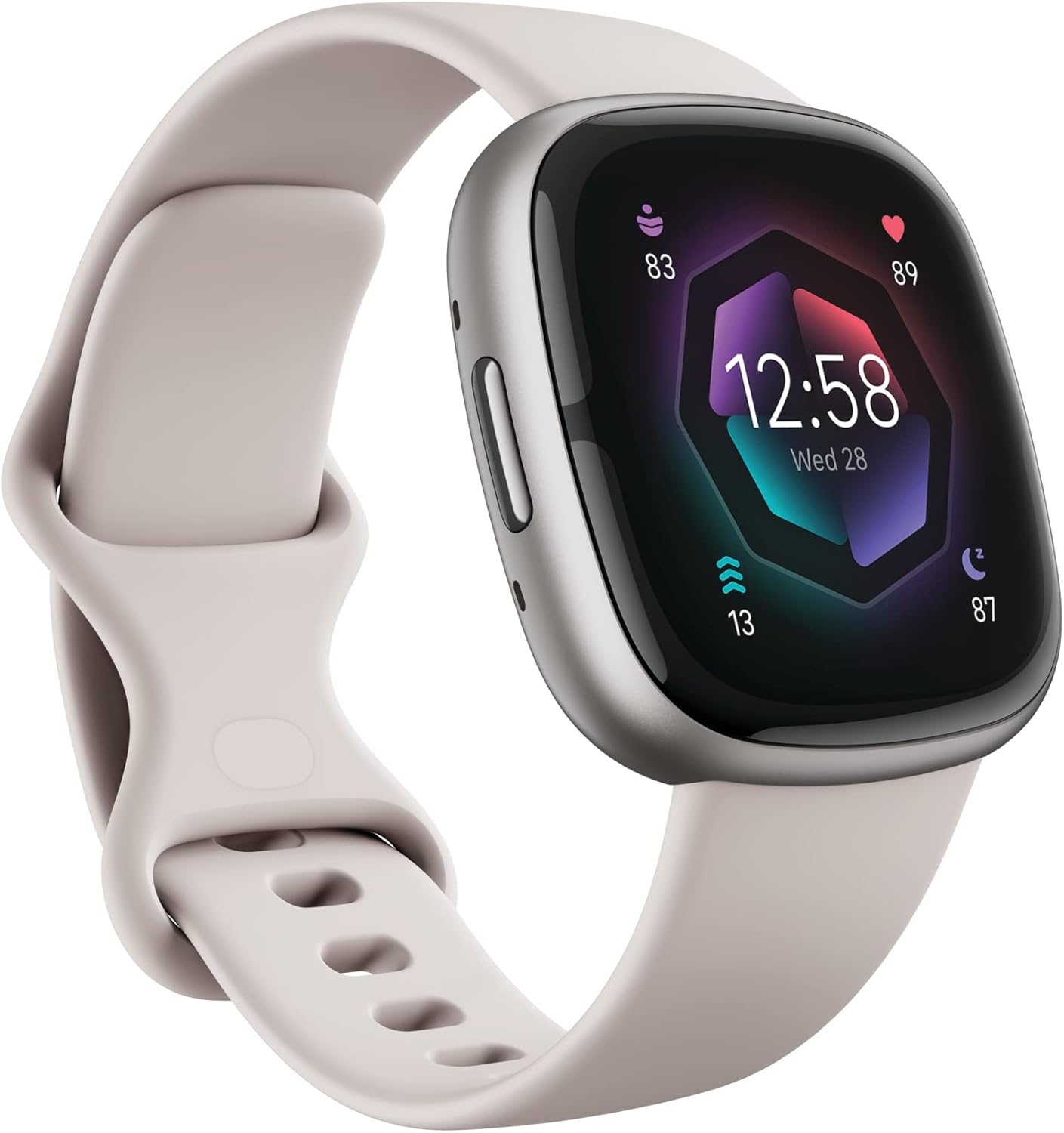
Figure 1.1: Fitbit Sense 2 Smartwatch (Lunar White/Platinum)
اہم خصوصیات:
- تناؤ کا انتظام: All-day stress detection with cEDA and daily Stress Management Score.
- صحت سے باخبر رہنا: ECG app for atrial fibrillation assessment, irregular heart rhythm notifications, SpO2 monitoring, and a comprehensive health metrics dashboard.
- نیند کی نگرانی: Personalized Sleep Profile, daily sleep stages & Sleep Score, smart wake alarm, and do not disturb mode.
- Activity & Fitness: Built-in GPS with workout intensity map, Daily Readiness Score, Active Zone Minutes, 24/7 heart rate tracking, 40+ exercise modes, and automatic exercise tracking.
- سمارٹ خصوصیات: On-wrist Bluetooth calls, texts, and phone notifications, customizable clock faces, Fitbit Pay, Amazon Alexa built-in, Google Wallet & Maps (Google Maps on Android only, coming Spring 2023 to iOS).
- بیٹری کی زندگی: 6+ day battery life with fast charge capability.
2. سیٹ اپ
2.1 ان باکسنگ اور ابتدائی چارج
Upon unboxing your Fitbit Sense 2, it is recommended to fully charge the device before first use. The Sense 2 comes with a fast-charging capability, providing significant power in a short time.

Figure 2.1: What's in the Box (Device, Bands, Charger)
2.2 بینڈز کو منسلک کرنا
The Fitbit Sense 2 includes both small and large bands. To attach a band, slide the pin into the watch's lug until it clicks into place. Ensure both ends of the band are securely fastened.
2.3 Pairing with the Fitbit App
To unlock the full functionality of your Sense 2, you must pair it with the Fitbit mobile app on your compatible iPhone or Android device. Download the Fitbit app from your device's app store, create an account or log in, and follow the on-screen instructions to add your new Sense 2.
3. اپنی اسمارٹ واچ کو چلانا
3.1 انٹرفیس کو نیویگیٹ کرنا
The Fitbit Sense 2 features a responsive touchscreen and a physical button on the side for navigation. Swipe left/right or up/down to access different apps, stats, and quick settings. Press the side button to return to the clock face or access shortcuts.
3.2 صحت اور تندرستی سے باخبر رہنا
Your Sense 2 continuously tracks various health and fitness metrics:
- Steps & Activity: Monitor your daily step count, distance, and active minutes.
- دل کی دھڑکن: 24/7 heart rate tracking provides insights into your resting heart rate and heart rate zones during exercise.
- نیند: آپ کی نیند کو خود بخود ٹریک کرتا ہے۔tages (Light, Deep, REM) and provides a Sleep Score. Access your personalized Sleep Profile Fitbit ایپ میں۔
- تناؤ: Utilizes cEDA sensor for all-day stress detection and provides a daily Stress Management Score.
- ای سی جی ایپ: Take on-demand electrocardiogram readings for atrial fibrillation assessment.
- SpO2: آپ کے خون کی آکسیجن سنترپتی کی سطح کی پیمائش کرتا ہے۔

Figure 3.1: Stress Management Features

Figure 3.2: Health Tracking Features

Figure 3.3: Sleep Tracking Features
3.3 اسمارٹ فیچرز اور کنیکٹیویٹی
The Sense 2 keeps you connected and informed:
- اطلاعات: Receive call, text, and app notifications directly on your wrist when your phone is nearby.
- بلوٹوتھ کالز: کالوں کا جواب براہ راست اپنی کلائی سے دیں۔
- ایمیزون الیکسا: Use built-in Alexa for quick voice commands and information.
- Google Wallet & Maps: Access Google Wallet for contactless payments and Google Maps for navigation (Maps on Android only, coming Spring 2023 to iOS).
- میرا فون تلاش کریں: Use your Sense 2 to locate your misplaced smartphone.

Figure 3.4: Convenient On-Wrist Connection
4 دیکھ بھال
4.1 اپنے آلے کو چارج کرنا
To charge your Fitbit Sense 2, connect the charging cable to a USB power source and align the magnetic charger with the charging pins on the back of your watch. A full charge can last for 6+ days, depending on usage.
4.2 صفائی اور دیکھ بھال
Regularly clean your Sense 2, especially the charging pins and sensors on the back, to ensure optimal performance and prevent issues caused by sweat or dirt buildup. Use a soft, lint-free cloth. The device is water-resistant up to 50 meters, making it suitable for swimming, but it should be dried thoroughly after exposure to water.
5 خرابیوں کا سراغ لگانا
5.1 عام مسائل اور حل
- چارجنگ کے مسائل: If your Sense 2 is not charging, ensure the charging pins are clean and free of debris. Try repositioning the watch on the charger to ensure a secure connection.
- مطابقت پذیری کے مسائل: If the watch is not syncing with the Fitbit app, ensure Bluetooth is enabled on your phone and the app is open. Try restarting both your watch and your phone.
- دل کی شرح مانیٹر کی غلطی: For users with tattoos, especially in areas where the watch is worn, the heart rate monitor may not function accurately due to interference with the optical sensors. Try wearing the watch on the other wrist or adjusting its position.
- اطلاعات ظاہر نہیں ہو رہی ہیں: Check your phone's notification settings for the Fitbit app and ensure all necessary permissions are granted. Verify that 'Do Not Disturb' mode is not active on your watch.
6. وضاحتیں
| فیچر | تفصیل |
|---|---|
| مصنوعات کے طول و عرض | 1.57 x 0.47 x 1.57 انچ |
| وزن | 7 اونس |
| ماڈل نمبر | احساس 2 |
| بیٹریاں | 1 لتیم آئن بیٹری (شامل) |
| آپریٹنگ سسٹم | iOS / Android compatible |
| میموری ذخیرہ کرنے کی صلاحیت | 6 جی بی |
| کنیکٹوٹی ٹیکنالوجی | GPS، بلوٹوتھ |
| پانی کی مزاحمت | 50 میٹر |
| کارخانہ دار | Fitbit انکارپوریٹڈ |
7. وارنٹی اور سپورٹ
7.1 وارنٹی کی معلومات
For detailed warranty information regarding your Fitbit Sense 2, please refer to the official Fitbit website or the warranty card included with your product. Standard warranty typically covers manufacturing defects for a specified period from the date of purchase.
7.2 کسٹمر سپورٹ
If you encounter any issues not covered in this manual or require further assistance, please contact Fitbit Customer Support. You can find contact information and additional resources, including the full User Manual (PDF), on the official Fitbit support webسائٹ: Fitbit Sense 2 User Manual (PDF)
Ask a question about this manual
Ask about setup, troubleshooting, compatibility, parts, safety, or missing instructions. Manuals+ will review the question and use this page’s manual context to help answer it.