
Samsung SM-S908U
Samsung Galaxy S22 Ultra 5G SM-S908U User Manual
ماڈل: SM-S908U
تعارف
Welcome to the user manual for your Samsung Galaxy S22 Ultra 5G. This guide provides essential information on setting up, operating, maintaining, and troubleshooting your device. Please read this manual carefully to ensure optimal performance and longevity of your smartphone.

تصویر: سامنے view of the Samsung Galaxy S22 Ultra 5G in Burgundy, showcasing the display and the integrated S-Pen.
سیٹ اپ
1. سم کارڈ داخل کرنا
- اپنے آلے کے سائیڈ پر سم کارڈ ٹرے کو تلاش کریں۔
- Use the SIM ejector tool (usually included in the box) to open the tray.
- Place your Nano-SIM card(s) into the tray with the gold contacts facing down. This device supports Dual SIM functionality.
- ٹرے کو احتیاط سے فون میں دوبارہ ڈالیں۔
2 ابتدائی پاور آن اور سیٹ اپ
- پاور/سائیڈ کلید کو دبائیں اور پکڑے رکھیں جب تک کہ Samsung لوگو ظاہر نہ ہو۔
- اپنی زبان کو منتخب کرنے، وائی فائی نیٹ ورک سے جڑنے، اور اپنا گوگل اکاؤنٹ ترتیب دینے کے لیے آن اسکرین پرامپٹس پر عمل کریں۔
- You will be guided through setting up security features like facial recognition.
3. S-Pen Integration
The S-Pen is integrated directly into your Galaxy S22 Ultra 5G. To use it, gently press the end of the S-Pen to release it from its slot at the bottom of the device. Reinsert it firmly until it clicks into place when not in use.

تصویر: سائیڈ view of the Samsung Galaxy S22 Ultra 5G with the S-Pen partially extended from its slot.
آپ کے آلے کو آپریٹ کرنا
کیمرے کی خصوصیات
- 8K سپر سٹیڈی ویڈیو: Record videos at an impressive 8K resolution with automatic focus stabilization. Access this mode within the Camera app's video settings.
- نائٹ موڈ: Capture clear and bright photos and videos in low-light conditions. The camera automatically adjusts for optimal results.
- پورٹریٹ وضع: Automatically detects and focuses on subjects, blurring the background for professional-looking portraits.
- 108 ایم پی ریزولوشن: Utilize the 108-megapixel rear camera for capturing highly detailed images.
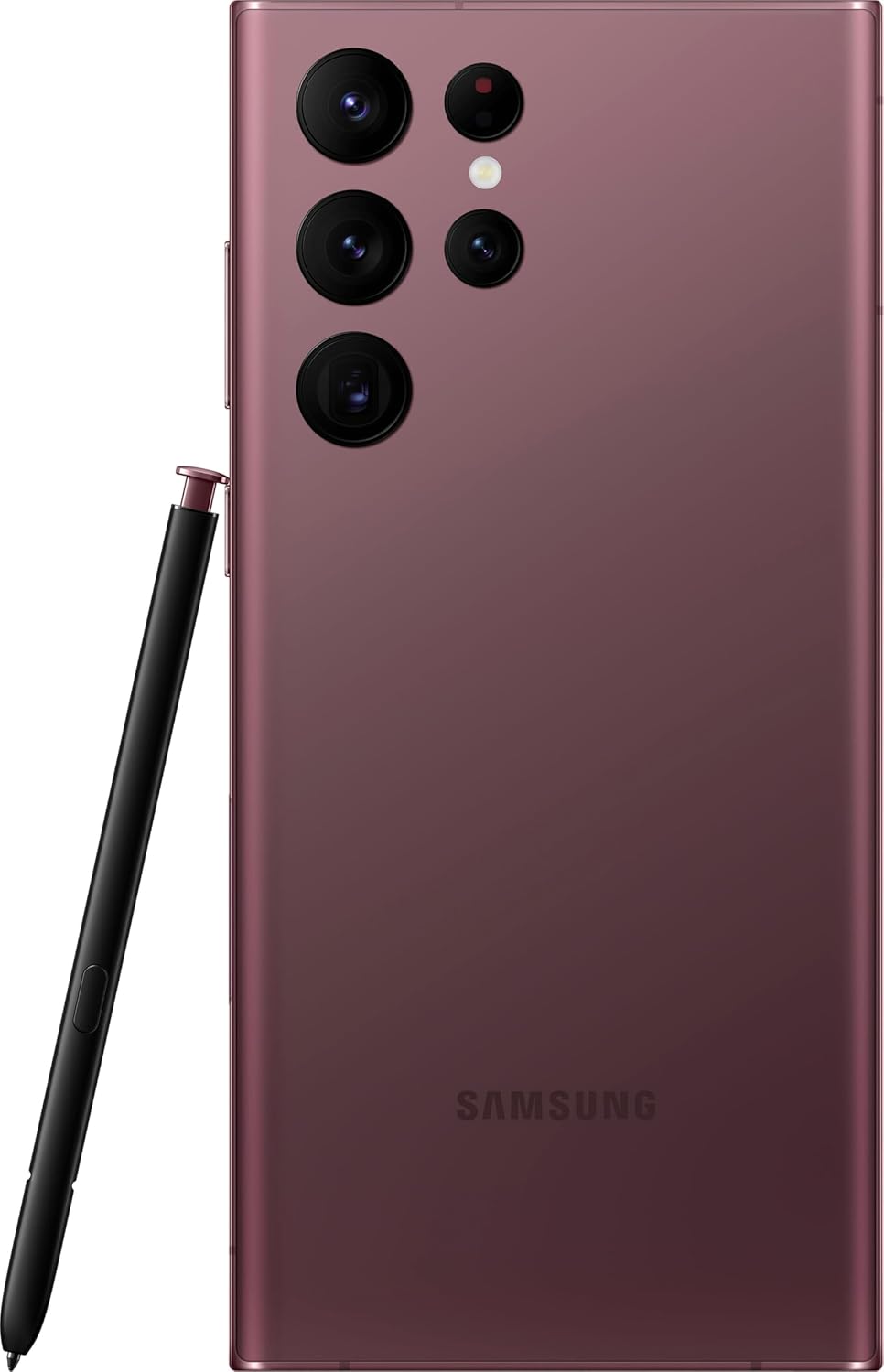
تصویر: پیچھے view of the Samsung Galaxy S22 Ultra 5G, highlighting the multi-lens camera system and the S-Pen.
ڈسپلے اور ویژول
- Adaptive Color Contrast: The Galaxy S22 Ultra's display automatically optimizes color and brightness for both indoor and outdoor viewing, ensuring clarity in various lighting conditions.
- ویژن بوسٹر: Enhances screen visibility, making your content appear vibrant and clear even in bright environments.

تصویر: سامنے view of the Samsung Galaxy S22 Ultra 5G with the screen displaying colorful, dynamic content.
S-Pen Usage
The integrated S-Pen allows for precise interaction with your device. Use it for:
- Taking quick notes directly on the screen.
- Editing photos and videos with enhanced precision.
- Drawing and sketching with a natural pen-on-paper feel.
- Navigating the user interface and selecting text.
دیکھ بھال
اپنے آلے کی صفائی۔
To clean your phone, use a soft, lint-free cloth. Avoid abrasive materials or harsh chemicals. For stubborn smudges, slightly dampen the cloth with water. Ensure no liquid enters openings like the charging port or speaker grilles.
بیٹری کی دیکھ بھال
Your device is equipped with a 5000 mAh Li-Ion battery. To maximize battery life:
- انتہائی درجہ حرارت سے پرہیز کریں۔
- بیٹری کو بار بار مکمل طور پر ختم نہ ہونے دیں۔
- اصل یا تصدیق شدہ چارجنگ لوازمات استعمال کریں۔
سافٹ ویئر اپڈیٹس
Regularly check for and install software updates to ensure your device has the latest features, security patches, and performance improvements. You can usually find this option in the device settings under "Software update".
پانی کی مزاحمت
The Galaxy S22 Ultra 5G is rated as water-resistant. This means it can withstand splashes and brief immersion in shallow water. It is not fully waterproof. Avoid exposing it to high-pressure water, saltwater, or other liquids. If the device gets wet, dry it thoroughly before charging or using accessories.
خرابی کا سراغ لگانا
مشترکہ مسائل اور حل
- ڈیوائس آن نہیں ہو رہی ہے: یقینی بنائیں کہ بیٹری چارج ہے۔ ڈیوائس کو چارجر سے جوڑیں اور اسے دوبارہ آن کرنے کی کوشش کرنے سے پہلے چند منٹ انتظار کریں۔
- اسکرین غیر جوابدہ: Try restarting the device by holding the Power/Side key and Volume Down key simultaneously for about 7 seconds.
- خراب بیٹری کی زندگی: Check background app usage, reduce screen brightness, disable unnecessary features like GPS or Bluetooth when not in use. Consider a factory reset if the issue persists after trying other solutions.
- نیٹ ورک کنیکٹیویٹی کے مسائل: Ensure your SIM card is properly inserted. Try toggling Airplane Mode on and off. If issues persist, contact your wireless carrier (T-Mobile for this model).
فیکٹری ری سیٹ
A factory reset will erase all data from your device and restore it to its original factory settings. Back up all important data before proceeding. To perform a factory reset, navigate to ترتیبات > عمومی انتظام > ری سیٹ > فیکٹری ڈیٹا ری سیٹ.
وضاحتیں
| فیچر | تفصیل |
|---|---|
| برانڈ | سام سنگ |
| ماڈل کا نام | Galaxy S22 Ultra 5G |
| ماڈل نمبر | SM-S908U |
| آپریٹنگ سسٹم | اینڈرائیڈ |
| سی پی یو ماڈل | A-Series Dual-Core A4-3420 |
| ذخیرہ کرنے کی صلاحیت | 512 جی بی |
| اسکرین کا سائز | 6.8 انچ |
| ڈسپلے ریزولوشن | 1440 x 3200 |
| ریفریش ریٹ | 60 Hz |
| وائرلیس کیریئر | ٹی موبائل |
| سم کارڈ سلاٹ | ڈوئل سم |
| کنیکٹوٹی ٹیکنالوجی | 5G, Wi-Fi, CDMA, GSM, LTE |
| بائیو میٹرک سیکیورٹی | چہرے کی پہچان |
| پانی کی مزاحمت کی سطح | پانی مزاحم |
| آڈیو جیک | No Headphone Jack |
| پیچھے کیمرے کی قرارداد | 108 MP (3 cameras) |
| Front Camera Count | 1 |
| بیٹری کی قسم | لی آئن |
| بیٹری کی صلاحیت | 5000 ایم اے ایچ |
| ویڈیو ریکارڈنگ ریزولوشن | 8K |
| رنگ | برگنڈی |
وارنٹی اور سپورٹ
وارنٹی کی معلومات
This product is a refurbished device. It typically comes with a 90-day return policy for refund or replacement. For specific warranty details, please refer to the documentation provided at the time of purchase or contact your retailer. Manufacturer warranties for new devices may not apply to refurbished products.
کسٹمر سپورٹ
مزید مدد، تکنیکی مدد، یا سروس کے استفسارات کے لیے، براہ کرم آفیشل Samsung سپورٹ پر جائیں۔ website or contact their customer service. You can find contact information and FAQs on their webسائٹ
For issues related to your T-Mobile service, please contact T-Mobile customer support directly.
Ask a question about this manual
Ask about setup, troubleshooting, compatibility, parts, safety, or missing instructions. Manuals+ will review the question and use this page’s manual context to help answer it.