
CSLP 402A
CSLP Smart Lock User Manual
ماڈل: 402A
تعارف
This manual provides comprehensive instructions for the installation, operation, and maintenance of your CSLP Smart Lock. Please read this manual thoroughly before installation and use to ensure proper function and safety. The CSLP Smart Lock offers multiple unlocking methods, including app control, keypad entry, traditional key, and card access, designed for enhanced security and convenience for your front door.
حفاظتی معلومات
- تالے کو الگ کرنے یا اس میں ترمیم کرنے کی کوشش نہ کریں۔ یہ مصنوعات کو نقصان پہنچا سکتا ہے اور وارنٹی کو باطل کر سکتا ہے۔
- صرف مخصوص بیٹری کی قسم استعمال کریں اور انسٹالیشن کے دوران درست قطبیت کو یقینی بنائیں۔
- Keep physical keys in a secure location outside the property to prevent lockout situations.
- Regularly check the lock for any signs of wear or damage. Contact support if issues arise.
- Protect the keypad from direct exposure to harsh chemicals or abrasive materials.
پروڈکٹ ختمview
The CSLP Smart Lock system consists of an exterior keypad unit, an interior deadbolt unit, and associated accessories. It integrates with a mobile application for advanced control and monitoring.

تصویر 1: CSLP Smart Lock components. This image displays the exterior keypad with number buttons and a keyhole, the interior unit with a thumb turn, two key fobs, and a smartphone screen showing the lock's app interface with an unlock button.

تصویر 2: Multiple unlocking methods. This image illustrates the four primary ways to unlock the CSLP Smart Lock: via the mobile application, a traditional physical key, a proximity card, and the integrated keypad.

تصویر 3: Key features of the CSLP Smart Lock. This image highlights various functionalities including keyless entry, app control, keypad access, keytag compatibility, automatic locking, touchscreen interface, simple installation, physical key backup, external power option, and anti-theft alerts.
سیٹ اپ اور انسٹالیشن
The CSLP Smart Lock is designed for easy installation, typically requiring only a screwdriver. Ensure your door meets the compatibility requirements before beginning.
1. Check Door Compatibility
Before installation, verify your door's dimensions and existing lock type. The CSLP Smart Lock is compatible with most standard wooden doors and single cylinder deadbolts.

تصویر 4: Door compatibility and dimensions. This diagram provides critical measurements for door size, including backset, door hole diameter, cross bore diameter, and minimum distance. It also indicates that the lock is compatible with single cylinder deadbolts but not with integrated, mortise, or rim cylinder lock types.
- دروازے کی موٹائی: 1.38" سے 2.17" (35 ملی میٹر سے 55 ملی میٹر)
- بیک سیٹ: 2.38" یا 2.75" (60 ملی میٹر یا 70 ملی میٹر)
- دروازے کے سوراخ کا قطر: 1.01" (25 ملی میٹر)
- Cross Bore Diameter: 2.13" (54 ملی میٹر)
2. تنصیب کے مراحل
- Prepare the door by ensuring the existing deadbolt is removed and the door frame strike plate is correctly aligned.
- Install the deadbolt latch into the door edge. Ensure the latch bolt is facing the correct direction for your door swing.
- Mount the exterior keypad assembly. Feed the cable through the door hole.
- Attach the interior mounting plate to the exterior assembly using the provided screws.
- کیبل کو بیرونی یونٹ سے اندرونی یونٹ سے جوڑیں۔
- Secure the interior unit to the mounting plate.
- Install 4 AA batteries into the battery compartment of the interior unit.
- Test the lock's functionality manually with the thumb turn and physical key.
3. ایپ سیٹ اپ اور پیئرنگ
- Download the CSLP Smart Lock app from your device's app store.
- ایک اکاؤنٹ بنائیں اور لاگ ان کریں۔
- Follow the in-app instructions to add your new smart lock. This typically involves enabling Bluetooth on your phone and pressing a pairing button on the interior unit of the lock.
- Once paired, you can name your lock and begin managing settings.
آپریٹنگ ہدایات
دروازہ کھولنا
- Via App (Bluetooth): Open the CSLP Smart Lock app, select your lock, and tap the "Unlock" button when within Bluetooth range.
- کی پیڈ کے ذریعے: Enter your programmed passcode on the keypad followed by the '#' key.
- Via Physical Key: Insert the provided physical key into the keyhole on the exterior unit and turn to unlock.
- Via Card (if applicable): Present the registered key card to the designated sensor area on the lock.
دروازہ لاک کرنا
- خودکار لاک: The built-in sensor detects when your door is closed and automatically locks it after a set delay (configurable in the app).
- ون ٹچ لاکنگ: Press and hold the '#' key on the keypad for a few seconds to manually lock the door from the outside.
- ایپ کے ذریعے: Open the CSLP Smart Lock app, select your lock, and tap the "Lock" button.
- اندر سے: Use the thumb turn on the interior unit to manually lock the door.

تصویر 5: Automatic and one-touch locking. This image demonstrates how the CSLP Smart Lock can automatically lock the door when closed and also features a one-touch locking function for manual activation.
ایپ کی خصوصیات
- صارفی انتظام: Add, modify, or delete user passcodes and access cards.
- عارضی پاس کوڈز: Generate time-limited or one-time passcodes for guests or service providers.
- سرگرمی لاگ: View a detailed history of lock and unlock events, including method and timestamp.
- Remote Control (with Wi-Fi Bridge): For remote unlocking/locking and real-time notifications, a separate Wi-Fi Bridge (sold separately) is required. This enables integration with smart home systems like Amazon Alexa and Google Assistant.
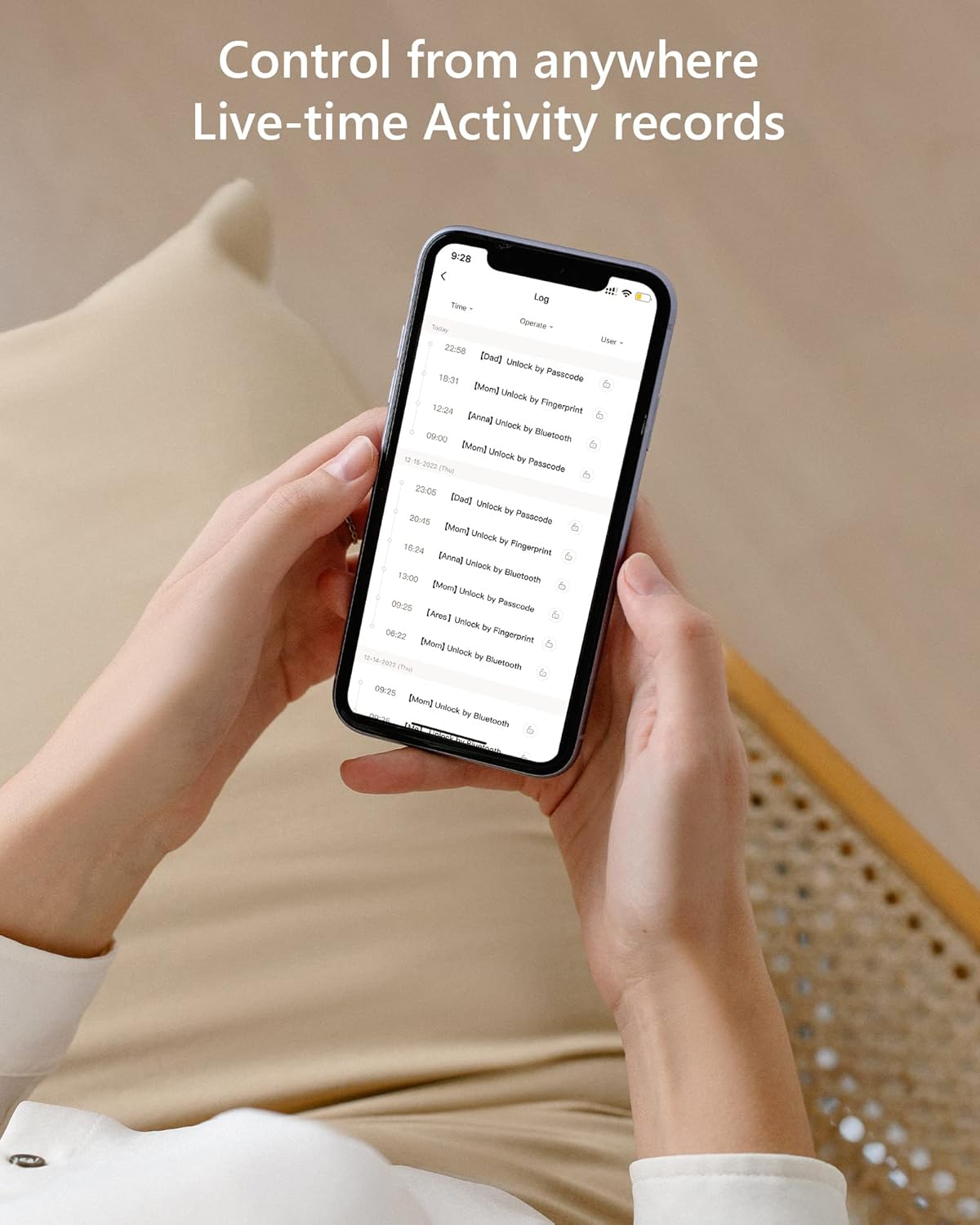
تصویر 6: Live-time activity records. This image provides a chronological record of all lock operations, including the time and method of access (e.g., unlock by passcode, unlock by Bluetooth).
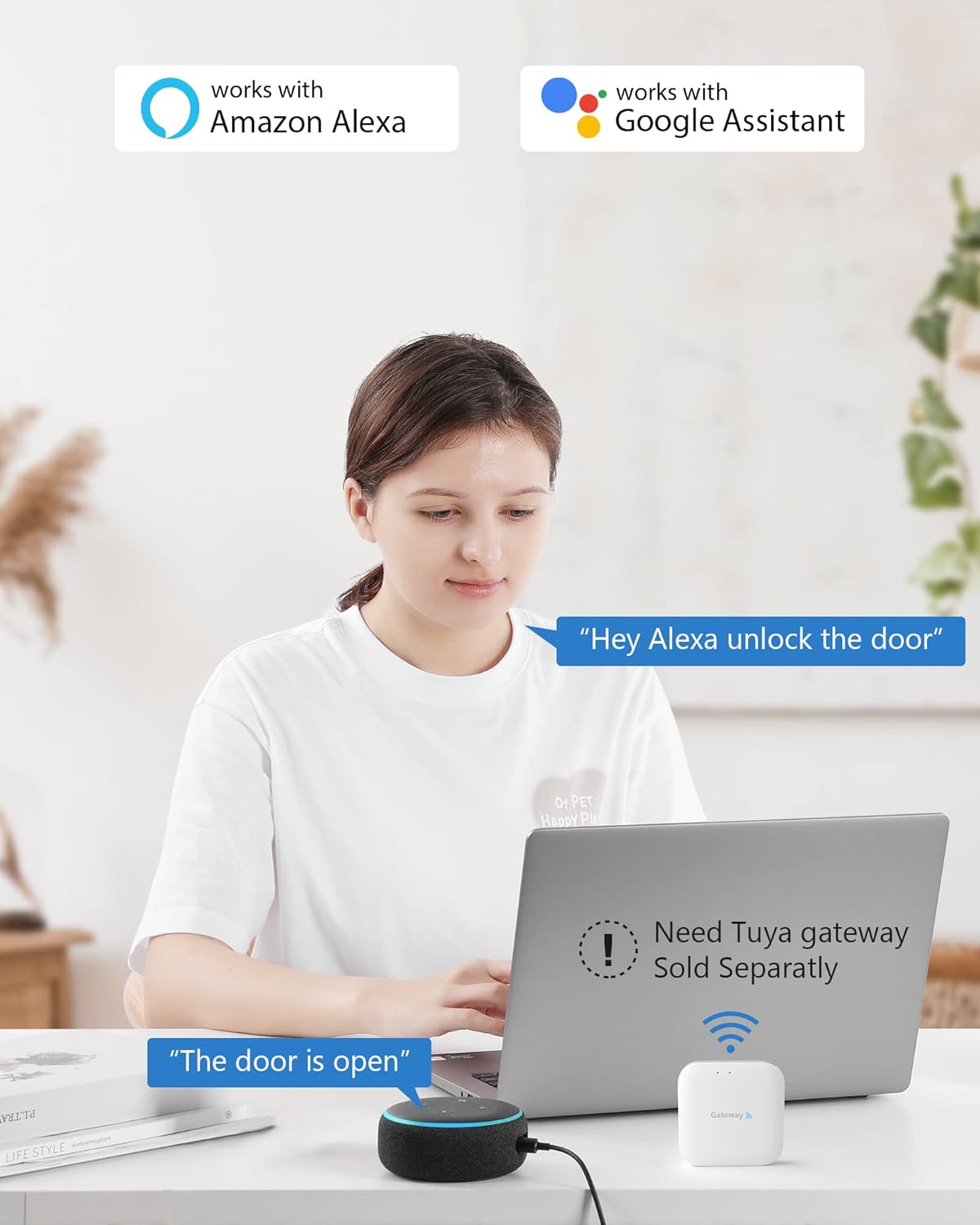
تصویر 7: Smart home integration. This image illustrates the CSLP Smart Lock's compatibility with Amazon Alexa and Google Assistant, noting that a separate Tuya gateway is required for these integrations.
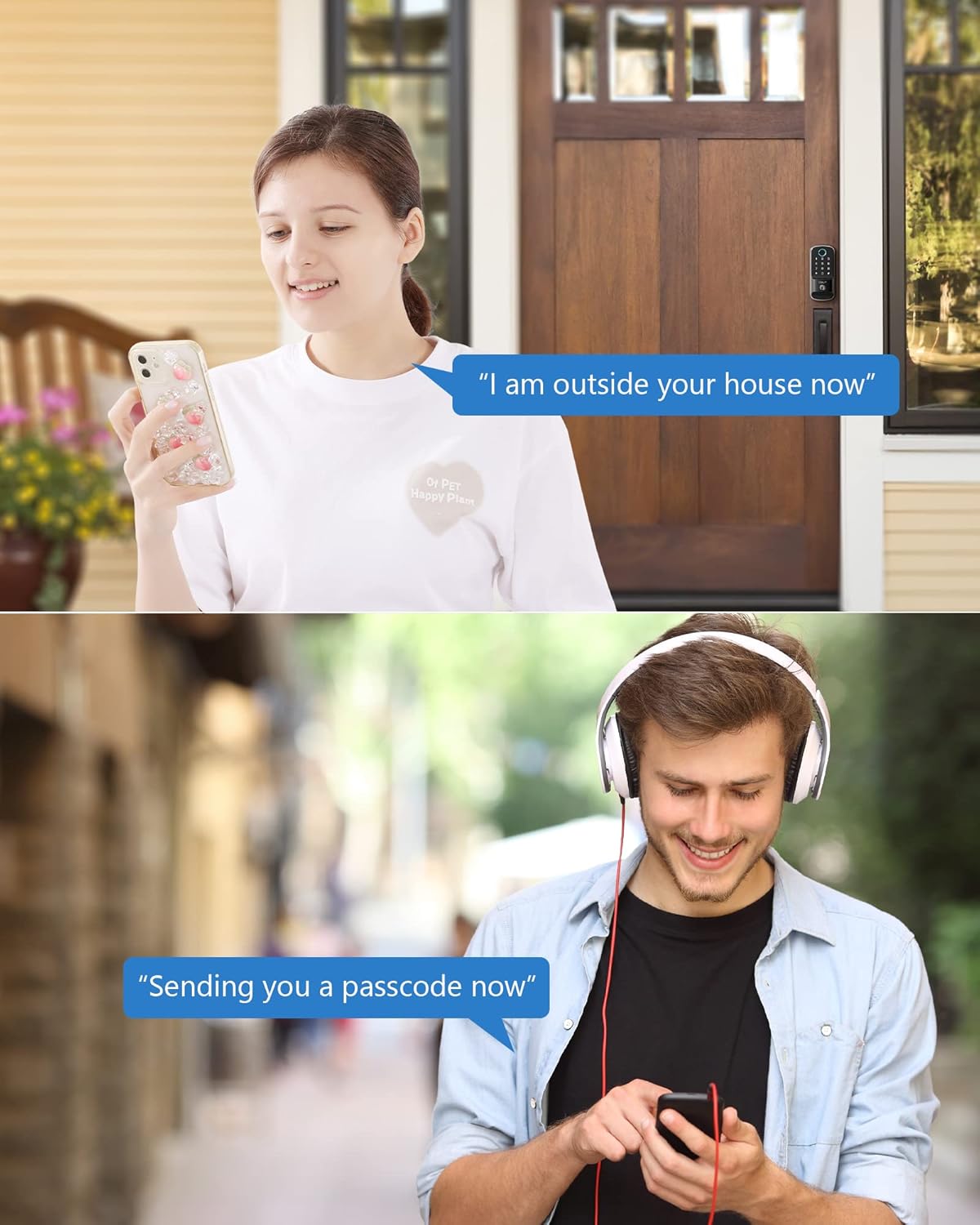
تصویر 8: Remote passcode sharing. This image depicts two common scenarios where temporary passcodes can be shared remotely, such as for a visitor arriving at the house or for someone needing access while on the go.
دیکھ بھال
- بیٹری کی تبدیلی: When the battery level is low, the lock will provide an alert. Replace all four AA batteries promptly to ensure continuous operation. Access the battery compartment on the interior unit.
- صفائی: Clean the keypad and lock body with a soft, dry cloth. Avoid using abrasive cleaners or solvents that could damage the finish or electronic components.
- موسم کی حفاظت: The CSLP Smart Lock has an IP52 weatherproof rating, designed to withstand various weather conditions, including temperatures from -30°C to 70°C and rainfall. However, avoid direct high-pressure water exposure.
خرابی کا سراغ لگانا
| مسئلہ | ممکنہ وجہ | حل |
|---|---|---|
| لاک کیپیڈ کے اندراج کا جواب نہیں دیتا ہے۔ | Low batteries; incorrect passcode; keypad malfunction. | Replace batteries; re-enter passcode carefully; try physical key; contact support if issue persists. |
| ایپ لاک سے منسلک نہیں ہو سکتی۔ | Bluetooth off; lock out of range; app glitch. | Ensure Bluetooth is on; move closer to the lock; restart the app; re-pair the lock if necessary. |
| Automatic locking not working. | Feature disabled in app; sensor obstruction; door not fully closed. | Check app settings; ensure no obstructions around the sensor; ensure door is fully latched. |
| Physical key does not work. | Wrong key; debris in keyhole; internal mechanism issue. | Ensure it's the correct key; gently clear any debris; contact support. |
وضاحتیں
| فیچر | تفصیل |
|---|---|
| ماڈل نمبر | 402A |
| طول و عرض (L x W x H) | 21.59 x 19.56 x 11.68 سینٹی میٹر (8.5 x 7.7 x 4.6 انچ) |
| شے کا وزن | 1.22 Kilograms (1.23 kg) |
| مواد | ایلومینیم |
| رنگ | سیاہ |
| ختم کرنا | پالش |
| طاقت کا منبع | 4 ایکس اے اے بیٹریاں (شامل نہیں) |
| ویدر پروف ریٹنگ | آئی پی 52 |
| آپریٹنگ درجہ حرارت | -30 ° C سے 70 ° C (-22 ° F سے 158 ° F) |
| انلاک طریقے | App (Bluetooth), Keypad, Physical Key, Card |
| کنیکٹوٹی | Bluetooth (Wi-Fi with optional gateway) |
وارنٹی اور سپورٹ
CSLP offers a 30-day money-back guarantee and a 1-year product warranty from the date of purchase. Lifetime customer support is also provided.
For any questions regarding installation, app usage, or gateway information, please contact CSLP customer support. Refer to your product packaging or the official CSLP webرابطہ کی تفصیلات کے لیے سائٹ
Ask a question about this manual
Ask about setup, troubleshooting, compatibility, parts, safety, or missing instructions. Manuals+ will review the question and use this page’s manual context to help answer it.