
تعارف
Thank you for choosing the Varmilo Minilo VXB67 65% Bluetooth Mechanical Keyboard. This manual provides detailed instructions for setting up, operating, and maintaining your new keyboard. The VXB67 offers a compact 65% layout, dual-mode connectivity (wired USB-C and Bluetooth), and a comfortable typing experience with Varmilo EC Daisy V2 switches and durable ABS double-shot keycaps. It also features a Type-Cool sound dampening structure for a clear typing sound.

Image: The Varmilo Minilo VXB67 keyboard, showcasing its compact design and color scheme.
پیکیج کے مشمولات
تمام اشیاء کی موجودگی کو یقینی بنانے کے لیے براہ کرم پیکیج کے مواد کو چیک کریں:
- Varmilo Minilo VXB67 Mechanical Keyboard
- USB-C کیبل
- کیکپ پلر
- سوئچ پلر
- دھول کا احاطہ
- صارف دستی (یہ دستاویز)

Image: The Varmilo Minilo VXB67 keyboard alongside its USB-C cable, keycap puller, switch puller, and a clear dust cover.
سیٹ اپ
1. وائرڈ کنکشن۔
- کی بورڈ پر USB-C پورٹ تلاش کریں۔
- فراہم کردہ USB-C کیبل کے ایک سرے کو کی بورڈ سے مربوط کریں۔
- USB-C کیبل کے دوسرے سرے کو اپنے کمپیوٹر پر دستیاب USB پورٹ سے جوڑیں۔
- کی بورڈ آپ کے آپریٹنگ سسٹم کے ذریعہ خود بخود پہچان لیا جائے گا۔
2. بلوٹوت کنکشن
The VXB67 keyboard can connect to up to 3 devices via Bluetooth.
- یقینی بنائیں کہ کی بورڈ USB-C کے ذریعے چارج یا منسلک ہے۔
- Turn on Bluetooth on your device (computer, tablet, or smartphone).
- کی بورڈ پر، دبائیں اور دبائے رکھیں Fn key and one of the Bluetooth keys (Q, W، یا E) for 3-5 seconds to enter pairing mode. The indicator light will flash.
- On your device, search for Bluetooth devices and select "Varmilo VXB67" (or similar) from the list.
- جوڑا بننے کے بعد، کی بورڈ پر اشارے کی روشنی چمکنا بند کر دے گی اور ٹھوس رہے گی۔
- Repeat for up to two additional devices using the other Bluetooth keys.
3. کی بورڈ زاویہ کو ایڈجسٹ کرنا
The keyboard features 3-level adjustable kickstands on the bottom to customize your typing angle for comfort.

Image: The underside of the keyboard, highlighting the foldable kickstands for ergonomic adjustment.
Video: Demonstrates the features of the Varmilo Minilo Eucalyptus keyboard, including the adjustable kickstands and multi-device connectivity.
آپریٹنگ ہدایات
1. کی کیپ اور سوئچ کی تبدیلی
The VXB67 features hot-swappable switches, allowing you to change switches without soldering. Use the provided keycap and switch pullers for this process.
- کی کیپس کو ہٹانا: Use the keycap puller to gently grip the keycap and pull upwards.
- سوئچز کو ہٹانا: Use the switch puller to carefully grip the top and bottom clips of the switch and pull upwards.
- سوئچز کی تنصیب: Align the pins of the new switch with the holes on the PCB. Press down firmly until the switch clicks into place. Ensure pins are not bent.
- کی کیپس انسٹال کرنا: Place the keycap over the switch stem and press down gently until it is secure.
Video: Demonstrates the process of changing switches and keycaps on the Varmilo Minilo 67 keyboard.
2. بیک لائٹ کنٹرول
The keyboard features white LED backlighting. Use the following key combinations to control the backlight:
- Fn + \ |: بیک لائٹ اثرات کے ذریعے سائیکل۔
- Fn + ↑: بیک لائٹ کی چمک میں اضافہ کریں۔
- Fn + ↓: بیک لائٹ کی چمک کو کم کریں۔
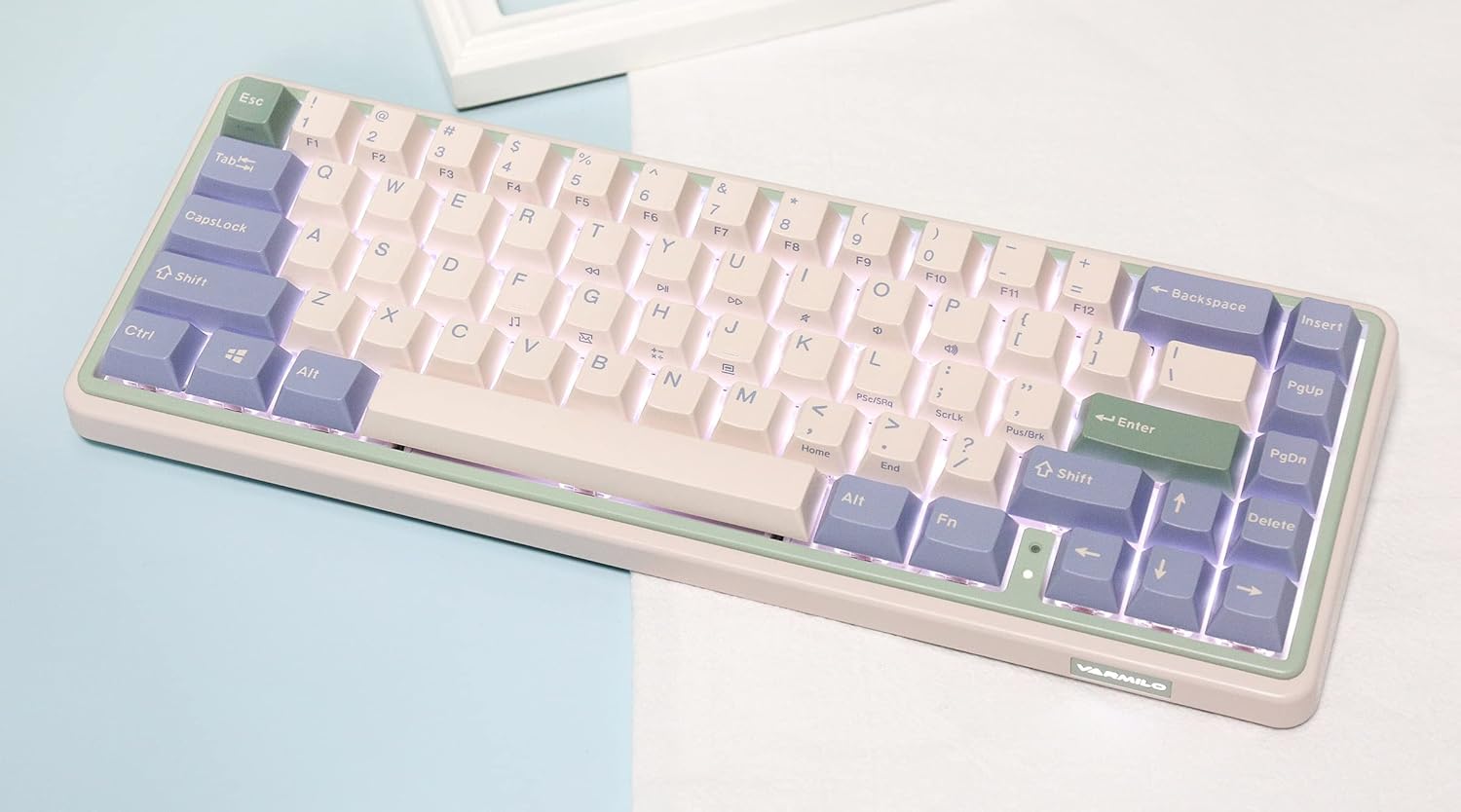
Image: The Varmilo Minilo VXB67 keyboard illuminated by its white LED backlighting.
3 ملٹی ڈیوائس سوئچنگ
جوڑا بنائے گئے بلوٹوتھ آلات کے درمیان سوئچ کرنے کے لیے:
- دبائیں Fn + Q بلوٹوتھ ڈیوائس پر سوئچ کرنے کے لیے 1۔
- دبائیں Fn + W بلوٹوتھ ڈیوائس پر سوئچ کرنے کے لیے 2۔
- دبائیں Fn + E بلوٹوتھ ڈیوائس پر سوئچ کرنے کے لیے 3۔
The keyboard will quickly connect to the selected device.
دیکھ بھال
- صفائی: Use a soft, dry cloth to wipe the keyboard surface. For deeper cleaning, remove keycaps using the provided keycap puller and use compressed air to clear debris.
- بیٹری چارجنگ: Connect the keyboard via the USB-C cable to a power source (computer USB port or USB wall adapter). The Escape key will light up while charging and flash when the battery is low.
- ذخیرہ: When not in use, store the keyboard in a cool, dry place. Use the provided dust cover to protect it from dust and spills.
خرابی کا سراغ لگانا
- کی بورڈ جواب نہیں دے رہا ہے (وائرڈ):
- یقینی بنائیں کہ USB-C کیبل کی بورڈ اور کمپیوٹر دونوں سے محفوظ طریقے سے جڑی ہوئی ہے۔
- اپنے کمپیوٹر پر ایک مختلف USB پورٹ آزمائیں۔
- ایک مختلف USB-C کیبل آزمائیں۔
- کی بورڈ جواب نہیں دے رہا ہے (بلوٹوتھ):
- یقینی بنائیں کہ آپ کے آلے پر بلوٹوتھ فعال ہے۔
- یقینی بنائیں کہ کی بورڈ چارج ہے۔
- جوڑا بنانے کے موڈ میں دوبارہ داخل ہوں (Fn + Q/W/E) and attempt to re-pair with your device.
- Forget the device on your computer/tablet/phone and try pairing again.
- کلیدیں رجسٹر نہیں ہو رہی ہیں:
- Ensure the keycap and switch are properly seated. Remove and re-install if necessary.
- If using hot-swappable switches, ensure the switch pins are not bent.
- بیک لائٹ کام نہیں کر رہی:
- Check backlight brightness settings (Fn + ↑/↓).
- یقینی بنائیں کہ کی بورڈ کم پاور والی حالت میں نہیں ہے۔
وضاحتیں
| ماڈل | VXB67 |
| لے آؤٹ | 65% (67 کلیدیں) |
| کنیکٹوٹی | بلوٹوتھ 5.0، USB-C وائرڈ |
| سوئچ کرتا ہے۔ | Varmilo EC Daisy V2 (Hot-swappable) |
| کیکیپس | 1.5mm thick ABS Double Shot |
| بیک لائٹ | سفید ایل ای ڈی |
| بیٹری کی صلاحیت | 3400mAh |
| ہم آہنگ آلات | PC (and other Bluetooth-enabled devices) |
| مواد | Acrylonitrile Butadiene Styrene (ABS) |
| طول و عرض | Approx. 15 x 7 x 2.5 inches (based on package dimensions) |
| وزن | 3.21 پاؤنڈ |
وارنٹی اور سپورٹ
For warranty information and technical support, please refer to the official Varmilo webسائٹ یا اپنے خوردہ فروش سے رابطہ کریں۔ وارنٹی کے دعووں کے لیے اپنی خریداری کا ثبوت رکھیں۔
ورمیلو آفیشل Webسائٹ: www.varmilo.com