
1. تعارف
This manual provides comprehensive instructions for the safe and efficient use of your MARKLIFE P50 Portable Bluetooth Thermal Label Printer. Please read this manual thoroughly before operating the device and retain it for future reference.
2. حفاظتی معلومات
- ڈیوائس کو جدا، مرمت یا ترمیم نہ کریں۔
- آلے کو پانی، نمی اور زیادہ درجہ حرارت سے دور رکھیں۔
- Use only MARKLIFE approved labels and accessories.
- پرنٹنگ کے فوراً بعد پرنٹ ہیڈ کو چھونے سے گریز کریں، کیونکہ یہ گرم ہوسکتا ہے۔
- بچوں کی پہنچ سے دور رکھیں۔
3. پیکیج کے مشمولات
تصدیق کریں کہ تمام اشیاء آپ کے پیکیج میں موجود ہیں:
- MARKLIFE P50 لیبل پرنٹر
- 3 Rolls of Labels (2x 1.57"x1.18" white gap labels, 1x 2"x2" circle gap label)
- USB-C چارجنگ کیبل
- صارف دستی (یہ دستاویز)
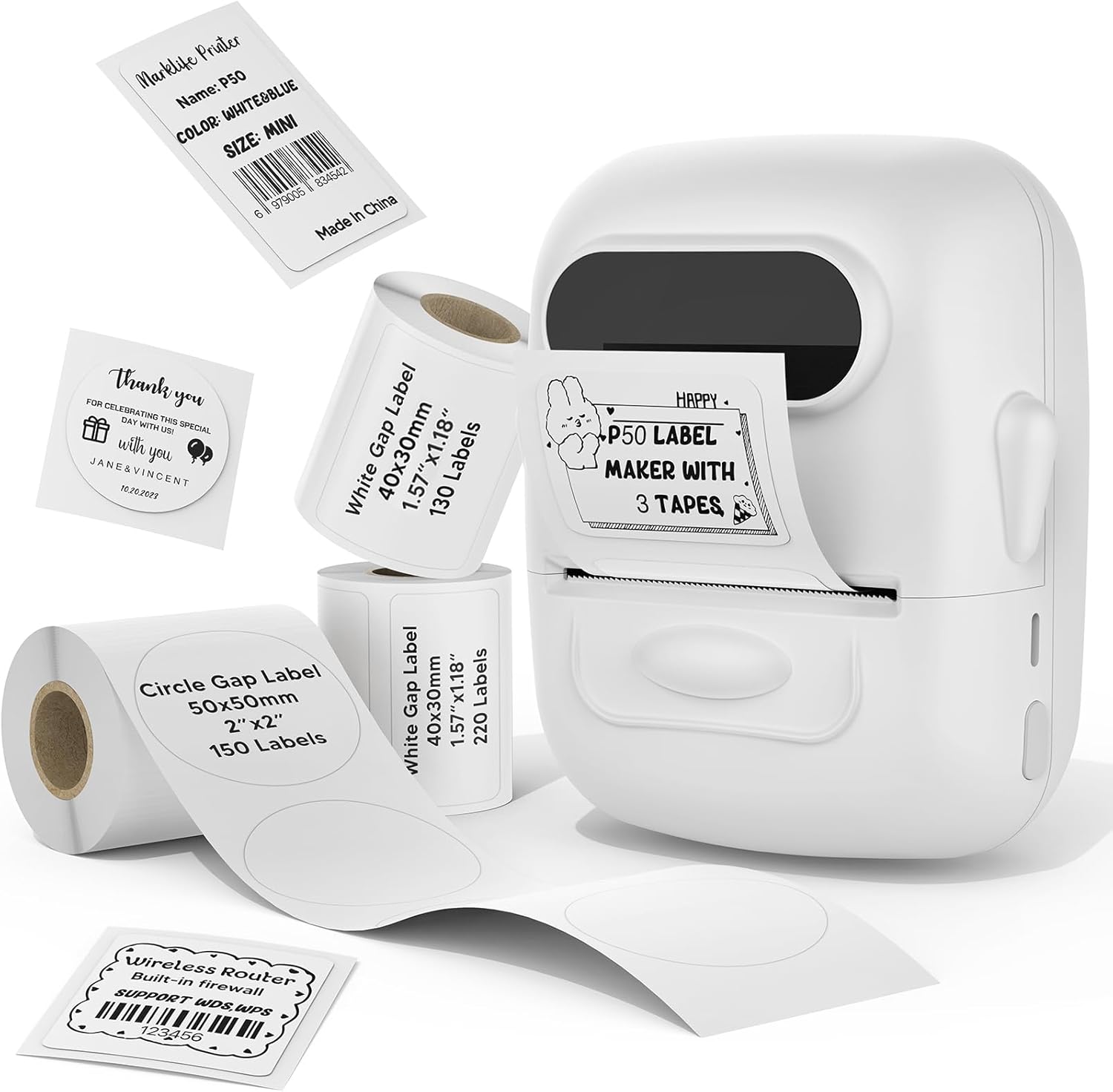
Image: MARKLIFE P50 Label Printer and various label rolls included in the package.
4. پروڈکٹ ختمview
The MARKLIFE P50 is a compact, portable thermal label printer designed for various labeling needs. It connects wirelessly via Bluetooth to your smartphone or tablet and can also connect to a Windows PC via USB. It utilizes thermal printing technology, requiring no ink, and supports black and white printing only.

Image: The MARKLIFE P50 printer being placed into a handbag, highlighting its portable design and built-in 1200mAh battery with Type-C charging.
5. سیٹ اپ
5.1 ڈیوائس کو چارج کرنا
Before first use, fully charge the printer using the provided USB-C cable and a compatible power adapter (not included). The charging indicator light will show the charging status.
5.2 لیبل لوڈ ہو رہا ہے۔
- لیبل ٹوکری کا احاطہ کھولیں۔
- پرنٹنگ کی سطح کو اوپر کی طرف رکھتے ہوئے لیبل رول داخل کریں۔
- Ensure the label edge is aligned and extends slightly out of the printer slot.
- Close the cover firmly. The printer will automatically detect the label type and size.

Image: Illustration of label loading and compatible label widths (0.59 to 2.24 inches) for the P50 printer.
5.3 App Installation and Bluetooth Pairing (for Mobile Devices)
- Download the "Marklife" app from your device's app store (iOS or Android).
- Turn on the P50 printer.
- اپنے اسمارٹ فون یا ٹیبلٹ پر بلوٹوتھ کو فعال کریں۔
- Open the Marklife app and follow the on-screen instructions to connect to your P50 printer. The app will typically detect the printer automatically.
5.4 PC Connection (for Windows)
For Windows PC connectivity, download the official software from the MARKLIFE website. Connect the printer to your PC using the USB-C cable. The software will guide you through the printing process.

Image: The P50 label printer connected to both a laptop and a smartphone, illustrating its support for mobile and PC devices.
6. آپریشن
6.1 Basic Printing (via App)
- Ensure the printer is powered on and connected to the Marklife app.
- Select a template or create a new label design within the app.
- Enter your desired text, add images, barcodes, or QR codes.
- Adjust print settings (e.g., quantity, density) as needed.
- Tap the "Print" button in the app to initiate printing.

Image: Various label applications, such as clothing tags with barcodes, handmade soap labels, and price tags for baked goods, demonstrating the printer's versatility.
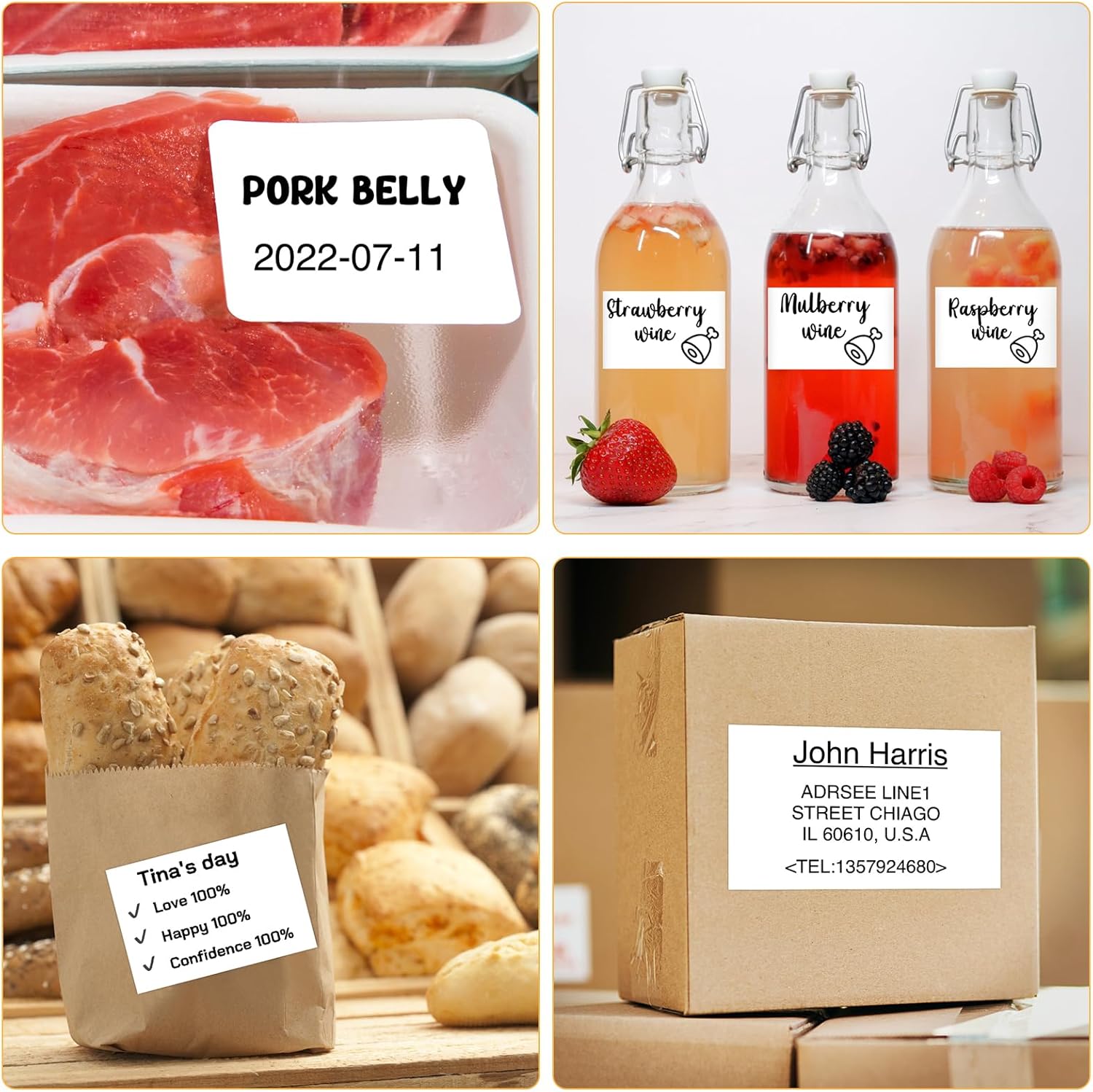
تصویر: سابقamples of labels for food items (pork belly, beverages) and a shipping address label, showcasing different label content possibilities.
6.2 بیچ پرنٹنگ
The Marklife app supports batch printing for multiple copies of the same label or sequential labels. Refer to the app's specific instructions for detailed steps on batch printing functionality.

Image: The MARKLIFE P50 printer actively printing multiple barcode labels in a batch, demonstrating stable printing over a long duration.
7 دیکھ بھال
- پرنٹ ہیڈ کی صفائی: ہلکے سے نرم، لنٹ سے پاک کپڑا استعمال کریں۔ampened with alcohol to gently wipe the print head. Ensure the printer is off and cooled down before cleaning.
- باہر کی صفائی: Wipe the printer's exterior with a soft, dry cloth. Do not use harsh chemicals.
- لیبل اسٹوریج: Store label rolls in a cool, dry place away from direct sunlight to preserve their quality.
8 خرابیوں کا سراغ لگانا
| مسئلہ | ممکنہ وجہ | حل |
|---|---|---|
| پرنٹر آن نہیں ہو رہا ہے۔ | کم بیٹری یا پاور کا مسئلہ | Charge the printer using the USB-C cable. |
| بلوٹوتھ کے ذریعے مربوط نہیں ہو سکتا | Bluetooth off, app issue, or printer not discoverable | Ensure Bluetooth is enabled on your device. Restart the printer and the app. Try re-pairing. |
| ناقص پرنٹ کوالٹی | Dirty print head, incorrect label loading, or low print density setting | Clean the print head. Re-load labels correctly. Adjust print density in the app. |
| لیبلز صحیح طریقے سے کھانا نہیں کھا رہے ہیں۔ | Improper label loading or label jam | Open the cover, re-seat the label roll, ensuring it's aligned. Clear any jammed labels. |
9. وضاحتیں
| فیچر | تفصیل |
|---|---|
| ماڈل | پی 50 |
| پرنٹنگ ٹیکنالوجی | تھرمل |
| کنیکٹوٹی | بلوٹوتھ، یو ایس بی |
| ہم آہنگ آلات | اینڈرائیڈ، آئی او ایس، ونڈوز پی سی |
| زیادہ سے زیادہ میڈیا سائز | 2 انچ (57 ملی میٹر) |
| Print Width Range | 0.59" - 2.24" (15mm - 57mm) |
| پرنٹر آؤٹ پٹ | مونوکروم (سیاہ اور سفید) |
| بیٹری | Built-in 1200mAh (rechargeable) |
| چارجنگ پورٹ | USB-C |
| مصنوعات کے طول و عرض | 4"D x 3"W x 2"H (تقریباً) |
| شے کا وزن | 6 اونس (تقریباً) |
10. وارنٹی اور سپورٹ
The MARKLIFE P50 Label Printer comes with a limited warranty. For warranty details, technical support, or customer service inquiries, please refer to the official MARKLIFE webسائٹ یا ان کے کسٹمر سپورٹ سے براہ راست رابطہ کریں۔ خریداری کے ثبوت کے طور پر اپنی خریداری کی رسید اپنے پاس رکھیں۔
مینوفیکچرر: مارک لائف