
Lorex W881AADB-E
Lorex 4K Spotlight Indoor/Outdoor Wi-Fi 6 Security Camera User Manual
Model: W881AADB-E
1. تعارف
This manual provides detailed instructions for the installation, operation, and maintenance of your Lorex 4K Spotlight Indoor/Outdoor Wi-Fi 6 Security Camera, Model W881AADB-E. This camera is designed to enhance your security with advanced features such as 4K Ultra HD resolution, smart security lighting, and intelligent detection capabilities for persons, vehicles, animals, and packages. Please read this manual thoroughly before using the product to ensure proper setup and functionality.
2. پیکیج کے مشمولات
تصدیق کریں کہ آپ کے پیکیج میں تمام اجزاء موجود ہیں:
- Lorex 4K Spotlight Indoor/Outdoor Wi-Fi 6 Security Camera (Model W881AADB-E)
- پاور اڈاپٹر
- ماؤنٹنگ کٹ (پیچ، اینکر)
- کوئیک اسٹارٹ گائیڈ
- 32GB Micro SD Card (may be pre-installed)

Image: Lorex 4K Spotlight Wi-Fi 6 Security Camera, its retail box, and a 32GB Micro SD card. The camera is black with two white spotlights and a green LED band. The box highlights 4K video recording, Wi-Fi 6, smart security lighting, and motion detection.
3. سیٹ اپ اور انسٹالیشن
3.1 شروع کرنے سے پہلے
- Ensure your Wi-Fi router supports Wi-Fi 6 technology for optimal performance.
- Download the Lorex Home app from your smartphone's app store.
- Identify a suitable mounting location (indoor or outdoor) with a clear view اور پاور آؤٹ لیٹ تک رسائی۔
3.2 Camera Installation Steps
- کیمرہ انسٹال کریں: Securely mount the camera to your chosen surface using the provided mounting kit. Ensure the camera is positioned to cover the desired area.
- AC پاور سے جڑیں: شامل پاور اڈاپٹر کا استعمال کرتے ہوئے کیمرہ کو پاور سورس سے جوڑیں۔
- View on the App: Open the Lorex Home app, create an account if you haven't already, and follow the in-app instructions to add your new camera. This typically involves scanning a QR code on the camera or manually entering its details.
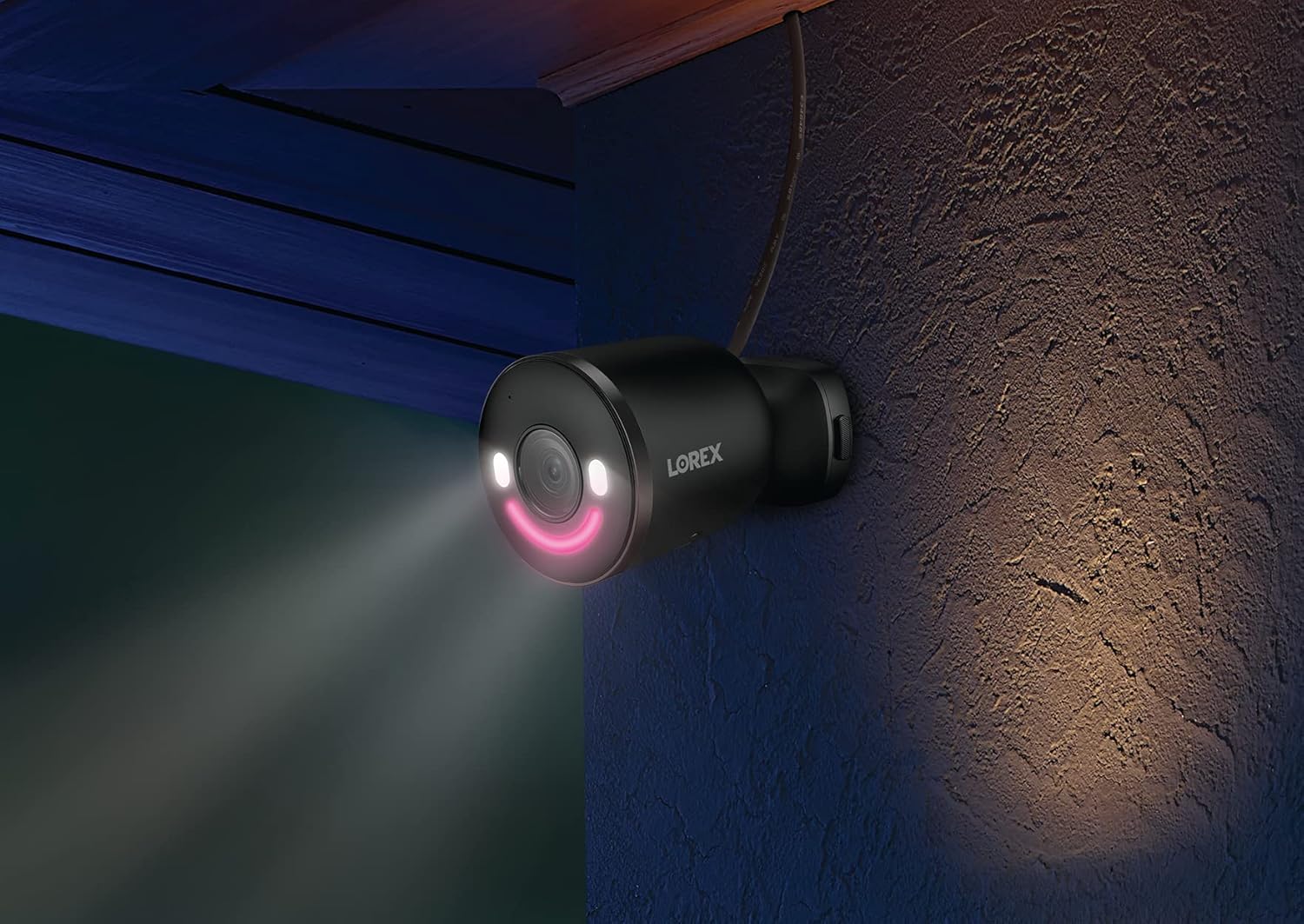
Image: A graphic illustrating three quick installation steps: 1. Install Camera (wrench icon), 2. Connect to AC Power (plug icon), 3. View on the App (smartphone icon). The image shows the camera mounted on a wall.

Image: A Lorex security camera, black with a green LED smile, mounted on a light-colored exterior wall, indicating outdoor installation.
4. اپنے کیمرہ کو آپریٹ کرنا
4.1 لائیو View اور پلے بیک
لائیو ویڈیو فیڈز تک رسائی حاصل کریں اور دوبارہview ریکارڈ شدہ footage through the Lorex Home app. The 4K Ultra HD resolution provides clear and detailed images for effective monitoring.

Image: A split image demonstrating 4K Ultra HD video quality. The left side shows a child playing with a toy in a garden from a distance, while the right side shows a digitally zoomed-in, clear view of the child's hands and the toy, highlighting the detail retention of 4K resolution.
4.2 اسمارٹ سیکیورٹی لائٹنگ
The camera features an LED band that can be customized in color. This lighting can be used for deterrence or as a welcome light. Adjust settings via the Lorex Home app.

Image: A Lorex camera with its LED band illuminated, alongside a smartphone screen displaying a color wheel for selecting the LED light color within the Lorex Home app. This illustrates the Smart Security Lighting feature.

Image: A Lorex security camera mounted on a wall at night, with its smart security lighting emitting a pink glow, illuminating the immediate area. This demonstrates the camera's lighting capabilities in low-light conditions.
4.3 اسمارٹ موشن کا پتہ لگانا
The camera utilizes advanced motion detection to identify specific objects. You can configure alerts for:
- شخص کا پتہ لگانا
- گاڑی کا پتہ لگانا
- جانوروں کا پتہ لگانا
- پیکیج کا پتہ لگانا
Note: When Person, Vehicle, and/or Animal Detection are enabled, Package Detection cannot be simultaneously enabled. To use Package Detection, you must disable the other detection types.

Image: A hand holding a smartphone displaying the Lorex Home app. The app shows a notification: "Someone was detected by Front Door Doorbell" with a live view thumbnail, illustrating the smart motion detection alert feature.
4.4 دو طرفہ گفتگو
Use the built-in microphone and speaker to communicate with visitors or deter unwanted guests directly through the Lorex Home app.
4.5 Lorex Fusion Integration
This camera can be integrated wirelessly with compatible Lorex Fusion security camera systems, allowing you to combine wired and Wi-Fi cameras for expanded coverage and centralized management.

Image: A diagram illustrating the Lorex Fusion system. A central recorder unit is shown with Wi-Fi signals connecting to various Lorex cameras (bullet, dome, doorbell, spotlight) around a house, demonstrating the ability to combine different camera types into one system.
4.6 Local Storage
The camera supports local storage via a Micro SD card (32GB included), ensuring your video footage is kept private and accessible without monthly fees.

Image: A Micro SD card and an open hard drive, symbolizing local storage for video footage, emphasizing that no monthly fees are required for recording.
5 دیکھ بھال
- صفائی: وقتاً فوقتاً کیمرے کے لینس کو نرم سے صاف کرتے رہیں، ڈیamp واضح تصویر کے معیار کو یقینی بنانے کے لیے کپڑا۔ کھرچنے والے کلینر سے پرہیز کریں۔
- فرم ویئر اپ ڈیٹس: Regularly check the Lorex Home app for available firmware updates to ensure your camera has the latest features and security enhancements.
- پاور کنکشن: Ensure the power connection remains secure and free from damage, especially for outdoor installations.
- مائیکرو ایسڈی کارڈ: If using local storage, periodically check the Micro SD card for proper function and sufficient storage space. Replace if necessary.
6 خرابیوں کا سراغ لگانا
| مسئلہ | ممکنہ وجہ | حل |
|---|---|---|
| کیمرہ Wi-Fi سے منسلک نہیں ہے۔ | Incorrect Wi-Fi password, camera too far from router, router not Wi-Fi 6 compatible, network interference. |
|
| ناقص ویڈیو کا معیار | Dirty lens, low Wi-Fi signal strength, insufficient bandwidth. |
|
| Motion detection alerts are inaccurate | Incorrect sensitivity settings, detection zones not optimized, conflicting detection types enabled. |
|
| No video recording to Micro SD card | SD card full, corrupted, or not properly inserted; recording settings incorrect. |
|
7. وضاحتیں
| فیچر | تفصیل |
|---|---|
| ماڈل نمبر | W881AADB-E |
| ویڈیو کیپچر ریزولوشن | 4K الٹرا ایچ ڈی |
| کنیکٹوٹی ٹیکنالوجی | وائرلیس (وائی فائی 6) |
| انڈور / آؤٹ ڈور استعمال | آؤٹ ڈور |
| طاقت کا منبع | کورڈڈ الیکٹرک (12 واٹ) |
| فیلڈ آف۔ View | 140 ڈگری |
| خصوصی خصوصیات | Motion Sensor, Night Vision (Night Color), Smart Security Lighting, 2-Way Talk |
| پتہ لگانے کی اقسام | Person, Vehicle, Animal, Package |
| ذخیرہ | Micro SD (up to 256GB, 32GB included) |
| بین الاقوامی تحفظ کی درجہ بندی | آئی پی 65 |
| آپریٹنگ درجہ حرارت | 55 ڈگری سیلسیس تک |
| طول و عرض (L x W x H) | 307 x 344 x 307 انچ (Note: This dimension appears to be a data entry error. Please refer to product packaging for accurate physical dimensions.) |
| شے کا وزن | 1.72 پاؤنڈ |
| ہم آہنگ آلات | Smartphone (Lorex Home App), Amazon Alexa |
8. وارنٹی اور سپورٹ
وارنٹی کی معلومات، تکنیکی مدد، اور اضافی وسائل کے لیے، براہ کرم آفیشل Lorex ملاحظہ کریں۔ webسائٹ یا Lorex کسٹمر سروس سے رابطہ کریں۔ وارنٹی کے دعووں کے لیے اپنی خریداری کی رسید اپنے پاس رکھیں۔
آن لائن وسائل: www.lorex.com
9. اہم حفاظتی معلومات
- Use only the power adapter provided with the camera.
- Do not expose the camera to extreme temperatures outside its operating range (up to 55°C).
- Ensure all cables are properly secured and protected, especially in outdoor environments.
- کیمرے کو الگ کرنے یا اس میں ترمیم کرنے کی کوشش نہ کریں۔ اس سے وارنٹی ختم ہو جائے گی۔
- Comply with all local laws and regulations regarding surveillance camera usage.
Ask a question about this manual
Ask about setup, troubleshooting, compatibility, parts, safety, or missing instructions. Manuals+ will review the question and use this page’s manual context to help answer it.