
1. سیٹ اپ
1.1 پیکیج کے مشمولات
- 2 x OMAIC Universal Remote Controls
1.2 بیٹری کی تنصیب
To install batteries, slide open the battery compartment cover on the back of the remote control. Insert two AAA batteries, ensuring correct polarity (+ and -) as indicated inside the compartment. Close the cover securely.

Description: This image illustrates the open battery compartment of the remote control, highlighting where to correctly insert two AAA batteries. Batteries are not included with the remote control.
1.3 Initial Setup (No Programming Required)
The OMAIC Universal Remote Control is designed for immediate use with most Hisense Smart TVs. No additional programming or pairing is required. Simply install the batteries, and the remote is ready to operate your television.
2. آپریٹنگ ہدایات
2.1 بنیادی افعال
The remote control features a standard layout for easy navigation and control of your Hisense TV. Refer to the diagram below for button identification and their corresponding functions.

Description: This image provides a detailed layout of the remote control, with labels for each button, including Power, Input, Number Pad, CC (Closed Caption), Settings, All Apps, D-pad, OK, Back, Home, Exit, Volume, Channel, Mute, Playback controls, and Sleep.
| بٹن | فنکشن |
|---|---|
| طاقت | ٹی وی کو آن یا آف کرتا ہے۔ |
| ان پٹ | Changes the TV input source. |
| نمبر بٹن (0-9) | Enters channel numbers or input numbers. |
| CC | Activates or deactivates Closed Captioning. |
| D-pad (Up/Down/Left/Right) | Navigation buttons for menus and selections. |
| OK | انتخاب کی تصدیق کرتا ہے۔ |
| پیچھے | Returns to the previous menu or application. |
| گھر | ہوم اسکرین دکھاتا ہے۔ |
| باہر نکلیں۔ | Exits the current application or menu. |
| VOL +/- | والیوم کو اوپر یا نیچے ایڈجسٹ کرتا ہے۔ |
| CH +/- | چینلز کو اوپر یا نیچے تبدیل کرتا ہے۔ |
| خاموش | Mutes or restores sound. |
| پلے بیک کنٹرولز | Controls media playback (Play, Pause, Stop, Rewind, Fast Forward). |
| سونا | Adjusts the sleep timer setting. |
2.2 شارٹ کٹ بٹن
The remote includes dedicated shortcut buttons for quick access to popular streaming services:
- نیٹ فلکس
- پرائم ویڈیو
- یو ٹیوب
- گوگل پلے
Description: This image focuses on the lower section of the remote control, clearly showing the dedicated buttons for Netflix, Prime Video, YouTube, and Google Play, allowing for instant access to these streaming platforms.
2.3 Infrared Technology
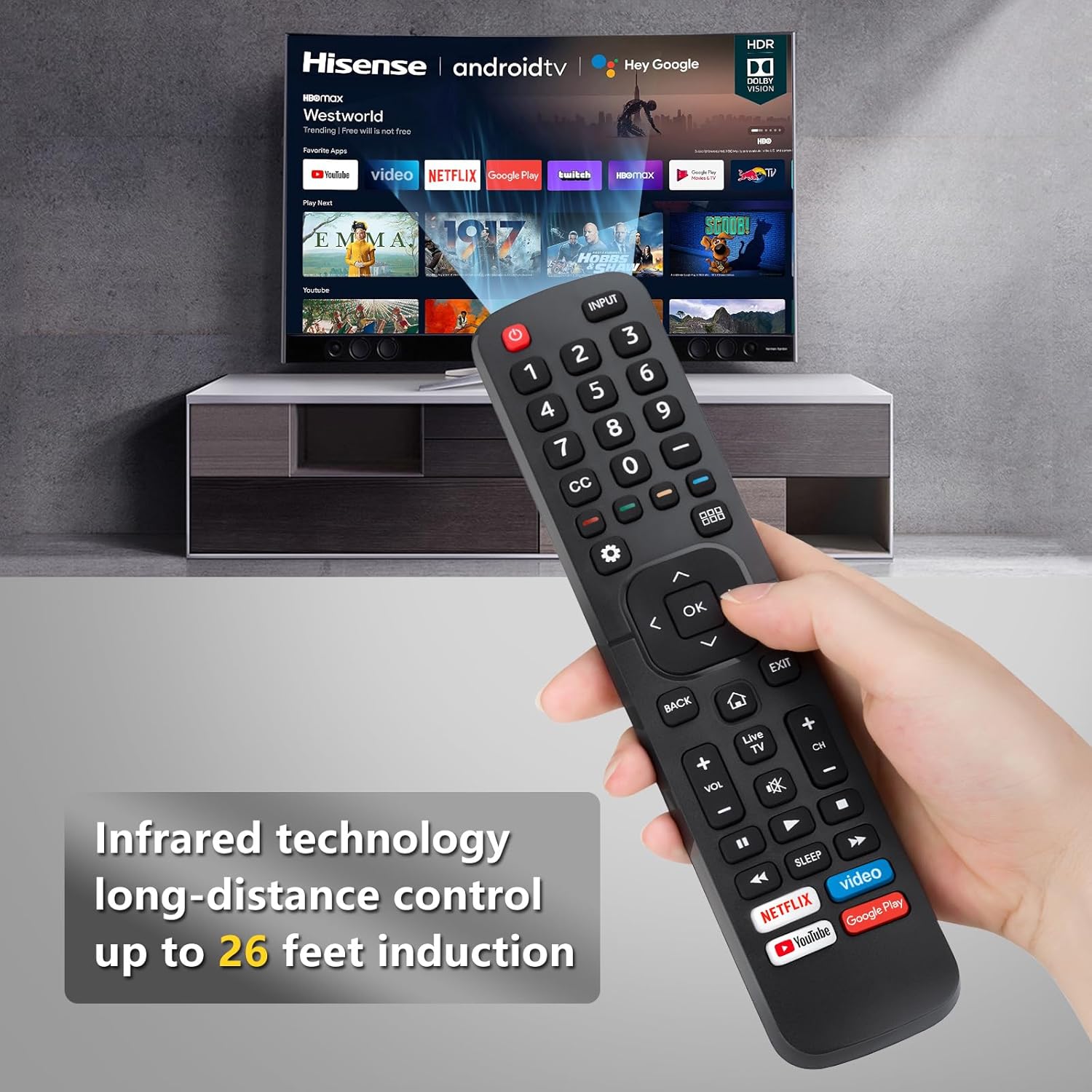
This remote control operates using infrared (IR) technology, providing a long-distance control range of approximately 8-10 meters (32 feet). Ensure a clear line of sight between the remote and your TV's IR receiver for optimal performance.

Description: This image visually represents the effective operating distance of the infrared remote control, indicating a range of up to 32 feet for controlling the television.
2.4 پروڈکٹ ڈیموسٹریشن ویڈیو
Watch this video for a visual demonstration of the remote control's functionality with Hisense TVs.
Description: This video demonstrates the OMAIC replacement remote control (model EN2A27) in use with a Hisense Smart TV, showcasing its various functions and ease of operation.
3 مطابقت
This universal remote control is compatible with a wide range of Hisense Smart TVs, including but not limited to the following series and remote models:
- Hisense TV Series: H9, H8, H5510G, H65, H55, H9G, A60, H5500F Series, etc.
- ہم آہنگ ریموٹ ماڈلز: EN2A27, EN2A127H, EN2A27HT, EN2AN27H, EN2AS27H, EN2B27, EN2C27, EN2D27, EN2G27, EN33922A, EN33924HS, EN33925A, EN33926A, EN33927A, EN2BN27H, ERF2A60.
Note: This remote control does not support voice control functions.
4 دیکھ بھال
اپنے ریموٹ کنٹرول کی لمبی عمر اور بہترین کارکردگی کو یقینی بنانے کے لیے، دیکھ بھال کے ان رہنما خطوط پر عمل کریں:
- صفائی: ریموٹ کو نرم، خشک کپڑے سے صاف کریں۔ مائع کلینر یا کھرچنے والے مواد کے استعمال سے پرہیز کریں۔
- بیٹری کی تبدیلی: جب ریموٹ کا ردعمل سست ہو جائے یا کام کرنا بند کردے تو بیٹریاں بدل دیں۔ ہمیشہ ایک ہی وقت میں دونوں بیٹریوں کو ایک ہی قسم کی نئی (AAA) سے تبدیل کریں۔
- ذخیرہ: ریموٹ کو براہ راست سورج کی روشنی اور انتہائی درجہ حرارت سے دور ٹھنڈی، خشک جگہ پر اسٹور کریں۔
- قطروں سے بچیں: Protect the remote from drops and impacts, which can damage internal components.
5 خرابیوں کا سراغ لگانا
If you encounter issues with your OMAIC Universal Remote Control, refer to the following common troubleshooting steps:
- ریموٹ جواب نہیں دے رہا ہے:
- یقینی بنائیں کہ بیٹریاں مناسب قطبیت کے ساتھ صحیح طریقے سے نصب ہیں۔
- پرانی بیٹریوں کو نئی AAA بیٹریوں سے بدلیں۔
- ریموٹ اور ٹی وی کے IR ریسیور کے درمیان کسی رکاوٹ کو چیک کریں۔
- مختصر آپریٹنگ رینج:
- یقینی بنائیں کہ بیٹریاں تازہ ہیں۔
- Verify there are no strong light sources (like direct sunlight) interfering with the IR signal.
- مخصوص بٹن کام نہیں کر رہے ہیں:
- Clean the remote's surface and buttons to remove any dirt or debris that might be causing sticking.
- Confirm your TV model is listed as compatible. While universal, some advanced functions on specific TV models might not be fully supported.
6. وضاحتیں
- برانڈ: OMAIC
- آئٹم کا وزن: 6.4 اونس
- پیکیج کے طول و عرض: 9.53 x 4.53 x 1.3 انچ
- خصوصی خصوصیت: یونیورسل
- تعاون یافتہ آلات کی زیادہ سے زیادہ تعداد: 1 (per remote)
- ہم آہنگ آلات: ٹیلی ویژن
- کنیکٹوٹی ٹیکنالوجی: اورکت (IR)
7. وارنٹی اور سپورٹ
OMAIC is committed to providing quality replacement remote controls and excellent customer service. If you have any questions or concerns regarding your order or the product's functionality, please contact our professional after-sale service team directly. We aim to respond within 12 hours on working days to assist you.
For support, please refer to the contact information provided with your purchase or visit the OMAIC store on Amazon.