
تعارف
The Datalogic QuickScan QD2590 is a high-performance, handheld 2D barcode imager designed for various point-of-sale (POS) and general-purpose applications. This device offers fast and reliable scanning of 1D and 2D barcodes, ensuring efficient data capture. Its durable design and flexible connectivity options (USB, RS-232) make it suitable for diverse environments. This manual provides essential information for setting up, operating, maintaining, and troubleshooting your QD2590 scanner.
سیٹ اپ
1. Unpacking the Scanner
پیکیجنگ سے تمام اجزاء کو احتیاط سے ہٹا دیں۔ اس بات کی تصدیق کریں کہ "باکس میں کیا ہے" سیکشن میں درج تمام اشیاء موجود ہیں۔
- QuickScan QD2590 Portable 1D/2D Barcode Reader (Black)
2. سکینر کو جوڑنا
The QD2590 scanner supports USB and RS-232 connectivity. Connect the appropriate cable to the scanner's interface port and then to your host device (computer, POS system).
USB کنکشن کے لیے: Plug the USB cable into an available USB port on your computer. The scanner will typically be recognized automatically, and necessary drivers will be installed by the operating system.
For RS-232 Connection: Connect the RS-232 cable to a serial port on your host device. Ensure proper configuration of the serial port settings on your host system to match the scanner's default settings (e.g., baud rate, data bits, parity, stop bits).
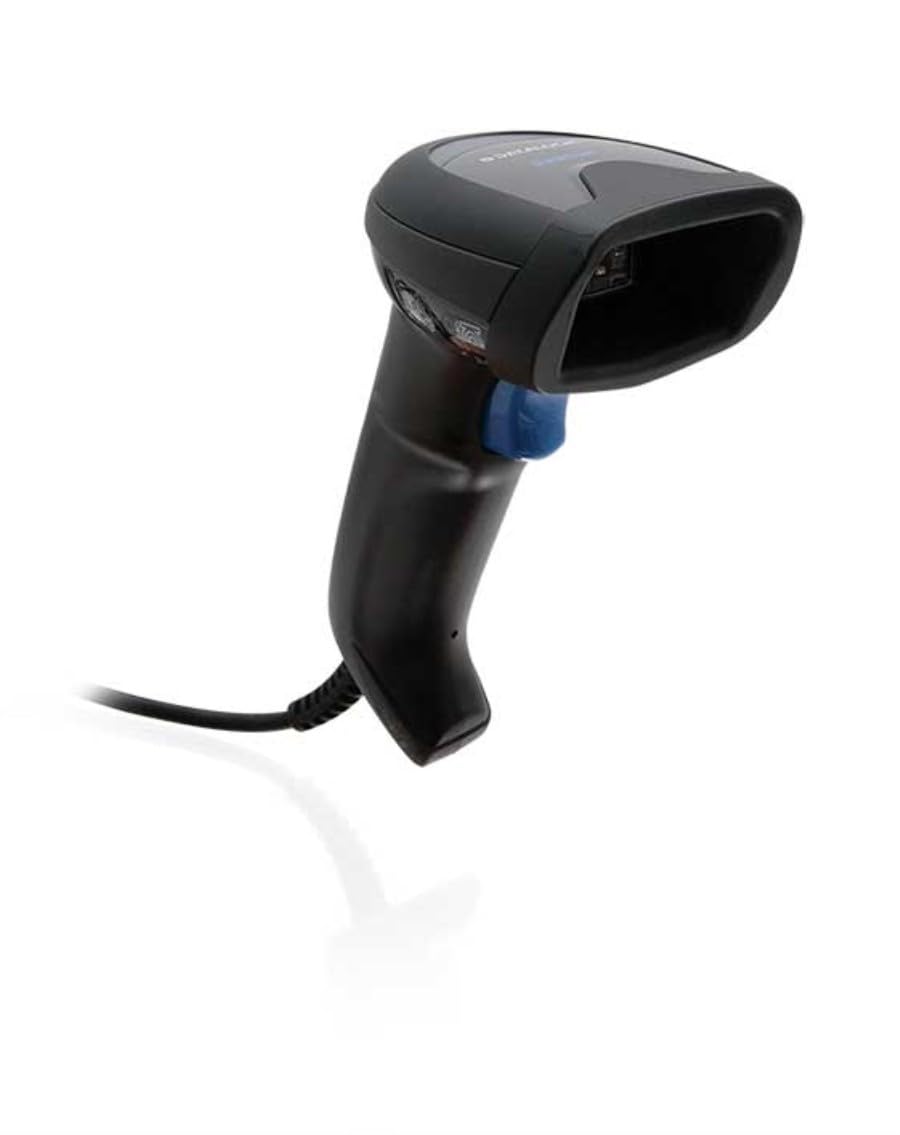
Image: The Datalogic QuickScan QD2590 scanner showing its wired connection.
سکینر چل رہا ہے۔
1. Basic Scanning Procedure
- Ensure the scanner is properly connected and powered on.
- اسکینر کی ونڈو کو بارکوڈ کی طرف اشارہ کریں جسے آپ اسکین کرنا چاہتے ہیں۔
- Press and hold the trigger button. A red aiming beam will appear.
- Center the aiming beam over the entire barcode.
- Once the barcode is successfully read, the scanner will emit an audible beep and/or the LED indicator will change color (typically green).
- Release the trigger button. The scanned data will be transmitted to your host device.
2. Scanning Feedback
- Good Read Indicator: A successful scan is typically indicated by a green LED and a configurable beep sound.
- اہداف کی بیم: The red aiming beam helps position the scanner correctly over the barcode.

تصویر: سامنے view of the Datalogic QuickScan QD2590, highlighting the scanning area.
دیکھ بھال
1. سکینر کی صفائی
To ensure optimal performance, keep the scanner's window clean. Use a soft, lint-free cloth dampened with water or a mild, non-abrasive cleaner. Do not use harsh chemicals, solvents, or abrasive materials, as these can damage the scanning window or casing.
2. ذخیرہ
When not in use, store the scanner in a clean, dry environment, away from extreme temperatures, direct sunlight, and corrosive materials. Avoid dropping or subjecting the scanner to excessive impact.
خرابی کا سراغ لگانا
| مسئلہ | ممکنہ وجہ | حل |
|---|---|---|
| سکینر آن نہیں ہوتا ہے۔ | Cable not connected properly; host device not powered on. | Check cable connections. Ensure host device is powered on. |
| سکینر بارکوڈ نہیں پڑھتا۔ | Barcode damaged or poorly printed; incorrect symbology enabled; scanning window dirty; scanner not configured correctly. | Try scanning a different barcode. Clean the scanning window. Refer to the full product manual for symbology enablement and advanced configuration. |
| اسکین شدہ ڈیٹا غلط یا نامکمل ہے۔ | Incorrect data formatting; partial scan. | Ensure the aiming beam covers the entire barcode. Check host application settings for data formatting. |
| No audible beep on good read. | Beeper disabled in configuration. | Refer to the full product manual to enable the beeper. |
For more detailed troubleshooting and advanced configuration, please refer to the complete Datalogic QuickScan QD2590 product manual available on the Datalogic webسائٹ
تکنیکی وضاحتیں
| فیچر | تفصیل |
|---|---|
| ماڈل نمبر | ڈبلیو126053080 |
| سکینر کی قسم | Handheld 2D Imager |
| اسکین عنصر کی قسم | 2D Imager - Red LED Sensor |
| سینسر کی قرارداد | 1280 x 800 پکسلز |
| اسکین کی رفتار | 60 فریم فی سیکنڈ (fps) |
| Minimum Bar Symbol Width | 3 ملین |
| کنیکٹوٹی ٹیکنالوجی | Wired (USB, RS-232) |
| طاقت کا منبع | DC 5V (via cable) |
| طول و عرض (W x D x H) | 6.8 سینٹی میٹر x 12.6 سینٹی میٹر x 14.8 سینٹی میٹر |
| وزن | 145 گرام |
| رنگ | سیاہ |
| ہم آہنگ آلات | Smartphone, laptop, desktop, tablet |
| اصلی View زاویہ | 40 ڈگری |
وارنٹی اور سپورٹ
وارنٹی کی معلومات
The Datalogic QuickScan QD2590 barcode scanner comes with a 2 سالہ صنعت کار کی وارنٹی. یہ وارنٹی عام استعمال کے تحت مواد اور کاریگری میں نقائص کا احاطہ کرتی ہے۔ وارنٹی کے دعووں کے لیے براہ کرم اپنی خریداری کا ثبوت اپنے پاس رکھیں۔
کسٹمر سپورٹ
For technical assistance, product inquiries, or warranty service, please contact Datalogic customer support. Visit the official Datalogic webرابطے کی تفصیلات، عمومی سوالنامہ، اور اضافی وسائل کے لیے سائٹ۔
Datalogic Official Webسائٹ: www.datalogic.com