
تعارف
The LUXBIRD LB-HT02 Seedling Heat Mat with Digital Thermostat Controller is designed to provide optimal warmth for various applications, including seed starting, plant germination, hydroponics, home brewing, DIY fermentation, and reptile terrariums. This combo includes two 10" x 20.75" heat mats and one digital thermostat controller, allowing for unified management of up to six heat mats.

Image: LUXBIRD LB-HT02 Seedling Heat Mat with Digital Thermostat Controller.
سیٹ اپ کی ہدایات
- پیک کھولیں: Remove the heat mat from its plastic bag and dispose of packaging properly.
- جگہ کا تعین: Place your heat mat on a flat, dry surface, away from water and direct sunlight. Ensure the mat is flat and fully expanded.
- پاور سے رابطہ کریں: Plug the heat mat's power cord into an electrical outlet.
- تھرموسٹیٹ کنکشن: Connect the digital thermostat controller to the heat mat. The NTC probe should be placed in the soil or water to monitor the temperature accurately.
- Daisy-Chain Multiple Mats: For multiple mats, connect them one by one using their waterproof connectors. The controller can manage up to six mats.

Image: Diagram illustrating the connection of the temperature controller, NTC probe, and multiple heat mats in a daisy-chain setup.

Image: Multiple LUXBIRD heat mats connected to a single controller for unified management.
آپریٹنگ ہدایات
درجہ حرارت کنٹرول
- The digital thermostat controller supports a temperature range of 32°F (0°C) to 108°F (42°C).
- Use the 'SET' button to adjust the desired temperature. The controller allows selection between Celsius and Fahrenheit.
- For optimal seed germination, maintain the root area temperature between 68°F (20°C) and 86°F (30°C).
- The NTC probe provides real-time soil temperature monitoring to ensure a comfortable environment for your plants.

Image: Digital thermostat controller with temperature display and NTC probe for accurate control.
Seed Starting Process
- Prepare Starter Mix: Ensure your starter mix or pellets are moist before placing them on the heat mat. They should be dark brown and fully expanded in the cells.
- بیج بونا: فی سیل 2-3 بیج بوئیں اور پھر اپنا گرین ہاؤس گنبد ٹرے پر رکھیں۔
- مانیٹر: Keep the greenhouse dome in clear sight. When the starter mix or pellets appear to be light brown, add a small amount of water to the inside of the tray.
- انکرن: After the first seeds germinate, prop your greenhouse dome open 1-1/2 inches.
- Remove Tray: When half of the tray has germinated seedlings, remove the greenhouse dome and unplug your heat mat, then remove the tray from it.

Image: Seedlings on a LUXBIRD heat mat, demonstrating the mat's effectiveness in increasing germination rates.

Image: Real-time monitoring of plant growing temperature using the NTC probe with the LUXBIRD heat mat.
دیکھ بھال
- The LUXBIRD seedling heat mats are constructed from durable PVC material with a fireproof surface.
- They feature an IP67 waterproof rating, making them anti-abrasion, dustproof, flame-resistant, and easy to clean.
- صاف کرنے کے لیے، صرف اشتہار سے سطح کو صاف کریں۔amp cloth. Ensure the mat is unplugged and dry before storage or next use.

تصویر: کلوز اپ view of the LUXBIRD heat mat, emphasizing its durable PVC material and IP67 waterproof design.
Troubleshooting and Safety Warnings
- Electric Shock or Fire: May result if used improperly.
- بچے: Not recommended for use by children under 12 years of age. Children should be supervised to ensure they do not play with the appliance.
- زیادہ گرم ہونا: Do not use in combination with grow light or in direct sunlight. This will overheat and dry out your seedlings' tender roots.
- غیر توجہ شدہ استعمال: گھر میں اپنی گرمی کی چٹائی کو کبھی بھی غافل نہ چھوڑیں۔ واضح نظر میں رکھیں۔
- Appliance Suitability: یہ آلات کم جسمانی، حسی یا دماغی صلاحیتوں، یا تجربے اور علم کی کمی والے افراد (بشمول بچوں) کے استعمال کے لیے نہیں ہے، جب تک کہ ان کی حفاظت کے لیے ذمہ دار کسی فرد کی جانب سے آلات کے استعمال سے متعلق نگرانی یا ہدایات نہ دی گئی ہوں۔
وضاحتیں
| فیچر | تفصیل |
|---|---|
| ماڈل نمبر | LB-HT02 (YQ128) |
| چٹائی کے طول و عرض | 10" x 20.75" (25.4 سینٹی میٹر x 52.7 سینٹی میٹر) |
| طاقت | 30W per mat |
| والیومtagای/فریکوئنسی | AC120V 60Hz |
| درجہ حرارت کنٹرول رینج | 32 ° F ~ 108 ° F (0 ° C ~ 42 ° C) |
| واٹر پروف ریٹنگ | آئی پی 67 |
| مواد | Durable PVC with fireproof surface |
| سرٹیفیکیشنز | سی ای مصدقہ |
| پیکیج کے طول و عرض | 10.67 x 4.02 x 3.98 انچ |
| شے کا وزن | 2.22 پاؤنڈ |
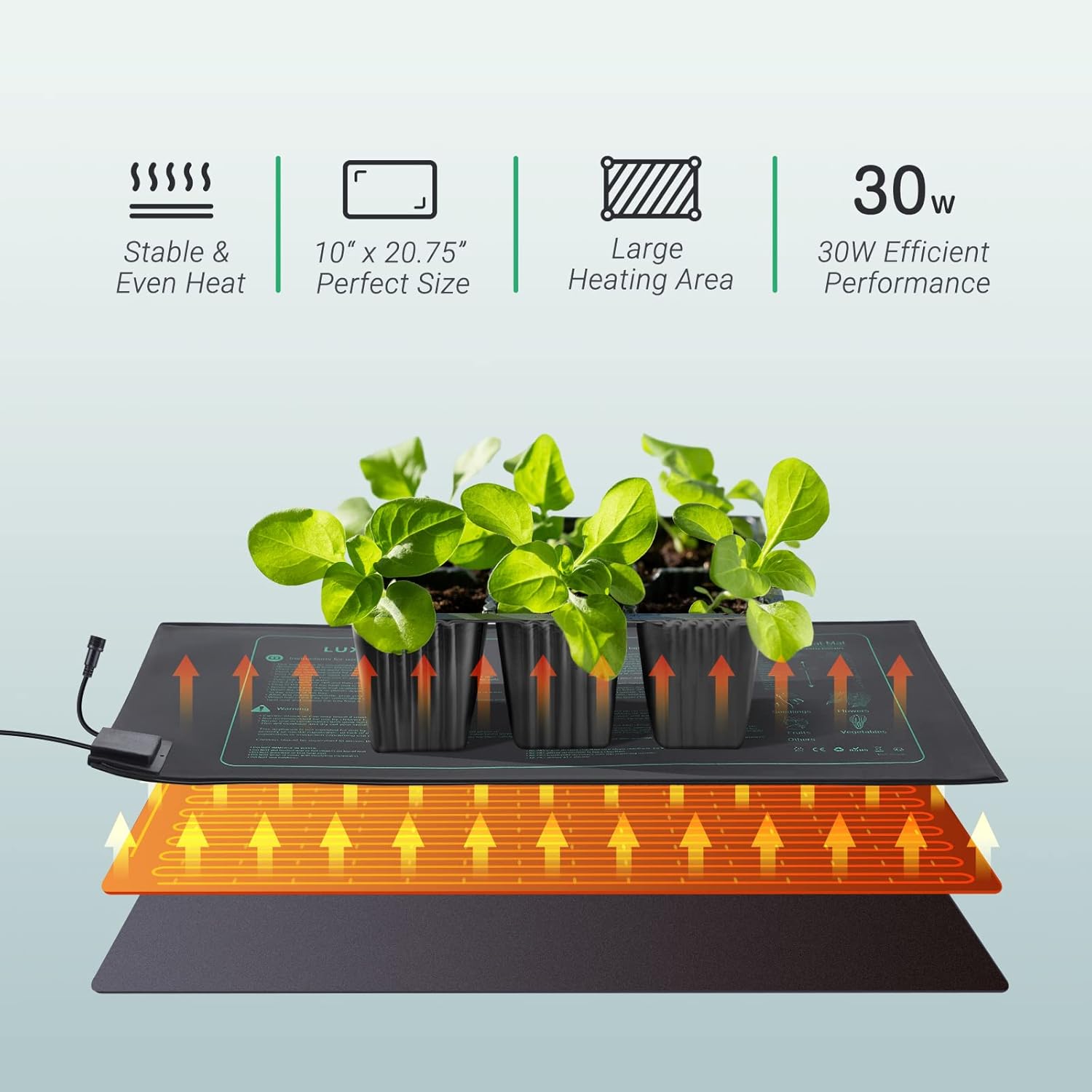
Image: Illustration of the stable and even heat distribution provided by the 30W LUXBIRD heat mat.
ایپلی کیشنز
- Indoor Gardening Seed Starting
- Warm Hydroponic Systems
- Home Brewing
- DIY Fermentation
- Reptile Terrariums
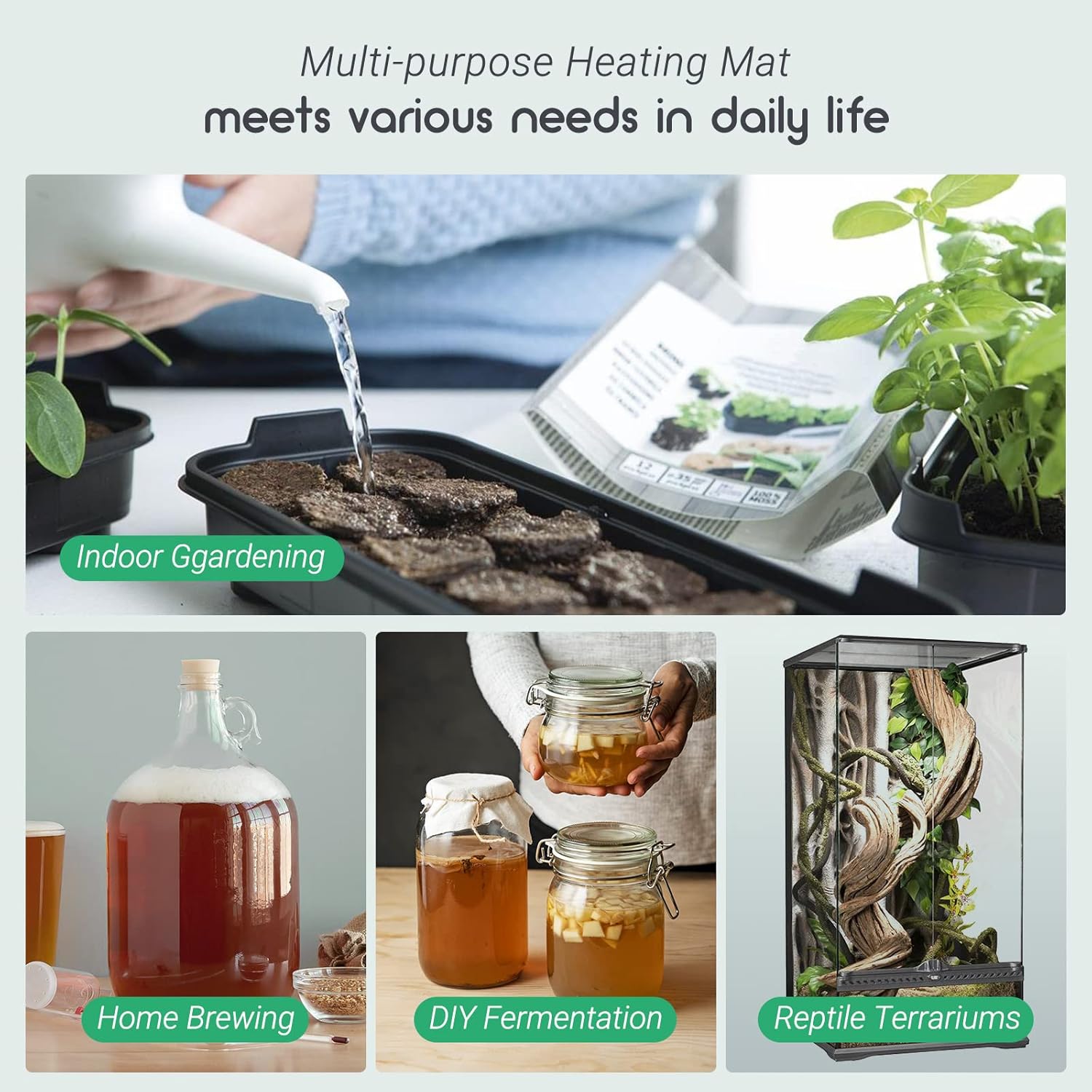
Image: Visual representation of the multi-purpose applications of the LUXBIRD heating mat.
پروڈکٹ ویڈیو ڈیموسٹریشن
Video: A demonstration of the Daisy Heating Mat with Thermostat by Groplus, showcasing its features and use.
وارنٹی اور سپورٹ
Specific warranty information is not provided in the product details. Please refer to the product packaging or contact LUXBIRD customer service for details regarding warranty coverage and support.
مزید مدد یا پوچھ گچھ کے لیے، براہ کرم آفیشل سے رجوع کریں۔ Luxbird Store on Amazon.