
پروڈکٹ ختمview
The Arrow Dancer AD X15 Wireless Earbuds are designed to provide a high-fidelity audio experience with advanced features for daily use, sports, and office environments. These earbuds offer extended playtime, clear call quality, and a comfortable, secure fit, making them suitable for various activities.

Image: AD X15 Wireless Earbuds in their charging case, displaying battery levels.
اہم خصوصیات:
- 35 گھنٹے بیٹری کی زندگی: Extended playtime for music and calls.
- کرسٹل کلیئر کالز: Advanced noise-cancelling technology for clear conversations.
- ایرگونومک ڈیزائن: Comfortable and secure fit with interchangeable silicone caps.
- ہموار رابطہ: Latest Bluetooth technology for stable pairing.
- پریمیم ساؤنڈ کوالٹی: High-fidelity audio with deep bass and crisp highs.
- IPX7 واٹر پروف: Designed to withstand sweat and and light rain.
- ڈیجیٹل ایل ای ڈی ڈسپلے: Shows battery levels of the charging case and individual earbuds.
- اسمارٹ ٹچ کنٹرول: Intuitive touch interface for managing functions.
باکس میں کیا ہے۔
تمام اشیاء کی موجودگی کو یقینی بنانے کے لیے براہ کرم پیکیج کے مواد کو چیک کریں:
- وائرلیس ایئربڈز (بائیں اور دائیں)
- وائرلیس چارجنگ کیس
- صارف دستی
- قسم چارج کیبل
- Extra Eartips (Sizes S, M, L)

Image: All components included in the AD X15 Wireless Earbuds package: earbuds, charging case, user manual, Type-C cable, and extra eartips.
سیٹ اپ گائیڈ
1. ابتدائی چارجنگ
Before first use, fully charge the earbuds and the charging case. Connect the Type-C charging cable to the charging port on the case and a USB power source. The digital LED display on the case will show the charging progress.
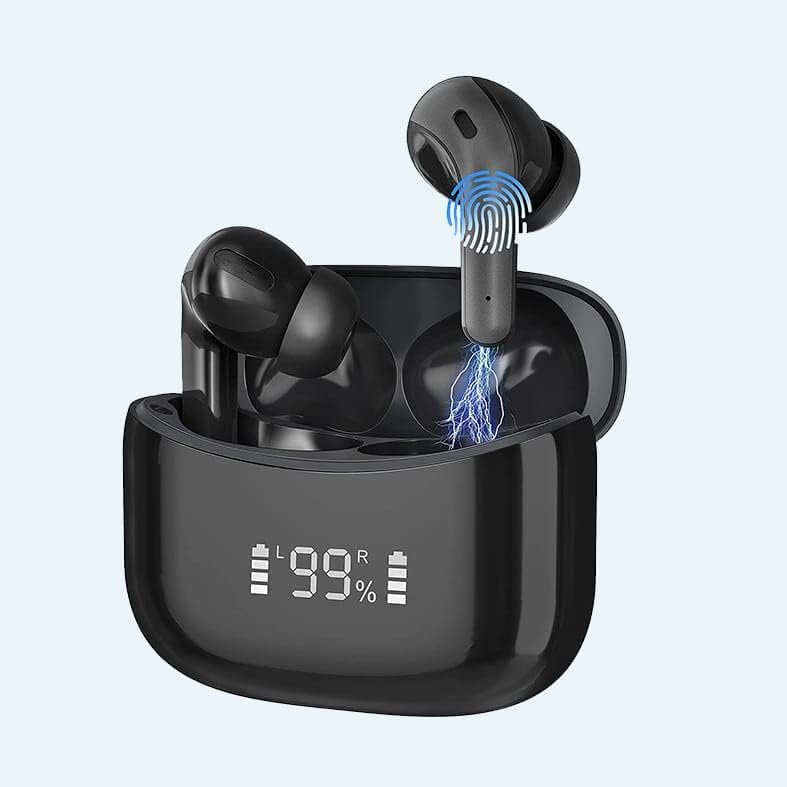
Image: The AD X15 charging case with its digital LED display indicating the battery level.
2. Pairing with Your Device (One-Step Auto Pairing)
- یقینی بنائیں کہ آپ کے آلے کا بلوٹوتھ آن ہے۔
- چارجنگ کیس کھولیں۔ ایئربڈز خود بخود آن ہو جائیں گے اور پیئرنگ موڈ میں داخل ہو جائیں گے۔
- On your device, search for Bluetooth devices and select "AD X15" or "ADX15-S" from the list.
- ایک بار منسلک ہونے کے بعد، آپ کو ایک تصدیقی ٹون سنائی دے گا، اور ایئربڈز استعمال کے لیے تیار ہو جائیں گے۔
Note: After the initial pairing, the earbuds will automatically connect to the last paired device when removed from the charging case.

Image: A smartphone screen showing the AD X15 earbuds connected via Bluetooth, next to the open charging case with earbuds inside.
آپریٹنگ ہدایات
اسمارٹ ٹچ کنٹرولز
The AD X15 earbuds feature intuitive touch controls on each earbud. Refer to the diagram below for specific functions:
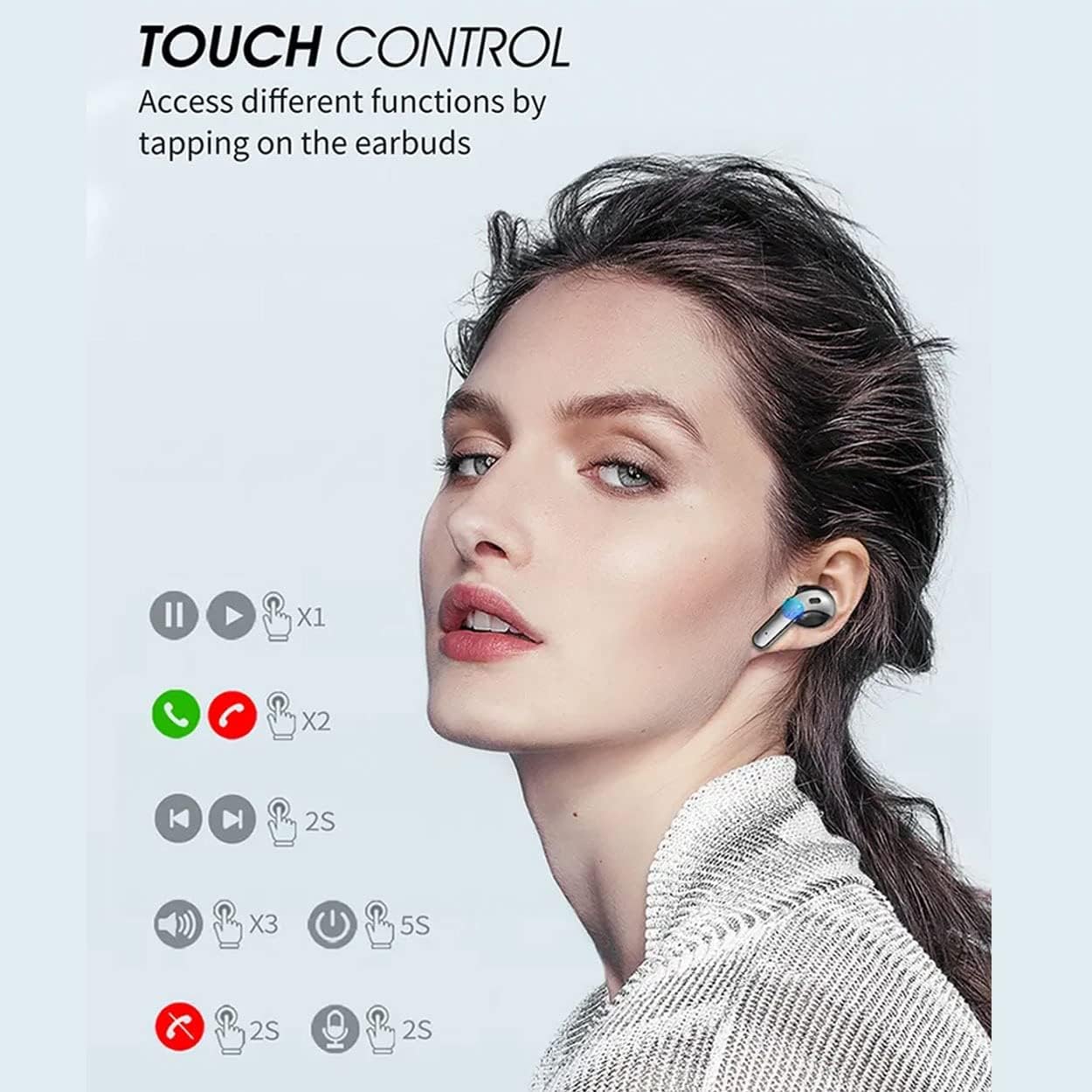
Image: A diagram illustrating the various touch control functions on the AD X15 earbuds, including playback, call management, and voice assistant activation.
| ایکشن | فنکشن |
|---|---|
| سنگل ٹیپ (L/R) | میوزک چلائیں/روکیں، کال کا جواب دیں۔ |
| ڈبل تھپتھپائیں (L/R) | اختتامی کال ، کال رد کریں |
| ٹرپل ٹیپ (L) | والیوم کم |
| ٹرپل ٹیپ (R) | والیوم اپ |
| لمبی دبائیں 2s (L/R) | Next Track (R), Previous Track (L) |
| لمبی دبائیں 5s (L/R) | پاور آن/آف |
دیکھ بھال
صفائی
باقاعدگی سے صفائی سے آواز کے معیار اور حفظان صحت کو برقرار رکھنے میں مدد ملتی ہے۔ ایئر بڈز اور چارجنگ کیس کو صاف کرنے کے لیے نرم، خشک، لنٹ فری کپڑا استعمال کریں۔ ضدی گندگی کے لیے، قدرے ڈیampen the cloth with water. Do not use abrasive cleaners or submerge the devices in liquid.
ذخیرہ
استعمال میں نہ ہونے پر، ایئربڈز کو ان کے چارجنگ کیس میں محفوظ کریں تاکہ ان کی حفاظت ہو اور انہیں چارج کیا جا سکے۔ کیس کو ٹھنڈی، خشک جگہ پر انتہائی درجہ حرارت سے دور رکھیں۔
پانی کی مزاحمت (IPX7)
The AD X15 earbuds are rated IPX7 waterproof, meaning they can withstand submersion in up to 1 meter of water for 30 minutes. This makes them suitable for workouts and light rain. However, they are not designed for swimming or prolonged submersion. Ensure the earbuds are dry before placing them back in the charging case to prevent damage.
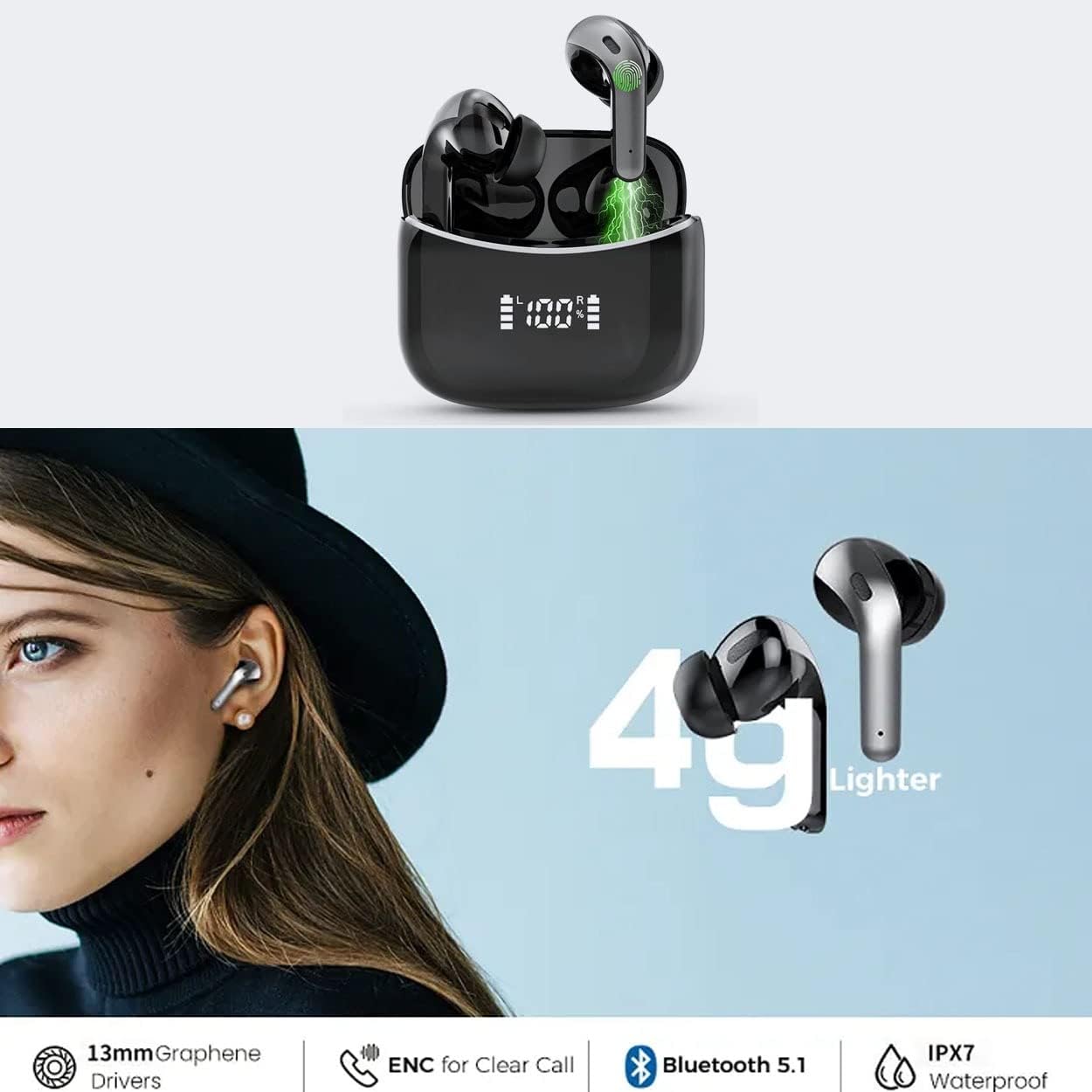
Image: An illustration showing the AD X15 earbuds being exposed to water, highlighting their IPX7 waterproof rating.
خرابی کا سراغ لگانا
| مسئلہ | ممکنہ وجہ | حل |
|---|---|---|
| ایئربڈز جوڑ نہیں رہے ہیں۔ | Low battery, out of range, not in pairing mode, previously paired to another device. | Ensure earbuds are charged. Place them back in the case and open the lid to activate pairing mode. Turn off Bluetooth on other nearby devices. Forget "AD X15" from your device's Bluetooth list and re-pair. |
| صرف ایک ایئربڈ کام کر رہا ہے۔ | One earbud not charged, not connected to each other, or connection issue. | Ensure both earbuds are charged. Place both earbuds back in the charging case, close the lid for 5 seconds, then open it again. This often resets the connection between them. |
| کوئی آواز یا کم حجم نہیں | Device volume too low, earbuds not properly seated, or connection issue. | Increase volume on your device and the earbuds. Ensure earbuds are securely in your ears. Reconnect the earbuds to your device. |
| چارجنگ کیس چارج نہیں ہو رہا ہے۔ | Faulty cable, power adapter, or charging port. | Try a different Type-C cable and USB power adapter. Ensure the charging port is clean and free of debris. |
وضاحتیں
| فیچر | تفصیل |
|---|---|
| ماڈل کا نام | AD X15 Earbuds |
| آئٹم ماڈل نمبر | AD-X15-S-TWS-Black |
| کنیکٹوٹی ٹیکنالوجی | وائرلیس (بلوٹوتھ) |
| بلوٹوتھ ورژن | 5.3 |
| کان کی جگہ کا تعین | کان میں |
| کنٹرول کی قسم | In-Ear, Touch Control |
| پانی کی مزاحمت کی سطح | IPX7 پانی مزاحم |
| بیٹری لائف (ایئر بڈز) | 3 گھنٹے (سنگل چارج) |
| کل پلے ٹائم (کیس کے ساتھ) | 35 گھنٹے تک |
| چارج کرنے کا وقت | 60 منٹ |
| شے کا وزن | 3.2 اونس (ایئر بڈز + کیس) |
| مصنوعات کے طول و عرض | 3.9 x 3.9 x 1.34 انچ |
| مواد | دھات، پلاسٹک، ربڑ |
| شامل اجزاء | Wireless Earbuds, Wireless Charging Case, User Manual, Type C Cable, Extra Eartips (S,M,L) |
وارنٹی اور سپورٹ
Specific warranty information for the Arrow Dancer AD X15 Wireless Earbuds is not provided in this manual. Please refer to the product packaging or the official Arrow Dancer webتفصیلی وارنٹی شرائط و ضوابط کے لیے سائٹ۔
For technical support, troubleshooting assistance, or any product-related inquiries, please contact Arrow Dancer customer service through their official channels. Contact information can typically be found on the product packaging or the manufacturer's webسائٹ
You can visit the Arrow Dancer Store for more information: Arrow Dancer Store