
1. تعارف
Thank you for choosing the JOOAN 2K Outdoor PTZ Security Camera. This manual provides detailed instructions to help you install, operate, and maintain your camera effectively. This camera is designed for outdoor surveillance, offering 2K resolution, 360° pan/tilt functionality, two-way audio, motion detection, and various night vision modes to enhance your home security.
2. باکس میں کیا ہے۔
- 1x JOOAN 2K Outdoor PTZ Security Camera
- 1x Power Adapter & 1x USB Cable
- 1x صارف دستی
- 1x سکرو بیگ (بڑھنے کے لیے)
3. پروڈکٹ ختمview
The JOOAN 2K Outdoor PTZ Security Camera features a robust design suitable for outdoor environments. It includes dual antennas for stable 2.4G Wi-Fi connectivity, a high-resolution lens, IR lights, and floodlights for enhanced night vision. The camera's pan and tilt mechanism allows for extensive coverage.
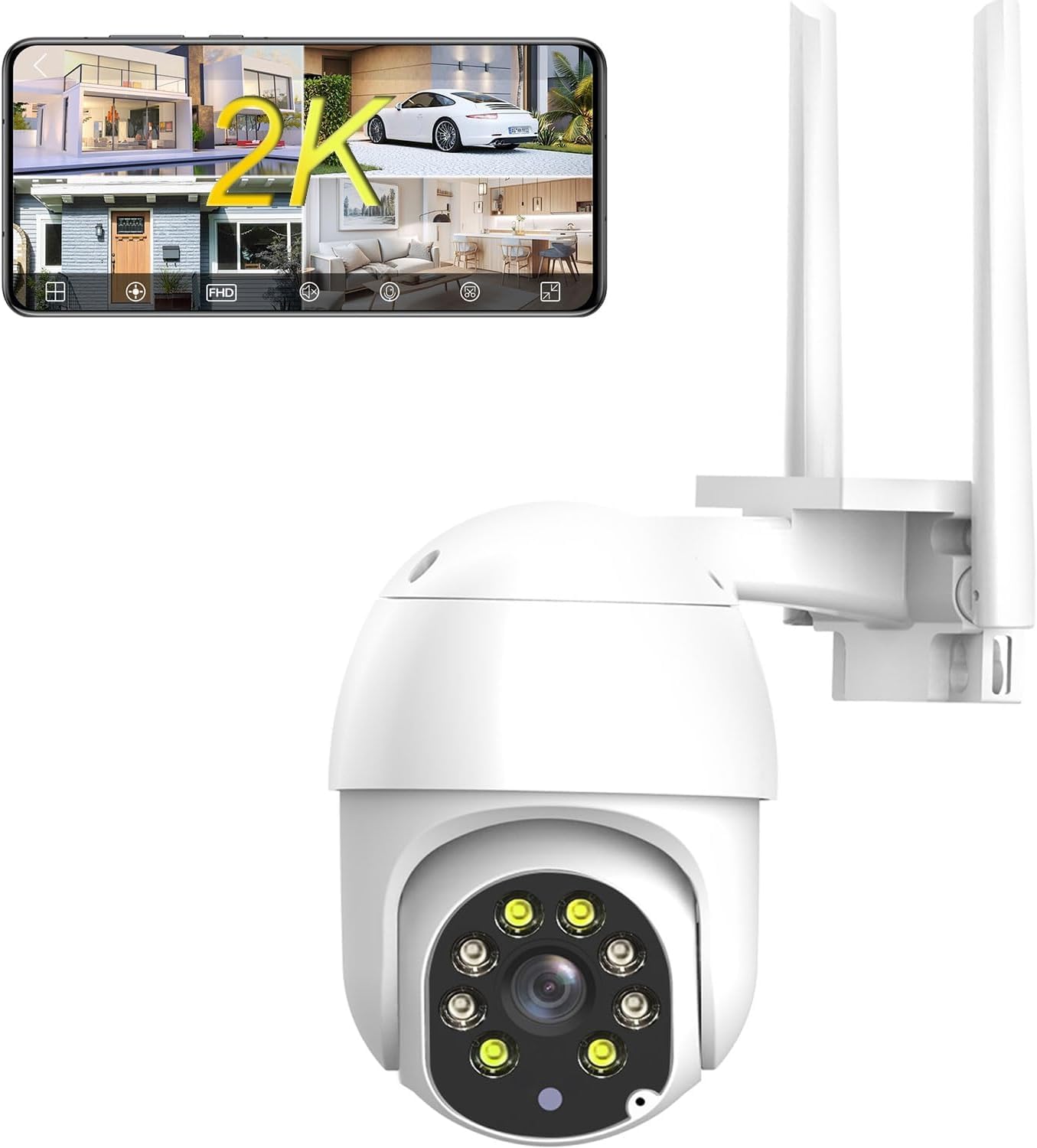
شکل 3.1: سامنے view of the JOOAN 2K Outdoor PTZ Security Camera with dual antennas.

شکل 3.2: پیچھے view of the camera, showing the model number Q8T-U and power input.
4. سیٹ اپ
4.1 ایپ ڈاؤن لوڈ اور رجسٹریشن
To control your camera, download the 'cam720' app from the App Store (iOS) or Google Play (Android). Register an account using your email address. A verification code will be sent to your email for account activation.

Figure 4.1: Scan the QR code to download the 'cam720' app.
4.2 Power On and Reset
- Connect the camera to power using the provided adapter and USB cable.
- کیمرے کے پاور آن ہونے کا انتظار کریں۔
- Locate the reset button (usually a small pinhole) on the camera. Use a pin or paperclip to press and hold the reset button until you hear a 'Di' sound. Continue holding until you hear 'Di-Di-'. This indicates the camera has been reset and is ready for connection.
نوٹ: For initial setup, place the camera close to your phone and Wi-Fi router.
Video 4.1: Official guide demonstrating the Wi-Fi connection steps, including app download, power-on, and reset procedures for the JOOAN security camera.
4.3 وائی فائی کنکشن
- Open the 'cam720' app and tap the '+' icon to add a device.
- Follow the on-screen prompts to select your Wi-Fi network (2.4G only) and enter the password.
- The app will guide you through connecting the camera to your network. Ensure your phone is connected to the same 2.4G Wi-Fi network.

Figure 4.2: The camera connects to your 2.4GHz Wi-Fi network via its dual antennas.
4.4 بڑھتے ہوئے اختیارات
The camera supports both wall and ceiling installation. Use the provided screw bag to securely mount the camera in your desired location. Ensure the mounting surface is stable and can support the camera's weight.

Figure 4.3: Illustration of wall mount and ceiling mount installation methods.
4.5 ایسڈی کارڈ کی تنصیب
The camera supports up to a 256GB SD card (not included) for local storage. Locate the SD card slot, typically under a protective cover on the camera body. Insert the SD card with the contacts facing the correct direction until it clicks into place. Ensure the cover is properly sealed after installation to maintain weather resistance.

Figure 4.4: The camera supports local storage via an SD card and optional cloud storage.
5. آپریٹنگ ہدایات
5.1 Remote Control via App (PTZ & Digital Zoom)
Use the 'cam720' app to remotely control the camera's pan (355°) and tilt (90°) movements, providing 360° coverage. The app also allows for 5x digital zoom to view مزید تفصیلات.

Figure 5.1: Control camera movement and zoom directly from your smartphone app.
5.2 دو طرفہ آڈیو
The camera features a built-in microphone and speaker, enabling two-way audio communication. Through the app, you can listen to the camera's surroundings and speak through the camera to visitors or deter intruders.

Figure 5.2: Two-way audio allows for real-time communication through the camera.
Video 5.1: Official demonstration of the 2K security camera's two-way audio feature, showing interaction with a person at the door.
5.3 سمارٹ موشن ڈیٹیکشن اور الرٹس
The camera features smart motion detection. When a moving object enters the monitoring area, the camera will trigger an alarm sound and send a message push notification to your phone. You can customize detection sensitivity (high, medium, low) to minimize false alarms.

Figure 5.3: Motion detection activates an alarm and sends alerts to your mobile device.
5.4 نائٹ ویژن موڈز
The camera supports both IR (infrared) night vision for black and white footage in low light, and full-color night vision using its integrated floodlights for clearer, more detailed nighttime surveillance.

Figure 5.4: Day vision compared to black and white night vision.
5.5 ریکارڈنگ اور اسٹوریج
Recordings can be stored locally on an SD card (up to 256GB) or via optional cloud storage. Cloud storage offers up to 30 days of video history, ensuring your data is secure even if the camera is compromised.

Figure 5.5: The camera supports 24/7 recording with H.265 compression, SD card, and cloud storage options.
5.6 ملٹی یوزر شیئرنگ
The camera supports multi-user sharing, allowing administrators to share real-time video access with family and friends through the app.

Figure 5.6: Share live camera feeds with authorized users.
6 دیکھ بھال
6.1 موسم کی مزاحمت
The camera is IP66 weatherproof, designed to withstand various outdoor conditions including rain, snow, and storms. Ensure all connections are properly sealed during installation to maintain its waterproof rating.

Figure 6.1: The camera is built to withstand harsh weather conditions.
6.2 صفائی
وقتاً فوقتاً کیمرے کے لینس اور ہاؤسنگ کو نرم، ڈی سے صاف کریں۔amp cloth to ensure clear image quality. Avoid using harsh chemicals or abrasive materials that could damage the camera.
7 خرابیوں کا سراغ لگانا
| مسئلہ | ممکنہ وجہ | حل |
|---|---|---|
| کیمرہ Wi-Fi سے منسلک ہونے میں ناکام ہے۔ | Incorrect Wi-Fi password; 5G Wi-Fi network; Camera too far from router; Incorrect reset procedure. | Ensure correct 2.4G Wi-Fi password. Confirm router is 2.4G compatible. Move camera closer to router. Perform reset again until 'Di-Di-' sound. |
| No image or black screen in app | Camera not powered on; Network connection issue; App malfunction. | Check power connection. Verify Wi-Fi signal strength. Restart camera and app. |
| حرکت کا پتہ لگانے کے انتباہات موصول نہیں ہوئے۔ | Motion detection disabled; App notifications off; Low sensitivity setting. | Enable motion detection in app settings. Check phone notification settings. Adjust sensitivity to medium or high. |
| SD کارڈ ریکارڈنگ نہیں کر رہا ہے۔ | SD card full or faulty; Incorrect format; SD card not inserted correctly. | Check SD card status in app. Format SD card via app. Reinsert SD card. Replace if faulty. |
8. وضاحتیں
- ماڈل: Q8T-U
- ویڈیو کیپچر ریزولوشن: 1296p (3MP مؤثر اسٹیل ریزولوشن)
- کنیکٹوٹی: 2.4G Wi-Fi (Powerline; only 2.4g wifi), Bluetooth
- پین/جھکاؤ: 355° پین، 90° جھکاؤ
- ڈیجیٹل زوم: 5X
- نائٹ ویژن: IR Night Vision, Color Night Vision (with floodlights)
- آڈیو: 2 طرفہ آڈیو (بلٹ ان مائکروفون اور اسپیکر)
- ذخیرہ: مائیکرو ایس ڈی کارڈ (256 جی بی تک)، کلاؤڈ اسٹوریج
- موسم کی مزاحمت: IP66 واٹر پروف
- طاقت کا منبع: کورڈڈ الیکٹرک (5 وولٹ، 7.5 واٹ)
- طول و عرض: 5.4 x 4.7 x 4 انچ
- وزن: 1.26 پاؤنڈ
- کنٹرول کا طریقہ: ایپ، ریموٹ
- ہم آہنگ آلات: Phone (Android, iOS)
9. وارنٹی اور سپورٹ
وارنٹی کی معلومات اور تکنیکی مدد کے لیے، براہ کرم صنعت کار کے اہلکار سے رجوع کریں۔ webسائٹ یا ان کی کسٹمر سروس سے براہ راست رابطہ کریں۔ خریداری کے ثبوت کے طور پر اپنی خریداری کی رسید اپنے پاس رکھیں۔
Manufacturer: JOOAN
مزید مدد کے لیے، ملاحظہ کریں۔ JOOAN Store on Amazon.