
1. تعارف
This manual provides detailed instructions for the Apera Instruments GroStar Series GS3 EC/ppm Pen Tester Kit (AI103G). This lab-grade conductivity meter is designed for accurate measurement of EC (Electrical Conductivity), 500ppm, and 700ppm, along with temperature, making it suitable for hydroponics and general water quality testing. The device features a replaceable titanium conductivity sensor and a user-friendly interface.
2. پروڈکٹ ختمview
The GroStar Series GS3 EC/ppm Pen Tester is engineered for reliability and ease of use. Key features include:
- Measures conductivity (EC), 500ppm, 700ppm, and temperature.
- Replaceable titanium sensor for high accuracy in the 0 to 10 EC range.
- Backlit HD screen for clear readings.
- Grower-friendly calibration workflow with a calibration reminder function.

Figure 1: Apera Instruments GroStar Series GS3 EC/ppm Pen Tester.
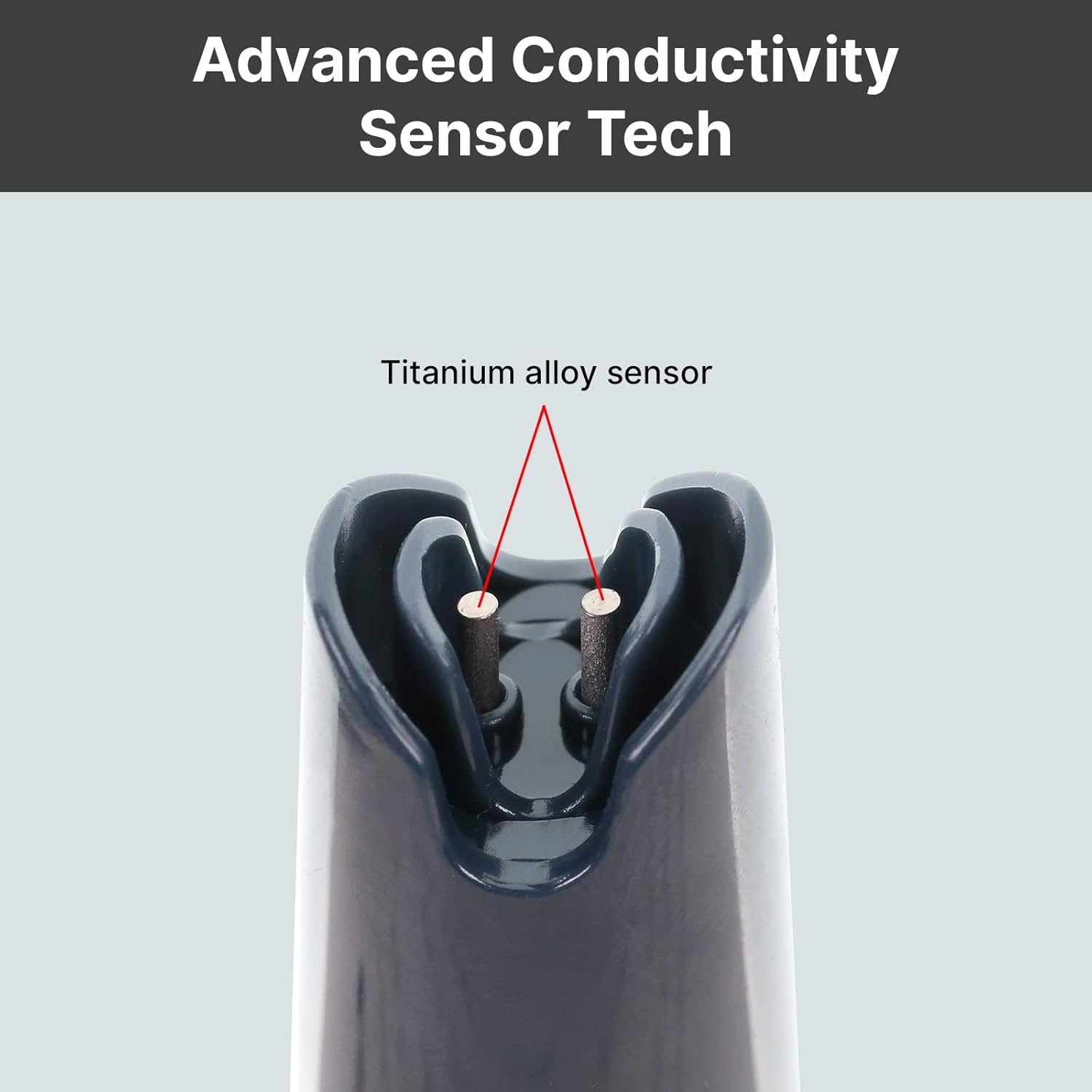
تصویر 2: کلوز اپ view of the durable titanium alloy sensor for conductivity measurements.
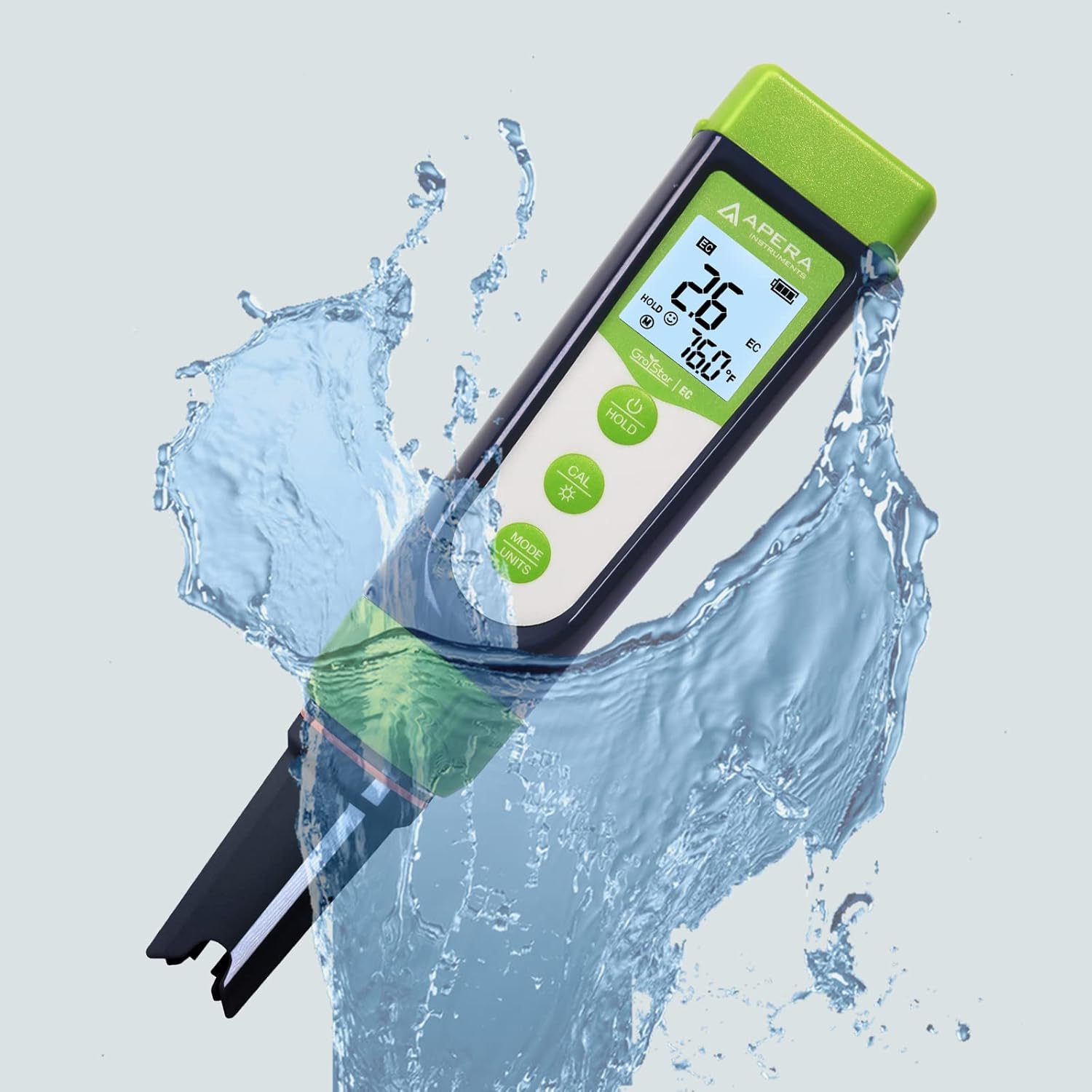
Figure 3: The GroStar GS3 Pen Tester demonstrating its water resistance during use.
3. سیٹ اپ
Before first use, ensure all components are present and the device is ready for operation.
3.1 باکس میں کیا ہے۔
- Apera Instruments GroStar Series GS3 EC/ppm Pen Tester (Gen II)
- 2.77 EC Calibration Solution
- لانیارڈ
- 4 AAA batteries (pre-installed or included separately)

Figure 4: The complete kit contents, including the tester, calibration solution, and lanyard.
3.2 بیٹری کی تنصیب
The device requires 4 AAA batteries. If not pre-installed, open the battery compartment located at the top of the tester, insert the batteries according to the polarity indicators, and securely close the compartment.
3.3 ابتدائی تیاری
- سینسر سے حفاظتی ٹوپی کو ہٹا دیں۔
- Rinse the sensor with distilled or deionized water.
- Gently shake off excess water.
4. آپریٹنگ ہدایات
4.1 پاور آن/آف
دبائیں پاور button to turn the tester on or off.
4.2 پیمائش کرنا
- Ensure the tester is clean and calibrated.
- سینسر کو ایس میں ڈوبیں۔ampلی حل، اس بات کو یقینی بنانا کہ سینسر مکمل طور پر ڈوب گیا ہے۔
- آہستہ سے ہلائیں اور ڈسپلے پر پڑھنے کے مستحکم ہونے کا انتظار کریں۔
- The display will show EC/ppm and temperature readings.
4.3 Switching Measurement Modes (EC/ppm)
دبائیں MODE/UNITS button to cycle through EC, 500ppm, and 700ppm measurement modes.

Figure 5: The tester's display cycling through different measurement units.
4.4 ہولڈ فنکشن
دبائیں پکڑو ڈسپلے پر موجودہ پڑھنے کو منجمد کرنے کے لئے بٹن۔ جاری کرنے کے لیے دوبارہ دبائیں۔
4.5 TruRead Display
The TruRead display provides MAX, AVG, and MIN readings, offering a comprehensive view of your measurements.

Figure 6: The TruRead display feature, showing maximum, average, and minimum recorded values.
5. انشانکن
Regular calibration ensures accurate measurements. The GS3 features a grower-friendly calibration workflow and a reminder function.
5.1 انشانکن کا عمل
- ٹیسٹر کو آن کریں۔
- دبائیں CAL کیلیبریشن موڈ میں داخل ہونے کے لیے بٹن۔
- Immerse the sensor into the 2.77 EC calibration solution.
- The tester will automatically recognize the solution and calibrate. Wait for the stable reading and confirmation.
- Rinse the sensor with distilled water after calibration.

Figure 7: Visual representation of the tester's display in measurement, calibration, and error states.
5.2 Calibration Reminder
The tester will automatically remind you when recalibration is due, ensuring consistent accuracy.
6 دیکھ بھال
6.1 سینسر کی صفائی
After each use, rinse the sensor thoroughly with distilled or deionized water to prevent residue buildup. Do not scrub the sensor vigorously.
6.2 اسٹوریج
Always replace the protective cap after use. For long-term storage, ensure the sensor is kept moist. Refer to the product packaging or Apera Instruments website for specific storage solution recommendations if applicable.
6.3 سینسر کو تبدیل کرنا
The titanium EC sensor is replaceable. If the sensor performance degrades significantly or it becomes damaged, a new sensor can be purchased and easily installed by twisting off the old one and attaching the new one.
7 خرابیوں کا سراغ لگانا
| مسئلہ | ممکنہ وجہ | حل |
|---|---|---|
| غلط پڑھنا۔ | Sensor is dirty or dry; Calibration is outdated or incorrect; Damaged sensor. | Clean the sensor; Recalibrate the tester; Replace the sensor if damaged. |
| Tester does not power on | مردہ بیٹریاں؛ بیٹری کی غلط تنصیب۔ | بیٹریاں تبدیل کریں؛ بیٹری کی قطبیت کی جانچ کریں۔ |
| "CAL Er" error during calibration | Incorrect calibration solution; Contaminated solution; Sensor issue. | Ensure correct 2.77 EC solution is used; Use fresh calibration solution; Clean or replace sensor. |
8. وضاحتیں
- ماڈل نمبر: AI103G
- مصنوعات کے طول و عرض: 7 x 1.5 x 1.3 انچ
- وزن: 4.69 اونس
- طاقت کا منبع: 4 AAA بیٹریاں (شامل)
- سینسر کی قسم: Replaceable Titanium EC Probe
- پیمائش کے پیرامیٹرز: EC, 500ppm, 700ppm, Temperature
- پہلی دستیاب تاریخ: 28 ستمبر 2022
9. وارنٹی اور سپورٹ
Apera Instruments products are backed by a manufacturer's warranty. For detailed warranty information, technical support, or to purchase replacement parts, please visit the official Apera Instruments webسائٹ یا ان کی کسٹمر سروس سے براہ راست رابطہ کریں۔ وارنٹی کے دعووں کے لیے اپنی خریداری کی رسید اپنے پاس رکھیں۔
مینوفیکچرر: اپیرا آلات