
1. تعارف
خریداری کے لیے آپ کا شکریہasing the SODLK T300 120W Portable Bluetooth Speaker. This manual provides essential information for setting up, operating, and maintaining your speaker. Please read it thoroughly before use to ensure optimal performance and longevity of your device. Keep this manual for future reference.
2. حفاظتی معلومات
- اسپیکر کو انتہائی درجہ حرارت، براہ راست سورج کی روشنی، یا زیادہ نمی کے سامنے نہ رکھیں۔
- سپیکر کو شدید اثرات سے گریز کرنے یا اس کے تابع کرنے سے گریز کریں۔
- خود سپیکر کو جدا، مرمت یا ترمیم نہ کریں۔ کسی بھی مرمت کے لیے اہل سروس اہلکاروں سے رابطہ کریں۔
- اسپیکر کو پانی اور دیگر مائعات سے دور رکھیں۔ یہ پروڈکٹ واٹر پروف نہیں ہے۔
- چارج کرنے کے لیے صرف فراہم کردہ USB کیبل استعمال کریں۔
- سماعت کو پہنچنے والے نقصان کو روکنے کے لیے لمبے عرصے تک سپیکر کو بہت زیادہ والیوم پر نہ چلائیں۔
3. پیکیج کے مشمولات
براہ کرم درج ذیل اشیاء کے لیے پیکج چیک کریں:
- SODLK T300 بلوٹوتھ اسپیکر
- USB چارجنگ کیبل
- صارف دستی
4. پروڈکٹ ختمview
The SODLK T300 is a powerful portable Bluetooth speaker designed for robust audio performance. It features a durable exterior, integrated handle, and dynamic LED lighting on the sides. The speaker incorporates advanced audio technology for a rich sound experience.

تصویر: سامنے view of the SODLK T300 Portable Bluetooth Speaker, showcasing its black finish, front grille, and side LED lights.
Internally, the T300 is equipped with a sophisticated driver system to deliver its 120W output. This includes multiple dynamic driver units and vibrating diaphragms for enhanced bass and clear audio reproduction.

تصویر: ایک دھماکہ view illustrating the internal components of the SODLK T300 speaker, highlighting the 4 dynamic driver units and DSP sound processing.
5. سیٹ اپ
5.1 اسپیکر کو چارج کرنا
Before first use, fully charge the speaker. Connect the provided USB charging cable to the speaker's charging port and a compatible USB power adapter (not included). The LED indicator will show charging status and turn off or change color when fully charged.
5.2 پاور آن/آف۔
- پاور آن کرنے کے لیے: Press and hold the Power button for a few seconds until the LED lights illuminate and you hear an audible prompt.
- پاور آف کرنا: Press and hold the Power button again for a few seconds until the LED lights turn off and you hear an audible prompt.
6. آپریٹنگ ہدایات
6.1 بلوٹوتھ جوڑی
The SODLK T300 features Bluetooth 5.1 for a stable and efficient wireless connection.

Image: Graphic illustrating the benefits of Bluetooth 5.1 connectivity for the SODLK T300, including faster and stronger connection, lower power consumption, better sound, more stable transfer, and higher noise reduction.
- Ensure the speaker is powered on and in Bluetooth pairing mode (the LED indicator will typically flash blue).
- اپنے آلے پر (اسمارٹ فون، ٹیبلیٹ، کمپیوٹر)، بلوٹوتھ کو فعال کریں اور دستیاب آلات تلاش کریں۔
- Select "SODLK T300" from the list of devices.
- Once paired, the speaker will indicate a successful connection, and the LED light will change.
6.2 TWS (True Wireless Stereo) کنکشن
To connect two SODLK T300 speakers for a stereo sound experience:
- یقینی بنائیں کہ دونوں اسپیکر آن ہیں اور کسی بلوٹوتھ ڈیوائس سے منسلک نہیں ہیں۔
- On one speaker, press the TWS button. It will enter TWS pairing mode.
- دونوں اسپیکر خود بخود ایک دوسرے سے جڑ جائیں گے۔ ایک بار منسلک ہونے کے بعد، ایک اسپیکر ماسٹر (بائیں چینل) اور دوسرا غلام (دائیں چینل) کے طور پر کام کرے گا۔
- اپنے آلے کو بلوٹوتھ کے ذریعے ماسٹر سپیکر سے جوڑیں جیسا کہ سیکشن 6.1 میں بیان کیا گیا ہے۔
6.3 Playing Music from Various Sources
The SODLK T300 supports multiple playback modes:
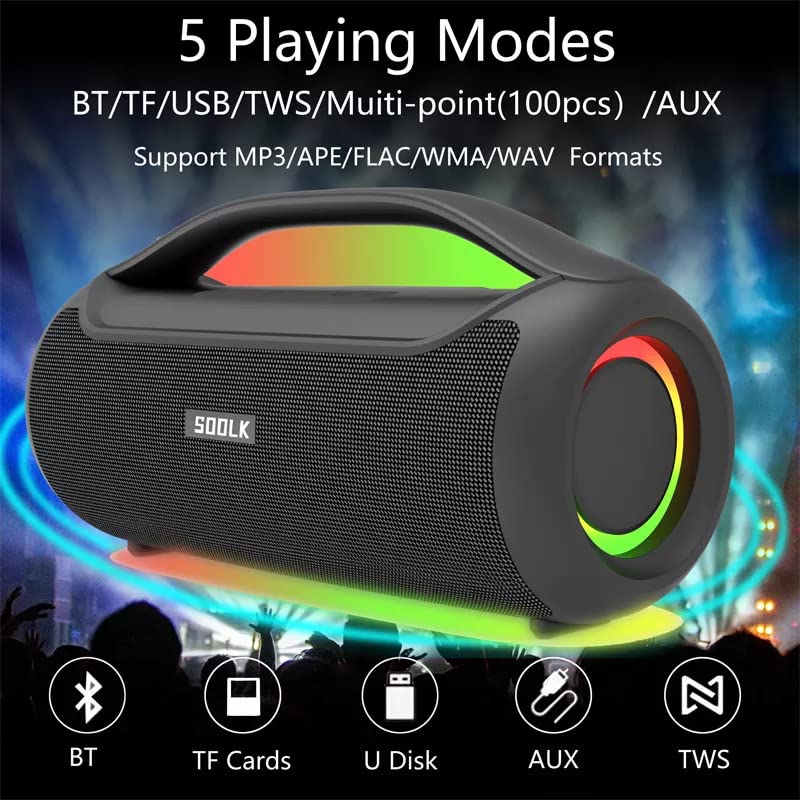
Image: Visual representation of the 5 playing modes supported by the SODLK T300: Bluetooth (BT), TF Cards, U Disk (USB), AUX, and TWS. It also indicates support for MP3/APE/FLAC/WMA/WAV formats.
- بلوٹوتھ: Connect your device wirelessly as described in section 6.1.
- TF کارڈ: آڈیو کے ساتھ TF (MicroSD) کارڈ داخل کریں۔ files TF کارڈ سلاٹ میں۔ اسپیکر خود بخود TF کارڈ موڈ میں تبدیل ہو جائے گا اور پلے بیک شروع کر دے گا۔
- USB ڈسک: آڈیو کے ساتھ USB فلیش ڈرائیو داخل کریں۔ files USB پورٹ میں۔ اسپیکر خود بخود USB موڈ میں تبدیل ہو جائے گا اور پلے بیک شروع کر دے گا۔
- AUX ان پٹ: AUX پورٹ سے 3.5mm AUX کیبل (شامل نہیں) کا استعمال کرتے ہوئے ایک بیرونی آڈیو ڈیوائس کو جوڑیں۔ اسپیکر AUX موڈ میں بدل جائے گا۔
Use the speaker's control buttons to play/pause, skip tracks, and adjust volume.
6.4 EQ Playing Modes
The speaker offers three equalizer (EQ) modes to optimize your listening experience for different music genres.

Image: Graphic displaying the three EQ playing modes of the SODLK T300: HIFI 6D Surround, Vocal, and Deep Bass, with illustrative icons for each.
Press the EQ button to cycle through the following modes:
- HIFI 6D Surround: ایک عمیق، وسیع آواز فراہم کرتا ہے۔tage.
- آواز: Enhances clarity for vocals, ideal for podcasts or acoustic music.
- گہری باس: Boosts low frequencies for a more impactful bass response.
6.5 ایل ای ڈی لائٹ کنٹرول
The SODLK T300 features dynamic LED lights. Press the Light button to cycle through different lighting modes or to turn the lights off.
6.6 NFC Connection (Near Field Communication)
For compatible devices, NFC allows for quick and easy Bluetooth pairing.
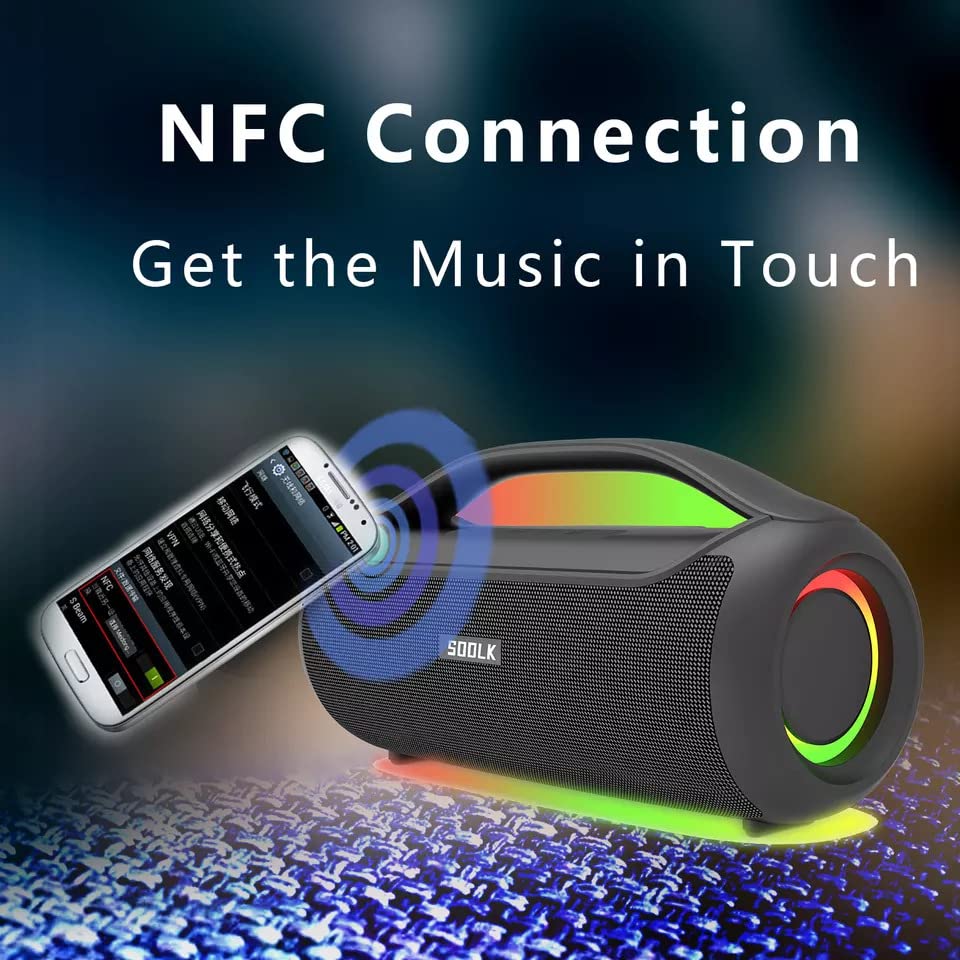
Image: A smartphone being tapped against the SODLK T300 speaker, illustrating the NFC connection process for instant music pairing.
- Ensure NFC is enabled on your smartphone or device.
- Tap your NFC-enabled device gently against the NFC area on the speaker.
- Your device will prompt you to connect via Bluetooth. Confirm the connection.
7 دیکھ بھال
7.1 صفائی
اسپیکر کو نرم، خشک کپڑے سے صاف کریں۔ کھرچنے والے کلینر، الکحل یا دیگر کیمیائی سالوینٹس کا استعمال نہ کریں، کیونکہ یہ سطح کو نقصان پہنچا سکتے ہیں۔
7.2 اسٹوریج
جب لمبے عرصے تک استعمال نہ ہو تو، اسپیکر کو براہ راست سورج کی روشنی اور انتہائی درجہ حرارت سے دور ٹھنڈی، خشک جگہ پر محفوظ کریں۔ بیٹری کی صحت کو برقرار رکھنے کے لیے ہر تین ماہ میں کم از کم ایک بار اسپیکر کو چارج کرنے کی سفارش کی جاتی ہے۔
8 خرابیوں کا سراغ لگانا
| مسئلہ | ممکنہ وجہ | حل |
|---|---|---|
| سپیکر پاور آن نہیں کرتا۔ | کم بیٹری۔ | اسپیکر کو پوری طرح سے چارج کریں۔ |
| کوئی آواز نہیں۔ | Volume too low; incorrect input mode; device not paired. | Increase volume; switch to correct input mode (BT, AUX, TF, USB); re-pair Bluetooth device. |
| بلوٹوتھ جوڑی ناکام ہوجاتی ہے۔ | اسپیکر جوڑا بنانے کے موڈ میں نہیں ہے۔ ڈیوائس بلوٹوتھ آف؛ اسپیکر سے بہت دور | Ensure speaker is in pairing mode; enable Bluetooth on device; move device closer to speaker. |
| TWS کنکشن ناکام ہو جاتا ہے۔ | Speakers already connected to another device; too far apart. | Disconnect speakers from other devices; ensure speakers are close to each other. |
9. وضاحتیں
Detailed technical specifications for the SODLK T300 speaker:
| فیچر | تفصیلات |
|---|---|
| ماڈل کا نام | T300 |
| اسپیکر کی قسم | پورٹ ایبل اسپیکر |
| خصوصی خصوصیت | Subwoofer, LED Light, TWS Connection |
| کنیکٹوٹی ٹیکنالوجی | Bluetooth 5.1, Auxiliary, TF Card, USB |
| وائرلیس کمیونیکیشن | بلوٹوتھ |
| اسپیکر زیادہ سے زیادہ آؤٹ پٹ پاور | 120 واٹ |
| آڈیو آؤٹ پٹ وضع | سٹیریو |
| سراؤنڈ ساؤنڈ چینل کنفیگریشن | 6D |
| طاقت کا منبع | بیٹری سے چلنے والا |
| کنٹرول کا طریقہ | بٹنوں کو ٹچ کریں۔ |
| مصنوعات کے طول و عرض | 11.2D x 29.2W x 10.1H سینٹی میٹر |
| واٹر پروف ہے۔ | نہیں |
| شامل اجزاء | USB Cable, Speaker, User Manual |
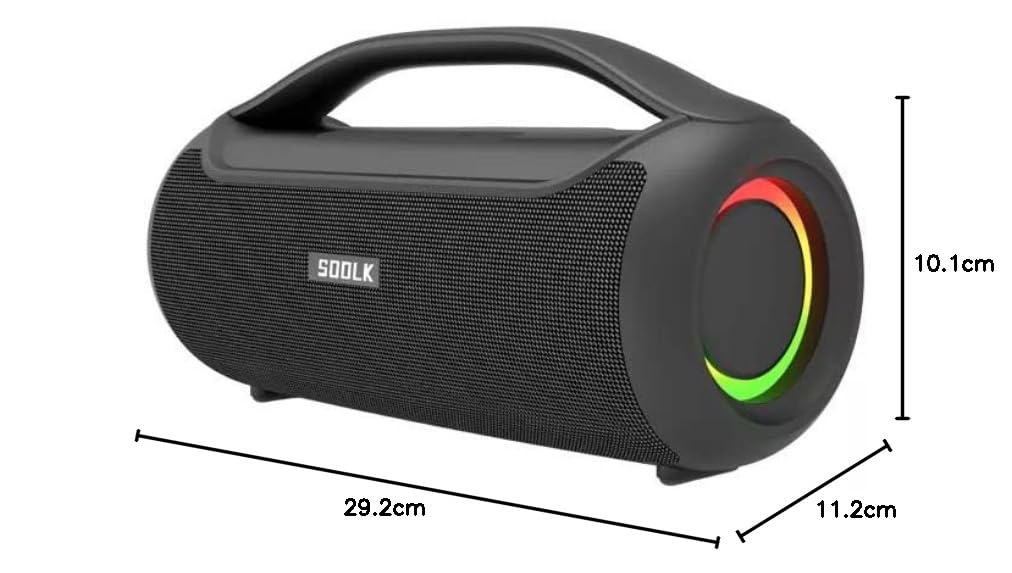
Image: Diagram showing the dimensions of the SODLK T300 speaker: 29.2cm (width), 11.2cm (depth), and 10.1cm (height).
10. وارنٹی اور سپورٹ
The SODLK T300 speaker comes with a 1 سال کی وارنٹی خریداری کی تاریخ سے. یہ وارنٹی عام استعمال کے تحت مینوفیکچرنگ نقائص اور کاریگری کا احاطہ کرتی ہے۔ یہ غلط استعمال، حادثات، غیر مجاز ترمیم، یا عام ٹوٹ پھوٹ سے ہونے والے نقصان کو پورا نہیں کرتا ہے۔
For warranty claims, technical support, or any inquiries, please contact your retailer or the SODLK customer service department with your purchase details.