
تعارف
Thank you for choosing the LC-dolida Bluetooth Headband Headphones. This manual provides detailed instructions on how to set up, operate, and maintain your device. Please read this manual thoroughly before use to ensure optimal performance and longevity of your product.
پیکیج کے مشمولات
براہ کرم درج ذیل اشیاء کے لیے پیکج چیک کریں:
- LC-dolida Bluetooth Headband Headphones (Model LC001)
- USB چارجنگ کیبل
- صارف دستی
اگر کوئی اشیاء غائب یا خراب ہیں، تو براہ کرم کسٹمر سپورٹ سے رابطہ کریں۔
پروڈکٹ ختمview
The LC-dolida Bluetooth Headband Headphones (Model LC001) are designed for versatile use, combining a comfortable headband with integrated audio technology. They are suitable for various activities including sleep, sports, and general audio listening.

تصویر: سامنے view of the LC-dolida Bluetooth Headband Headphones, highlighting the control panel.
اہم خصوصیات:
- 3-ان-1 ڈیزائن: Functions as a sports headband, sleep mask, and Bluetooth headphones.
- آرام دہ اور پرسکون مواد: Made from highly elastic, breathable, and sweat-wicking fabric.
- Ultra-Thin Speakers: Designed for comfort, especially for side sleepers, with adjustable positioning.
- بلوٹوتھ 5.2 کنیکٹیویٹی: Provides stable connections and clear audio.
- بلٹ ان مائیکروفون: ہینڈز فری کالنگ کو فعال کرتا ہے۔

Image: Visual representation of the headband's material properties: soft, sweat-absorbing, elastic, and breathable.

Image: Depiction of the headband's comfort for side sleepers, highlighting the super thin speakers and zero pressure design.
سیٹ اپ
1. ابتدائی چارجنگ
- Connect the provided USB charging cable to the charging port on the headband.
- USB کیبل کے دوسرے سرے کو USB پاور اڈاپٹر (شامل نہیں) یا کمپیوٹر کے USB پورٹ سے مربوط کریں۔
- The LED indicator light will illuminate during charging.
- A full charge typically takes 1-2 hours. The LED indicator will change or turn off once charging is complete.

Image: Visual guide for charging time (2 hours) and approximate playtime (14 hours).
2. بلوٹوت جوڑی بنانا
- Ensure the headband is fully charged.
- Press and hold the Power button on the control panel until the LED indicator light flashes blue and red, indicating pairing mode.
- اپنے آلے پر (اسمارٹ فون، ٹیبلیٹ وغیرہ)، بلوٹوتھ کو فعال کریں اور دستیاب آلات تلاش کریں۔
- Select "LC-dolida" from the list of devices.
- ایک بار منسلک ہونے کے بعد، LED اشارے عام طور پر ایک ٹھوس نیلی روشنی یا فلیش نیلی آہستہ آہستہ دکھائے گا۔
- خودکار دوبارہ کنکشن: After the initial pairing, the headband will automatically attempt to connect to the last paired device when powered on, provided the device's Bluetooth is active and within range.
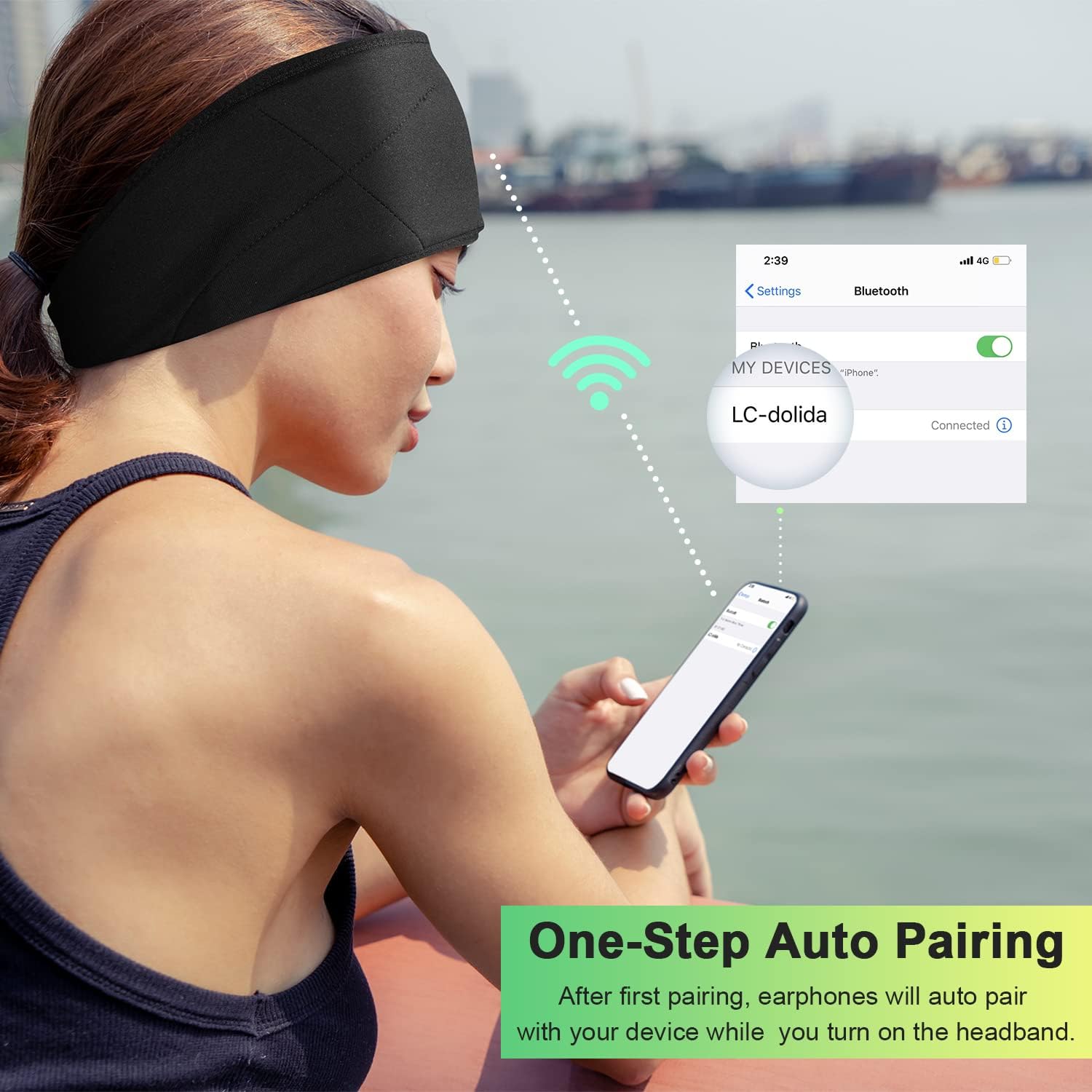
Image: Illustration of the one-step auto pairing process with a smartphone.

Image: Visual confirmation of strong compatibility with various Bluetooth-enabled devices (Android, iOS, Windows).
آپریٹنگ ہدایات
کنٹرول پینل کے افعال
The control panel on the headband allows you to manage power, music playback, and calls.
- پاور آن/آف: Press and hold the Power button (center button) for approximately 3 seconds.
- موسیقی چلائیں/روکیں: ایک بار پاور بٹن دبائیں۔
- اواز بڑھایں: "+" بٹن دبائیں۔
- آواز کم: "-" بٹن دبائیں۔
- اگلا ٹریک: "+" بٹن کو 2 سیکنڈ تک دبائیں اور تھامیں۔
- پچھلا ٹریک: "-" بٹن کو 2 سیکنڈ تک دبائیں اور تھامیں۔
- جواب / کال ختم کریں: ایک بار پاور بٹن دبائیں۔
- کال مسترد کریں: پاور بٹن کو 2 سیکنڈ تک دبائے رکھیں۔
- آخری نمبر دوبارہ ڈائل کریں: پاور بٹن کو دو بار دبائیں۔

Image: Visual highlighting of the HIFI music and HD stereo sound capabilities.
اسپیکر ایڈجسٹمنٹ
The ultra-thin speakers inside the headband can be gently moved to align with your ears for optimal sound and comfort. Simply slide them within the fabric casing to find your preferred position.
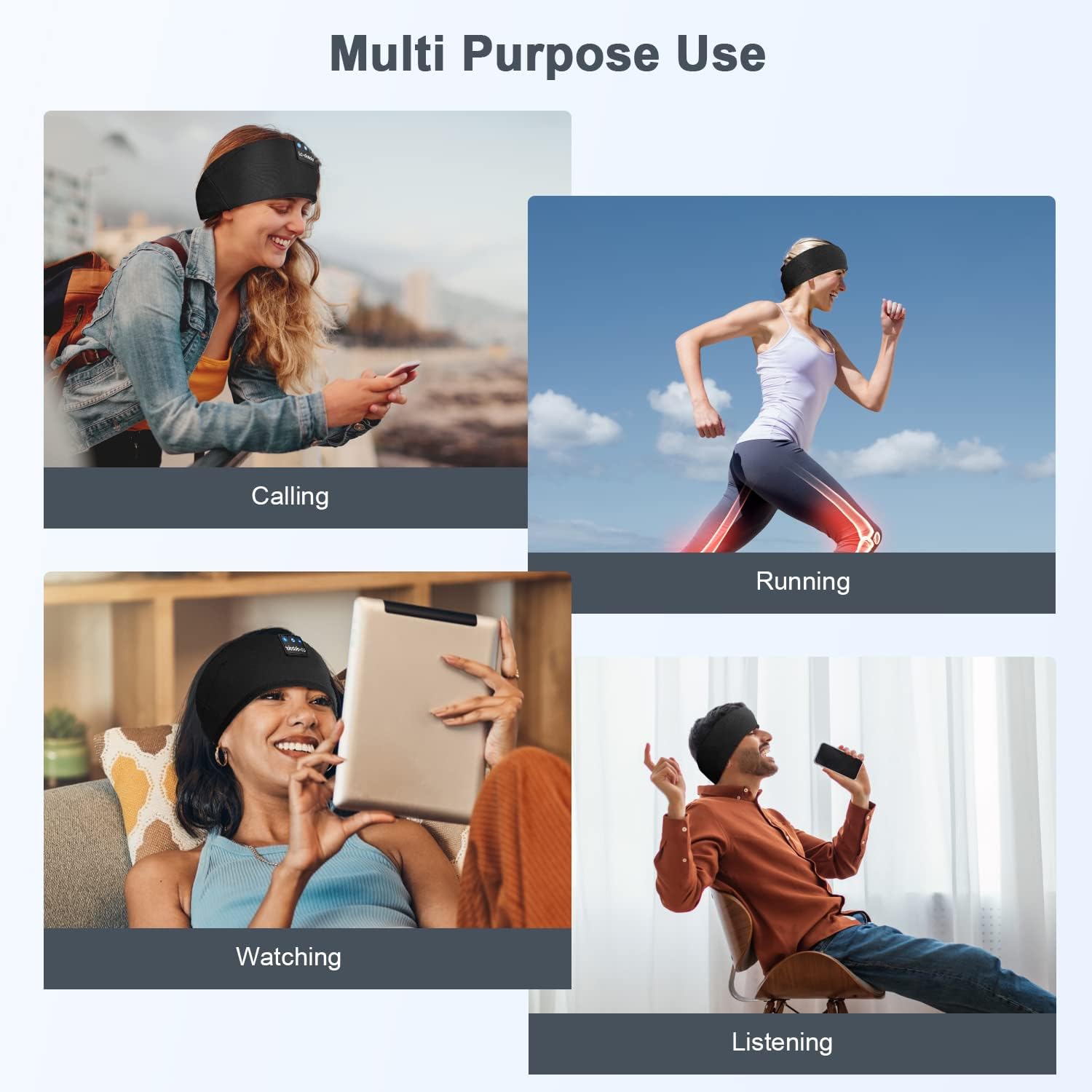
تصویر: سابقamples of multi-purpose use, including hands-free calling, running, watching media, and general listening.
دیکھ بھال
Cleaning the Headband
- Before cleaning, ensure the headband is powered off and disconnected from any charging source.
- Gently remove the electronic module (control panel and speakers) from the fabric headband.
- The fabric headband can be hand-washed with mild soap and cold water. Do not machine wash or tumble dry.
- Allow the fabric headband to air dry completely before reinserting the electronic module.
- Wipe the electronic module with a dry, soft cloth. Do not immerse it in water.
ذخیرہ
- Store the headband in a cool, dry place away from direct sunlight and extreme temperatures.
- Avoid placing heavy objects on the headband to prevent damage to the speakers or internal components.
خرابی کا سراغ لگانا
| مسئلہ | ممکنہ وجہ | حل |
|---|---|---|
| Headband does not power on. | کم بیٹری۔ | ہیڈ بینڈ کو 1-2 گھنٹے تک چارج کریں۔ |
| آلہ کے ساتھ جوڑا نہیں بنایا جا سکتا۔ | Bluetooth is off on your device; headband is not in pairing mode; device is too far. | Ensure Bluetooth is enabled on your device. Put the headband into pairing mode (flashing blue/red LED). Move device closer to the headband. |
| کوئی آواز یا کم والیوم نہیں۔ | Volume too low on headband or device; speakers misaligned; connection issue. | Increase volume on both the headband and your device. Adjust speaker position within the headband. Re-pair the device. |
| وقفے وقفے سے رابطہ۔ | آلہ بہت دور؛ مداخلت کم بیٹری. | Move closer to your device. Avoid strong electromagnetic interference. Charge the headband. |
| مائکروفون کام نہیں کر رہا ہے۔ | مائیکروفون مسدود؛ ڈیوائس کی ترتیبات | Ensure the microphone area is clear. Check your device's audio input settings. |
If you encounter issues not listed here, please refer to the Warranty and Support section for assistance.
وضاحتیں
| ماڈل کا نام | ایل سی 001 |
| کنیکٹوٹی ٹیکنالوجی | وائرلیس (بلوٹوتھ) |
| بلوٹوتھ ورژن | 5.2 |
| بلوٹوتھ رینج | 45 فٹ |
| آڈیو ڈرائیور کی قسم | متحرک ڈرائیور |
| تعدد کی حد | 20Hz - 20,000Hz |
| بیٹری کی زندگی | Up to 13 Hours (Playback) |
| چارج کرنے کا وقت | 1-2 گھنٹے |
| کنٹرول کی قسم | Media Control (Buttons) |
| پانی کی مزاحمت کی سطح | پانی مزاحم نہیں |
| شے کا وزن | 2.89 اونس |
| پیکیج کے طول و عرض | 7.95 x 3.98 x 0.94 انچ |
نوٹ: وضاحتیں بغیر اطلاع کے تبدیل کی جاسکتی ہیں۔
وارنٹی اور سپورٹ
مینوفیکچرر کی وارنٹی
This LC-dolida product comes with a one-year manufacturer's warranty from the date of purchase, covering defects in materials and workmanship under normal use.
Additionally, a 30-day satisfaction guarantee allows for a refund within 30 days of purchase if you are not satisfied with the product.
کسٹمر سپورٹ
For any questions, technical assistance, or warranty claims, please contact our after-sales team via email. We aim to provide a satisfactory solution within 6 hours.
Please visit the official LC-dolida website or your purchase platform for specific contact details.