
1. تعارف
The GAMDIAS HELIOS P2-1000G is a fully modular power supply unit designed for high-performance computing systems. It features 80 Plus Gold certification for energy efficiency, supports ATX 3.1 and PCIe Gen 5.1 standards, and incorporates 100% Japanese capacitors for enhanced reliability. This manual provides essential information for the safe installation, operation, and maintenance of your power supply.
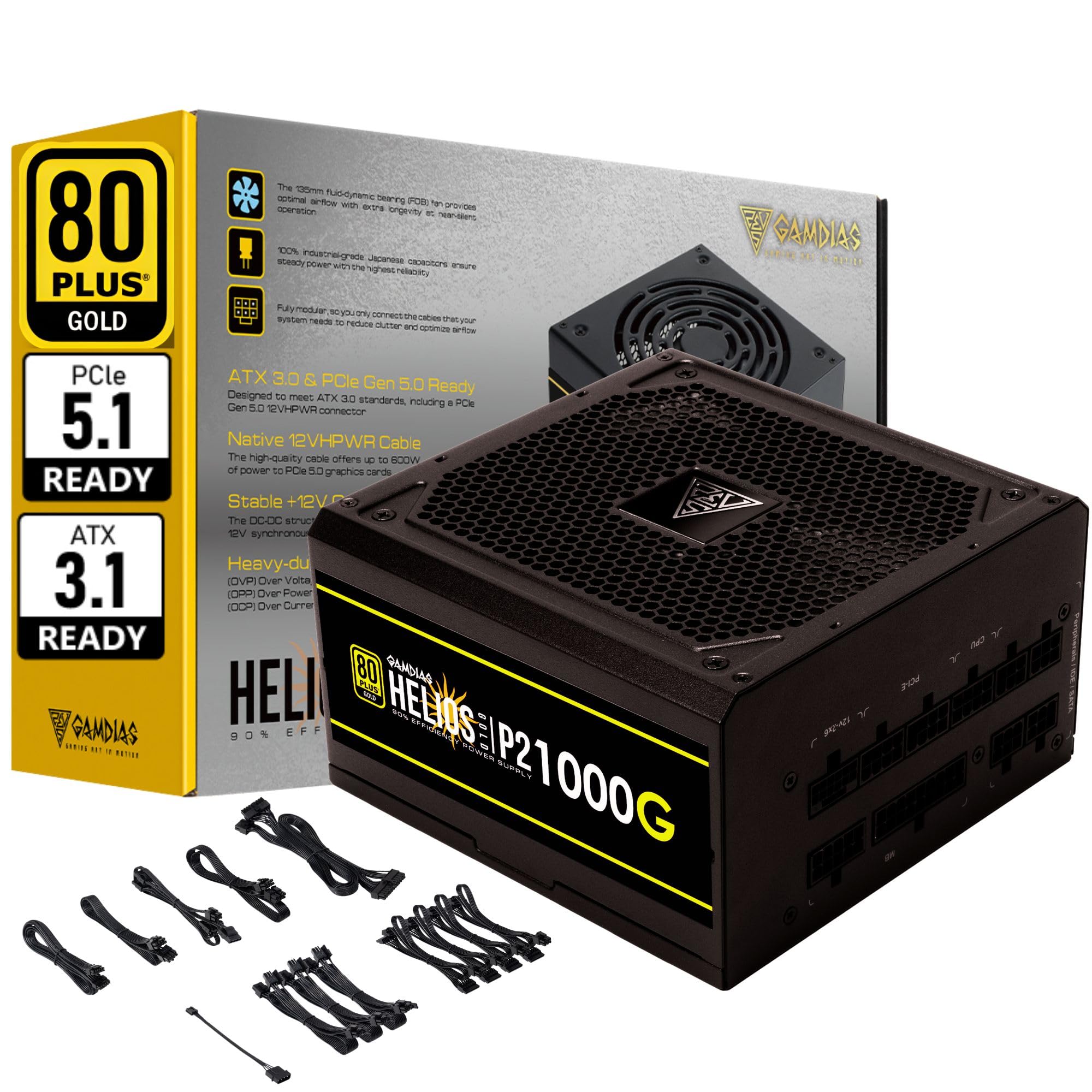
تصویر 1.1: ختمview of the GAMDIAS HELIOS P2-1000G Power Supply.
2. حفاظتی معلومات
- اعلی جلدtage: پاور سپلائی ہائی والیوم پر مشتمل ہے۔tagای اجزاء. بجلی کی فراہمی نہ کھولیں casing. There are no user-serviceable parts inside. Opening the unit will void the warranty and poses a risk of electric shock.
- مناسب گراؤنڈنگ: Ensure the power supply is properly grounded using the provided power cord.
- وینٹیلیشن: Do not block the ventilation openings of the power supply. Ensure adequate airflow around the unit to prevent overheating.
- ماحولیات: Avoid installing the power supply in environments with high humidity, extreme temperatures, or excessive dust.
- بجلی بند: Always disconnect the AC power cord from the wall outlet before installing, removing, or cleaning the power supply or any connected components.
- Correct Wattage: بجلی کی فراہمی کو یقینی بنائیںtage is sufficient for your system's components.
3. پیکیج کے مشمولات
تصدیق کریں کہ تمام اشیاء پیکیج میں موجود ہیں:
- GAMDIAS HELIOS P2-1000G Power Supply Unit
- Modular Cable Set (including 24-pin ATX, CPU, PCIe, SATA, Molex, and 12VHPWR cables)
- AC پاور کورڈ
- بڑھتے ہوئے پیچ
- صارف دستی (یہ دستاویز)
4. مصنوعات کی خصوصیات
The HELIOS P2-1000G power supply incorporates several features designed for performance and reliability:
- 80 پلس گولڈ کی تصدیق شدہ کارکردگی: Achieves up to 92% efficiency at 50% load, reducing power consumption and heat generation.
- ATX 3.1 and PCIe Gen 5.1 Ready: Designed to meet the latest power standards, supporting next-generation graphics cards with up to 200% total power excursion.
- Native 12VHPWR Cable: Includes a native 16-pin (12VHPWR) PCIe connector capable of delivering up to 600W for PCIe 5.1 graphics cards.
- Quiet Operation with 135mm Dual-Ball Bearing Smart Fan: Features a high-quality 135mm fan with a dual-ball bearing design for durability and quiet operation. The smart fan control adjusts speed based on load to minimize noise.
- مکمل طور پر ماڈیولر ڈیزائن: Allows for connecting only the necessary cables, improving cable management and airflow within the PC case.
- Premium Japanese Capacitors: Built with 100% high-quality Japanese 105°C/221°F electrolytic capacitors for superior durability and power stability.
- Comprehensive Protection Mechanisms: Includes Over Current Protection (OCP), Over Temperature Protection (OTP), Over Voltage Protection (OVP), Over Power Protection (OPP), Under Voltage Protection (UVP), and Short Circuit Protection (SCP) to ensure system safety.
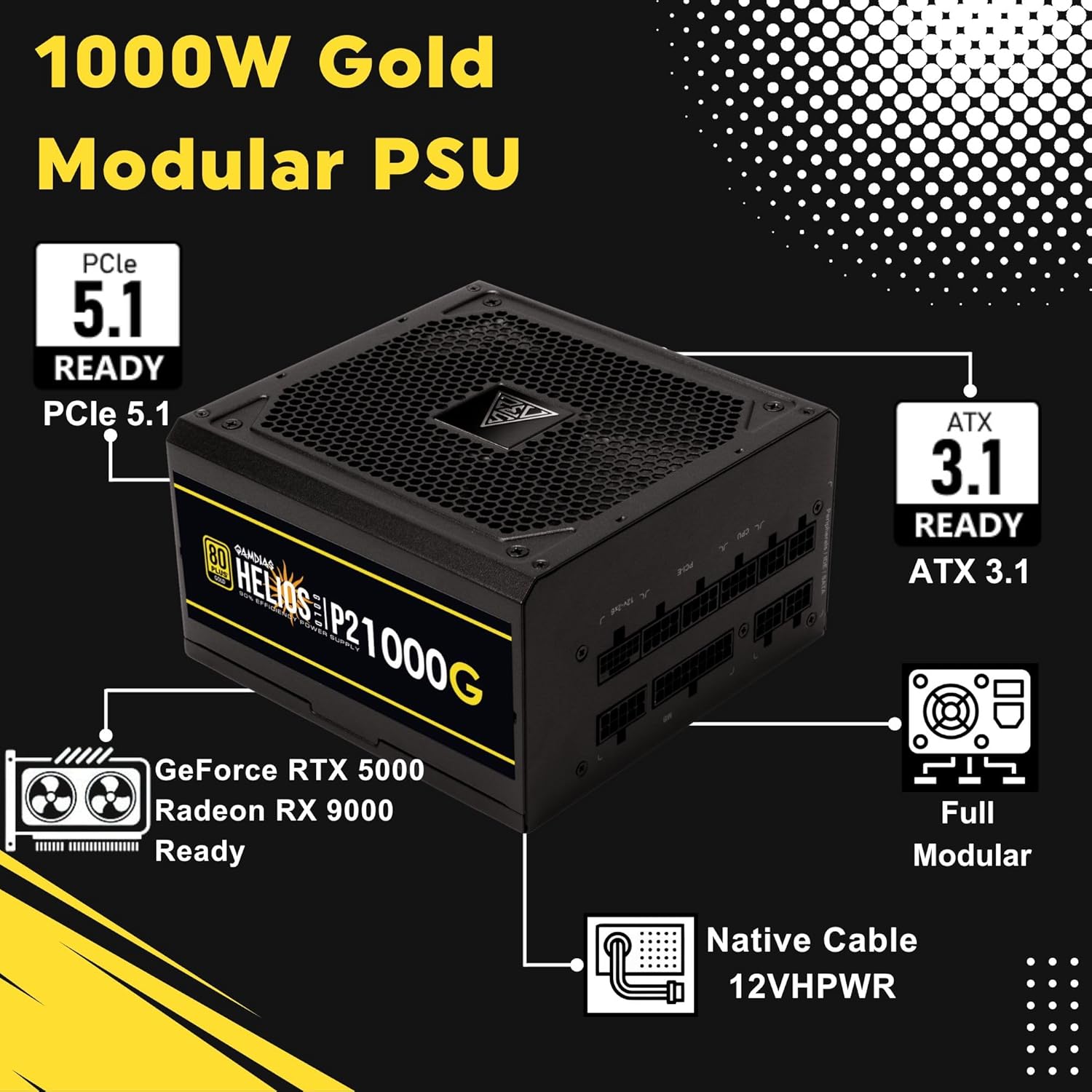
Image 4.1: Key features of the HELIOS P2-1000G, including PCIe 5.1 and ATX 3.1 readiness.

Image 4.2: The 80 Plus Gold certification ensures high energy efficiency.
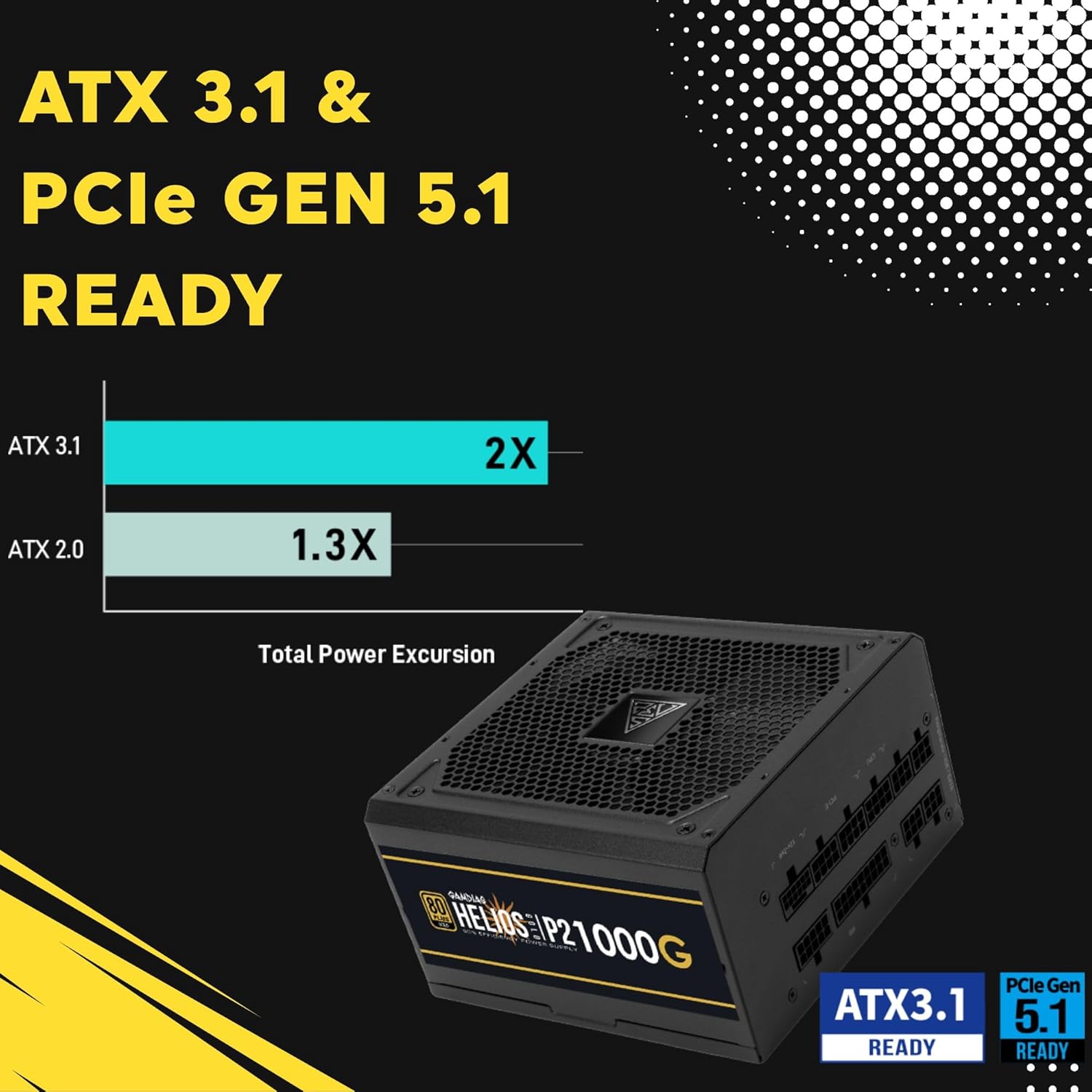
Image 4.3: The power supply is ready for ATX 3.1 and PCIe Gen 5.1, offering improved power excursion.

Image 4.4: Icons representing the various protection features integrated into the power supply.
5. سیٹ اپ اور انسٹالیشن
5.1 جسمانی تنصیب
- اپنا سسٹم تیار کریں: یقینی بنائیں کہ آپ کا کمپیوٹر مکمل طور پر بند ہے اور وال آؤٹ لیٹ سے ان پلگ ہے۔
- PSU ماؤنٹ کریں: Carefully slide the HELIOS P2-1000G into the power supply bay of your PC case. Ensure the fan is oriented correctly (typically facing downwards for bottom-mounted PSUs, or upwards if your case design requires it for optimal airflow).
- PSU کو محفوظ بنائیں: پی سی کیس کو عقب سے بجلی کی فراہمی کو محفوظ بنانے کے لیے فراہم کردہ بڑھتے ہوئے پیچ کا استعمال کریں۔
5.2 کیبل کنکشن
The HELIOS P2-1000G is fully modular. Connect only the cables required for your system components.
- 24 پن ATX مدر بورڈ کیبل: Connect the large 24-pin cable to the corresponding port on your motherboard. Ensure it clicks into place.
- CPU (EPS) Cable: Connect the 4+4-pin or 8-pin CPU cable to the CPU power connector(s) on your motherboard. High-end motherboards may require two 8-pin connectors.
- PCIe Graphics Card Cables:
- 12VHPWR Cable: For compatible PCIe 5.1 graphics cards, connect the native 16-pin 12VHPWR cable directly to the GPU. Ensure a firm connection.
- 6+2-pin PCIe Cables: For other graphics cards, connect the 6+2-pin PCIe cables to the GPU power connectors.
- SATA پاور کیبلز: Connect SATA power cables to your SSDs, HDDs, and other SATA-powered devices.
- پیریفرل (مولیکس) کیبلز: Connect Molex cables for any legacy peripherals that require them.
- AC پاور کارڈ: Once all internal connections are made, connect the AC power cord to the power supply and then to a grounded wall outlet.

Image 5.1: The native 16-pin 12VHPWR cable for direct connection to PCIe 5.1 graphics cards.
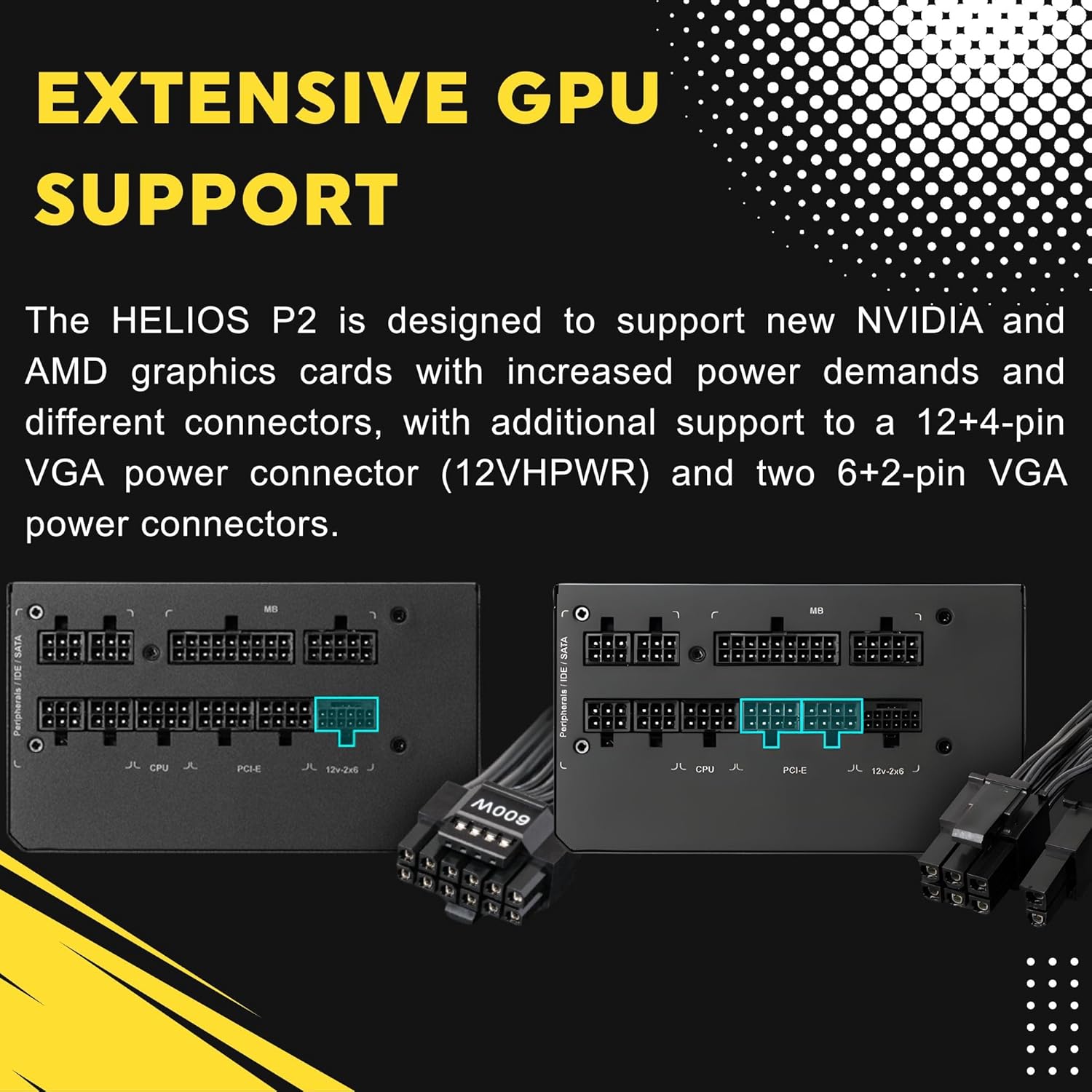
Image 5.2: Illustration of the fully modular design, showing various cable connections.
6. آپریٹنگ ہدایات
6.1 Powering On Your System
After ensuring all cables are securely connected, flip the power switch on the back of the power supply to the 'ON' (I) position. You can then power on your computer using the case's power button.
6.2 Smart Fan Control
The HELIOS P2-1000G features a smart fan control system. The 135mm fan will adjust its speed automatically based on the power supply's load and internal temperature. This ensures optimal cooling while minimizing noise during lighter loads.

Image 6.1: Graph illustrating the smart fan's speed adjustment relative to power output.
7 دیکھ بھال
7.1 صفائی
To maintain optimal performance and longevity, periodically clean the power supply:
- پاور منقطع کریں: Always unplug the AC power cord from the wall outlet and the power supply before cleaning.
- دھول ہٹانا: Use compressed air to gently blow dust out of the fan grille and ventilation openings. Hold the fan blades to prevent them from spinning rapidly during cleaning, which can damage the bearings.
- بیرونی صفائی: Wipe the exterior of the power supply with a soft, dry cloth. Do not use liquid cleaners or solvents.
7.2 اسٹوریج
If storing the power supply, keep it in a cool, dry environment, away from direct sunlight and extreme temperatures. Use its original packaging if available to protect it from dust and physical damage.
8 خرابیوں کا سراغ لگانا
اگر آپ کو اپنی بجلی کی فراہمی میں مسائل کا سامنا کرنا پڑتا ہے تو، مندرجہ ذیل عام ٹربل شوٹنگ کے اقدامات سے رجوع کریں:
- کوئی طاقت نہیں:
- یقینی بنائیں کہ AC پاور کورڈ پاور سپلائی اور وال آؤٹ لیٹ دونوں سے محفوظ طریقے سے منسلک ہے۔
- Check that the power switch on the back of the PSU is in the 'ON' (I) position.
- Verify all modular cables are firmly seated in both the power supply and the components.
- دیوار کے آؤٹ لیٹ کو کسی دوسرے آلے سے جانچیں تاکہ یہ تصدیق ہو سکے کہ اس میں طاقت ہے۔
- سسٹم کی عدم استحکام/کریشز:
- یقینی بنائیں کہ آپ کے سسٹم کی بجلی کی ضروریات PSU کی 1000W صلاحیت سے زیادہ نہیں ہیں۔
- ڈھیلے کیبل کنکشن کے لیے چیک کریں، خاص طور پر مدر بورڈ اور گرافکس کارڈ سے۔
- Ensure adequate ventilation within your PC case to prevent overheating of components, including the PSU.
- تیز پنکھے کا شور:
- The fan speed adjusts based on load. High system load will naturally increase fan speed.
- Check for dust accumulation in the fan or vents and clean as described in the Maintenance section.
If issues persist after performing these steps, contact GAMDIAS customer support.
9. وضاحتیں
| فیچر | تفصیلات |
|---|---|
| ماڈل کا نام | HELIOS P2-1000G |
| برانڈ | گامڈیاس |
| آؤٹ پٹ واٹtage | 1000 واٹ |
| فارم فیکٹر | اے ٹی ایکس |
| کارکردگی کی تصدیق | 80 پلس گولڈ |
| کولنگ کا طریقہ | Air (135mm Dual-Ball Bearing Smart Fan) |
| کنیکٹر کی قسم | ATX, PCI Express (Native 12VHPWR) |
| ہم آہنگ آلات | پرسنل کمپیوٹر |
| پروڈکٹ کے طول و عرض (L x W x H) | 12.8 x 8.27 x 4.13 انچ |
| شے کا وزن | 7.28 پاؤنڈ (3300 گرام) |
| پہلی تاریخ دستیاب ہے۔ | 19 اپریل 2023 |
10. وارنٹی کی معلومات
GAMDIAS products are manufactured to the highest quality standards. For detailed warranty terms and conditions, please refer to the official GAMDIAS webسائٹ یا وارنٹی کارڈ آپ کے پروڈکٹ کے ساتھ شامل ہے۔ وارنٹی کے دعووں کے لیے اپنی خریداری کا ثبوت رکھیں۔
11. کسٹمر سپورٹ
If you require technical assistance or have questions regarding your GAMDIAS HELIOS P2-1000G power supply, please visit the official GAMDIAS support website or contact their customer service department. Contact information can typically be found on the GAMDIAS webسائٹ یا مصنوعات کی پیکیجنگ میں۔