
تعارف
This manual provides comprehensive instructions for the safe and effective use of your DEWALT 20V MAX Cordless Drill and Impact Driver Combo Kit, model DCK277D2. Please read all instructions carefully before operating the tools to ensure proper function and to prevent injury.
کٹ کے مشمولات
Your DEWALT DCK277D2 combo kit includes the following components:
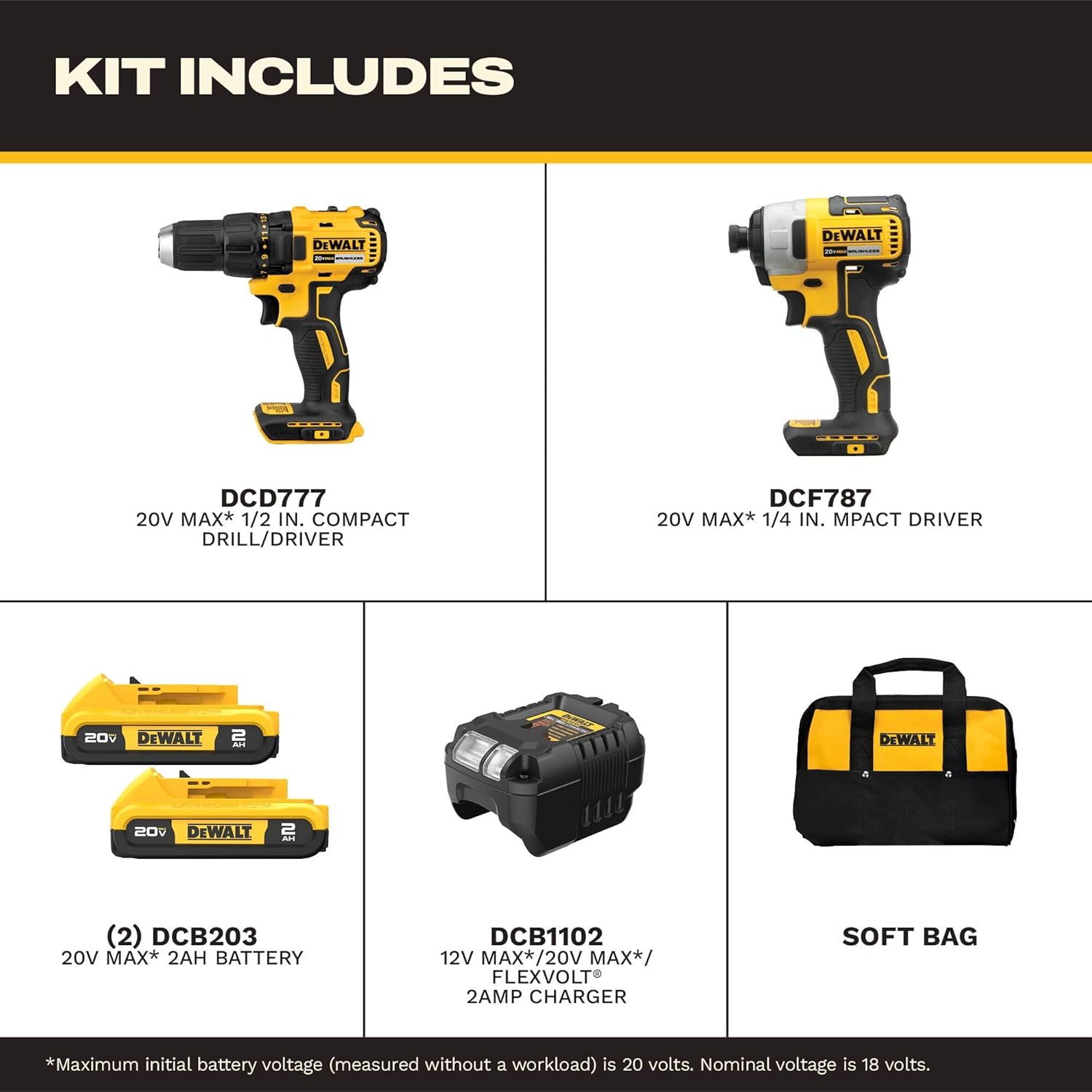
All components included in the DEWALT DCK277D2 combo kit.
- (1) DCD777 20V MAX* Brushless Drill/Driver: A versatile tool for drilling and driving fasteners.
- (1) DCF787 20V MAX* Brushless 1/4 in. Cordless Impact Driver: Designed for driving fasteners with high torque.
- (2) DCB203 20V MAX* Compact Lithium-Ion 2.0Ah Battery Packs: Provides power to both tools.
- (1) DCB1102 Charger: For recharging the 20V MAX* battery packs.
- (1) Contractor Bag: آسان اسٹوریج اور کٹ کی نقل و حمل کے لیے۔
DCD777 Drill/Driver Overview
The DCD777 drill/driver features a compact design and brushless motor for efficient performance. Key features include:

Key features of the DEWALT DCD777 Drill/Driver.
- 1/2 inch (13mm) Single Sleeve Ratcheting Chuck: For secure bit gripping.
- برشلیس موٹر: Provides extended runtime and durability.
- ایرگونومک ہینڈل: Designed for comfortable grip and control.
- ایل ای ڈی لائٹ: بہتر مرئیت کے لیے کام کے علاقے کو روشن کرتا ہے۔

The compact design of the DCD777 allows access to tight areas.
DCF787 Impact Driver Overview
The DCF787 impact driver offers high torque for demanding fastening applications. Its features include:

Key features of the DEWALT DCF787 Impact Driver.
- 1/4 inch (6.35mm) Hex Chuck: فوری بٹ تبدیلیوں کے لیے۔
- برشلیس موٹر: Ensures efficient power delivery and longer tool life.
- ایرگونومک ہینڈل: Provides comfort during prolonged use.
- ایل ای ڈی لائٹ: Enhances visibility in dimly lit work environments.
- ہائی ٹارک آؤٹ پٹ: Delivers up to 1500 in-lbs of torque for tough tasks.

The brushless motor of the DCF787 provides efficient performance.
بیٹری اور چارجر کی معلومات
The kit includes two DCB203 20V MAX* Lithium-Ion battery packs and a DCB1102 charger.
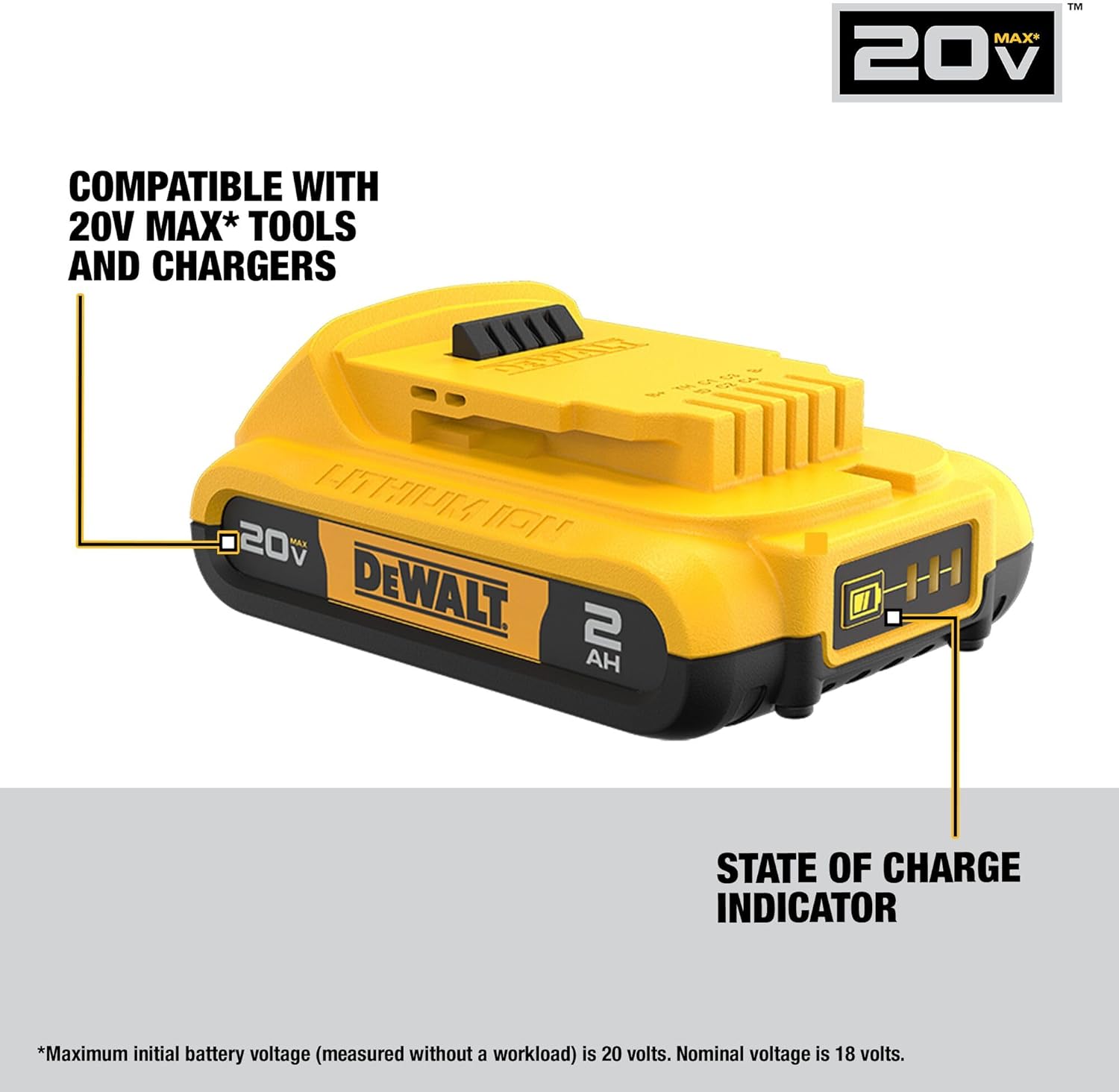
DEWALT DCB203 battery with state of charge indicator.
- بیٹری کی مطابقت: The DCB203 batteries are compatible with all DEWALT 20V MAX* tools and chargers.
- چارج کی حالت اشارے: Batteries feature an indicator to show remaining charge.
- DCB1102 Charger: Designed to charge 12V, 18V, and 20V MAX* Lithium-Ion battery packs.
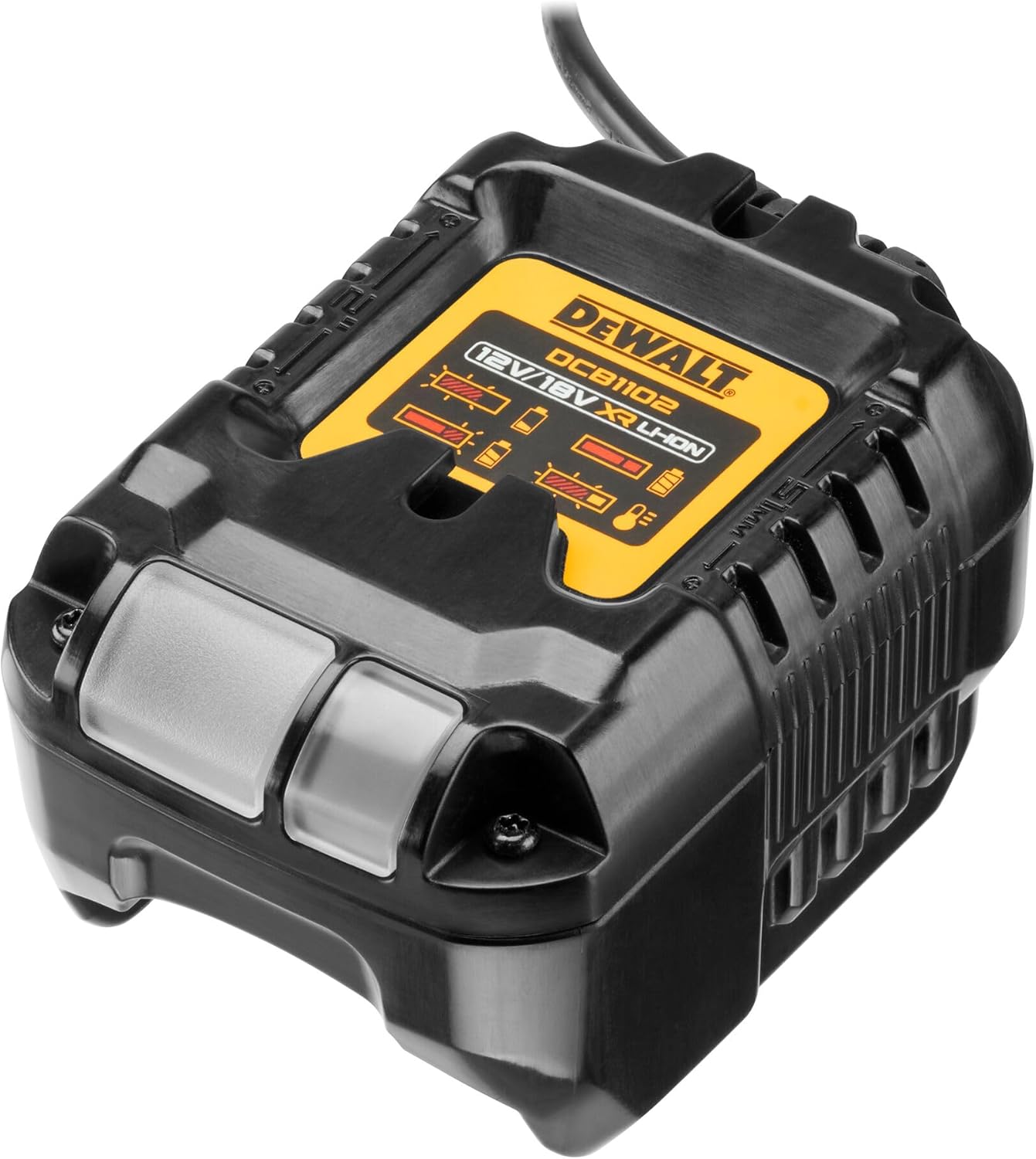
The DCB1102 charger for your DEWALT 20V MAX* batteries.
سیٹ اپ
1. ابتدائی بیٹری چارجنگ
- Connect the DCB1102 charger to a standard electrical outlet.
- Slide a DCB203 battery pack onto the charger until it clicks into place.
- Allow the battery to charge fully. The indicator light on the charger will show the charging status. Refer to the charger manual for specific light patterns.
2. بیٹری کی تنصیب اور ہٹانا
- انسٹال کرنے کے لیے: Align the battery pack with the tool's battery port and slide it in until it locks securely.
- ہٹانے کے لیے: بیٹری ریلیز بٹن کو دبائیں اور بیٹری پیک کو ٹول سے باہر سلائیڈ کریں۔
3. Bit Installation (DCD777 Drill/Driver)
- جبڑے کھولنے کے لیے چک کو گھڑی کی مخالف سمت میں گھمائیں۔
- Insert the drill bit or driver bit into the chuck.
- چک کو گھڑی کی سمت میں گھمائیں تاکہ جبڑوں کو بٹ کے گرد محفوظ طریقے سے سخت کیا جا سکے۔ یقینی بنائیں کہ بٹ مرکز میں ہے اور مضبوطی سے پکڑا ہوا ہے۔
4. Bit Installation (DCF787 Impact Driver)
- Pull the collar of the 1/4 inch hex chuck forward.
- Insert the 1/4 inch hex shank bit into the chuck.
- Release the collar. The bit will lock into place. Pull on the bit to ensure it is securely fastened.
آپریٹنگ ہدایات
1. جنرل آپریشن
- ٹرگر سوئچ: Squeeze the trigger to turn the tool on. Release to turn off.
- متغیر رفتار: The trigger switch allows for variable speed control. Pressing the trigger further increases the speed.
- فارورڈ/ ریورس بٹن: Located above the trigger, this button controls the direction of rotation. Push left for forward, right for reverse. Center position locks the trigger.
- ایل ای ڈی ورک لائٹ: The integrated LED light activates when the trigger is pressed, illuminating the work surface. It remains on for approximately 20 seconds after the trigger is released.
2. DCD777 Drill/Driver Specifics
- کلچ کی ترتیبات: The adjustable clutch ring allows you to select the desired torque setting for driving screws. Higher numbers provide more torque. Use the drill symbol setting for drilling applications.
- رفتار سلیکٹر: A switch on top of the tool allows selection between two speed ranges: Low (for high torque applications) and High (for faster drilling).
3. DCF787 Impact Driver Specifics
- The impact driver delivers high rotational force and rapid impacts to drive fasteners quickly and efficiently. No clutch adjustment is typically needed as the impact mechanism handles varying resistance.
دیکھ بھال
1. صفائی
- Keep the tool's ventilation slots clean to prevent overheating.
- ایک نرم استعمال کریں، ڈیamp cloth to clean the exterior of the tools and batteries. Do not use harsh chemicals or abrasive cleaners.
- Never immerse the tools or batteries in liquid.
2. ذخیرہ
- Store tools and batteries in a cool, dry place, away from direct sunlight and extreme temperatures.
- Ensure batteries are partially charged before storing for extended periods.
- Store tools in the provided contractor bag to protect them from dust and damage.
3. بیٹری کی دیکھ بھال
- Do not store batteries in a discharged state. Recharge them promptly after use.
- Avoid exposing batteries to water or extreme heat.
- If a battery pack is damaged, do not use it. Contact DEWALT service for replacement.
خرابی کا سراغ لگانا
عام مسائل اور ان کے حل کے لیے نیچے دیے گئے جدول کو دیکھیں۔
| مسئلہ | ممکنہ وجہ | حل |
|---|---|---|
| ٹول شروع نہیں ہوتا ہے۔ | بیٹری چارج نہیں ہوئی یا غلط طریقے سے انسٹال ہوئی ہے۔ | یقینی بنائیں کہ بیٹری پوری طرح سے چارج ہے اور صحیح طریقے سے ڈالی گئی ہے۔ |
| Reduced power or runtime. | بیٹری چارج کم ہے یا بیٹری پرانی ہے۔ | بیٹری ری چارج کریں۔ پرانی بیٹریاں تبدیل کرنے پر غور کریں۔ |
| چک میں ڈرل بٹ سلپس۔ | چک کافی سخت نہیں. | Retighten chuck firmly around the bit. Ensure bit shank is clean. |
| Impact driver bit falls out. | Hex chuck collar not fully engaged. | Ensure bit is fully inserted and collar snaps back into place. |
| ٹول زیادہ گرم ہو جاتا ہے۔ | بلاک شدہ وینٹیلیشن سلاٹ یا طویل عرصے تک بھاری استعمال۔ | Clear ventilation slots. Allow tool to cool down. Reduce load. |
وضاحتیں
Detailed specifications for the DEWALT DCK277D2 combo kit components:
| فیچر | تفصیلات |
|---|---|
| برانڈ | ڈویلٹ |
| ماڈل نمبر | DCK277D2 |
| والیومtage | 20V MAX* |
| شے کا وزن | 8.8 پاؤنڈ (کل کٹ) |
| بیٹری کی قسم | Lithium Ion (DCB203, 2.0Ah) |
| بیٹریوں کی تعداد | 2 |
| DCD777 Chuck Size | 1/2 انچ (13 ملی میٹر) |
| DCF787 Chuck Size | 1/4 انچ ہیکس |
| DCF787 Max Torque | 1500 انب |
| زیادہ سے زیادہ گردشی رفتار | 2800 rpm (DCF787) |
| طاقت کا منبع | بیٹری سے چلنے والا |
| چارجر ماڈل | DCB1102۔ |
وارنٹی اور سپورٹ
Your DEWALT DCK277D2 combo kit is backed by a comprehensive warranty and support program:
- 3 سال کی محدود وارنٹی: Covers defects in material or workmanship for three years from the date of purchase.
- 1-Year Free Service Contract: DEWALT آلے کو برقرار رکھے گا اور خریداری کے بعد پہلے سال کے دوران کسی بھی وقت، عام استعمال کی وجہ سے پہنے ہوئے حصوں کو مفت میں تبدیل کرے گا۔
- 90 دن کی منی بیک گارنٹی: اگر آپ کسی بھی وجہ سے اپنے DEWALT پاور ٹول، لیزر، یا نیلر کی کارکردگی سے مکمل طور پر مطمئن نہیں ہیں، تو آپ اسے مکمل رقم کی واپسی کے لیے خریداری کی تاریخ سے 90 دنوں کے اندر واپس کر سکتے ہیں۔
For warranty claims, service, or technical support, please refer to the official DEWALT website or contact their customer service department directly. Keep your proof of purchase for warranty validation.