
تعارف
Thank you for choosing the A4 TECH 2DRUMTEK B25 True Wireless Earbuds. These earbuds feature advanced Bluetooth 5.2 technology for stable connectivity, Hybrid Active Noise Cancelling for an immersive audio experience, and an IPX4 rating for water and dust resistance, making them suitable for active lifestyles. The M.O.C.I (Mycelium of Carbon IT) hybrid diaphragm ensures clear highs, balanced mids, and deep bass. This manual provides detailed instructions for setup, operation, maintenance, and troubleshooting to help you get the most out of your device.
پیکیج کے مشمولات
- 2DRUMTEK B25 True Wireless Earbuds (Left and Right)
- چارجنگ کیس
- چارجنگ کیبل
- صارف دستی
پروڈکٹ ختمview
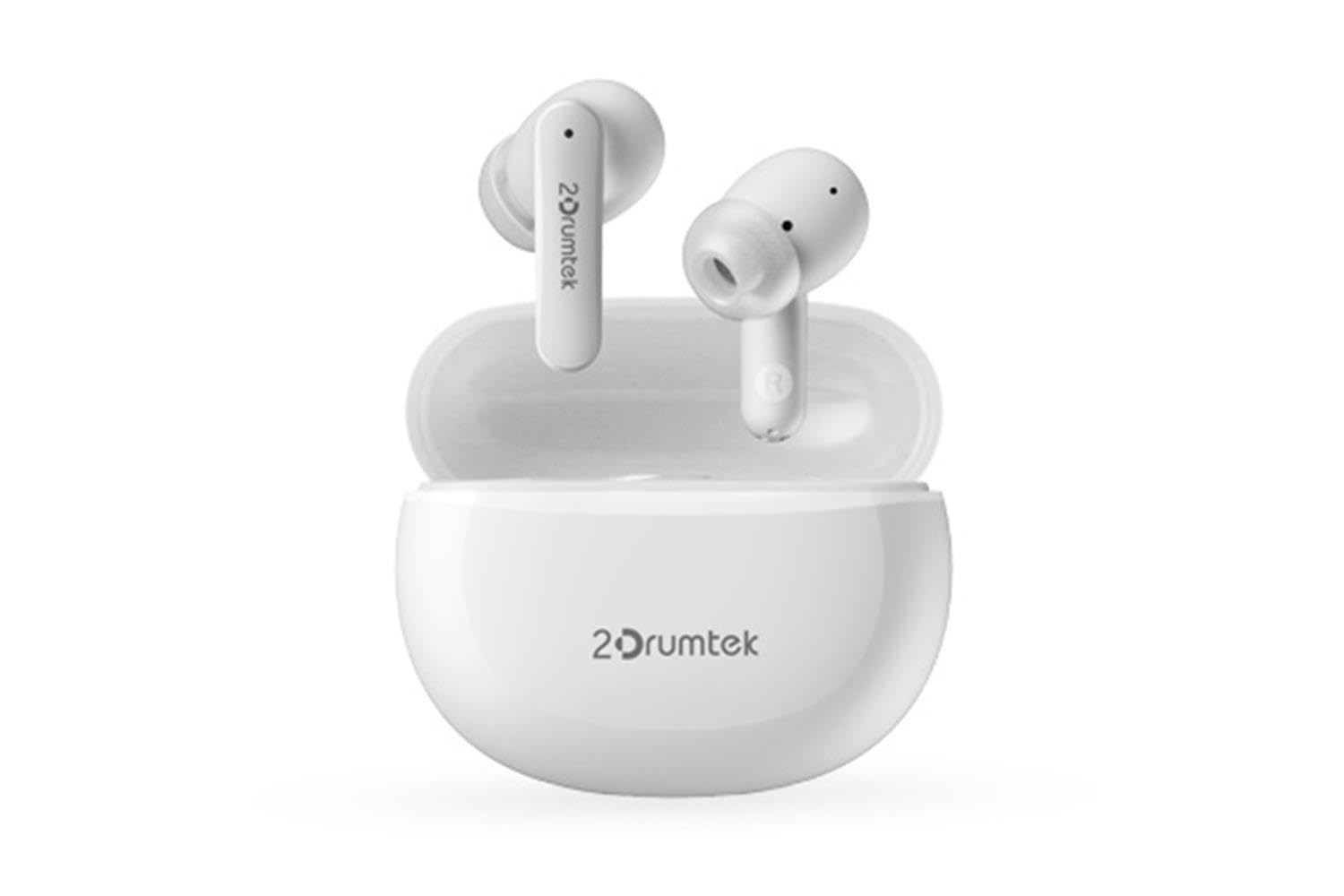
Image: A pair of white A4 TECH 2DRUMTEK B25 True Wireless Earbuds, showing their in-ear design and the '2Drumtek' branding on the stems.
The 2DRUMTEK B25 earbuds feature an ergonomic in-ear design. Each earbud includes a touch control area for various functions, a microphone for calls and voice assistant, and charging contacts at the bottom of the stem. An LED indicator provides status updates for pairing and battery life.
سیٹ اپ
1. ایئربڈز اور چارجنگ کیس کو چارج کرنا
Before first use, fully charge the earbuds and the charging case. Place the earbuds into the charging case. Connect the charging cable to the case and a USB power source. The LED indicators on the case and earbuds will show charging status. A full charge provides up to 5 hours of playback for the earbuds, with an additional 15 hours from the charging case.
2. ابتدائی جوڑی
- چارجنگ کیس کھولیں۔ ایئربڈز خود بخود پیئرنگ موڈ میں داخل ہو جائیں گے۔
- اپنے آلے پر (اسمارٹ فون، ٹیبلیٹ، پی سی)، بلوٹوتھ کو فعال کریں۔
- تلاش کریں۔ available Bluetooth devices and select "2DRUMTEK B25".
- ایک بار منسلک ہونے کے بعد، آپ کو ایک تصدیقی ٹون سنائی دے گا، اور ایئربڈز پر LED اشارے بدل جائیں گے۔
3. خودکار دوبارہ کنکشن
After the initial pairing, the earbuds will automatically connect to your previously paired device when you open the charging case and take them out, provided Bluetooth is enabled on your device.
آپریٹنگ ہدایات
1. پاور آن/آف
- پاور آن: چارجنگ کیس کھولیں، اور ایئربڈز خود بخود آن ہو جائیں گے۔
- بجلی بند: ایئربڈز کو چارجنگ کیس میں واپس رکھیں اور ڈھکن بند کریں۔ وہ خود بخود بند ہوجائیں گے۔
2. Music Playback (Touch Control)
- چلائیں/روکیں: دونوں ایئربڈ پر ایک بار تھپتھپائیں۔
- اگلا گانا: دائیں ایئربڈ پر دو بار تھپتھپائیں۔
- پچھلا گانا: بائیں ایئربڈ پر دو بار تھپتھپائیں۔
3. کال مینجمنٹ (ٹچ کنٹرول)
- جواب / کال ختم کریں: دونوں ایئربڈ پر ایک بار تھپتھپائیں۔
- کال مسترد کریں: کسی بھی ایئربڈ کو 2 سیکنڈ تک دبائے رکھیں۔
4. Voice Assistant (Touch Control)
Triple tap on either earbud to activate your device's voice assistant (e.g., Siri, Google Assistant, Amazon Alexa).
5. فعال شور منسوخی (ANC)
The earbuds feature Hybrid Active Noise Cancelling. Refer to the specific touch control gestures in the quick start guide for activating and deactivating ANC mode, as these can vary.
دیکھ بھال
- صفائی: ائیر بڈز کو باقاعدگی سے صاف کریں، خاص طور پر کان کے اشارے اور چارج کرنے والے رابطوں کو نرم، خشک کپڑے سے صاف کریں۔ سخت کیمیکلز یا کھرچنے والے مواد کے استعمال سے پرہیز کریں۔
- ذخیرہ: استعمال میں نہ ہونے پر، ایئربڈز کو ان کے چارجنگ کیس میں محفوظ کریں تاکہ انہیں دھول اور نقصان سے بچایا جا سکے۔
- Water and Dust Resistance (IPX4): The earbuds are rated IPX4, meaning they are resistant to splashing water and sweat from any direction. They are suitable for workouts and outdoor activities but should not be submerged in water. Ensure the earbuds are dry before placing them back in the charging case to prevent damage.
- بیٹری کی دیکھ بھال: To prolong battery life, avoid fully discharging the earbuds frequently. Charge them regularly, even if not in constant use.
خرابی کا سراغ لگانا
- ایئربڈس جوڑا نہیں بن رہے ہیں: یقینی بنائیں کہ دونوں ایئربڈز چارج ہیں۔ انہیں دوبارہ کیس میں رکھیں، ڈھکن بند کریں، پھر جوڑا بنانے کے موڈ میں دوبارہ داخل ہونے کے لیے اسے دوبارہ کھولیں۔ اپنے آلے کی بلوٹوتھ سیٹنگز چیک کریں اور دوبارہ کنیکٹ کرنے کی کوشش کریں۔
- صرف ایک ایئربڈ کام کر رہا ہے: Ensure both earbuds are charged. Try resetting the earbuds by placing them in the case and then taking them out. Re-pair with your device if necessary.
- کوئی آواز نہیں: Check the volume level on your connected device. Ensure the earbuds are properly paired and connected.
- چارجنگ کے مسائل: یقینی بنائیں کہ چارجنگ کیبل کیس اور پاور سورس دونوں سے محفوظ طریقے سے جڑی ہوئی ہے۔ ائربڈز پر اور کیس کے اندر چارجنگ کانٹیکٹس کو صاف کریں۔
- خراب آواز کا معیار: Ensure the earbuds are properly seated in your ears. Try different ear tip sizes for a better seal.
وضاحتیں
| فیچر | تفصیل |
|---|---|
| ماڈل کا نام | 2DRUMTEK B25 |
| کنیکٹوٹی ٹیکنالوجی | وائرلیس (بلوٹوتھ 5.2) |
| شور کی منسوخی | ہائبرڈ فعال شور کی منسوخی |
| پانی کی مزاحمت کی سطح | IPX4 (پانی مزاحم) |
| کان کی جگہ کا تعین | کان میں |
| کنٹرول کی قسم | ٹچ کنٹرول |
| ہم آہنگ آلات | PCs, Laptops, Mobile Phones, Tablets, Other Bluetooth Devices |
| مواد | Plastic, Metal, Carbon Fiber |
| بیٹری لائف (ایئر بڈز) | فی چارج 5 گھنٹے تک۔ |
| کل پلے ٹائم (کیس کے ساتھ) | 20 گھنٹے تک |
حفاظتی معلومات
- مصنوعات کو جدا یا ترمیم نہ کریں۔
- انتہائی درجہ حرارت اور براہ راست سورج کی روشنی سے دور رہیں۔
- Avoid exposing the product to fire or high heat.
- سماعت کو پہنچنے والے نقصان کو روکنے کے لیے ایئربڈز کو زیادہ مقدار میں طویل عرصے تک استعمال نہ کریں۔
- بچوں اور پالتو جانوروں کی پہنچ سے دور رکھیں۔
وارنٹی اور سپورٹ
This product comes with a standard manufacturer's warranty. For detailed warranty information, please refer to the warranty card included in your package or visit the official A4 TECH website. If you encounter any issues or require technical assistance, please contact A4 TECH customer support through their official channels. Please have your model number (B25) and proof of purchase ready when contacting support.