
تعارف
Thank you for choosing the XtremeMac Wireless 5000 mAh Power Bank. This compact and powerful portable charger is designed to provide convenient wireless and wired charging for your compatible devices, especially optimized for iPhone models with MagSafe technology. Please read this manual thoroughly before using the product to ensure safe and optimal performance.
پیکیج کے مشمولات
- XtremeMac Wireless 5000 mAh Power Bank (Model: XWH-PMS2-13)
- USB-C چارجنگ کیبل
- صارف دستی (یہ دستاویز)
پروڈکٹ ختمview
Familiarize yourself with the components of your XtremeMac Wireless Power Bank.

تصویر 1: XtremeMac Wireless Power Bank - Front, Back, and Side Views. This image illustrates the device's compact design, the magnetic charging area on the front, the USB-C port, and the power button on the side.
- Magnetic Charging Surface: For wireless charging of compatible devices.
- USB-C پورٹ: For charging the power bank and for wired output charging.
- پاور بٹن: Activates wireless charging and checks battery level.
- ایل ای ڈی اشارے: بیٹری کی سطح اور چارجنگ کی حیثیت دکھائیں۔
سیٹ اپ
1 پاور بینک کی ابتدائی چارجنگ
Before first use, fully charge your XtremeMac Wireless Power Bank.
- فراہم کردہ USB-C کیبل کو پاور بینک پر USB-C پورٹ سے جوڑیں۔
- USB-C کیبل کے دوسرے سرے کو ایک ہم آہنگ USB پاور اڈاپٹر سے جوڑیں (شامل نہیں)۔
- LED اشارے چارجنگ کی پیشرفت کو دکھانے کے لیے روشن ہوں گے۔ مکمل چارج ہونے پر تمام ایل ای ڈی ٹھوس ہو جائیں گی۔
2. Attaching to Your iPhone (MagSafe)
The power bank is designed for seamless magnetic attachment to MagSafe-compatible iPhones (iPhone 12, 13, 14, and 15 series).

تصویر 2: Magnetic Attachment for iPhone. This image demonstrates how the power bank securely clicks onto the back of a compatible iPhone for wireless charging.
- پاور بینک کو اپنے میگ سیف کے موافق آئی فون کی پشت کے ساتھ سیدھ میں رکھیں۔
- The magnets will automatically snap the power bank into place, ensuring proper alignment for wireless charging.
آپریٹنگ ہدایات
1. Wireless Charging (MagSafe)
To charge your iPhone wirelessly:

تصویر 3: Wireless Charging in Progress. This image shows an iPhone receiving a wireless charge from the power bank, indicated by the charging animation on the phone screen.
- Attach the power bank to the back of your MagSafe-compatible iPhone.
- Press the power button on the side of the power bank. Wireless charging will begin within 5 seconds.
- The LED indicators on the power bank will show its remaining charge. Your iPhone screen will also indicate charging.
- To stop charging, simply detach the power bank or press the power button again.
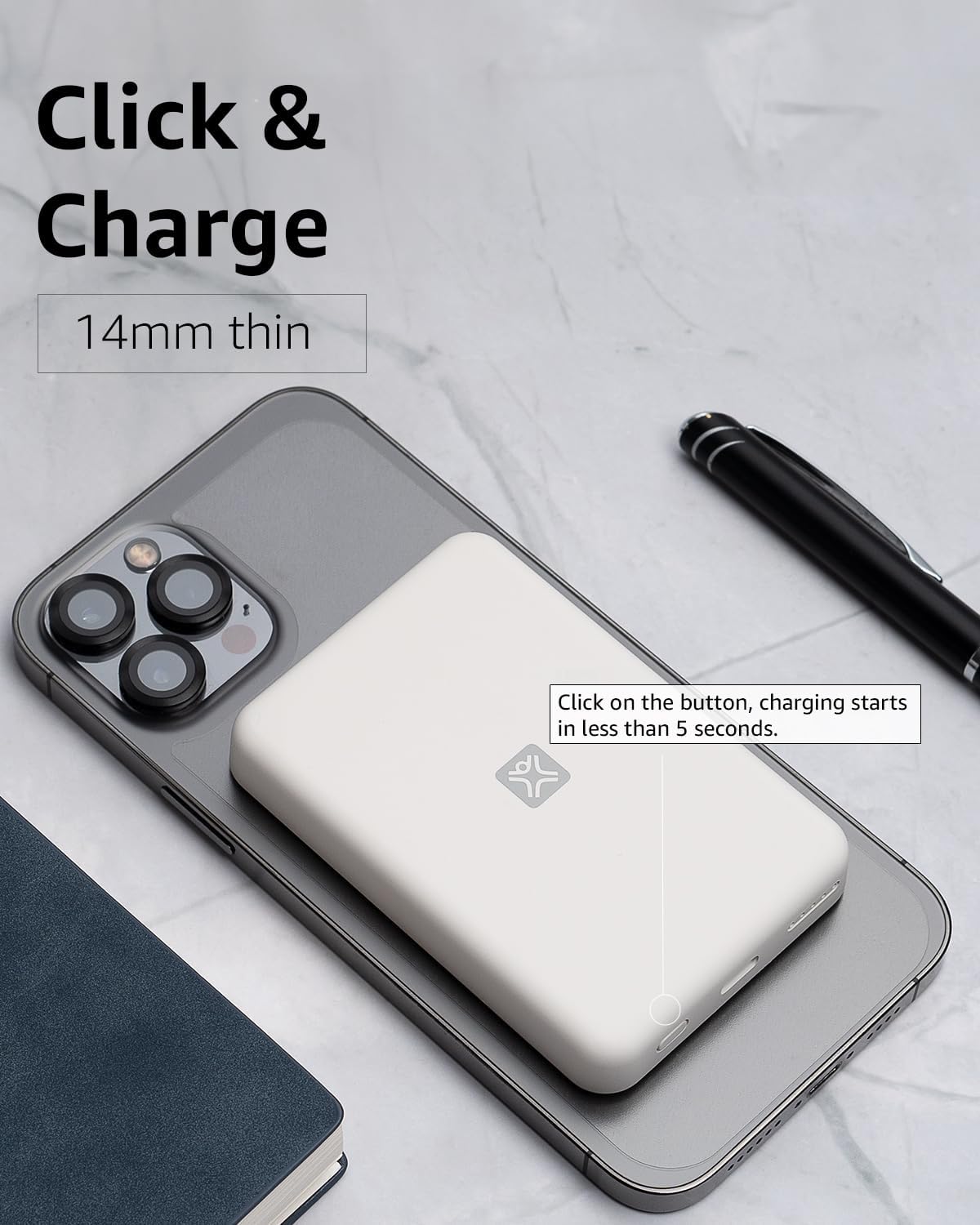
تصویر 4: Activating Wireless Charge. This image highlights the power button and the quick activation of wireless charging.
2. Wired Charging (USB-C PD)
For faster charging or to charge non-wireless devices, use the USB-C port.

تصویر 5: Wired Charging via USB-C. This image shows the power bank connected to a phone using a USB-C cable, demonstrating its faster wired charging capability.
- Connect one end of a USB-C cable (or a compatible cable for your device) to the USB-C port on the power bank.
- دوسرے سرے کو اپنے آلے کے چارجنگ پورٹ سے جوڑیں۔
- Charging will typically begin automatically. If not, press the power button on the power bank.
3. بیٹری لیول چیک کرنا
LED لائٹس کی طرف سے اشارہ کردہ بیٹری کی باقی سطح کو چیک کرنے کے لیے ایک بار پاور بٹن کو دبائیں۔
دیکھ بھال
- صفائی: پاور بینک کی سطح کو صاف کرنے کے لیے نرم، خشک کپڑا استعمال کریں۔ مائع کلینر یا ایروسول استعمال نہ کریں۔
- ذخیرہ: پاور بینک کو کسی ٹھنڈی، خشک جگہ پر براہ راست سورج کی روشنی اور انتہائی درجہ حرارت سے دور رکھیں۔
- بیٹری کی دیکھ بھال: بیٹری کی زندگی کو طول دینے کے لیے، اگر باقاعدہ استعمال میں نہ ہو تو ہر تین ماہ میں کم از کم ایک بار پاور بینک کو مکمل طور پر چارج کریں۔
خرابی کا سراغ لگانا
| مسئلہ | ممکنہ وجہ | حل |
|---|---|---|
| پاور بینک چارج نہیں کر رہا ہے۔ | کیبل مناسب طریقے سے منسلک نہیں ہے؛ ناقص کیبل/اڈاپٹر؛ پاور بینک مکمل طور پر چارج. | Ensure cable is securely connected. Try a different USB-C cable and power adapter. Check LED indicators; if all are solid, it's fully charged. |
| آلہ وائرلیس چارج نہیں ہو رہا ہے۔ | Device not MagSafe compatible; misaligned; power bank low on charge; power button not pressed. | Ensure your device is MagSafe compatible (iPhone 12/13/14/15 series). Realign the power bank. Recharge the power bank. Press the power button to activate. |
| Device not charging via cable. | Cable not connected properly; faulty cable/device; power bank low on charge. | Ensure cable is securely connected. Try a different cable. Recharge the power bank. |
| سست چارجنگ۔ | Using a non-PD charger/cable; device case interfering with wireless charging. | For wired charging, ensure you are using a USB-C PD compatible charger and cable. For wireless, remove thick or metallic phone cases. |
وضاحتیں
| فیچر | تفصیل |
|---|---|
| ماڈل نمبر | XWH-PMS2-13 |
| بیٹری کی صلاحیت | 5000 ایم اے ایچ |
| وائرلیس آؤٹ پٹ | Up to 7.5W (MagSafe compatible) |
| Wired Output/Input | USB-C (Power Delivery compatible) |
| طول و عرض | تقریباً 17.1 x 8.9 x 2.2 سینٹی میٹر (6.7 x 3.5 x 0.9 انچ) |
| وزن | تقریباً 85 گرام (3 آانس) |
| بیٹری کی قسم | لیتھیم آئن |
| مطابقت | MagSafe compatible iPhones (12, 13, 14, 15 series) for wireless charging; USB-C devices for wired charging. |

تصویر 6: 5000 mAh Capacity and Charge Estimates. This image provides an overview of the power bank's capacity and estimated number of full charges for various iPhone models.
حفاظتی معلومات
- پاور بینک کو انتہائی درجہ حرارت، براہ راست سورج کی روشنی، یا زیادہ نمی کے سامنے نہ رکھیں۔
- ڈیوائس کو الگ نہ کریں، اس میں ترمیم نہ کریں یا اسے ٹھیک کرنے کی کوشش نہ کریں۔
- بچوں کی پہنچ سے دور رکھیں۔
- پاور بینک کو گرانے یا اس کے سخت اثرات سے مشروط کرنے سے گریز کریں۔
- اگر پاور بینک خراب ہو یا سوج گیا ہو تو استعمال نہ کریں۔
- مقامی قواعد و ضوابط کے مطابق ذمہ داری کے ساتھ مصنوعات کو ضائع کریں۔
وارنٹی اور سپورٹ
For warranty information, technical support, or customer service inquiries, please refer to the official XtremeMac webسائٹ یا ان کے کسٹمر سپورٹ سے براہ راست رابطہ کریں۔ خریداری کے ثبوت کے طور پر اپنی خریداری کی رسید اپنے پاس رکھیں۔