
1. تعارف
This manual provides comprehensive instructions for the VINABTY RAV574 VDM8690 Replacement Remote Control. This remote is designed as a direct replacement for various Yamaha AV Receiver models, ensuring seamless operation without complex setup.
پیکیج کا مواد:
- 1 x VINABTY RAV574 VDM8690 Replacement Remote Control
ہم آہنگ ماڈلز:
This remote control is compatible with the following Yamaha AV Receiver models:
- VDM86900
- VDM8690
- RAV574
- RTVDM86900ZA (ZONE A)
- RTVDM86900ZB (ZONE B)
- RXV4A
- RX-V4A
- RX V4A
- YHT5960U
- YHT 5960U
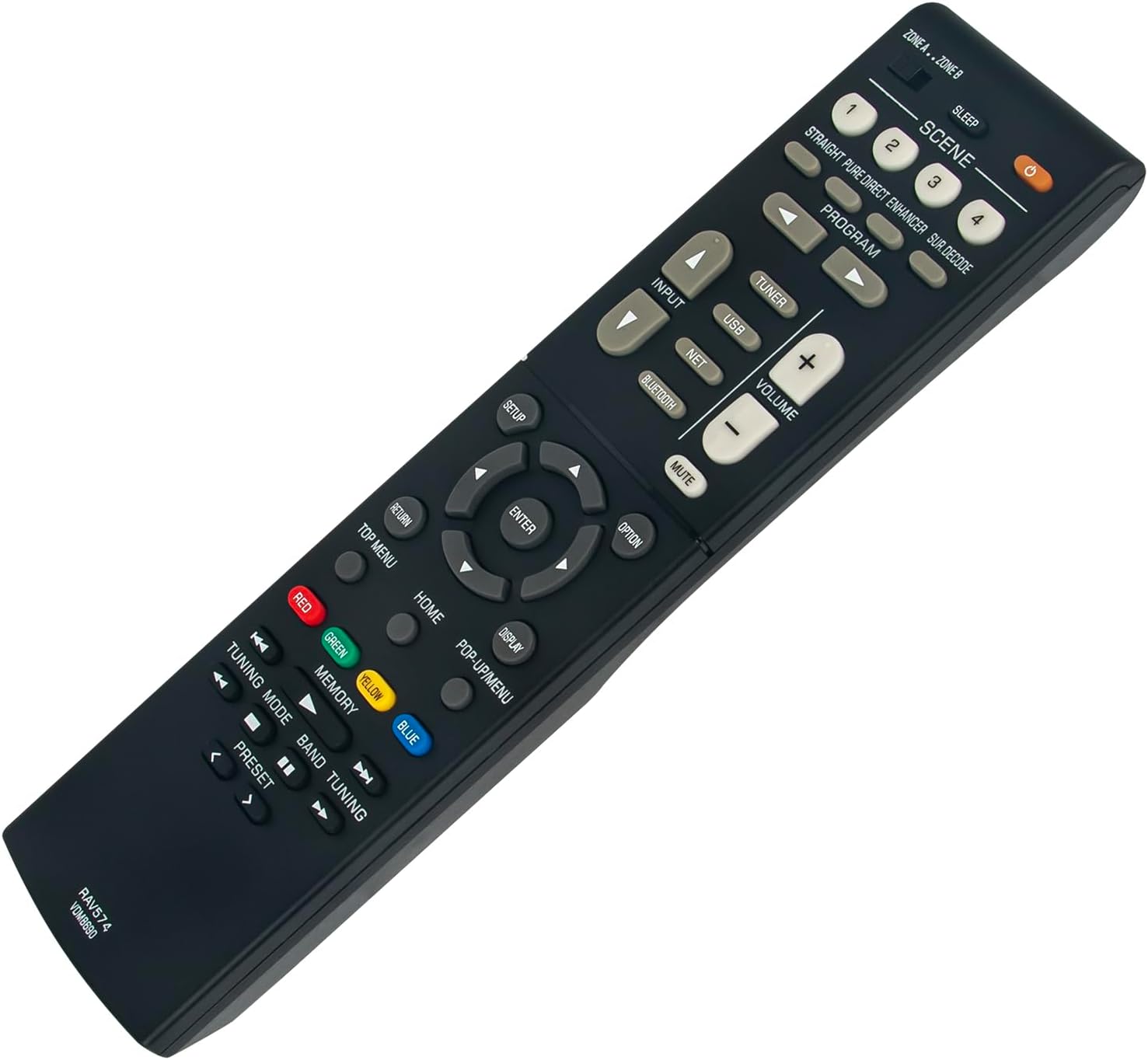
تصویر 1.1: سامنے view of the VINABTY RAV574 VDM8690 Replacement Remote Control. This image displays the ergonomic design and button layout of the remote control.
2. سیٹ اپ
The VINABTY RAV574 VDM8690 remote control requires no complex programming. Simply install the batteries, and it will be ready for use with your compatible Yamaha AV Receiver.
2.1 بیٹری کی تنصیب
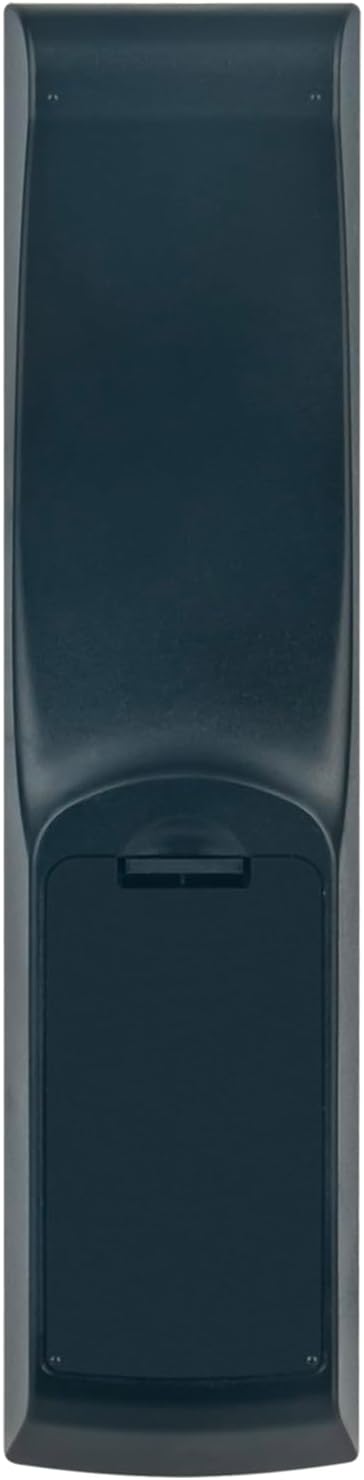
- ریموٹ کنٹرول کے پیچھے بیٹری کے ٹوکری کا احاطہ تلاش کریں۔
- کور کو نیچے کی طرف سلائیڈ کریں یا کمپارٹمنٹ کو کھولنے کے لیے لیچ (اگر موجود ہو) کو دبائیں۔
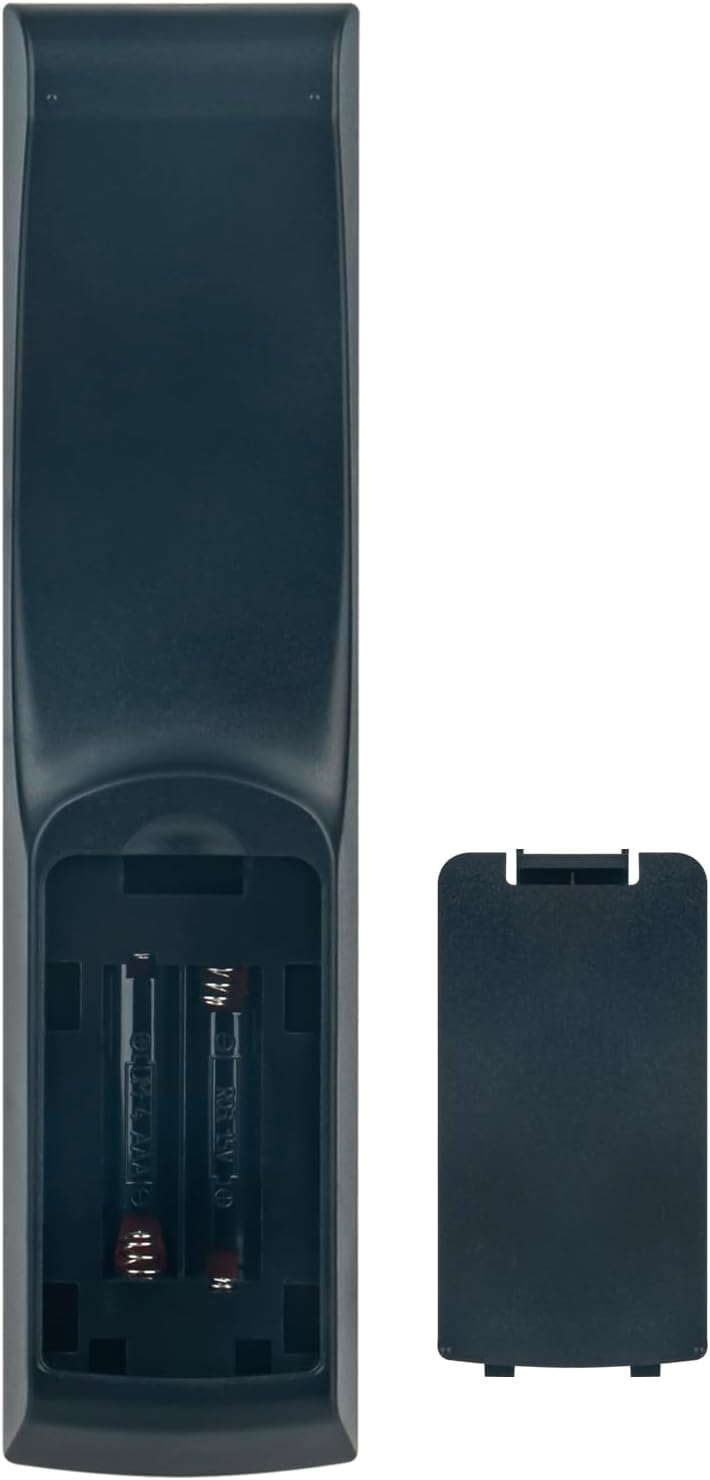
- دو AAA بیٹریاں ڈالیں (شامل نہیں)، اس بات کو یقینی بناتے ہوئے کہ مثبت (+) اور منفی (-) ٹرمینلز کمپارٹمنٹ کے اندر اشارے کے ساتھ درست طریقے سے سیدھ میں ہوں۔
- بیٹری کے کمپارٹمنٹ کور کو دوبارہ اپنی جگہ پر سلائیڈ کرکے بند کریں جب تک کہ یہ محفوظ طریقے سے کلک نہ کرے۔
تصویر 2.1: پیچھے view of the remote control with the battery compartment. This image illustrates the location of the battery cover for installation.
Once batteries are installed, the remote control is ready to operate your Yamaha AV Receiver.
3. آپریٹنگ ہدایات
This section details the functions of the buttons on your VINABTY RAV574 VDM8690 remote control. Refer to your Yamaha AV Receiver's manual for specific functions related to your model.
تصویر 3.1: زاویہ والا view of the remote control, showcasing the arrangement of various function buttons.
3.1 بنیادی افعال
- پاور بٹن (●): Turns the AV Receiver on or off.
- ان پٹ: Selects the audio/video input source (e.g., HDMI 1, HDMI 2, AV).
- والیوم (+/-): ماسٹر والیوم لیول کو ایڈجسٹ کرتا ہے۔
- خاموش کریں: آڈیو آؤٹ پٹ کو خاموش یا غیر خاموش کرتا ہے۔
- منظر (1-4): Recalls preset scene settings for various listening environments.
- پروگرام: Selects sound programs.
3.2 Source Selection Buttons
- ٹیونر: Selects the built-in radio tuner.
- USB: Selects the USB input for media playback.
- نیٹ: Selects network-connected sources.
- بلوٹوتھ: Activates Bluetooth input for wireless audio streaming.
3.3 Navigation and Menu Control
- سیٹ اپ: Accesses the receiver's setup menu.
- نیویگیشن بٹن (اوپر، نیچے، بائیں، دائیں): مینوز اور اختیارات کے ذریعے نیویگیٹ کرتا ہے۔
- درج کریں: انتخاب کی تصدیق کرتا ہے۔
- گھر: مرکزی ہوم اسکرین یا مینو پر واپس آجاتا ہے۔
- Pop-up/Menu: Displays or dismisses on-screen menus.
- ڈسپلے: Changes display information on the receiver or connected TV.
- اختیار: سیاق و سباق سے متعلق حساس اختیارات تک رسائی حاصل کرتا ہے۔
- واپسی: پچھلی اسکرین یا مینو پر واپس چلا جاتا ہے۔
- ٹاپ مینو: Accesses the top-level menu of a disc or source.
3.4 Media and Tuning Controls
- رنگ کے بٹن (سرخ، سبز، پیلا، نیلا): Used for specific functions within menus or applications, as indicated on-screen.
- یادداشت: Stores or recalls settings.
- ٹیوننگ موڈ: Switches between automatic and manual tuning modes for radio.
- بینڈ: Selects radio bands (e.g., FM/AM).
- Tuning (<< / >>): Adjusts radio frequency or skips tracks.
- پیش سیٹ کریں (< / >): Selects preset radio stations.
The remote control operates using infrared (IR) technology. Ensure a clear line of sight between the remote and your AV Receiver for optimal performance. The maximum operating range is approximately 10 meters (33 feet).
4 دیکھ بھال
4.1 ریموٹ کنٹرول کی صفائی
ریموٹ کنٹرول کی ظاہری شکل اور فعالیت کو برقرار رکھنے کے لیے، اسے باقاعدگی سے صاف کریں:
- سطح کو نرم، خشک کپڑے سے صاف کریں۔
- ضدی گندگی کے لیے، قدرے ڈیampur کپڑا جس میں پانی یا ہلکا، غیر کھرچنے والا کلینر۔
- سخت کیمیکلز، سالوینٹس یا کھرچنے والے کلیننگ پیڈز کا استعمال نہ کریں، کیونکہ یہ ریموٹ کی تکمیل یا اندرونی اجزاء کو نقصان پہنچا سکتے ہیں۔
4.2 بیٹری کی تبدیلی
Replace batteries when the remote control becomes unresponsive or its range decreases significantly. Refer to Section 2.1 for battery installation instructions. Always replace both batteries at the same time with new ones of the same type (AAA).
4.3 اسٹوریج
اگر ریموٹ کنٹرول ایک طویل مدت تک استعمال نہیں کیا جائے گا، تو بیٹریوں کو ہٹا دیں تاکہ آلہ کو رساو اور ممکنہ نقصان سے بچا جا سکے۔
5 خرابیوں کا سراغ لگانا
If you experience issues with your remote control, consult the following table for common problems and solutions:
| مسئلہ | ممکنہ وجہ | حل |
|---|---|---|
| ریموٹ کنٹرول غیر ذمہ دار ہے۔ | مردہ یا غلط طریقے سے داخل کی گئی بیٹریاں۔ | درست قطبیت کو یقینی بناتے ہوئے بیٹریوں کو نئی سے تبدیل کریں۔ |
| ریموٹ کنٹرول میں مختصر رینج یا وقفے وقفے سے ردعمل ہوتا ہے۔ | Low batteries; Obstruction between remote and receiver; Remote sensor on receiver is blocked. | Replace batteries. Ensure a clear line of sight. Check if anything is blocking the IR sensor on your AV Receiver. |
| Specific buttons do not work. | Button malfunction; Receiver not in correct mode. | Ensure the receiver is powered on and in the correct input/mode. If the issue persists, the button may be faulty. |
6. وضاحتیں
- برانڈ: ونابٹی
- ماڈل نمبر: RAV574 VDM8690
- رنگ: سیاہ
- کنیکٹوٹی ٹیکنالوجی: اورکت (IR)
- زیادہ سے زیادہ رینج: 10 Meters (approximately 33 feet)
- بٹنوں کی تعداد: 40
- معاون آلات: Home Cinema (Yamaha AV Receivers)
- خصوصی خصوصیت: ایرگونومک ڈیزائن
- طاقت کا منبع: 2 x AAA بیٹریاں (شامل نہیں)
- اصل ملک: چین
7. سپورٹ
For any further questions or assistance regarding your VINABTY RAV574 VDM8690 Replacement Remote Control, please contact our customer support. We aim to provide a satisfactory response within 24 hours.
Contact information is typically provided by the seller or manufacturer.