
1. تعارف
Thank you for choosing the Jeecoo A30 Wired Computer Speaker Bar. This manual provides essential information for setting up, operating, and maintaining your speaker bar to ensure optimal performance and longevity. Please read these instructions carefully before use.
باکس میں کیا ہے۔
- Jeecoo A30 PC Speaker Bar (with integrated USB power cable and 3.5mm AUX audio cable)
2 خصوصیات
- کومپیکٹ ڈیزائن: The Jeecoo A30 features a simple and modern design, ideal for desktop setups. Dimensions: 13.78 x 2.56 x 2.56 inches.
- آڈیو صاف کریں: Equipped with two 5W powerful driver units, providing clear and loud audio with well-balanced highs, mids, and enhanced bass.
- Easy Volume Control: A large dial allows for convenient volume adjustment and power on/off.
- وسیع مطابقت: Connects via 3.5mm AUX for audio input and USB for power, compatible with various PCs, laptops, desktops, tablets, and smartphones. (Note: Not compatible with Xbox).
- پورٹیبلٹی: Weighing 1.2 lbs (560 grams), it is suitable for both office/home use and portable outdoor activities.

Image: The Jeecoo A30 Wired Computer Speaker Bar, showcasing its sleek black design and integrated cables.

تصویر: ایک دھماکہ view of the Jeecoo A30 speaker bar, highlighting its two 5W powerful driver units for clear and balanced audio with enhanced bass.
3. سیٹ اپ
Follow these steps to connect your Jeecoo A30 speaker bar to your device:
- USB پاور کو جوڑیں: Plug the USB-A cable from the speaker bar into an available USB port on your computer, laptop, or a certified 5V/1A USB power adapter. This provides power to the speaker.
- Connect 3.5mm AUX Audio: Plug the 3.5mm AUX cable from the speaker bar into the headphone jack or audio output port of your device (PC, laptop, tablet, smartphone).
- پاور آن: Rotate the large volume dial clockwise until you hear a click or see an indicator light, turning the speaker on.
- حجم کو ایڈجسٹ کریں: Continue rotating the dial clockwise to increase the volume.
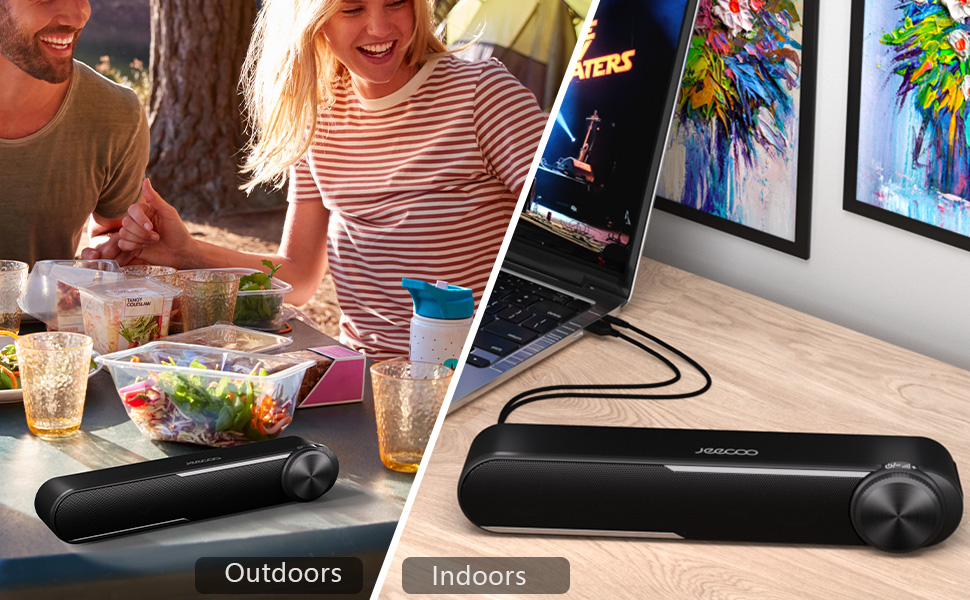
Image: Diagram showing how to connect the USB cable for power and the 3.5mm AUX cable for audio input to a laptop.
Video: Official Jeecoo video demonstrating the connection of the A30 Computer Speaker Bar with 3.5mm AUX input to a laptop.
4. آپریشن
والیوم کنٹرول اور پاور
The Jeecoo A30 features a large, integrated dial for convenient control:
- Power On/Increase Volume: Rotate the dial clockwise. The speaker will power on with a click, and continued rotation will increase the volume.
- Decrease Volume/Power Off: Rotate the dial anti-clockwise. The volume will decrease, and continued rotation past the minimum volume will power off the speaker with a click.

Image: A close-up of the large volume dial on the Jeecoo A30, illustrating how to rotate it clockwise to increase volume and anti-clockwise to decrease volume or power off.
5. وضاحتیں
| فیچر | تفصیل |
|---|---|
| ماڈل کا نام | Jeecoo A30 |
| اسپیکر کی قسم | ساؤنڈ بار |
| کنیکٹوٹی ٹیکنالوجی | معاون (3.5 ملی میٹر جیک) |
| طاقت کا منبع | USB (کورڈڈ الیکٹرک) |
| ان پٹ جلدtage | 5 وولٹ |
| اسپیکر زیادہ سے زیادہ آؤٹ پٹ پاور | 10 واٹس (5W x 2) |
| آڈیو آؤٹ پٹ وضع | سٹیریو |
| سراؤنڈ ساؤنڈ چینل کنفیگریشن | 2.0 |
| اسپیکر کا سائز | 2 انچ (ووفر قطر) |
| آڈیو ڈرائیور کی قسم | متحرک ڈرائیور |
| سگنل ٹو شور کا تناسب | 65 ڈی بی |
| Frequency Response (Max) | 18 KHz |
| رکاوٹ | 4 اوہم |
| پروڈکٹ کے طول و عرض (D x W x H) | 2.56" x 13.78" x 2.56" |
| شے کا وزن | 1.2 پاؤنڈز (560 گرام) |
| مواد | پلاسٹک |
| رنگ | سیاہ |
| چڑھنے کی قسم | ٹیبلٹاپ ماؤنٹ |
| ہم آہنگ آلات | PC Laptops, Desktop Computers, Macbook Air/Pro, iMac, iPad, Smartphones, Tablets |
| خصوصی خصوصیت | PC Speaker Bar with Clear Audio & Enhanced Bass |
6 خرابیوں کا سراغ لگانا
If you encounter any issues with your Jeecoo A30 speaker bar, please refer to the following common troubleshooting steps:
- کوئی طاقت نہیں:
- Ensure the USB power cable is securely connected to a powered USB port or a 5V/1A USB adapter.
- Rotate the volume dial clockwise to ensure the speaker is powered on.
- کوئی آواز نہیں:
- Verify that the 3.5mm AUX audio cable is fully inserted into both the speaker bar and your device's audio output jack.
- Check the volume level on both the speaker bar (using the dial) and your connected device.
- Ensure your device's audio output is set to the correct output (e.g., "Headphones" or "External Speakers").
- Test the speaker with a different audio source or device to rule out device-specific issues.
- Distorted Sound / Static:
- Reduce the volume on both the speaker bar and your connected device. High volume levels can sometimes cause distortion.
- یقینی بنائیں کہ تمام کیبل کنکشن محفوظ ہیں۔
- Avoid placing the speaker near sources of electromagnetic interference (e.g., Wi-Fi routers, power adapters).
- Test with a different audio source or cable if possible.
7 دیکھ بھال
To maintain the performance and appearance of your speaker bar:
- اسپیکر کو نرم، خشک کپڑے سے صاف کریں۔ مائع کلینر یا ایروسول استعمال نہ کریں۔
- Avoid exposing the speaker to excessive moisture, heat, or direct sunlight.
- خود اسپیکر کو الگ کرنے یا مرمت کرنے کی کوشش نہ کریں، کیونکہ اس سے وارنٹی ختم ہو جائے گی۔
8. وارنٹی اور سپورٹ
The Jeecoo A30 Wired Computer Speaker Bar comes with a limited warranty. For detailed warranty information, product support, or technical assistance, please contact Jeecoo customer service through the retailer where you purchased the product or visit the official Jeecoo webسائٹ
وارنٹی کے دعووں کے لیے براہ کرم اپنی خریداری کا ثبوت اپنے پاس رکھیں۔