
Kinganda Q71
Kinganda Bluetooth Headphones User Manual
ماڈل: Q71
برانڈ: کنگنڈا۔
تعارف
Thank you for choosing Kinganda Bluetooth Headphones. This user manual provides detailed instructions on how to set up, operate, and maintain your new headphones. Please read this manual thoroughly before use to ensure optimal performance and longevity of your device.
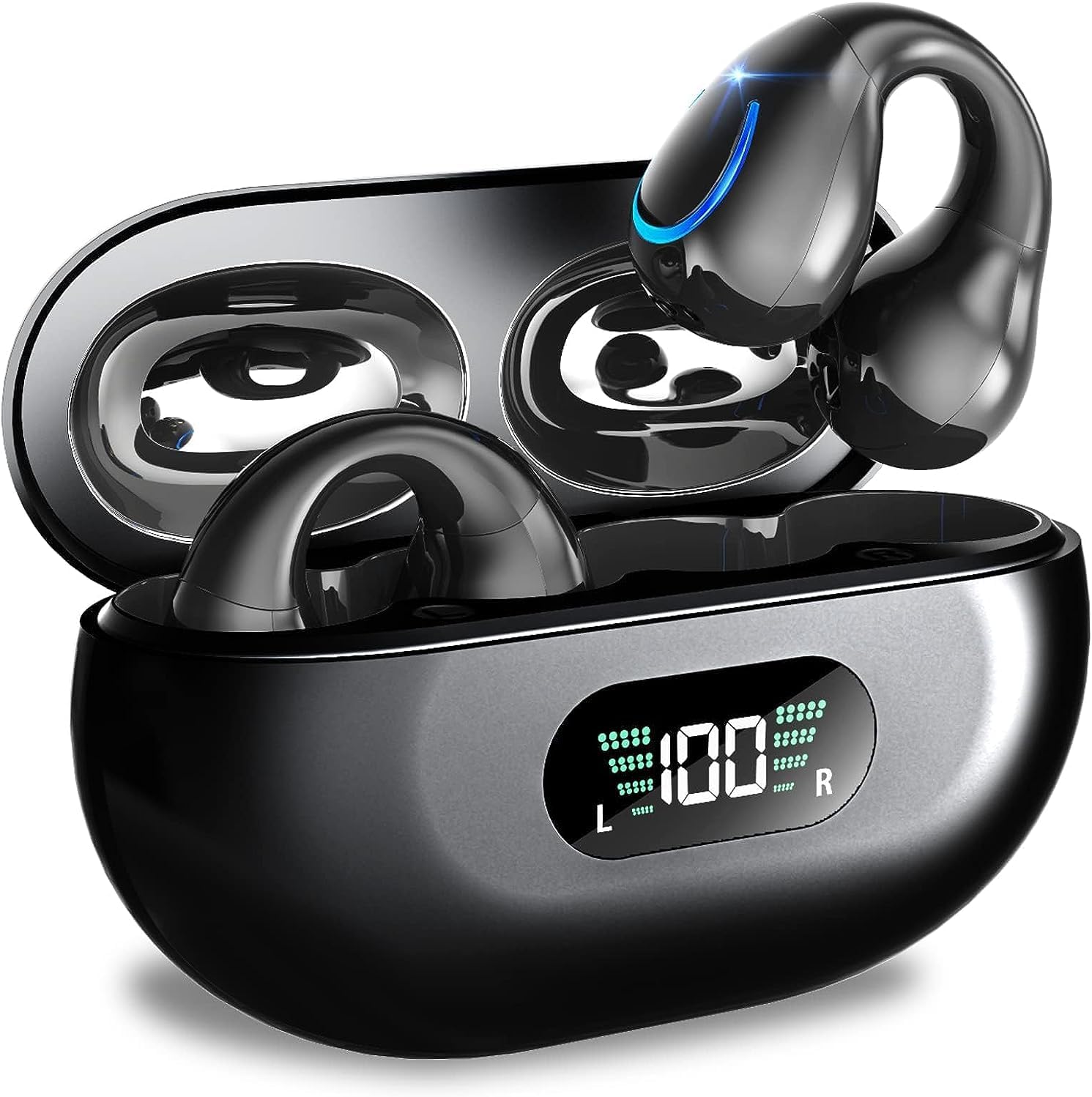
Image: Kinganda Bluetooth Headphones (Model Q71) in their charging case, showcasing the sleek design and LED display.
باکس میں کیا ہے۔
تمام اشیاء کی موجودگی کو یقینی بنانے کے لیے براہ کرم پیکیج کے مواد کو چیک کریں:
- Wireless Headphones (Left and Right)
- وائرلیس چارجنگ کیس
- USB-C چارجنگ کیبل
- صارف دستی

Image: An illustration showing the Kinganda headphones, charging case, USB-C cable, and user manual, representing the package contents.
حفاظتی معلومات
To ensure safe operation and prevent damage to your headphones, please observe the following safety guidelines:
- Do not swim underwater or take hot baths with the headphones. Exposure to high temperatures or prolonged submersion can cause damage to the internal components.
- Keep the headphones and charging case away from extreme temperatures, direct sunlight, and high humidity.
- آلے کو گرانے یا اسے سخت اثرات کے تابع کرنے سے گریز کریں۔
- Do not attempt to disassemble, repair, or modify the headphones yourself. Contact qualified service personnel for any repairs.
- بچوں اور پالتو جانوروں کی پہنچ سے دور رکھیں۔
پروڈکٹ ختمview اور خصوصیات
The Kinganda Q71 headphones are designed for comfort and high-quality audio, featuring advanced technology for an enhanced listening experience.
اہم خصوصیات:
- اعلی درجے کی بلوٹوتھ 5.3 ٹیکنالوجی: Ensures a stable, low-latency connection with lower power consumption and faster transmission.
- Comfortable Open Ear Clip Design: Ergonomically designed to fit the contours of the ear, providing a secure and comfortable fit without entering the ear canal. This design allows you to remain aware of your surroundings.
- 36 گھنٹے کھیل کا وقت: Enjoy up to 6 hours of continuous playback on a single charge, with an additional 30 hours provided by the compact magnetic charging case.
- ایل ای ڈی ڈیجیٹل ڈسپلے: The charging case features an LED screen that clearly shows the remaining power of both the headphones and the charging case.
- IPX7 واٹر پروف درجہ بندی: Designed to withstand sweat and light rain, making them suitable for various activities.
- 10 ملی میٹر ڈرائیور: Deliver deep bass and stereo sound for a rich audio experience.
- Built-in ENC Mic: Enhanced Noise Cancellation microphone for clear calls.
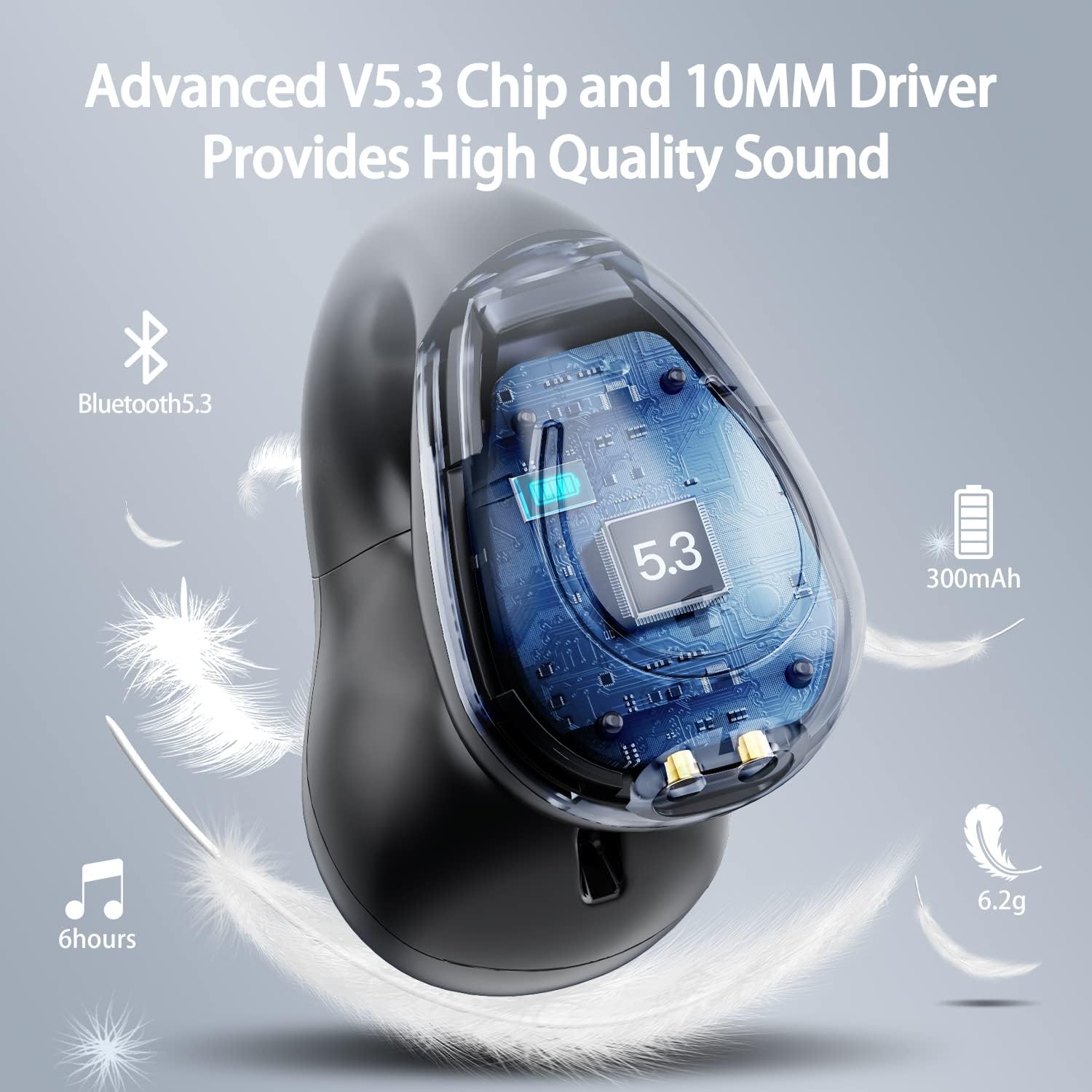
تصویر: ایک کٹاوے۔ view of the Kinganda earbud, highlighting the advanced V5.3 chip and 10mm driver for high-quality sound.

Image: A person wearing the Kinganda Q71 headphones, demonstrating the comfortable and secure open-ear clip design.
سیٹ اپ
Pairing Your Headphones:
- ہیڈ فون چارج کریں: Before first use, ensure both the headphones and the charging case are fully charged. Place the earbuds into the charging case and connect the USB-C cable to a power source. The LED display on the case will indicate charging status.
- پاور آن: چارجنگ کیس کھولیں۔ ہیڈ فون خود بخود آن ہو جائیں گے اور پیئرنگ موڈ میں داخل ہو جائیں گے۔
- بلوٹوتھ کو چالو کریں: On your device (smartphone, tablet, laptop, etc.), go to the Bluetooth settings and turn on Bluetooth.
- ڈیوائس منتخب کریں: In the list of available Bluetooth devices, look for "YYK-Q71" and select it to connect.
- تصدیق: Once connected, you will hear an audio prompt from the headphones, and the device will show "YYK-Q71" as connected.
The headphones are widely compatible with iOS, Android, and Windows devices.

Image: An illustration demonstrating the simple one-step pairing process and wide compatibility of the Kinganda Q71 headphones with various devices.
آپریٹنگ ہدایات
Charging the Headphones and Case:
- ایئربڈز چارجنگ: Place the earbuds back into the charging case. They will automatically begin charging. The LED display on the case will show the charging status of each earbud.
- کیس چارجنگ: Connect the provided USB-C cable to the charging port on the case and the other end to a USB power adapter (not included). The LED display will show the battery percentage of the case.
- A full charge of the earbuds provides approximately 6 hours of playtime. The charging case provides an additional 30 hours of battery life, allowing for multiple recharges on the go.
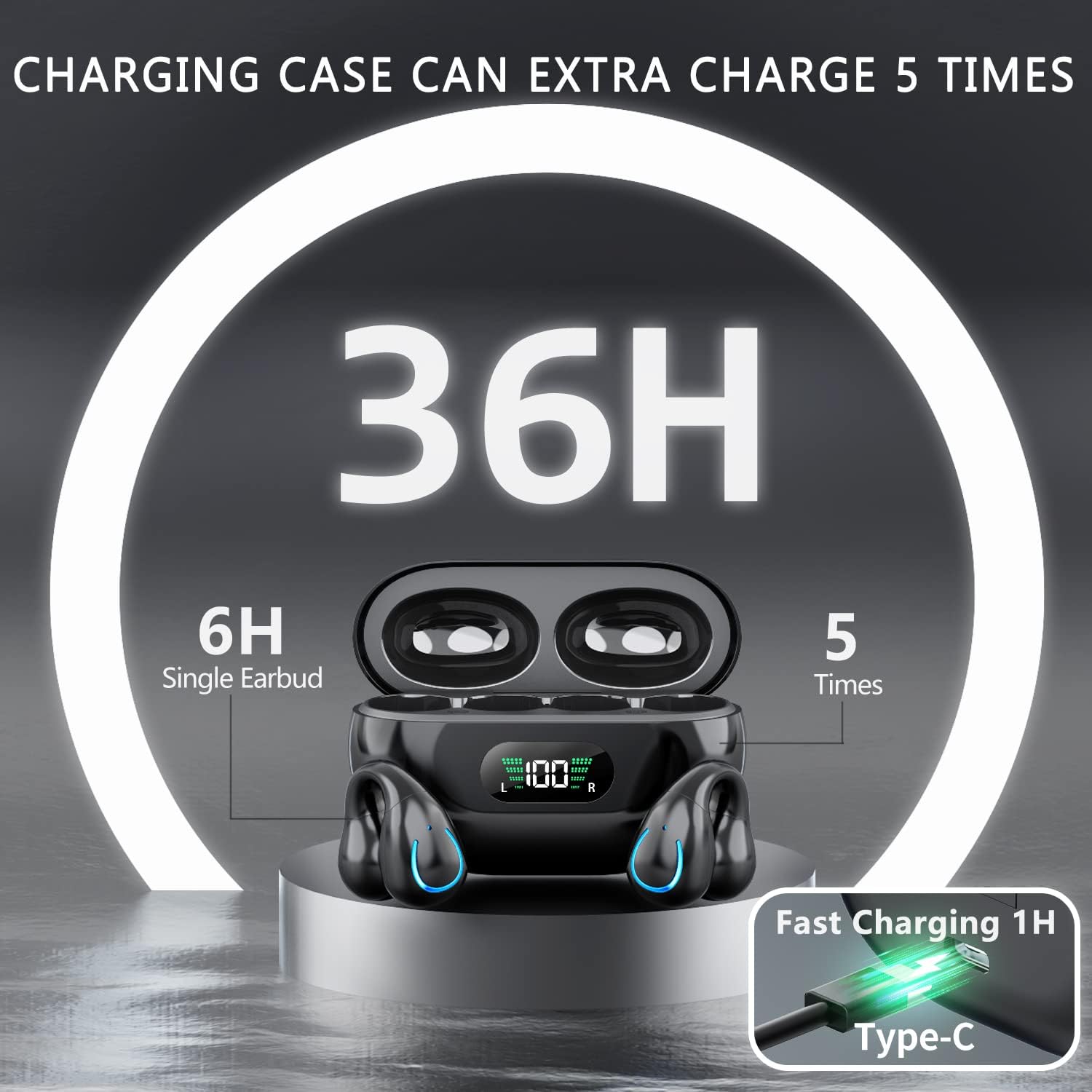
Image: The Kinganda charging case displaying "36H" total playtime, indicating 6 hours from a single earbud charge and 5 additional charges from the case.
ٹچ کنٹرولز:
The Kinganda Q71 headphones feature physical buttons for precise control, preventing accidental touches.
| ایکشن | کنٹرول |
|---|---|
| پاور آن/آف | Automatically On/Off when taken out/put into case. |
| جواب / کال ختم کریں۔ | Click 1 time (either earbud) |
| کال کو مسترد کریں۔ | دبائیں اور دبائے رکھیں (یا تو ایئربڈ) |
| موسیقی چلائیں/روکیں۔ | Click 1 time (either earbud) |
| اگلا ٹریک | Click Right earbud 2 times |
| پچھلا ٹریک | Click Left earbud 2 times |
| وائس اسسٹنٹ کو فعال کریں (سری، گوگل اسسٹنٹ) | Click 3 times (either earbud) |

Image: Diagram illustrating the one-button physical controls for the Kinganda headphones, including call management, music playback, and voice assistant activation.
دیکھ بھال
Proper maintenance will extend the life of your Kinganda headphones:
- صفائی: Use a soft, dry, lint-free cloth to clean the earbuds and charging case. Do not use harsh chemicals, cleaning solvents, or strong detergents.
- ذخیرہ: When not in use, store the headphones in their charging case to protect them from dust and damage. Store in a cool, dry place.
- پانی کی مزاحمت: While the headphones are IPX7 waterproof (resistant to sweat and light rain), they are not designed for swimming or submersion in water. Avoid exposure to hot water or steam.
- بیٹری کی دیکھ بھال: To preserve battery life, charge the headphones regularly, even if not used for extended periods. Avoid fully draining the battery frequently.
خرابی کا سراغ لگانا
اگر آپ کو اپنے ہیڈ فون کے ساتھ کوئی مسئلہ درپیش ہے، تو براہ کرم درج ذیل عام مسائل اور حل دیکھیں:
ہیڈ فون جوڑا نہیں بن رہے ہیں:
- یقینی بنائیں کہ دونوں ایئربڈس پوری طرح سے چارج ہیں۔
- یقینی بنائیں کہ آپ کے آلے پر بلوٹوتھ فعال ہے۔
- ایئربڈز کو چارجنگ کیس میں واپس رکھیں، ڈھکن بند کریں، چند سیکنڈ انتظار کریں، پھر جوڑا بنانے کے موڈ میں دوبارہ داخل ہونے کے لیے ڑککن کو دوبارہ کھولیں۔
- اپنے آلے کی بلوٹوتھ فہرست سے "YYK-Q71" کو بھول جائیں اور دوبارہ جوڑا بنانے کی کوشش کریں۔
- Ensure the headphones are within the effective Bluetooth range (typically 10 meters/33 feet) of your device.
Only one earbud is working:
- Place both earbuds back into the charging case and ensure they are charging correctly.
- Take both earbuds out simultaneously. They should automatically connect to each other.
- If the issue persists, try resetting the headphones (refer to the manufacturer's website or contact support for specific reset instructions if not detailed here).
خراب آواز کا معیار یا منقطع:
- Ensure there are no obstructions between your device and the headphones.
- مداخلت کو کم کرنے کے لیے اپنے آلے کے قریب جائیں۔
- چیک کریں کہ آیا ایئربڈز صاف اور ملبے سے پاک ہیں۔
- کسی دوسرے ذریعہ یا ایپلیکیشن سے آڈیو چلانے کی کوشش کریں۔
ہیڈ فون چارج نہیں ہو رہے:
- Ensure the USB-C charging cable is securely connected to both the case and the power source.
- ایک مختلف USB-C کیبل یا پاور اڈاپٹر استعمال کرنے کی کوشش کریں۔
- Clean the charging contacts on both the earbuds and inside the charging case with a dry cotton swab.
وضاحتیں
| فیچر | تفصیل |
|---|---|
| ماڈل نمبر | Q71 (YYK-Q71) |
| برانڈ | کنگنڈا |
| کنیکٹوٹی ٹیکنالوجی | وائرلیس (بلوٹوتھ 5.3) |
| کان کی جگہ کا تعین | کان کھولیں۔ |
| فارم فیکٹر | کلپ آن |
| شور کنٹرول | Sound Isolation (via ENC Mic) |
| مصنوعات کے طول و عرض | 3 x 3 x 3 cm; 6.2 g (per earbud) |
| بیٹریاں | 2 لتیم پولیمر بیٹریاں (شامل) |
| شامل اجزاء | Wireless Headphones, User Manual, USB-C Charging Cable, Wireless Charging Case |
| رنگ | سیاہ |
| کارخانہ دار | کنگنڈا |
وارنٹی اور سپورٹ
Kinganda products are manufactured to the highest quality standards. For any warranty claims or technical support, please contact your original retailer or the manufacturer directly. Please retain your proof of purchase for warranty service.
For further assistance, please refer to the contact information provided with your purchase or visit the official Kinganda webسائٹ
Ask a question about this manual
Ask about setup, troubleshooting, compatibility, parts, safety, or missing instructions. Manuals+ will review the question and use this page’s manual context to help answer it.