
1. تعارف
Thank you for choosing the Rettru XDWIFI Pro Wireless WiFi Camera. This compact camera is designed for versatile security monitoring, offering HD 1080P video recording, night vision, and motion detection capabilities. It is suitable for various applications including home security, baby monitoring, and pet monitoring. This manual provides detailed instructions for setting up, operating, and maintaining your camera to ensure optimal performance.
2. پیکیج کے مشمولات
براہ کرم تصدیق کریں کہ نیچے دی گئی تمام اشیاء آپ کے پیکیج میں شامل ہیں:
- 1 x Rettru XDWIFI Pro Camera
- 1 X مقناطیسی بیس
- 1 X مائیکرو ایسڈی کارڈ ریڈر
- 1 ایکس صارف دستی
- 1 ایکس پاور کیبل

Image: The package contents include the camera, magnetic base, Micro SD card reader, user manual, and power cable.
3. مصنوعات کی خصوصیات
- کومپیکٹ ڈیزائن: The camera features a small form factor, measuring approximately 1.57 x 1.18 x 0.5 inches, making it easy to conceal and place discreetly.
- HD 1080P ویڈیو: Records clear video at 1080p resolution.
- بہتر نائٹ ویژن: Equipped with two 940nm infrared lights, providing up to 26ft night vision range without visible glow.
- حرکت کا پتہ لگانا: Intelligent motion detection with customizable monitoring areas and times. Sends alarm notifications with images to your phone upon detection.
- دوہری پاور موڈ: Features a built-in lithium battery for approximately 1.5 hours of continuous operation, and can be connected to a USB power source for extended use.
- لوپ ریکارڈنگ: خود بخود بڑی عمر کو اوور رائٹ کرتا ہے۔ files جب میموری کارڈ بھرا ہو، مسلسل ریکارڈنگ کو یقینی بناتا ہے۔
- ریموٹ Viewing: Access live video feed from anywhere via the companion mobile application (V380 Pro).
- مقناطیسی ماؤنٹنگ: Includes a magnetic base for flexible installation on various surfaces.

Image: The camera's compact dimensions are illustrated, emphasizing its small size.

Image: The camera's small size allows for discreet placement, such as within a plant pot.

Image: The camera can be mounted on a desk, bookshelf, or wall using its 360-degree rotating stand.
4. سیٹ اپ گائیڈ
4.1 کیمرہ چارج کرنا
Before first use, fully charge the camera. Connect the camera to a USB power source (e.g., wall charger, power bank, computer USB port) using the provided USB cable. The charging indicator light will show the charging status.

Image: The camera supports dual power modes, allowing it to be powered by its built-in battery or an external USB source like a power bank or wall charger.
4.2 مائیکرو ایس ڈی کارڈ داخل کرنا (اختیاری)
For local video storage, insert a Micro SD card (up to 128GB, purchased separately) into the camera's SD card slot. Ensure the card is inserted correctly with the contacts facing the camera's interior. The camera supports loop recording, overwriting older files جب کارڈ بھر جاتا ہے۔

Image: Illustration of Micro SD card insertion and the corresponding recording durations for various card capacities.
4.3 ایپ ڈاؤن لوڈ اور انسٹالیشن
The Rettru XDWIFI Pro camera uses the V380 پرو application for remote viewing and control. Download the app from your device's app store (iOS App Store or Google Play Store).
- تلاش کریں۔ "V380 Pro" in your app store.
- ایپلیکیشن ڈاؤن لوڈ اور انسٹال کریں۔
- کسی اکاؤنٹ کے لیے رجسٹر ہوں یا لاگ ان کریں اگر آپ کے پاس پہلے سے موجود ہے۔

Image: Visual steps for downloading the V380 Pro app, connecting the device, and establishing a WiFi connection.
4.4 Connecting the Camera to WiFi
Follow these steps to connect your camera to your home WiFi network:
- کیمرے پر پاور۔
- اپنے اسمارٹ فون پر V380 پرو ایپ کھولیں۔
- نیا آلہ شامل کرنے کے لیے "+" آئیکن کو تھپتھپائیں۔
- Select the appropriate connection method (e.g., "Add device by WiFi Smart Config" or "Add device by AP Hotspot").
- Follow the on-screen instructions to connect the camera to your 2.4GHz WiFi network. Note: This camera only supports 2.4GHz WiFi networks. It is not compatible with 5GHz networks.
- Once connected, you can name your device and begin viewing the live feed.
5. آپریٹنگ ہدایات
5.1 لائیو Viewing
After successful setup, open the V380 Pro app and select your camera from the device list to access the live video feed. You can view the feed remotely from anywhere with an internet connection.
5.2 حرکت کا پتہ لگانا
The camera features intelligent motion detection. When motion is detected, the camera will send an alarm notification with images to your phone. You can customize motion detection settings within the V380 Pro app:
- حساسیت: حرکت کا پتہ لگانے کی حساسیت کو ایڈجسٹ کریں۔
- کھوج کا علاقہ: کیمرے کے اندر مخصوص علاقوں کی وضاحت کریں۔ view تحریک کا پتہ لگانے کے لئے.
- شیڈول: Set specific times for motion detection to be active.
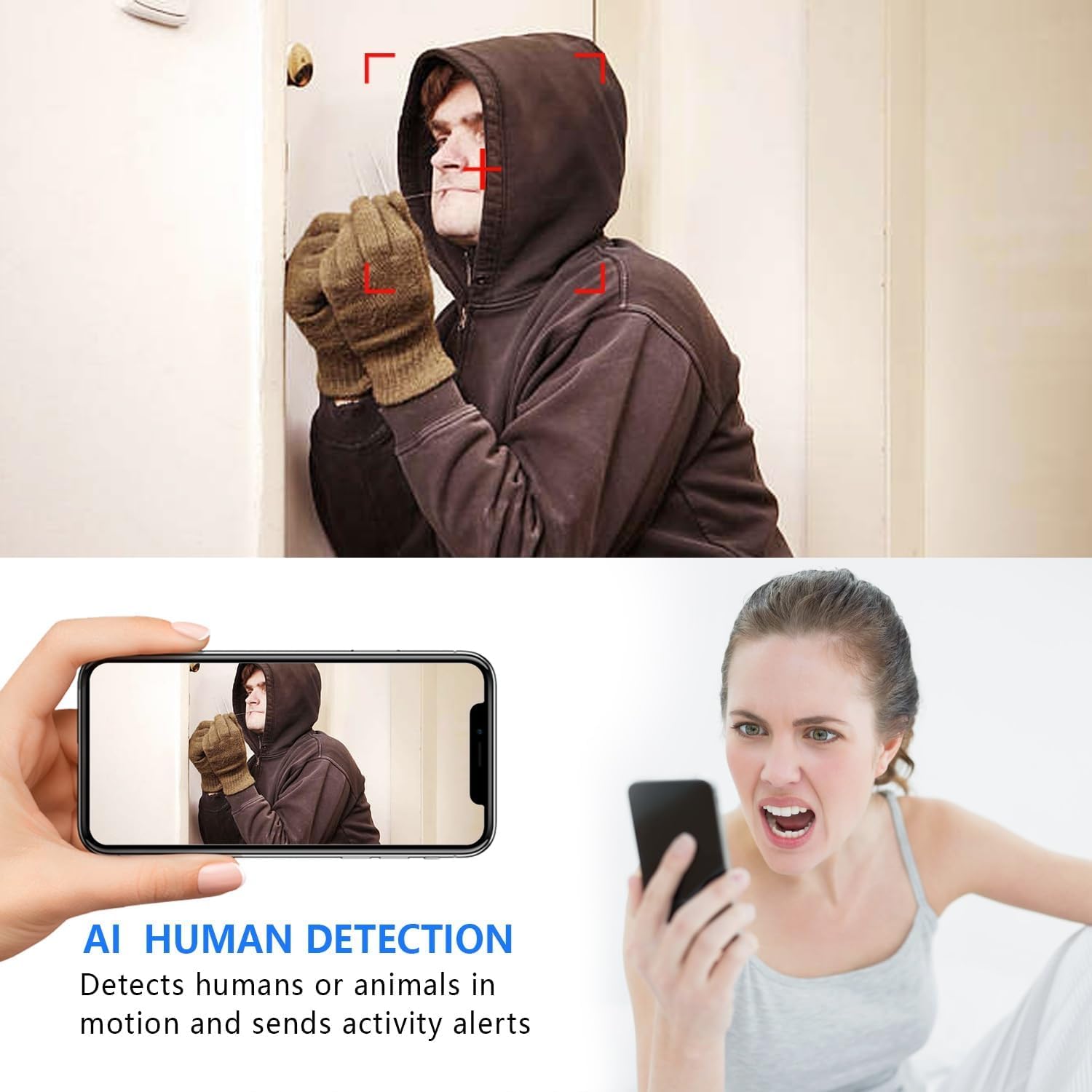
Image: The AI Human Detection feature identifies human movement and sends alerts to your mobile device.
5.3 نائٹ ویژن
The camera automatically switches to night vision mode in low-light conditions. The infrared lights are non-glowing, ensuring discreet monitoring in complete darkness up to 26 feet.

Image: Comparison of day and night vision, demonstrating the camera's ability to provide clear images in darkness.
5.4 ریکارڈنگ اور اسٹوریج
The camera supports two primary recording methods:
- Micro SD Card Recording: If an SD card is inserted, the camera will record video directly to it. Loop recording ensures continuous operation by overwriting the oldest footage.
- کلاؤڈ اسٹوریج: The V380 Pro app may offer optional cloud storage services for your recordings. Refer to the app for details on subscription plans and features.
6 دیکھ بھال
- صفائی: کیمرے کے لینس اور جسم کو صاف کرنے کے لیے نرم، خشک کپڑا استعمال کریں۔ مائع کلینر یا کھرچنے والے مواد کے استعمال سے پرہیز کریں۔
- بیٹری کی دیکھ بھال: For optimal battery life, avoid extreme temperatures. Recharge the camera regularly, especially if it will be stored for an extended period.
- فرم ویئر اپ ڈیٹس: Periodically check the V380 Pro app for any available firmware updates for your camera. Keeping the firmware updated ensures the best performance and security.
7 خرابیوں کا سراغ لگانا
| مسئلہ | ممکنہ وجہ | حل |
|---|---|---|
| Camera fails to connect to WiFi. | Incorrect WiFi password; Camera too far from router; Router is 5GHz only; Network interference. |
|
| کوئی لائیو ویڈیو فیڈ نہیں۔ | Camera is offline; Poor internet connection; App issue. |
|
| حرکت کا پتہ لگانے کے انتباہات موصول نہیں ہوئے۔ | App notifications disabled; Motion detection settings incorrect; Camera offline. |
|
| مختصر بیٹری کی زندگی۔ | Continuous recording; Frequent motion detection; Low ambient temperature. |
|
8. وضاحتیں
| فیچر | تفصیل |
|---|---|
| ماڈل نمبر | USA-Heima-XDWIFI New-JIAN-00005 |
| ویڈیو کیپچر ریزولوشن | 1080ص |
| Viewآئی اینگل | 160 ڈگری |
| نائٹ ویژن رینج۔ | 26 فٹ تک |
| کنیکٹیویٹی پروٹوکول | Wi-Fi (صرف 2.4GHz) |
| ہم آہنگ آلات | iOS/Android Phone |
| طاقت کا منبع | بیٹری سے چلنے والی (1 لیتھیم آئن بیٹری شامل ہے) |
| بیٹری کی زندگی | Approx. 1.5 hours (continuous operation) |
| ذخیرہ | مائیکرو ایس ڈی کارڈ (128 جی بی تک، شامل نہیں)، کلاؤڈ اسٹوریج (اختیاری) |
| آئٹم کے طول و عرض (L x W x H) | 1.7 x 1.3 x 0.4 انچ |
| شے کا وزن | 0.64 اونس (18.14 گرام) |
| آپریٹنگ ایپ | V380 پرو |
| تنصیب کی قسم | Wall-Mounted & Surface-Mounted (with magnetic base) |
| بین الاقوامی تحفظ کی درجہ بندی | آئی پی 65 |
9. وارنٹی اور سپورٹ
For warranty information and technical support, please refer to the contact details provided with your purchase or visit the official Rettru webسائٹ اگر آپ کو کوئی ایسا مسئلہ درپیش ہے جس کا اس دستی میں احاطہ نہیں کیا گیا ہے، تو براہ کرم مدد کے لیے کسٹمر سروس سے رابطہ کریں۔