
1. تعارف
The TIMBOOTECH Wireless HDMI Transmitter (TX) and Receiver (RX) system is designed to provide a seamless, high-definition wireless connection for video and audio. This device allows you to transmit 1080P@60Hz content wirelessly from various HDMI-enabled source devices to a display, projector, or TV, eliminating the need for long HDMI cables. With its 5G transmission technology, foldable external antennas, and adjustable channels, it ensures stable and low-latency streaming for both professional and entertainment purposes.
2. پیکیج کے مشمولات
براہ کرم تصدیق کریں کہ نیچے دی گئی تمام اشیاء آپ کے پیکیج میں شامل ہیں:
- 1 x HDMI Transmitter (TX)
- 1 x HDMI Receiver (RX)
- 2 x USB-C Power Cables
- 2 x HDMI Extension Cables
- 1 x User Manual (multi-language)

3. پروڈکٹ ختمview
The TIMBOOTECH Wireless HDMI system consists of two main components: the Transmitter (TX) and the Receiver (RX). Both units are compact and feature foldable external antennas for optimal signal strength. Each unit is equipped with an HDMI connector for video/audio input/output and a USB-C port for power supply.

4. سیٹ اپ ہدایات
The TIMBOOTECH Wireless HDMI system is designed for plug-and-play operation, requiring no software installation.
4.1 ابتدائی کنکشن
- وصول کنندہ (RX) کو جوڑیں: Plug the RX unit into an available HDMI input port on your display device (TV, monitor, or projector). Connect a USB-C power cable from the RX unit to a USB power source (e.g., TV's USB port, USB wall adapter). Power on your display device.
- ٹرانسمیٹر (TX) کو جوڑیں: Plug the TX unit into the HDMI output port of your source device (laptop, PC, camera, Blu-ray player, etc.). Connect a USB-C power cable from the TX unit to a USB power source (e.g., laptop's USB port, USB wall adapter).
- خودکار جوڑی: The TX and RX units will automatically pair within approximately 5 seconds. The indicator lights on both units will show a stable connection once paired.
اہم: Ensure both the TX and RX units are powered correctly for optimal performance.
5. آپریٹنگ ہدایات
5.1 ڈسپلے موڈ
The system supports two primary display modes, depending on your source device's settings:
- آئینہ موڈ: Duplicates your source device's screen onto the connected display.
- توسیع موڈ: Expands your desktop across both screens, allowing for multitasking.
You can typically switch between these modes through your computer's display settings (e.g., Windows Display Settings or macOS System Preferences).
5.2 Low Latency Streaming
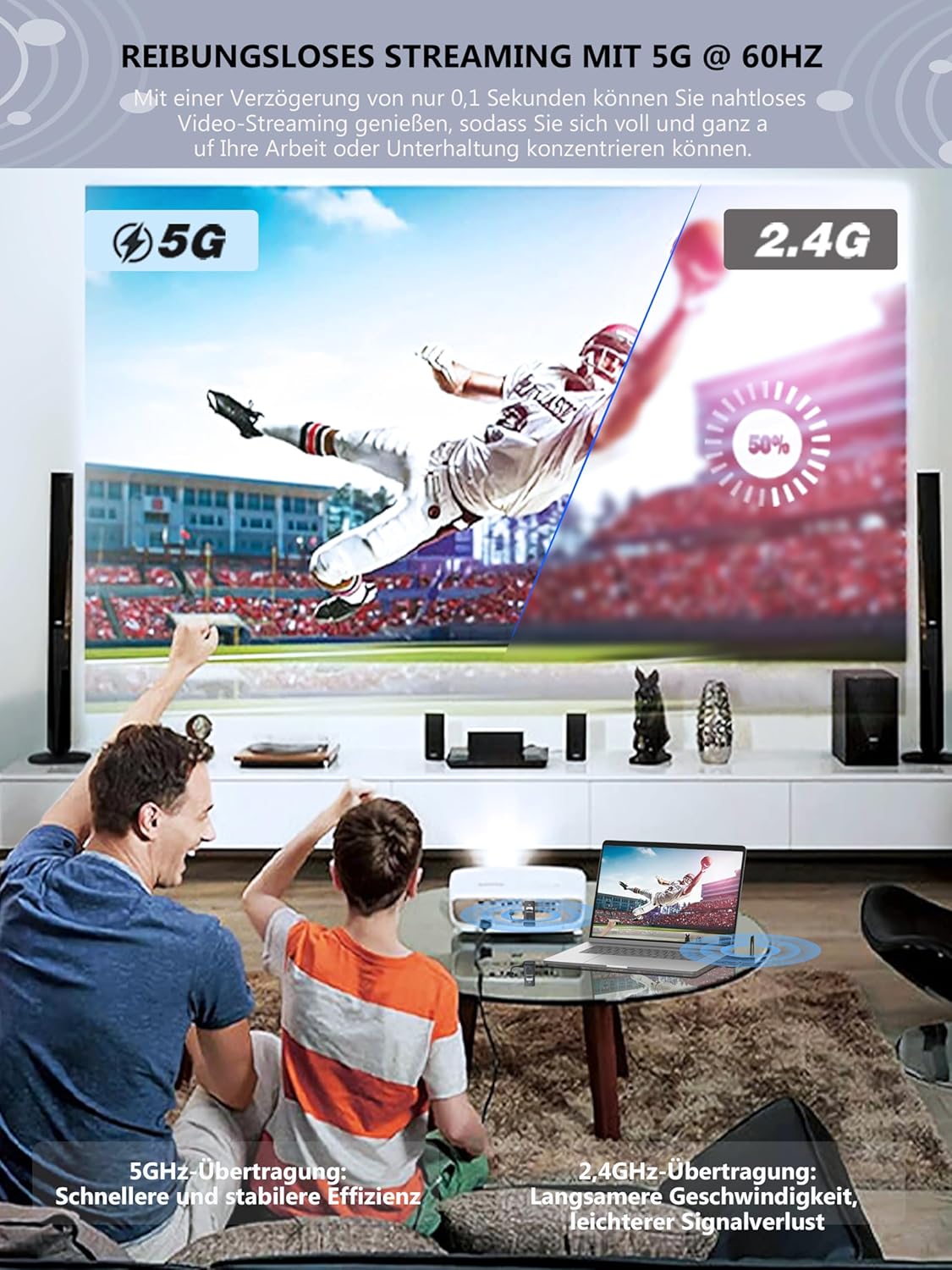
The TIMBOOTECH system utilizes advanced 5G technology to achieve ultra-low latency of approximately 0.1 seconds, ensuring a smooth and synchronized video and audio experience.

6. اعلی درجے کی خصوصیات
6.1 Multiple Transmitters to One Receiver
One Receiver (RX) unit can be paired with up to eight Transmitter (TX) units. This feature is ideal for presentations or collaborative environments where multiple users need to share their screens on a single display. To switch between active TX units, simply press the button on the desired TX unit.
Additional Transmitter (TX) units can be purchased separately. تلاش کریں۔ AISN: B0CF22CM3K on Amazon.

6.2 Adjustable Wireless Channels
The TIMBOOTECH system allows for customization of the wireless channel. This feature helps to avoid interference from other wireless devices in crowded environments, ensuring a more stable and reliable connection.
6.3 Long-Range Transmission
The system supports wireless transmission up to 165 feet (50 meters) in a direct line of sight. For environments with obstructions such as walls or floors, the effective range is approximately 32 feet (10 meters).

6.4 Enhanced Design
The TIMBOOTECH Wireless HDMI units feature external foldable antennas for stronger signal reception and improved heat dissipation design to prevent overheating and ensure uninterrupted streaming, distinguishing them from models with internal antennas or less efficient cooling.

7 دیکھ بھال
To ensure the longevity and optimal performance of your TIMBOOTECH Wireless HDMI system, follow these maintenance guidelines:
- صفائی: یونٹوں کو صاف کرنے کے لیے نرم، خشک کپڑا استعمال کریں۔ مائع کلینر یا کھرچنے والے مواد کے استعمال سے پرہیز کریں۔
- ذخیرہ: When not in use, store the units in a cool, dry place away from direct sunlight and extreme temperatures.
- ہینڈلنگ: یونٹس کو احتیاط سے ہینڈل کریں۔ ان کو گرانے سے گریز کریں یا انہیں سخت اثرات کا نشانہ بنائیں۔
- طاقت: Always use the provided USB-C power cables and ensure a stable power supply.
8 خرابیوں کا سراغ لگانا
If you encounter issues with your Wireless HDMI system, please refer to the following troubleshooting steps:
| مسئلہ | ممکنہ وجہ | حل |
|---|---|---|
| ڈسپلے پر کوئی سگنل نہیں ہے۔ | TX/RX not powered, incorrect HDMI connection, pairing issue, display input not selected. | Ensure both TX and RX are powered. Check HDMI cables are securely connected. Select the correct HDMI input on your display. Re-power both units to re-initiate pairing. |
| Intermittent signal or poor quality | Interference from other wireless devices, too far from RX, obstructions, low power. | Reduce distance between TX and RX. Ensure line of sight. Try adjusting the wireless channel (refer to advanced features). Ensure stable power supply to both units. Avoid placing near strong Wi-Fi routers or microwaves. |
| کوئی آڈیو یا مسخ شدہ آڈیو نہیں۔ | Audio settings on source device, display audio settings, connection issue. | Check audio output settings on your source device. Ensure your display's audio is not muted or set to a very low volume. Verify all connections are secure. |
| یونٹس جوڑنے میں ناکام رہتے ہیں۔ | Power issue, units too far apart, interference. | Ensure both TX and RX are powered correctly. Bring units closer together during initial pairing. Try restarting both units. |
| Not compatible with phone/tablet | Product limitation. | This device is designed for HDMI output devices such as laptops, PCs, cameras, etc., and does not support direct connection to phones or tablets. |
اگر ان حلوں کو آزمانے کے بعد بھی مسئلہ برقرار رہتا ہے، تو براہ کرم کسٹمر سپورٹ سے رابطہ کریں۔
9. وضاحتیں
| فیچر | تفصیل |
|---|---|
| ماڈل نمبر | TXRX |
| برانڈ | ٹمبوٹیک |
| کنیکٹوٹی ٹیکنالوجی | HDMI, USB, Wi-Fi (5G) |
| خصوصی خصوصیت | Wireless HDMI Transmission, Adjustable Channel, External Antennas |
| ویڈیو ریزولوشن | Up to 1080P @ 60 Hz |
| ویڈیو انکوڈنگ | H.264, H.265/HEVC |
| آڈیو آؤٹ پٹ وضع | Stereo, supports up to 5.1 channel audio pass-through |
| Transmission Range (Line of Sight) | 165 فٹ (50 میٹر) تک |
| Transmission Range (Through Walls) | 32 فٹ (10 میٹر) تک |
| تاخیر | تقریباً 0.1 سیکنڈ |
| ہم آہنگ آلات | Laptops, PCs, Blu-ray players, cameras, DVDs, DSLRs, set-top boxes, cable/satellite boxes, and other HDMI output devices. (Not compatible with phones or tablets.) |
| رنگ | سیاہ |
| شے کا وزن | 130 گرام |
10. وارنٹی اور سپورٹ
10.1 پروڈکٹ وارنٹی
The TIMBOOTECH Wireless HDMI Transmitter and Receiver comes with a one-year warranty from the date of purchase. This warranty covers manufacturing defects and ensures customer satisfaction.
10.2 کسٹمر سپورٹ
If you have any questions, require technical assistance, or experience issues not covered in this manual, please do not hesitate to contact TIMBOOTECH customer support. Refer to the contact information provided in your product packaging or on the official TIMBOOTECH webمدد کے لئے سائٹ.