
تعارف
This manual provides detailed instructions for setting up, operating, maintaining, and troubleshooting your Amazon Kindle Paperwhite Signature Edition 32GB. Please read this guide thoroughly to ensure optimal use of your device.
1. سیٹ اپ
1.1 ان باکسنگ اور ابتدائی چارج
Upon unboxing, locate the Kindle Paperwhite Signature Edition device and the included USB-C charging cable. It is recommended to fully charge your device before first use.
- باکس میں شامل: Kindle Paperwhite Signature Edition, USB-C charging cable, Quick Start Guide.
- چارج کرنا: Connect the USB-C cable to the Kindle and a compatible USB power adapter (9W adapter recommended, sold separately). A full charge takes less than 2.5 hours.
- وائرلیس چارجنگ: The Signature Edition supports wireless charging. Place the device on a compatible wireless charging dock (sold separately).

Image: Kindle Paperwhite Signature Edition charging wirelessly on a dock. The device can be charged via USB-C or wirelessly for extended battery life.
1.2 پاور آن/آف
- پاور آن کرنے کے لیے: Press and hold the power button located on the bottom edge of the device until the screen lights up.
- پاور آف کرنا: Press and hold the power button until a power dialog appears, then select 'Power Off'. A short press will put the device to sleep.
1.3 وائی فائی کنیکٹیویٹی
To access the Kindle Store and download content, connect your device to a Wi-Fi network.
- ہوم اسکرین سے، ٹیپ کریں۔ ترتیبات آئیکن (گیئر آئیکن) یا اسکرین کے اوپری حصے سے نیچے کی طرف سوائپ کریں اور تھپتھپائیں۔ تمام ترتیبات.
- منتخب کریں۔ وائی فائی اور بلوٹوتھ، پھر وائی فائی نیٹ ورکس.
- Choose your desired network from the list and enter the password if prompted.
The device supports 2.4 GHz and 5.0 GHz networks with WEP, WPA, WPA2, WPA3, and OWE security.
1.4 اکاؤنٹ سیٹ اپ
Register your Kindle to your Amazon account to access your content library and the Kindle Store.
- After connecting to Wi-Fi, follow the on-screen prompts to sign in with your Amazon account credentials.
- If you do not have an Amazon account, you can create one during this process.
2. آپریٹنگ آپ کے جلانے
2.1 Basic Navigation and Page Turns
The Kindle Paperwhite Signature Edition features a 7-inch glare-free display designed for comfortable reading.
- صفحہ موڑ: Tap the right side of the screen to turn to the next page, or the left side to go back. Swiping left or right also turns pages.
- ہوم اسکرین: Tap the top of the screen to reveal the navigation bar, then tap the گھر icon to return to your library.

Image: A hand holding the Kindle Paperwhite, displaying a book page. The 7-inch Paperwhite display offers fast page turns for an enhanced reading experience.
2.2 پڑھنے کی خصوصیات
Customize your reading experience with various display and font settings.
- Adjusting Front Light: The Signature Edition features an auto-adjusting front light. You can also manually adjust the brightness by tapping the top of the screen while reading and using the brightness slider.
- گرم روشنی: Adjust the warmth of the screen light for comfortable reading in different environments.
- ڈارک موڈ: Invert screen colors for white text on a black background, ideal for low-light conditions. Access this from the quick settings menu.
- فونٹ کی ترتیبات: While reading, tap the top of the screen, then select the Aa فونٹ کا سائز، فونٹ کا چہرہ، لائن کی جگہ، اور مارجن کو ایڈجسٹ کرنے کے لیے آئیکن۔
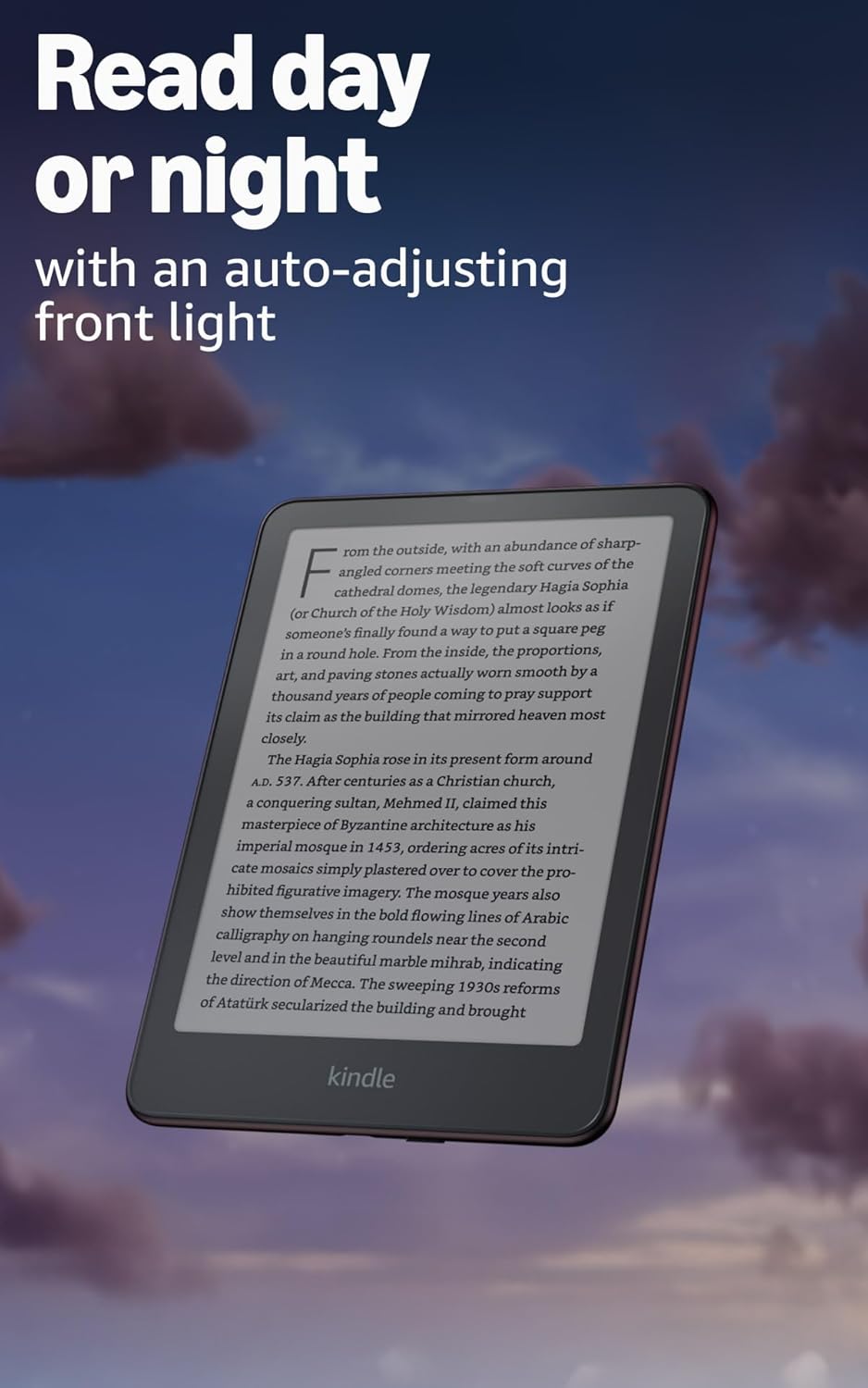
Image: Kindle Paperwhite screen illuminated in a dark room. The auto-adjusting front light allows for comfortable reading day or night.

Image: Close-up of the Kindle Paperwhite screen displaying text. Enjoy a glare-free display without distracting notifications.
2.3 مواد کا انتظام
Your Kindle provides access to a vast library of content.
- جلانے کی دکان: ہوم اسکرین سے، ٹیپ کریں۔ اسٹور icon to browse and purchase books.
- لائبریری: All purchased content is stored in your library and can be downloaded to your device.
- کلاؤڈ اسٹوریج: All Amazon content is stored for free in the cloud, allowing you to access it from any compatible device.
- تعاون یافتہ فارمیٹس: کنڈل فارمیٹ 8 (AZW3)، Kindle (AZW)، TXT، PDF، غیر محفوظ شدہ MOBI، PRC مقامی طور پر؛ PDF, DOCX, DOC, HTML, EPUB, TXT, RTF, JPEG, GIF, PNG, BMP تبادلوں کے ذریعے؛ قابل سماعت آڈیو فارمیٹ (AAX)۔

Image: A collage of various book covers. The Kindle Store offers access to over 15 million titles worldwide.
2.4 آڈیو بکس
Listen to Audible audiobooks on your Kindle Paperwhite Signature Edition.
- بلوٹوتھ: Connect Bluetooth headphones or speakers to your Kindle via the وائی فائی اور بلوٹوتھ ترتیبات
- Playing Audiobooks: Download Audible audiobooks from the Kindle Store and play them through your connected Bluetooth device.
2.5 واٹر پروفنگ
Your Kindle Paperwhite Signature Edition is waterproof (IPX8 rated).
- It is tested to withstand immersion in 2 meters of fresh water for 60 minutes.
- This makes it suitable for reading by the pool, in the bath, or at the beach.
- After exposure to water, ensure the USB-C port is dry before charging.
3 دیکھ بھال
3.1 اپنے آلے کو صاف کرنا
- Use a soft, lint-free cloth to clean the screen and body of your Kindle.
- کھرچنے والے کلینر، سالوینٹس یا ایروسول سپرے سے پرہیز کریں۔
- If the device has been exposed to water, gently wipe it dry.
3.2 بیٹری کی دیکھ بھال
- To maximize battery life, avoid exposing your Kindle to extreme temperatures.
- A single charge can last up to twelve weeks, based on half an hour of reading per day with wireless off and the light setting at 13. Heavy use, especially with wireless features or audiobook streaming, will reduce battery life.
- ڈیوائس کو باقاعدگی سے چارج کریں، لیکن دوبارہ چارج کرنے سے پہلے اسے مکمل طور پر ڈسچارج کرنا ضروری نہیں ہے۔
3.3 سافٹ ویئر اپ ڈیٹس
Your Kindle will periodically receive software updates to improve performance and add new features.
- Ensure your Kindle is connected to Wi-Fi to receive automatic updates.
- You can manually check for updates by going to ترتیبات > ڈیوائس کے اختیارات > اپ ڈیٹس کی جانچ کریں۔.
4 خرابیوں کا سراغ لگانا
4.1 آلہ جواب نہیں دے رہا ہے۔
- اگر آپ کا کنڈل منجمد ہے یا جواب نہیں دے رہا ہے، تو پاور بٹن کو 40 سیکنڈ تک دبائے رکھیں جب تک کہ آلہ دوبارہ شروع نہ ہو۔
4.2 وائی فائی کنکشن کے مسائل
- یقینی بنائیں کہ آپ کا وائی فائی راؤٹر آن اور رینج کے اندر ہے۔
- اپنے Kindle اور اپنے Wi-Fi روٹر کو دوبارہ شروع کرنے کی کوشش کریں۔
- تصدیق کریں کہ آپ درست وائی فائی پاس ورڈ درج کر رہے ہیں۔
4.3 بیٹری چارج نہیں ہو رہی
- Check that the USB-C cable is securely connected to both the Kindle and the power adapter.
- ایک مختلف USB-C کیبل یا پاور اڈاپٹر استعمال کرنے کی کوشش کریں۔
- Ensure the USB-C port on the Kindle is clean and free of debris.
4.4 Content Not Downloading
- Verify your Wi-Fi connection is active and stable.
- Check your Amazon account for any payment issues or content restrictions.
- Ensure your device has sufficient storage space.
5. وضاحتیں
| فیچر | تفصیل |
|---|---|
| ڈسپلے | 7” Paperwhite display technology with built-in front light, 300 ppi, optimized font technology, 16-level gray scale. |
| سائز | 5" x 7" x 0.3" (127.6 x 176.7 x 7.8 ملی میٹر) |
| وزن | 7.5 اوز (214G) |
| آن ڈیوائس اسٹوریج | 32 جی بی؛ ہزاروں کتابیں رکھتی ہیں۔ |
| کلاؤڈ اسٹوریج | ایمیزون کے تمام مواد کے لیے مفت کلاؤڈ اسٹوریج۔ |
| بیٹری کی زندگی | Up to twelve (12) weeks (based on 30 mins reading/day, wireless off, light setting 13). |
| چارج ٹائم | 9W USB پاور اڈاپٹر کے ساتھ 2.5 گھنٹے سے کم۔ |
| وائی فائی کنیکٹیویٹی | Supports 2.4 GHz and 5.0 GHz networks with WEP, WPA, WPA2, WPA3, and OWE security. |
| قابل رسائی خصوصیات | آوازView screen reader (Bluetooth audio, English only), dark mode, adjustable font size, font face, line spacing, and margins. |
| مواد کی شکلیں تعاون یافتہ ہیں۔ | کنڈل فارمیٹ 8 (AZW3)، Kindle (AZW)، TXT، PDF، غیر محفوظ شدہ MOBI، PRC مقامی طور پر؛ PDF, DOCX, DOC, HTML, EPUB, TXT, RTF, JPEG, GIF, PNG, BMP تبادلوں کے ذریعے؛ قابل سماعت آڈیو فارمیٹ (AAX)۔ |
| واٹر پروفنگ | IPX8 ریٹیڈ (2 میٹر میٹھے پانی میں 60 منٹ تک ڈوبنے کا مقابلہ کرتا ہے)۔ |
| نسل | 12th Generation (2024 release). |
6. وارنٹی اور سپورٹ
6.1 وارنٹی کی معلومات
Your Kindle Paperwhite Signature Edition comes with a 1-year limited warranty and service. Extended warranty options may be available for purchase separately in some regions.
6.2 اضافی معاونت
مزید مدد اور تفصیلی معلومات کے لیے، براہ کرم درج ذیل وسائل سے رجوع کریں:
- جلدی شروعات کیلئے رہنمائی: Included in your product packaging.
- Kindle User Guide: Accessible on your device or via the Amazon webسائٹ
- Accessibility for Kindle: Learn more about accessibility features on the Amazon webسائٹ
- Manage Your Content and Devices: Visit your Amazon account online to manage your Kindle content and device settings.