
تعارف
This manual provides essential instructions for setting up, operating, and maintaining your KALOC Fitness Tracker. Please read this guide thoroughly to ensure proper use and to maximize the device's features.
باکس میں کیا ہے۔
پیک کھولنے پر، تصدیق کریں کہ تمام اشیاء موجود ہیں:
- KALOC Fitness Tracker (main unit)
- واچ بینڈ
- چارجنگ کیبل
- صارف دستی
سیٹ اپ
1. ڈیوائس کو چارج کرنا
Before first use, fully charge your fitness tracker. Connect the charging cable to the charging port on the back of the device and to a USB power source. The screen will indicate charging status.

Image: The KALOC Fitness Tracker displaying a '100% Fully charged' message while connected to its charging cable.
2. ایپ کی تنصیب اور جوڑا بنانا
To utilize all features and synchronize data, download the companion application to your smartphone. The app is compatible with Android 6.0 and iOS 12.0 or above, and requires Bluetooth 4.0.
- Scan the QR code in the quick guide or search for the app name (usually mentioned in the quick guide or packaging) in your phone's app store.
- ایپلیکیشن انسٹال کریں۔
- Open the app and follow the on-screen instructions to create an account and pair your fitness tracker via Bluetooth. Ensure Bluetooth is enabled on your phone.
- ایپ کو صحیح طریقے سے کام کرنے کے لیے ضروری اجازتوں کی اجازت دیں (مثلاً، مقام، اطلاعات)۔
آپریٹنگ ہدایات
ڈسپلے اور نیویگیشن
The KALOC Fitness Tracker features a 1.58-inch AMOLED touch display. Navigate through menus and functions by swiping up, down, left, or right, and tapping to select options.

Image: The 1.58-inch AMOLED screen of the KALOC Fitness Tracker, highlighting its resolution and brightness capabilities.
بنیادی افعال
- وقت اور تاریخ: Automatically synchronizes with your paired smartphone.
- واچ چہرے: Customize your watch face through the companion app or directly on the device.

تصویر: سابقamples of personalized watch faces available for the KALOC Fitness Tracker.
صحت سے باخبر رہنے کی خصوصیات
The KALOC Fitness Tracker provides comprehensive health monitoring throughout the day.
- دل کی دھڑکن کی نگرانی: آپ کے دل کی دھڑکن کو مسلسل ٹریک کرتا ہے۔ View ڈیوائس پر ریئل ٹائم ڈیٹا یا ایپ میں تفصیلی رجحانات۔
- Blood Oxygen (SpO2) Measurement: آپ کے خون کی آکسیجن سنترپتی کی سطح کی پیمائش کرتا ہے۔
- نیند کی نگرانی: Analyzes your sleep patterns, including deep sleep, light sleep, and awake times.
- Stress Level Tracking: Monitors your stress levels and provides insights into your mental well-being.
- Pedometer & Calorie Tracker: Records daily steps, distance covered, and estimated calories burned.

Image: The KALOC Fitness Tracker displaying 24-hour health tracking data, including heart rate, sleep, and stress.

Image: The KALOC Fitness Tracker tracking daily fitness data, including steps, distance, calories, and activity time.
کھیلوں کے موڈز
The fitness tracker supports over 100 sports modes to accurately track your workouts. Select the appropriate mode before starting an activity for precise data collection.
- Examples include outdoor walking, running, cycling, strength training, yoga, and various ball games.
- Access sports modes from the device menu and select your desired activity.
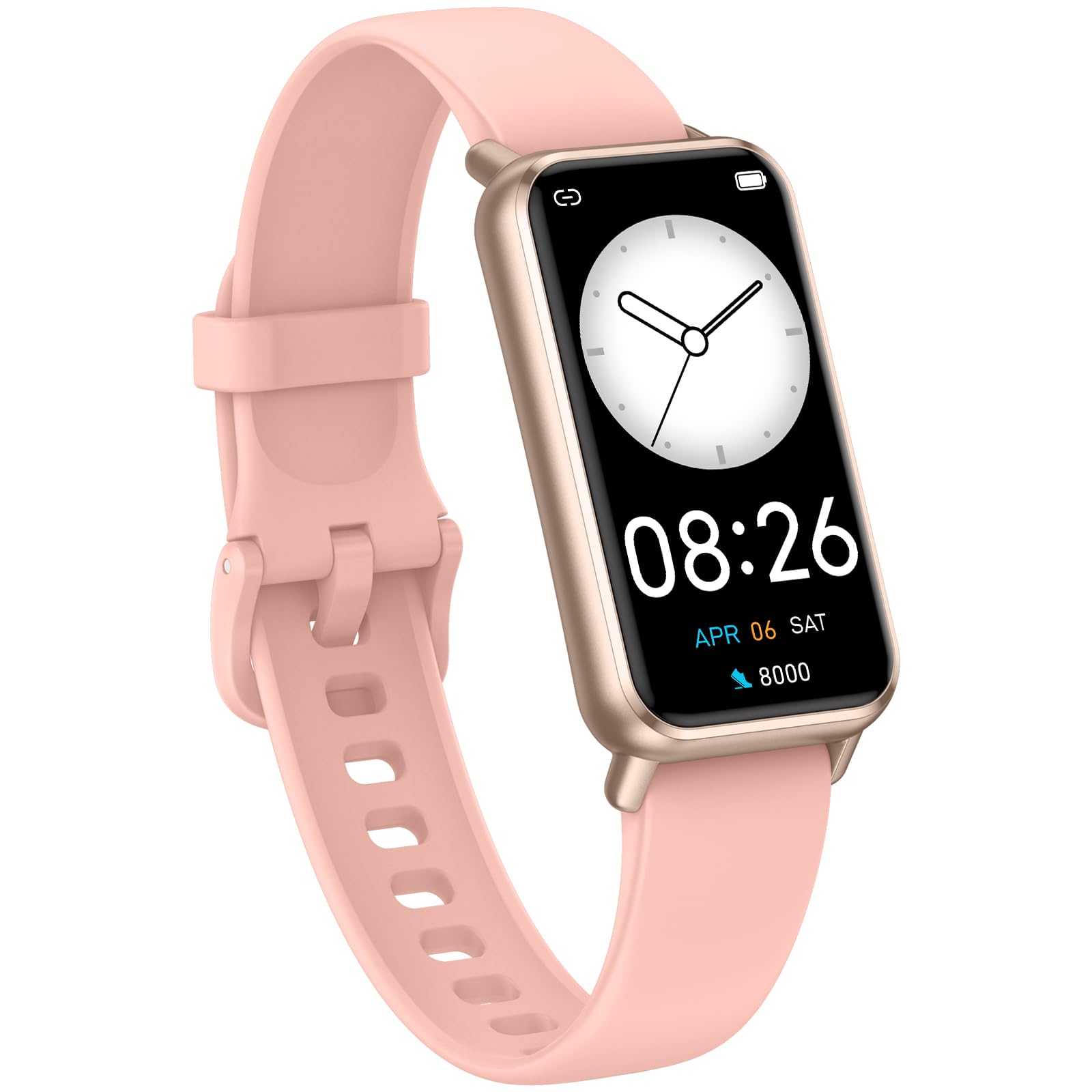
Image: The KALOC Fitness Tracker highlighting its support for over 100 sports modes.
پانی کی مزاحمت
The KALOC Fitness Tracker is 50-meter waterproof, making it suitable for various water activities.
- Suitable for washing hands, showering, swimming, and shallow water activities.
- Not recommended for diving, hot water activities, or high-pressure water exposure.

Image: The KALOC Fitness Tracker demonstrating its 50-meter waterproof feature during swimming.
بیٹری کی زندگی
The device offers an extended battery life, providing up to 14 days of typical use or 30 days of standby time on a single charge.

Image: The KALOC Fitness Tracker highlighting its 14-day battery life.
سمارٹ اطلاعات
Receive notifications for calls, messages, and app alerts directly on your wrist when paired with your smartphone.

Image: The KALOC Fitness Tracker receiving smart notifications from various applications.
دیگر افعال
The KALOC Fitness Tracker includes several additional useful features:
- کیمرہ کنٹرول: اپنے فون کے کیمرہ کو دور سے کنٹرول کریں۔
- موسیقی کنٹرول: Manage music playback on your paired phone.
- موسم کا حال: View موجودہ موسمی حالات اور پیشن گوئی.
- پینے کی یاد دہانی: ہائیڈریٹ رہنے کے لیے یاد دہانیاں سیٹ کریں۔
- بیہودہ یاد دہانی: غیرفعالیت کے ادوار کے بعد آپ کو منتقل ہونے کے لیے متنبہ کرتا ہے۔
- الارم گھڑی: Set alarms directly on your device.
- سانس کی تربیت: Guided breathing exercises to help manage stress.

Image: The KALOC Fitness Tracker showcasing its multiple functions.
دیکھ بھال
To ensure the longevity and optimal performance of your KALOC Fitness Tracker, follow these maintenance guidelines:
- صفائی: باقاعدگی سے آلے کو صاف کریں اور نرم، ڈی کے ساتھ پٹاamp کپڑا سخت کیمیکلز یا کھرچنے والے مواد سے پرہیز کریں۔
- چارج کرنا: Use only the provided charging cable. Do not expose the charging contacts to water or corrosive liquids.
- ذخیرہ: استعمال میں نہ ہونے پر آلہ کو ٹھنڈی، خشک جگہ پر اسٹور کریں۔ انتہائی درجہ حرارت سے پرہیز کریں۔
- پانی کی نمائش: While waterproof, it is advisable to dry the device thoroughly after exposure to water to prevent skin irritation and ensure proper sensor function.
خرابی کا سراغ لگانا
If you encounter issues with your KALOC Fitness Tracker, refer to the following common solutions:
- ڈیوائس آن نہیں ہو رہی ہے: یقینی بنائیں کہ ڈیوائس پوری طرح سے چارج ہے۔ اسے چارجر سے کم از کم 30 منٹ تک جوڑیں۔
- فون کے ساتھ جوڑا نہیں بنایا جا سکتا:
- یقینی بنائیں کہ آپ کے فون پر بلوٹوتھ فعال ہے۔
- یقینی بنائیں کہ ٹریکر آپ کے فون کی بلوٹوتھ رینج کے اندر ہے۔
- اپنے فون اور فٹنس ٹریکر دونوں کو دوبارہ شروع کریں۔
- Check if the app has the necessary permissions.
- غلط ڈیٹا:
- Ensure the tracker is worn snugly on your wrist, about one finger's width from your wrist bone.
- ڈیوائس کے پچھلے حصے میں موجود سینسر کو صاف کریں۔
- Update the device firmware via the app if available.
- اطلاعات موصول نہیں ہوئیں:
- Verify that notifications are enabled in both the tracker's app and your phone's settings.
- یقینی بنائیں کہ ایپ پس منظر میں چل رہی ہے۔
If problems persist, consult the support section of the companion app or contact customer support.
وضاحتیں
| ماڈل نمبر | 529d841c-3537-4f97-bf0f-2a0c001c6b1e |
| ڈسپلے سائز | 1.58 انچ AMOLED |
| پانی کی مزاحمت | 50 میٹر |
| بیٹری کی زندگی | 14 دن تک (عام استعمال) |
| کنیکٹوٹی | بلوٹوتھ 4.0 |
| مطابقت | Android 6.0+ / iOS 12.0+ |
| شے کا وزن | 2.82 اونس |
| مصنوعات کے طول و عرض | 6.4 x 3 x 0.7 انچ |
وارنٹی اور سپورٹ
For warranty information and customer support, please refer to the documentation included with your purchase or visit the official KALOC webسائٹ وارنٹی دعووں کے لیے خریداری کے ثبوت کے طور پر اپنی خریداری کی رسید رکھیں۔