
تعارف
This manual provides comprehensive instructions for the setup, operation, and maintenance of your Surfans F22 Portable HiFi MP3 Player. Please read this manual thoroughly before using the device to ensure proper functionality and to maximize your listening experience.
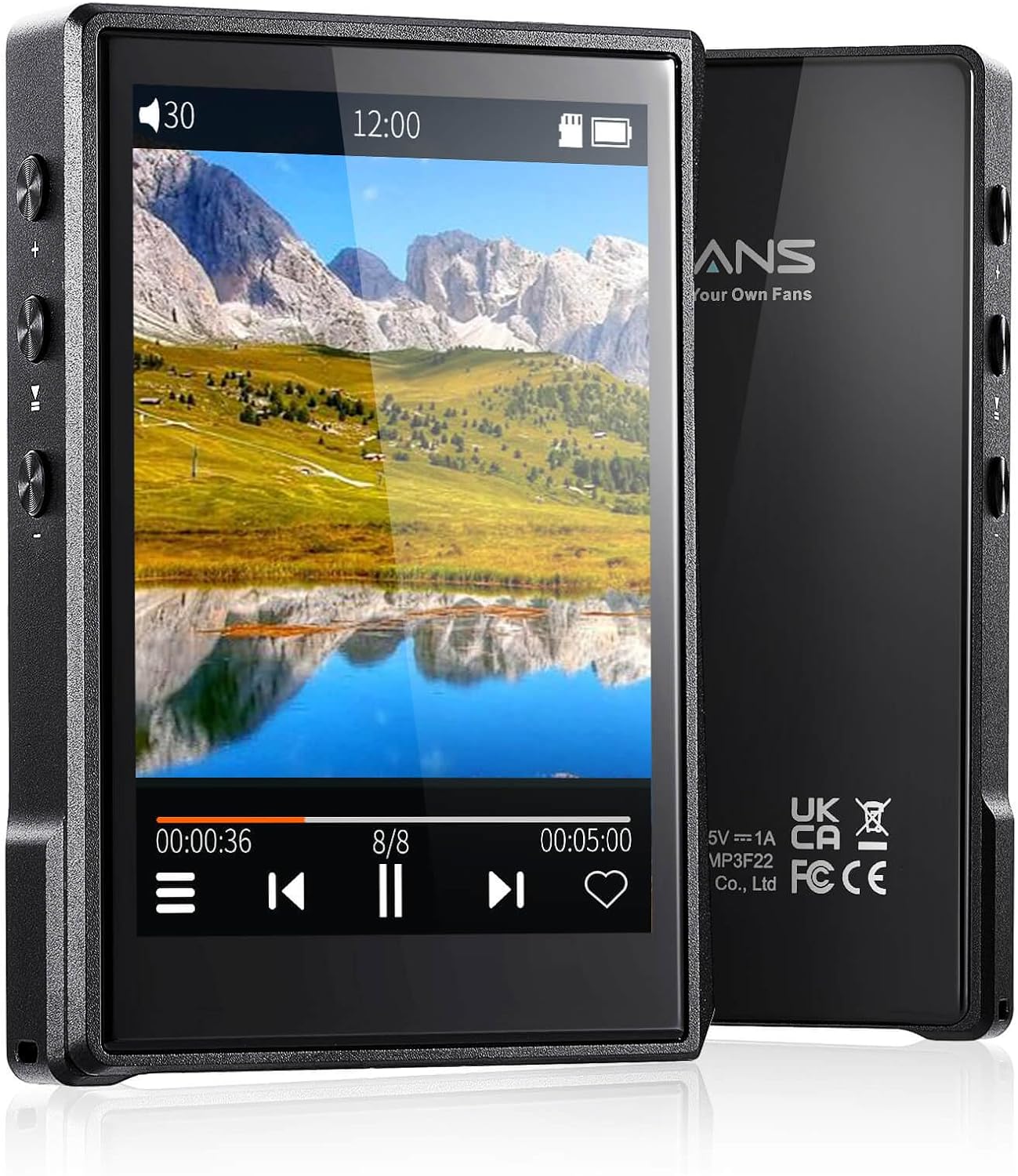
تصویر: سامنے اور پیچھے view of the Surfans F22 Portable HiFi MP3 Player, showcasing its 2.8-inch touchscreen and sleek design.
پیکیج کے مشمولات
تصدیق کریں کہ تمام اشیاء پیکیج میں موجود ہیں:
- Surfans F22 HiFi Music Player
- صارف دستی (یہ دستاویز)
- USB-C کیبل
- 32GB میموری کارڈ (پہلے سے انسٹال یا الگ سے شامل)
ڈیوائس ختمview
Familiarize yourself with the physical components of your F22 player.

Image: Diagram illustrating the various ports and buttons on the Surfans F22 MP3 Player, including the power button, volume controls, headphone jack, and USB-C port.
- 2.8-inch IPS TFT Full Touchscreen: Main interface for navigation and control.
- پاور بٹن: ڈیوائس کو آن/آف کرتا ہے اور اسکرین کو لاک/ان لاک کرتا ہے۔
- والیوم بٹن: آڈیو آؤٹ پٹ لیول کو ایڈجسٹ کرتا ہے۔
- ہیڈ فون جیک (3.5 ملی میٹر): وائرڈ ہیڈ فون جوڑیں۔
- USB-C پورٹ: چارج کرنے اور ڈیٹا کی منتقلی کے لیے۔
- مائیکرو ایسڈی کارڈ سلاٹ: 1TB تک قابل توسیع اسٹوریج کے لیے۔
سیٹ اپ
1. ڈیوائس کو چارج کرنا
Before first use, fully charge the F22 player. Connect the provided USB-C cable to the device's USB-C port and the other end to a USB power adapter (not included) or a computer's USB port. The charging indicator will show progress. A full charge typically takes approximately 2 hours and provides up to 10 hours of playback.
2. مائیکرو ایس ڈی کارڈ داخل کرنا
The F22 comes with a 32GB memory card. For additional storage, you can insert a Micro SD card (up to 1TB) into the designated slot. Ensure the card is inserted correctly until it clicks into place.

Image: A Surfans F22 MP3 Player shown with a Micro SD card being inserted into its slot, illustrating the expandable storage capability.
3. Transferring Music Files
Connect the F22 player to your computer using the USB-C cable. The device will appear as a removable storage drive. Drag and drop your music files (FLAC, WMA, WAV, DSF, DSD, MP3, etc.) into the appropriate folders on the player's internal storage or the Micro SD card.

Image: A Surfans F22 MP3 Player displaying music playback, with a person wearing headphones in the background, symbolizing the high-fidelity audio experience.
آپریٹنگ ہدایات
1۔ پاور آن/آف اور اسکرین لاک
- پاور آن کرنے کے لیے، پاور بٹن کو دبائے رکھیں جب تک کہ اسکرین روشن نہ ہوجائے۔
- To power off, press and hold the Power button, then select "Power Off" on the screen.
- To lock/unlock the screen, briefly press the Power button.
2. انٹرفیس کو نیویگیٹ کرنا
The F22 features a 2.8-inch touchscreen for navigation. Swipe left/right or up/down to browse menus and lists. Tap icons to select options or open applications.
3. میوزک پلے بیک۔
- From the main menu, select "Music" to access your library.
- Browse by Artist, Album, Song, Genre, or Folder.
- پلے بیک شروع کرنے کے لیے گانے کو تھپتھپائیں۔
- During playback, use the on-screen controls for play/pause, skip track, and volume adjustment. Physical volume buttons also control volume.

Image: The Surfans F22 MP3 Player screen showing options for music playback modes: List play, Single play, List loop, and Random, indicating flexible listening options.
4. بلوٹوتھ کنیکٹیویٹی
The F22 supports Bluetooth 4.2 for wireless audio output.
- "ترتیبات" پر جائیں اور "بلوٹوتھ" کو منتخب کریں۔
- Turn Bluetooth on. The player will scan for available devices.
- جوڑا بنانے کے لیے فہرست سے اپنے مطلوبہ بلوٹوتھ ہیڈ فون یا اسپیکر کو منتخب کریں۔
- Once paired, audio will stream wirelessly to the connected device.

Image: A visual representation of the Surfans F22 MP3 Player's Bluetooth 4.2 capabilities, showing connections to Bluetooth headphones, a Bluetooth speaker, and a car stereo system.
5. E-Book Functionality
The F22 also supports E-book reading.
- Transfer compatible E-book files ڈیوائس پر۔
- مین مینو سے، "ای بک" کو منتخب کریں۔
- Browse and select a book to open and read.
دیکھ بھال
- صفائی: آلے کو صاف کرنے کے لیے نرم، خشک کپڑا استعمال کریں۔ مائع کلینر یا کھرچنے والے مواد سے پرہیز کریں۔
- ذخیرہ: پلیئر کو براہ راست سورج کی روشنی اور انتہائی درجہ حرارت سے دور ٹھنڈی، خشک جگہ پر اسٹور کریں۔
- بیٹری کی دیکھ بھال: بیٹری کی زندگی کو طول دینے کے لیے، بار بار بیٹری کو مکمل طور پر خارج کرنے سے گریز کریں۔ آلہ کو باقاعدگی سے چارج کریں، چاہے وہ طویل عرصے تک استعمال میں نہ ہوں۔
- سافٹ ویئر اپ ڈیٹس: مینوفیکچررز کو چیک کریں۔ website periodically for firmware updates to ensure optimal performance and new features.
خرابی کا سراغ لگانا
| مسئلہ | ممکنہ وجہ | حل |
|---|---|---|
| ڈیوائس آن نہیں ہوتی ہے۔ | کم بیٹری۔ | ڈیوائس کو کم از کم 30 منٹ تک چارج کریں۔ |
| کوئی آواز نہیں۔ | Volume too low; headphones not connected properly; incorrect audio output. | Increase volume; ensure headphones are fully plugged in; check Bluetooth connection if using wireless. |
| منتقل نہیں کیا جا سکتا files. | USB cable issue; device not recognized by computer. | Try a different USB port or cable; ensure the device is in data transfer mode if prompted. |
| بلوٹوتھ کنکشن غیر مستحکم ہے۔ | Interference; device too far from player. | Reduce distance between devices; avoid obstacles; try re-pairing. |
| اسکرین غیر جوابدہ۔ | سافٹ ویئر کی عارضی خرابی۔ | Perform a soft reset by holding the Power button until the device restarts. |
وضاحتیں
| فیچر | تفصیل |
|---|---|
| ماڈل | Surfans F22 Hi Res Music Player |
| پروسیسر | RK3308G 64-bit Quad-core ARM Cortex-A35 |
| ڈسپلے | 2.8-inch IPS TFT Full Touchscreen (240*320 resolution) |
| آڈیو فارمیٹس تعاون یافتہ ہیں۔ | FLAC, WMA, WAV, DSF, DSD (Native DSD 128/256), PCM (up to 384kHz/32bit), DFF, DTS, APE, OGG, M4A, AIFF, AAC, MP3, Apple Lossless |
| بلوٹوتھ | ورژن 4.2 |
| اندرونی اسٹوریج | 32 جی بی (شامل) |
| قابل توسیع اسٹوریج | Micro SD card up to 1TB |
| بیٹری | 1500mAh لتیم پولیمر |
| بیٹری کی زندگی | 10 گھنٹے تک پلے بیک |
| چارج کرنے کا وقت | Approximately 2 hours (fast charge) |
| طول و عرض | 4.72 x 3.15 x 1.77 انچ |
| وزن | 7.4 اونس |
| کنیکٹوٹی | USB-C |
| خصوصی خصوصیات | Equalizer, Hi-Res Audio, E-book function |
وارنٹی اور سپورٹ
The Surfans F22 Portable HiFi MP3 Player comes with a one-year return and exchange guarantee from the date of purchase. This warranty covers manufacturing defects under normal use.
For technical support, warranty claims, or further assistance, please contact Surfans customer service through their official website or the retailer where the product was purchased. Please have your purchase receipt and product model number (F22) available when contacting support.
مینوفیکچرر: Surfans
Webسائٹ: Surfans Official Store