
1. پروڈکٹ ختمview
The TP-Link Deco X1500 is a Wi-Fi 6 Mesh System designed to provide seamless, whole-home Wi-Fi coverage. This 3-pack system utilizes advanced Wi-Fi 6 technologies to deliver faster speeds, connect more devices, and reduce latency for a superior network experience. It creates a unified network that automatically selects the best connection as you move throughout your home.

Image: A single TP-Link Deco X1500 Mesh WiFi 6 unit, showcasing its compact white cylindrical design.
اہم خصوصیات:
- Faster Connections: Wi-Fi 6 achieves speeds up to 1,500 Mbps: 1,201 Mbps on 5 GHz and 300 Mbps on 2.4 GHz.
- مزید آلات مربوط کریں: OFDMA and MU-MIMO technologies quadruple capacity for simultaneous transmission to multiple devices.
- Enhanced Seamless Coverage: Achieve perfect whole-home coverage with a clearer and stronger Wi-Fi signal generated by Wi-Fi 6.
- انتہائی کم تاخیر: Reduced latency enables more responsive gaming and video chats.
- Unified Network: Multiple units form a whole-home network that automatically selects the best connection as you move around your home.
- Robust Parental Controls: آن لائن وقت کو محدود کریں اور نامناسب بلاک کریں۔ websites based on unique profileخاندان کے ہر فرد کے لیے بنایا گیا ہے۔
- آسان سیٹ اپ: The Deco app guides you step-by-step through the setup process.
2. پیکیج کے مشمولات
تصدیق کریں کہ تمام اشیاء آپ کے پیکیج میں موجود ہیں:
- 3 ایکس ڈیکو ایکس 1500 یونٹ
- 1 x RJ45 ایتھرنیٹ کیبل
- 3 ایکس پاور اڈاپٹر
- 1 ایکس فوری انسٹالیشن گائیڈ
3. سیٹ اپ ہدایات
Setting up your Deco X1500 Mesh System is straightforward using the TP-Link Deco app. Follow these steps for initial installation:
- ڈیکو ایپ ڈاؤن لوڈ کریں: تلاش کریں۔ 'TP-Link Deco' in the App Store (iOS) or Google Play Store (Android) and download the application.
- Sign Up or Log In: Open the Deco app and sign up for a TP-Link ID. If you already have one, log in.
- مین ڈیکو یونٹ کو جوڑیں:
- اپنے موڈیم کو پاور آف کریں۔
- فراہم کردہ ایتھرنیٹ کیبل کا استعمال کرتے ہوئے ایک ڈیکو یونٹ کو اپنے موڈیم سے جوڑیں۔
- Power on your modem, then power on the Deco unit.
- درون ایپ ہدایات پر عمل کریں: The Deco app will automatically detect your Deco unit and guide you through the process of creating your Wi-Fi network name and password.
- اضافی ڈیکو یونٹس شامل کریں: Once the main Deco is set up, the app will prompt you to add the remaining Deco units. Place them strategically throughout your home for optimal coverage. The app will provide guidance on ideal placement.
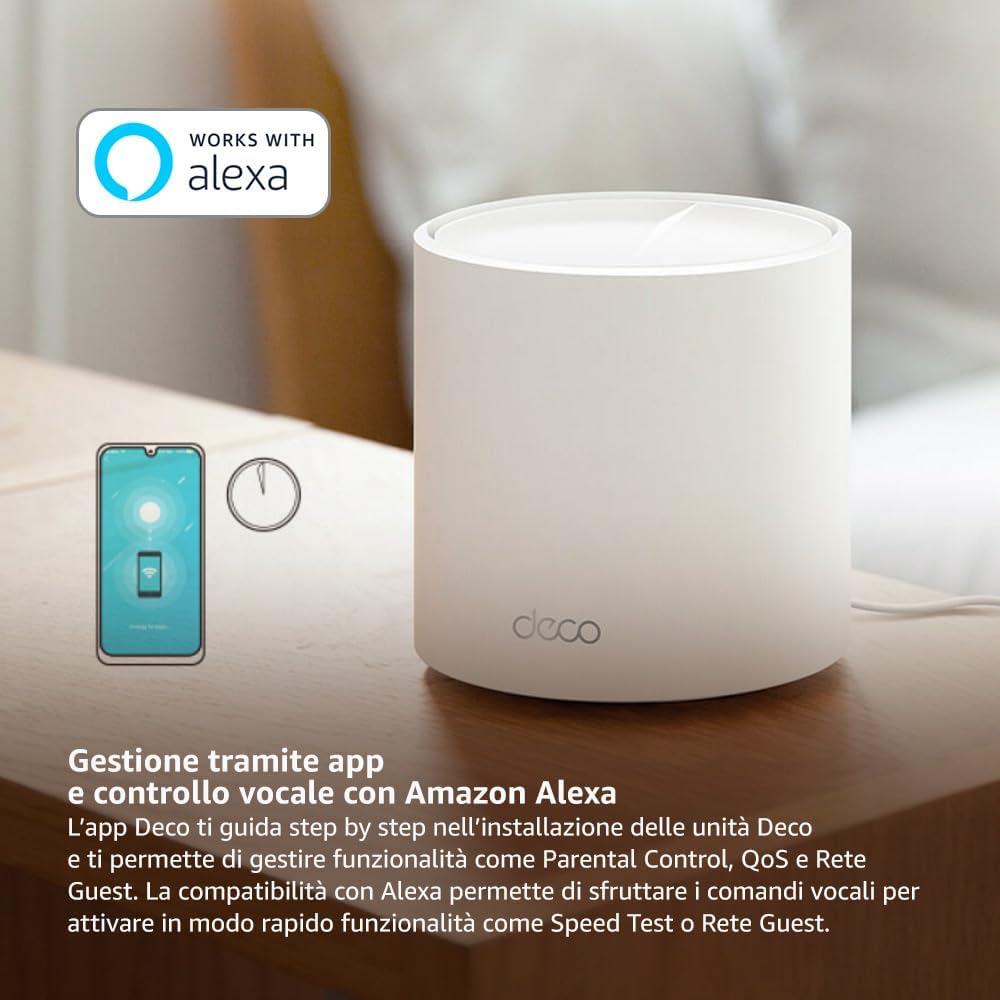
Image: A smartphone screen displaying the TP-Link Deco app, illustrating the step-by-step setup process for the mesh system.
4. آپریٹنگ ہدایات
The Deco X1500 system is managed primarily through the TP-Link Deco app, offering various features to control and optimize your home network.
Using the Deco App:
- نیٹ ورک مینجمنٹ: View connected devices, monitor network status, and manage Wi-Fi settings.
- والدین کے کنٹرول: پرو بنائیں۔files for family members, set time limits, and block inappropriate content.
- سروس کا معیار (QoS): بہترین کارکردگی کے لیے آلات یا سرگرمیوں کو ترجیح دیں۔
- مہمان نیٹ ورک: اپنے مرکزی نیٹ ورک کو محفوظ رکھتے ہوئے مہمانوں کے لیے علیحدہ وائی فائی نیٹ ورک بنائیں۔
- اینٹی وائرس: Utilize built-in HomeShield features for network protection.
ایمیزون الیکسا کے ساتھ وائس کنٹرول:
The Deco X1500 is compatible with Amazon Alexa. Link your TP-Link Deco account to your Alexa account to use voice commands for network functions, such as:
- Enabling or disabling the Guest Network.
- Running a speed test.
- Pausing Wi-Fi for specific profiles.

تصویر: پیچھے view of a Deco X1500 unit, showing two Gigabit LAN/WAN auto-sensing Ethernet ports and the power input.
5 دیکھ بھال
Regular maintenance ensures optimal performance and longevity of your Deco X1500 system.
فرم ویئر اپ ڈیٹس:
- The Deco app will notify you of available firmware updates. It is recommended to keep your Deco units updated to the latest firmware for improved performance, security, and new features.
- Follow the in-app instructions to perform firmware updates. Do not power off the units during an update.
صفائی اور جگہ کا تعین:
- Clean the Deco units with a soft, dry cloth. Do not use liquid cleaners or aerosols.
- Place Deco units in open areas, away from obstructions like large metal objects, thick walls, or other electronic devices that may cause interference.
- Ensure adequate ventilation around each unit to prevent overheating.
6 خرابیوں کا سراغ لگانا
If you encounter issues with your Deco X1500 system, refer to the following common troubleshooting steps.
کوئی انٹرنیٹ کنکشن نہیں:
- موڈیم چیک کریں: یقینی بنائیں کہ آپ کا موڈیم آن ہے اور ایک فعال انٹرنیٹ کنیکشن ہے۔
- کیبل کنکشن: Verify that the Ethernet cable connecting the main Deco unit to the modem is securely plugged in.
- آلات کو دوبارہ شروع کریں: Power cycle your modem and all Deco units. Wait a few minutes for them to restart and re-establish connections.
- ڈیکو ایپ کی حیثیت: Check the Deco app for network status and any error messages.
کمزور وائی فائی سگنل یا ڈیڈ زون:
- یونٹ کی جگہ کا تعین: Adjust the placement of your Deco units. Try to place them equidistant from each other and the main Deco, avoiding physical obstructions.
- مداخلت: Move Deco units away from other electronics (microwaves, cordless phones, Bluetooth devices) that might cause wireless interference.
- مزید یونٹس شامل کریں: For very large homes or those with multiple floors, consider adding more Deco units to expand coverage.
Device Cannot Connect to Wi-Fi:
- درست پاس ورڈ: یقینی بنائیں کہ آپ درست وائی فائی پاس ورڈ درج کر رہے ہیں۔
- ڈیوائس کی مطابقت: Verify that your device supports the Wi-Fi standards used by the Deco system (802.11ax/ac/n/a/g/b).
- ڈیوائس کو دوبارہ شروع کریں: جڑنے کی کوشش کرنے والے آلے کو دوبارہ شروع کریں۔
- Check Blacklist: Ensure the device has not been accidentally blacklisted in the Deco app.
7. وضاحتیں
| فیچر | تفصیلات |
|---|---|
| برانڈ | ٹی پی لنک |
| ماڈل کا نام | ڈیکو X1500 |
| خصوصی خصوصیت | وائی فائی 6 |
| فریکوئنسی بینڈ کلاس | ڈوئل بینڈ |
| وائرلیس مواصلات کا معیار | ایکس این ایم ایکس ایکس |
| ہم آہنگ آلات | پی سی، اسمارٹ فون، ٹیبلٹ |
| تجویز کردہ استعمال | گھر |
| کنیکٹوٹی ٹیکنالوجی | آر جے 45 |
| رنگ | سفید |
| سیکیورٹی پروٹوکول | WPA3 |
| Number of Ports (per unit) | 2 x Gigabit LAN/WAN (auto-sensing) |
| کنٹرول کا طریقہ | ایپ |
| ڈیٹا کی منتقلی کی شرح | 1500 میگا بٹس فی سیکنڈ |
| LAN پورٹ بینڈوتھ | 1000 ایم بی پی ایس |
| والیومtage | 110.0V |
| Max Upstream Data Transfer Rate | 1201 میگا بٹس فی سیکنڈ |
| انٹینا کی تعداد | اندرونی |
| اسمارٹ ہوم مطابقت | جی ہاں |
| وائی فائی جنریشن | وائی فائی 6 |
| کوریج (3 پیک) | 520 مربع میٹر تک |
| شے کا وزن | 1.8 کلوگرام |
8. وارنٹی کی معلومات
The TP-Link Deco X1500 Mesh System comes with a 3 سال کی مصنوعات کی وارنٹی. This warranty covers defects in materials and workmanship under normal use. For specific terms and conditions, please refer to the warranty card included in your package or visit the official TP-Link webسائٹ
9. سپورٹ
For further assistance, technical support, or to access additional resources, please visit the official TP-Link support webسائٹ:
You can also find FAQs, updated manuals, and community forums on the support page.